
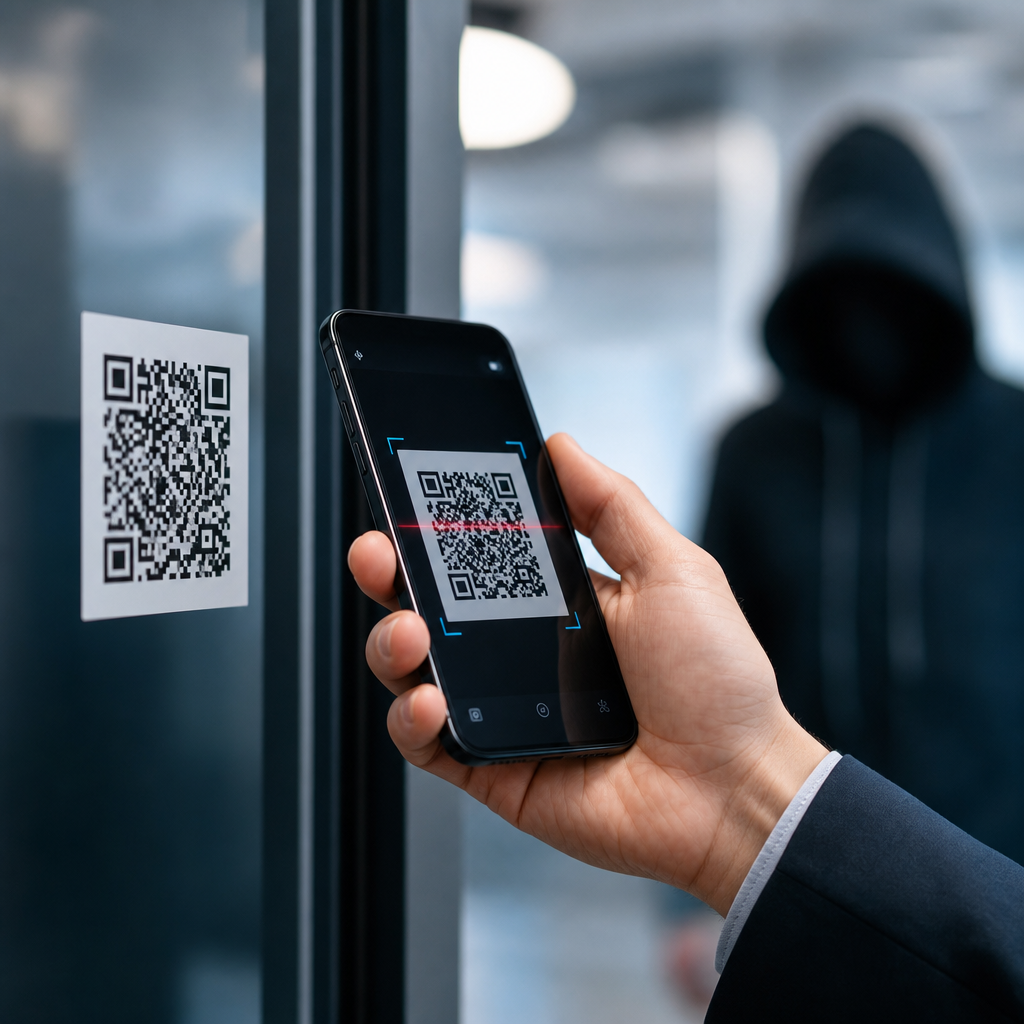
QR codes are now embedded in daily business operations, from restaurant menus and warehouse labels to payment flows and employee onboarding, but that convenience has created a real security question for companies: are QR codes a threat, or are they simply another channel that must be governed well? A QR code, short for Quick Response code, is a two-dimensional barcode that stores data such as a URL, contact record, payment string, Wi-Fi credential, or product identifier. When an employee, customer, or supplier scans it with a phone or scanner, the device decodes the pattern and performs an action, often opening a web page. That simple handoff between physical object and digital destination is exactly why QR code security matters.
In my work reviewing mobile risk, phishing campaigns, and marketing technology stacks, I have seen QR codes move from harmless convenience to a common attack vector. Security teams once focused on email links and malicious attachments. Today they also need to account for malicious stickers placed on parking meters, altered codes on invoices, fake login pages reached through scan-based prompts, and dynamic QR platforms that quietly redirect users long after printed material has been distributed. The threat is not the square pattern itself. The threat is what the code points to, who controls the destination, and whether the organization has policies, technical controls, and user awareness in place.
For companies, the stakes are wider than a single scam. QR code abuse can trigger credential theft, payment fraud, malware delivery, data leakage, account takeover, regulatory exposure, and reputational damage. It can affect both inbound use cases, where customers scan a brand’s codes, and outbound use cases, where employees scan codes in operations, logistics, facilities, and field service. A practical answer is therefore direct: yes, QR codes can be a security threat for companies, but the risk is manageable when businesses treat QR codes as governed digital assets rather than disposable graphics.
This hub article explains the major QR code scams and risks companies face, why these attacks work, which business functions are most exposed, and what controls reduce risk without losing the efficiency that makes QR codes valuable. If your organization prints, emails, posts, or accepts QR codes anywhere in its workflows, this is not a niche issue. It is part of modern phishing defense, mobile security, fraud prevention, and compliance.
Why QR codes create unique business risk
QR codes create risk because they hide intent at the moment of interaction. A user can inspect a typed web address in an email, hover over a desktop link, or rely on secure email gateways to analyze content before clicking. With a QR code, that visibility is reduced. The user sees a pattern, not a destination, and the scan usually happens on a mobile device where browser indicators, URL previews, and endpoint controls are weaker than on managed laptops. That combination makes QR-based attacks, often called quishing, effective.
There are several technical and behavioral reasons these attacks succeed. First, users have been trained to trust QR codes in physical environments such as lobbies, tables, posters, and packaging. Second, mobile users act quickly and often outside normal verification habits. Third, many security stacks are still optimized for email and desktop traffic, not for camera-initiated browsing sessions. Fourth, printed QR codes can be changed after approval through stickers, overlays, or compromised design files. Finally, dynamic QR services introduce a layer of indirection: the printed code may stay the same while the redirect target changes, which is useful for marketers but dangerous if account access is weak.
Companies should also recognize that QR risk spans cyber and physical security. A fake code on an office visitor sign-in stand can steal Microsoft 365 credentials. A tampered code on a machine can send a technician to a malicious maintenance page. A scam code on a payment terminal can reroute funds. Because the scan bridges real-world trust and digital action, attacks can bypass assumptions that would otherwise raise suspicion.
Common QR code scams and attack methods
The most common QR code scam is phishing through a malicious landing page. An employee scans a code on a printed notice, parcel slip, conference badge, or email attachment image and lands on what appears to be a Microsoft, Google, Okta, or payroll login page. The page captures credentials and often requests a one-time passcode to defeat multifactor authentication. Attackers favor this method because mobile users are less likely to inspect the domain closely, and some identity prompts render convincingly on small screens.
Payment diversion is another major risk. Criminals place replacement QR stickers over legitimate payment codes in retail spaces, parking machines, vending stations, charity posters, or invoices. The user believes payment is going to the expected merchant, but funds go to the attacker’s wallet or bank proxy. In business-to-business settings, a fake QR code on an invoice can redirect remittance to fraudulent accounts, especially when AP teams are processing quickly.
Malware and unwanted app installation also appear in QR campaigns, though less often than phishing. A code may prompt users to install a fake scanner, MDM profile, browser update, or delivery app. On corporate devices, that can create data exposure or broaden mobile device compromise. Attackers also use QR codes to push users into SMS short-code flows, messaging bots, or device configuration pages that enable later fraud.
Some attacks are subtler. A code can trigger Wi-Fi connection attempts to rogue networks, auto-populate email messages, add malicious contacts, or open support chats controlled by impostors. Dynamic QR accounts can be hijacked and repointed at harmful destinations after a campaign has already shipped. That turns a legitimate asset into a delayed threat, which is especially serious for printed packaging, event signage, and product labels that remain in circulation for months.
| Threat type | How it works | Business impact |
|---|---|---|
| Credential phishing | Scan opens fake login page for Microsoft 365, Google Workspace, VPN, or payroll | Account takeover, data breach, wire fraud |
| Payment diversion | Code is replaced or altered to send money to attacker-controlled destination | Financial loss, chargebacks, customer complaints |
| Malware delivery | Scan prompts app install, profile download, or malicious site interaction | Mobile compromise, data leakage, persistence |
| Rogue Wi-Fi or device action | Code initiates unsafe network join or prefilled command-like action | Traffic interception, user deception, policy bypass |
| Dynamic redirect abuse | Legitimate code remains printed while backend target changes | Brand damage, delayed detection, broad campaign exposure |
Where companies are most vulnerable
Marketing teams often create the largest QR footprint without realizing they are creating a security surface. Codes appear on posters, brochures, product packaging, direct mail, trade show materials, storefront windows, and social posts. If these codes are generated through unvetted platforms, linked to domains the company does not control, or updated by too many users without approval, attackers gain opportunities. A compromised marketing account can silently poison thousands of scans before anyone notices.
Finance and procurement functions face a different pattern of risk. Accounts payable teams increasingly receive invoices with QR payment options. Treasury teams may approve payment workflows that rely on mobile banking apps. Suppliers may include QR codes for statement access, portal logins, or remittance instructions. Every one of those touchpoints can be impersonated. I have seen organizations harden email approval chains while leaving invoice QR validation entirely to human judgment, which is an avoidable gap.
Operations, facilities, and manufacturing environments are also exposed. QR codes are used for asset tracking, machine manuals, maintenance histories, visitor management, and warehouse routing. If a code on equipment leads staff to a fake troubleshooting site, the immediate outcome might be credential theft, but the larger issue is operational disruption. In regulated sectors, bad maintenance instructions or falsified records can become a safety and compliance problem, not just a cyber incident.
Human resources and IT support are increasingly targeted through onboarding and access workflows. Employees receive QR codes for single sign-on setup, benefits enrollment, badge activation, mobile device registration, and help desk forms. Attackers know new hires are primed to scan quickly and comply. A fake enrollment code during the first week of employment can compromise identity, payroll data, and tax information in one step.
How to assess QR code risk in a company
A useful QR code risk assessment starts with inventory. Most companies do not know how many QR codes they have in circulation, who owns them, or what destinations they reach. Build a register of every business-critical code, including printed assets, digital assets, dynamic campaigns, operational labels, and third-party supplied codes. Record the owner, purpose, destination URL, generation platform, publication date, and whether the target domain is company-controlled. If you cannot inventory QR codes, you cannot govern them.
Next, classify risk by use case. Customer-facing payment and login codes deserve the highest scrutiny because they combine money movement, authentication, and public exposure. Internal training posters may be lower risk, but only if they point to approved domains and do not handle credentials. High-risk categories should require stronger controls such as domain allowlisting, formal change approval, short expiration periods, and ongoing monitoring of redirects and scan analytics.
Then test the end-to-end user journey on real devices. This is where many hidden issues emerge. Does the phone show the full destination before opening? Is the landing page on HTTPS with HSTS enabled? Does the page request a login that could be phished externally? Are there clear brand indicators and support contacts? Can the same business outcome be achieved through a typed short URL as a safer fallback? Practical testing beats policy statements because mobile behavior often differs sharply from desktop assumptions.
Finally, map QR processes into existing controls. Secure code generation belongs with brand and web governance. Login-related QR flows belong with identity and access management. Device registration flows belong with mobile device management and conditional access. Payment QR processes belong with treasury controls, dual approval, and fraud review. When QR code security is assigned to nobody, it becomes everybody’s blind spot.
Controls that reduce QR code scams and risks
The strongest control is destination control. Companies should use domains they own, maintain TLS certificates correctly, and avoid linking critical business actions to generic URL shorteners or free QR platforms. For dynamic QR campaigns, use enterprise accounts with role-based access control, multifactor authentication, logging, and change history. If a provider cannot show admin security features, it is not suitable for business-critical use.
User protection on mobile devices matters just as much. Require mobile threat defense or equivalent protection on managed devices where feasible. Use conditional access so credentials entered from unmanaged or risky sessions are challenged or blocked. Train employees to pause before authenticating after a scan and to verify the visible domain, not just the page design. On customer-facing materials, print the plain-language destination or company domain near the QR code so users have an anchor for trust.
Physical controls are often overlooked but highly effective. Inspect public signage and payment points for sticker overlays or tampering. Use design methods that make replacement obvious, such as branded frames, tamper-evident labels, or placement behind protective surfaces. For invoices and statements, validate payment details through established channels, especially for any first-time or changed remittance destination. A QR code should never override existing payment verification policy.
Monitoring closes the loop. Review scan analytics for anomalies such as sudden geography shifts, off-hours spikes, unusual device distributions, or traffic to unauthorized domains. Log redirect changes on dynamic platforms. Include QR scenarios in phishing simulations and incident response playbooks. If your SOC investigates suspicious links, it should also be prepared to investigate suspicious codes, screenshots of codes, and mobile browser artifacts associated with scans.
Compliance, governance, and long-term business value
QR code security is not only about stopping scams. It is also about governance, privacy, and defensible business operations. Many QR campaigns collect analytics data such as device type, location approximation, time of scan, and conversion behavior. Depending on jurisdiction and implementation, that data can fall under privacy obligations, especially when combined with identifiers, loyalty programs, or employee records. Legal, compliance, and marketing teams should align on notice, consent where required, retention limits, and vendor due diligence.
Industry frameworks already provide useful guidance even when they do not mention QR codes directly. The NIST Cybersecurity Framework supports asset inventory, protective controls, monitoring, and incident response. CIS Controls reinforce secure configuration, access management, logging, and user awareness. Payment environments may implicate PCI DSS if QR codes initiate or redirect card-related transactions. The point is simple: QR codes are not exempt from established control principles just because they begin as printed graphics.
The business benefit of managing QR risk well is significant. Companies keep the speed and convenience of scan-based experiences while reducing fraud, support burden, and brand damage. They gain cleaner ownership over customer journeys, stronger trust in printed and mobile interactions, and fewer hidden dependencies on unsecured third-party platforms. Start with an inventory, secure the destinations, limit who can change redirects, train users on mobile verification, and review every high-risk payment or login flow. QR codes are useful tools, but like any business channel, they deserve security standards, not assumptions.
Frequently Asked Questions
Are QR codes themselves dangerous, or is the real risk how companies use them?
QR codes are not inherently dangerous. At a technical level, a QR code is simply a machine-readable way to store information such as a website address, payment request, product ID, login link, or contact record. The security risk comes from what the code points to, how it is distributed, and whether employees and customers trust it without verification. In other words, QR codes should be treated like email links, shortened URLs, or USB devices: useful tools that can become risky when governance is weak.
For companies, the main concern is that QR codes remove visibility at the moment of interaction. A person can usually inspect a printed web address before typing it, but when scanning a QR code, the destination may not be obvious until after the scan occurs. That creates opportunities for phishing, malware delivery, credential harvesting, fake payment pages, and redirection to fraudulent customer service or login portals. The issue is not the black-and-white square itself, but the trust users place in it.
That is why businesses should frame QR code security as a governance and risk management issue rather than a reason to avoid QR technology entirely. If a company controls where QR codes are placed, what they link to, who can generate them, how destinations are monitored, and how users are trained to validate them, QR codes can remain a practical and secure part of day-to-day operations.
What are the biggest QR code security threats companies should watch for?
The most common threat is QR phishing, sometimes called “quishing.” In this scenario, a malicious actor places or distributes a QR code that leads users to a fake website designed to steal usernames, passwords, multifactor authentication codes, payment details, or other sensitive information. Because many people assume a QR code in a physical location is legitimate, these attacks can be surprisingly effective in offices, retail stores, warehouses, trade shows, and public-facing customer environments.
Another major risk is code replacement or tampering. A criminal can place a sticker with a fraudulent QR code over a legitimate one on a table, poster, product package, badge, kiosk, shipping area, or invoice. Employees may scan the altered code to access fake onboarding materials, spoofed HR forms, malicious software downloads, or false payment instructions. Customers may be sent to a fraudulent checkout or support page. In operational settings, even a non-malicious mislabeling incident can create workflow and data integrity problems.
Companies should also consider risks tied to payment fraud, unauthorized Wi-Fi access, and malware distribution. QR codes used for payments may redirect funds to the wrong account. Codes that encode wireless credentials can connect users to rogue networks. Codes that link to app downloads or documents can deliver malicious files if controls are weak. There is also a privacy dimension: QR code scans may expose device information, location data, campaign behavior, or employee usage patterns if the linked systems are not properly managed.
Finally, there is a brand and compliance risk. If a business uses QR codes in customer-facing interactions and one is compromised, the damage can extend beyond the initial incident. Customers may lose trust, regulators may ask whether proper safeguards existed, and incident response teams may need to determine whether personal or payment data was exposed. That makes QR code security both a cyber issue and a business continuity issue.
How can companies use QR codes safely in business operations?
Safe QR code use starts with ownership and standardization. Companies should define who is authorized to create QR codes, what approved tools can be used, what data types are allowed, and which systems may be linked. A QR code that sends users to an official company domain is far easier to manage securely than one pointing to an unknown third-party service or an uncontrolled redirect. Wherever possible, organizations should use branded domains, HTTPS, and destination pages that clearly identify the business before asking for credentials or payment.
Physical controls matter just as much as digital ones. If QR codes are printed on signage, equipment, menus, packaging, warehouse labels, employee handbooks, or onboarding materials, businesses should inspect them regularly for tampering, especially in public or high-traffic areas. Using tamper-evident labels, secure placement, version tracking, and routine site checks can reduce the chance of fraudulent code replacement. For internal operations, companies should maintain an inventory of active QR codes and their intended destinations so suspicious changes are easier to detect.
Technical controls should include secure link management, domain monitoring, web filtering, mobile device management, and endpoint protection. If employees commonly scan QR codes with corporate devices, those devices should have basic security controls in place, including browser protections, app restrictions, and DNS or URL filtering. For higher-risk workflows such as payments, password resets, system enrollment, or vendor approvals, companies should require secondary verification rather than relying on a scan alone.
Just as important, organizations should design user experiences that reduce blind trust. A good QR workflow gives users context before they scan, tells them what they should expect after scanning, and avoids asking for sensitive actions without clear validation. The goal is not to eliminate convenience, but to build enough transparency and control that QR codes support operations without becoming an easy attack path.
Should employees be trained to treat QR codes like suspicious links?
Yes. In most corporate environments, that is exactly the right mindset. Employees should be taught that a QR code is functionally a shortcut to data or a destination, not proof of legitimacy. If staff already understand the risks of clicking unexpected email links, opening unknown attachments, or entering passwords into unfamiliar websites, QR code awareness should be folded into that same security training. This is especially important because QR codes often appear in physical spaces, where people may lower their guard.
Effective training should cover practical habits. Employees should check whether the code is coming from a trusted source, look for signs of sticker replacement or sloppy placement, preview the destination if their device supports it, confirm that the domain is correct, and avoid entering credentials or payment details unless they are certain the page is official. They should also know that urgent prompts, unexpected login requests, strange payment instructions, or requests to install software after scanning are all red flags.
Training should be role-specific where necessary. Warehouse workers, retail staff, finance teams, HR personnel, and field employees may all encounter QR codes differently. Finance teams may need extra caution around payment codes and invoice fraud. HR and IT teams may need guidance on onboarding links, device setup, and authentication workflows. Customer-facing teams may need procedures for inspecting signage and responding if a suspicious code is reported by a customer.
Most importantly, employees need a simple reporting path. If someone scans a questionable QR code, finds a suspicious label, or lands on an unexpected site, they should know exactly how to report it without delay. Quick reporting helps security teams contain incidents early, verify exposure, remove compromised materials, and warn other users before the same code affects more people.
Are QR codes a growing security issue for companies, and should they be included in security policies?
Yes, QR code risk is growing because usage has expanded across marketing, payments, logistics, authentication, inventory management, facilities, and employee experience workflows. The more organizations rely on QR codes as a bridge between physical and digital processes, the more attractive they become as a target for attackers. That does not mean QR codes are uniquely unsafe, but it does mean they deserve explicit attention in modern security programs.
Companies should absolutely address QR codes in their policies and control frameworks. That can include acceptable use rules, standards for QR code generation, requirements for approved domains and redirect services, physical inspection procedures, customer-facing signage controls, retention and review of linked destinations, and incident response steps for suspected tampering or fraud. If mobile devices are used to scan codes for work purposes, mobile security and bring-your-own-device policies should also account for that activity.
Including QR codes in policy has an important strategic benefit: it prevents them from becoming an unmanaged convenience tool. Without policy, departments may create QR codes on free online generators, link them to unvetted services, print them without change control, and place them into operational processes with no audit trail. With policy, the organization can preserve the convenience of QR technology while aligning it with broader security principles such as least privilege, validation, monitoring, and user awareness.
The bottom line is that QR codes are neither harmless by default nor too dangerous to use. For most companies, they are simply another digital access channel that needs clear ownership, sensible controls, and employee awareness. When governed well, QR codes can support efficient business operations. When treated casually, they can become a quiet but very real security gap.





