
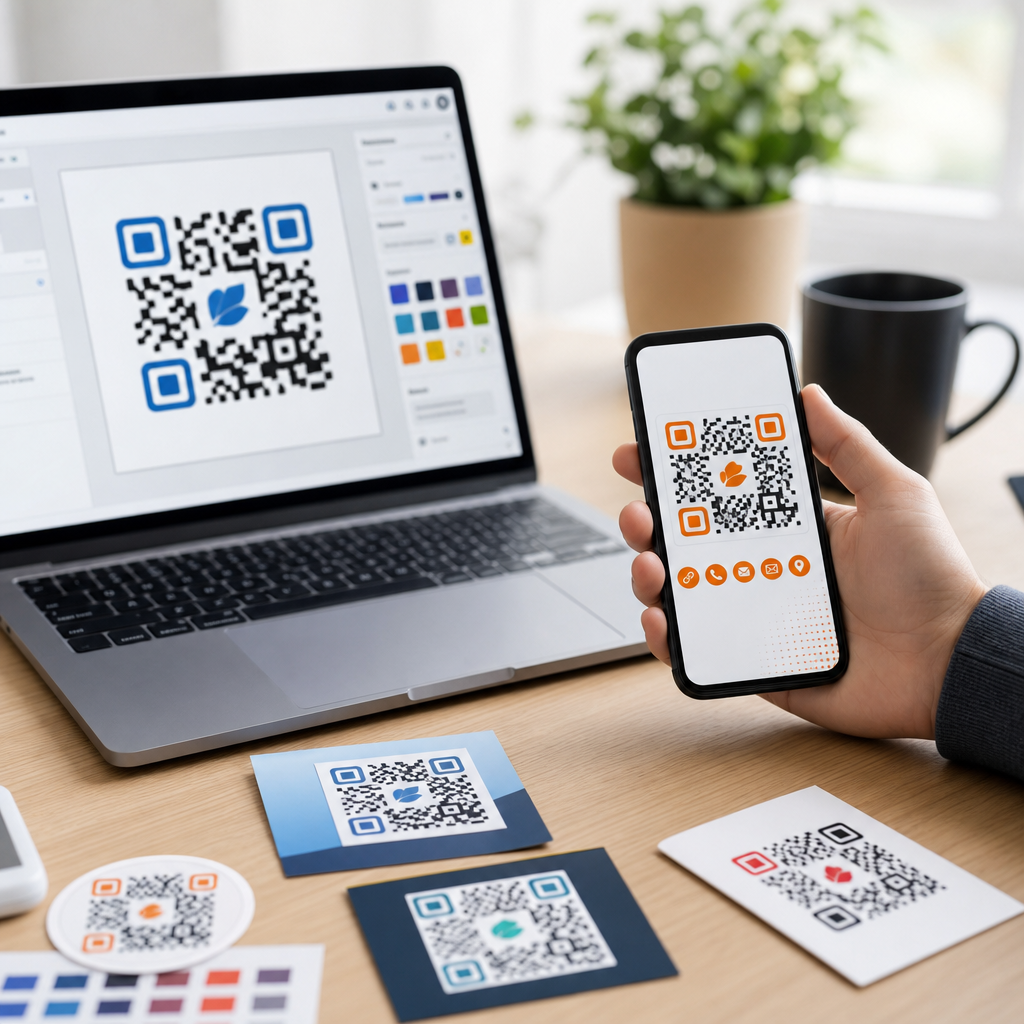
Branded QR codes have moved from novelty to core marketing asset because they turn a plain black-and-white utility into a recognizable touchpoint that supports trust, recall, and measurable action. A branded QR code is a scannable code customized with visual elements such as a logo, brand colors, a shaped frame, or a tailored call to action while still preserving enough contrast and error correction for reliable scanning. I have used them across packaging, retail signage, event badges, direct mail, restaurant menus, and product inserts, and the same pattern keeps showing up: when design and function are balanced correctly, scan rates improve because people understand where the code leads and feel safer interacting with it. That matters in a market where consumers are increasingly wary of anonymous links, and where campaigns are judged not only by traffic but by attribution, first-party data capture, and consistent brand presentation.
The best tools for creating branded QR codes do more than add a logo in the center. They support dynamic redirects, analytics, bulk generation, file export options, governance for teams, and editing controls after print. They also help marketers answer practical questions quickly: Which platform is easiest for non-designers? Which one is best for enterprise governance? Which tool supports dynamic QR codes for changing destinations? Which generator produces print-ready vector files? This article serves as the hub for branded QR codes within QR Code Design & Branding, covering the core decisions, the leading tools, and the design standards that separate a polished campaign from a code that looks good on screen but fails in the real world.
What Makes a QR Code Truly Branded
A branded QR code is not simply decorative. It combines visual customization with functional decisions that make scanning easier and campaign reporting clearer. In practice, that means adding a logo only after selecting a suitable error correction level, maintaining contrast between foreground and background, preserving the quiet zone around the code, and testing across multiple phone cameras under real lighting conditions. ISO/IEC 18004 governs QR code structure, and while most marketers never read the specification, good tools bake those constraints into their editors so customization does not break scanability.
From experience, the strongest branded QR codes include four elements. First, they clearly signal the brand through a logo, color palette, or frame. Second, they include a destination cue such as “Scan to view menu” or “Scan for setup guide.” Third, they use dynamic links whenever the landing page may change after printing. Fourth, they are exported in the right format for the medium, usually SVG, EPS, or PDF for print and PNG for digital placement. These decisions matter because a code printed on corrugated packaging behaves differently from one shown on an OLED screen or a glossy event backdrop.
How to Evaluate Branded QR Code Tools
The best way to compare QR code generators is to look at the features that affect campaign performance, design control, and operational reliability. In client work, I usually score tools across six areas: customization depth, dynamic QR support, analytics, bulk creation, integrations, and output quality. Customization depth covers logos, eye shapes, pattern styles, frames, gradients, and branded short URLs. Dynamic support determines whether you can change the destination after a code has been printed. Analytics should include scans over time, device or OS trends, rough location data, and UTM compatibility for Google Analytics 4. Bulk creation matters for product catalogs, direct mail personalization, and inventory labels. Integrations can include Canva, Zapier, HubSpot, Salesforce, or print workflows. Output quality decides whether the code remains sharp on packaging, point-of-sale displays, and large-format signage.
Pricing structure also deserves close attention. Many tools advertise free branded QR codes but restrict dynamic edits, analytics retention, high-resolution exports, or scan volume. That is acceptable for a one-off flyer but risky for a long-lived packaging program. Security and account governance are equally important for larger teams. Look for password controls, team roles, domain ownership options, and reliable hosting for the redirect layer. A branded QR code is often a persistent public entry point into your business, so the software behind it should be treated as infrastructure, not just a design widget.
Best Tools for Creating Branded QR Codes
QR Code Generator Pro is one of the strongest all-around options for marketing teams because it balances ease of use with serious campaign controls. It supports logos, custom colors, frames, editable destinations, folders, and analytics in a workflow that non-technical users can learn quickly. I have seen it work particularly well for brochures, product cards, and restaurant materials where the destination changes over time. Its main advantage is low friction: marketers can launch quickly without involving developers. Its limitation is that advanced enterprises may want deeper governance or broader ecosystem ties than a mid-market platform provides.
Beaconstac is a leading choice for organizations that need branded QR codes tied to enterprise operations. It offers dynamic QR codes, rich analytics, bulk generation, retargeting support, access controls, and integration paths that suit retail chains, healthcare systems, real estate teams, and franchise networks. Beaconstac is especially useful when you need hundreds or thousands of codes with clear ownership and reporting. In practice, I recommend it when a company cares as much about administration and reliability as visual styling.
Bitly is best known for link management, but its QR code capabilities make sense for brands already standardizing around short links and campaign attribution. The advantage is unified control: branded links, redirects, and QR codes can live in one system. That reduces reporting fragmentation and helps teams maintain naming conventions across channels. If your organization already relies on Bitly for social, email, and paid media, using it for branded QR codes can simplify governance. The tradeoff is that design flexibility may feel narrower than platforms built around QR customization first.
Flowcode has built strong visibility with creators, event marketers, and small businesses because it emphasizes design and simple analytics. It is often a practical fit for posters, speaker sessions, business cards, and local promotions where visual polish and quick deployment matter more than complex enterprise controls. Canva users also gravitate toward streamlined tools because they fit existing design habits. For teams that need a code inside a broader creative workflow, that usability can be a real advantage.
QR Tiger stands out for flexibility and broad use-case coverage. It supports dynamic QR codes, logo insertion, color control, bulk generation, and multiple QR types, including URL, vCard, file, app, and menu formats. I have found it useful for small to midsize businesses that want a feature-rich platform without an enterprise-heavy implementation. Scanova is another strong option, especially for agencies and distributed marketing teams, with campaign management and analytics that make recurring client work easier.
| Tool | Best for | Key strengths | Main limitation |
|---|---|---|---|
| QR Code Generator Pro | General marketing teams | Easy branding, dynamic edits, solid analytics | Less enterprise depth than top-tier platforms |
| Beaconstac | Enterprise and multi-location brands | Bulk management, governance, integrations, analytics | Higher complexity and cost |
| Bitly | Teams already using branded links | Unified link and QR management | Design options may be less specialized |
| Flowcode | Events, creators, small businesses | Simple design workflow, fast deployment | Fewer advanced admin controls |
| QR Tiger | Feature-conscious SMBs | Versatile QR types, branding, dynamic support | Interface and plans vary by use case |
| Scanova | Agencies and campaign managers | Campaign organization, analytics, client use | May require plan upgrades for full value |
Design Features That Matter Most
When choosing software, the most important branded QR code features are the ones that influence both recognition and scanning. Logo placement is the first checkpoint. A tool should automatically reserve enough central area for a logo without obscuring critical modules. Error correction settings, usually L, M, Q, and H, determine how much of the code can be covered or distorted while remaining readable. For branded designs, higher levels such as Q or H are often safer, though they can make the pattern denser. Eye customization, dot styling, and frames can improve aesthetics, but every styling change should be tested on older Android devices as well as recent iPhones because camera processing differs noticeably.
Color support is useful, but contrast remains non-negotiable. Dark foreground on a light background is still the most reliable configuration. In packaging projects, I avoid metallic inks, translucent overlays, and low-contrast gradients unless there is a full testing budget. Quiet zone protection is another must-have. The blank margin around the code is not decorative whitespace; scanners use it to detect boundaries. Good QR code software prevents users from crowding it with other artwork. Finally, editable call-to-action frames are underrated. Adding “Scan to register warranty” or “Scan to view ingredients” can materially increase scans because users understand the value before they open the camera.
Dynamic QR Codes, Analytics, and Campaign Control
Dynamic QR codes are usually the best choice for branded campaigns because they separate the printed code from the destination URL. That means you can update the landing page, redirect by geography, pause a campaign, or fix a broken link without reprinting. For seasonal packaging, event schedules, or restaurant menus, this flexibility saves both money and operational friction. Static QR codes still have a place when permanence matters and no tracking layer is needed, but for most marketing use cases, dynamic beats static.
Analytics quality is where tools begin to separate sharply. At minimum, a platform should show total scans, unique scans where possible, time-series trends, and location estimates derived from IP data. Better tools add device breakdowns, top-performing codes, user-level routing rules, retargeting pixels, and exportable reports. In practice, I connect QR campaigns to GA4 with UTM parameters and align naming conventions with the wider campaign taxonomy. That lets teams compare QR-driven traffic against email, paid social, and organic channels. Branded QR codes become more valuable when they are treated as measurable media, not just printed decorations.
Use Cases by Industry and Channel
Retail brands use branded QR codes on shelf talkers, hangtags, and packaging to connect physical products with reviews, usage videos, care instructions, and loyalty enrollment. Consumer packaged goods companies often place them on cartons or labels to support recipes, sourcing stories, or replenishment flows. In hospitality, hotels use them for in-room directories, spa bookings, and local recommendations, while restaurants use them for menus, allergen details, and feedback capture. Events rely on branded QR codes for registration, agenda updates, lead capture, and session downloads. Real estate teams use them on signs and brochures to deliver virtual tours, floor plans, and agent contact pages.
Healthcare and education require additional caution. A clinic may use a branded QR code for appointment scheduling or patient forms, but privacy, accessibility, and clear destination labeling become essential. Universities use them effectively on campus signage and admissions collateral, especially when different departments need separate tracking. Internal business use is growing too. I have seen facilities teams use branded QR codes on equipment for maintenance logs and safety instructions, which shows how this format extends beyond pure marketing into operations and service design.
Best Practices for Reliable, High-Performing Branded QR Codes
Keep the destination mobile-first, because most scans happen on phones and many fail not because of the code but because the landing page is slow, cluttered, or hard to complete on a small screen. Match the message around the code to the landing page promise, so users feel continuity rather than bait-and-switch. Size the code for viewing distance; a common rule is roughly one inch of code width for every ten inches of scanning distance, though environmental testing matters more than rules of thumb. Always test across devices, operating systems, and lighting conditions before production. Export vector files for print, maintain adequate quiet zone, and use short URLs where supported to reduce pattern density. Most importantly, scan your own materials in the real world: on curved bottles, under fluorescent lights, behind glass, and from the distances your audience will actually use.
The best tools for creating branded QR codes are the ones that fit your campaign complexity, design standards, and reporting needs without compromising scan reliability. For many marketing teams, an easy platform such as QR Code Generator Pro or Flowcode will cover everyday branded QR code needs. For larger organizations managing multiple locations, departments, or regulated workflows, Beaconstac, Bitly, or Scanova can offer stronger control, analytics, and administration. QR Tiger remains a capable middle-ground choice for teams that want broad functionality with room to grow. The right decision starts with your use case: packaging, signage, events, direct mail, or operations each place different demands on design, analytics, and change management.
Across every industry, the same principles hold. Brand the code clearly, preserve contrast and quiet zone, choose dynamic redirects when flexibility matters, and measure scans with the same discipline you apply to other channels. A branded QR code should not be treated as a decorative afterthought. It is a conversion surface, a trust signal, and a bridge between physical media and digital action. Use this hub as your starting point for the wider QR Code Design & Branding topic, then audit your current codes, test them in real conditions, and upgrade the tools that fall short.
Frequently Asked Questions
What should I look for in the best tools for creating branded QR codes?
The best tools for creating branded QR codes balance design flexibility with scan reliability, analytics, and ease of use. At a minimum, a strong platform should let you customize core visual elements such as brand colors, frames, call-to-action text, patterns, corner markers, and logo placement without making the code unreadable. Good tools also support dynamic QR codes, which allow you to update the destination URL after printing. That matters for packaging, retail displays, event materials, and direct mail because it protects you from having to reprint assets when a campaign changes.
It is also worth looking for built-in scan tracking, campaign tagging, bulk generation, file export options, and print-friendly formats like SVG, EPS, or high-resolution PNG. If you plan to use QR codes across multiple channels, the platform should make it easy to organize codes by campaign, location, or audience segment. Teams often benefit from features like shared workspaces, templates, brand kits, and approval workflows. In practice, the best tool is not just the one that makes the most attractive code, but the one that helps you deploy branded QR codes consistently, measure results clearly, and preserve a dependable scanning experience across phones, lighting conditions, and print surfaces.
Do branded QR codes scan as reliably as standard black-and-white QR codes?
Yes, branded QR codes can scan just as reliably as standard QR codes when they are designed correctly. The key is not whether the code includes a logo or custom colors, but whether the tool preserves the structural requirements that scanners need to read the code. Reliable tools maintain strong contrast between the foreground and background, protect the quiet zone around the code, and use appropriate error correction so a logo or design treatment does not interfere with readability. This is exactly why using a purpose-built branded QR code platform is smarter than editing a plain QR code manually in a generic design program.
Scan performance depends on several practical choices. Dark codes on light backgrounds usually perform best, while low-contrast combinations, overly decorative patterns, or oversized logos can reduce readability. The final size of the code matters too, especially on packaging or signage viewed from a distance. A good tool will preview your customization and often test scannability before export. The safest approach is to generate the branded QR code in a specialized platform, print a sample at real size, and test it on multiple devices before full rollout. When that process is followed, branded QR codes can deliver both strong visual identity and dependable performance.
Why are dynamic QR code tools usually better for branding and marketing campaigns?
Dynamic QR code tools are usually better because they turn the QR code from a fixed destination into a flexible campaign asset. With a static QR code, the destination cannot be changed after the code is created, so if a landing page URL changes or a promotion ends, the printed code becomes outdated. A dynamic QR code avoids that problem by pointing to a managed redirect that you can update anytime. This is especially valuable for branded campaigns on packaging, retail signage, event badges, product inserts, and direct mail, where replacing printed materials would be expensive and slow.
Beyond flexibility, dynamic QR code tools often include the marketing features that make branded QR codes far more useful in real-world campaigns. These can include scan analytics by date, device, and location, UTM parameter support, A/B testing options, retargeting integrations, password protection, expiration settings, and performance dashboards. Many platforms also let you create branded short links or custom domains, which strengthen trust and create a more polished user journey. For marketers, this means the QR code becomes more than a scannable image. It becomes a measurable touchpoint that can be optimized over time, which is one of the biggest reasons branded QR codes have become a core asset rather than just a design extra.
Which features matter most if I want to use branded QR codes at scale?
If you plan to use branded QR codes across many products, stores, campaigns, or regions, the most important features are scalability, consistency, and reporting. Bulk creation is one of the first things to look for. It allows you to generate many QR codes at once for different landing pages, product SKUs, store locations, or campaign variations. Template and brand kit support are also essential because they help teams apply the same colors, frames, logos, and design standards across every code. This keeps the codes visually recognizable and reduces the chance of off-brand or low-performing versions being published.
At scale, management features become just as important as design features. Look for folders, naming conventions, user permissions, shared dashboards, and campaign organization tools that make the library easy to maintain over time. Strong analytics are also critical. You should be able to compare scan performance by channel, geography, asset type, or time period so you can learn which placements and messages are driving action. Export flexibility matters too, especially if your codes will appear in both digital and print formats. Businesses that operate at scale often benefit from API access, CRM or marketing platform integrations, and custom domains. These features make the tool more than a QR generator; they make it part of a repeatable branded marketing system.
How can I choose the right branded QR code tool for my business or campaign?
The right branded QR code tool depends on how and where you plan to use your codes. If your needs are simple, such as a few codes for flyers, menus, or social promotions, a user-friendly platform with basic branding controls and clean exports may be enough. If you are running active campaigns, however, prioritize dynamic code support, analytics, destination editing, and campaign organization. For teams using QR codes on packaging, in-store displays, direct mail, and events, reliability and long-term manageability matter more than novelty design features. In those cases, the best tool is usually one that combines brand customization with enterprise-friendly controls and measurement.
A practical evaluation process helps narrow the field quickly. First, define your use case: print, digital, product packaging, lead generation, payments, app downloads, or omnichannel campaigns. Next, test each tool on the features that directly affect performance: logo embedding, color control, file formats, scan testing, analytics depth, redirect management, and mobile usability. Then check whether the platform fits your workflow through integrations, multi-user access, bulk creation, or API capabilities. Finally, create a real branded QR code sample and test it in the environments where it will be used. The best choice is the one that protects scan quality, reflects your brand consistently, and gives you enough control to improve campaign performance over time.





