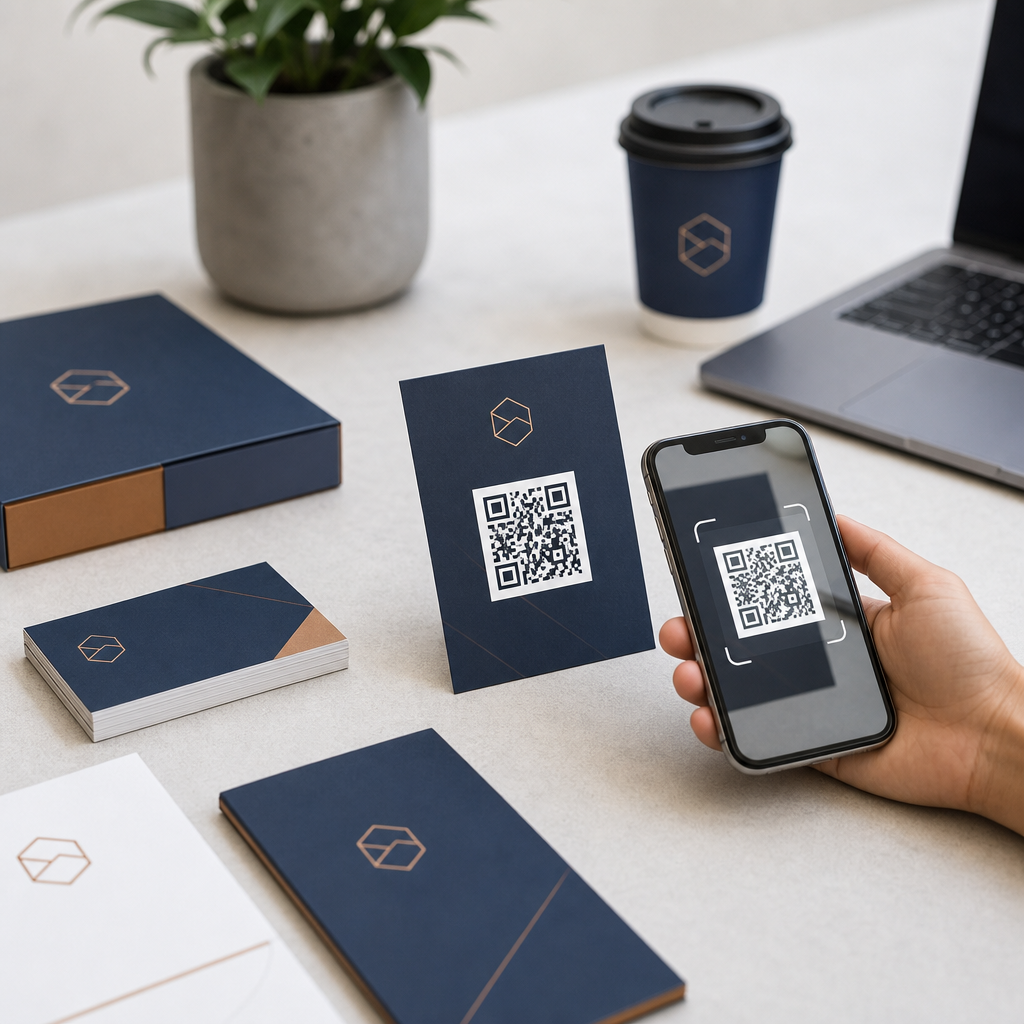
A branded QR code turns a functional square into a recognizable marketing asset by combining scannable code structure with visual identity elements such as logos, colors, custom frames, and campaign-specific calls to action. For businesses, that matters because QR codes now appear everywhere customers make decisions: packaging, menus, retail displays, direct mail, event signage, product inserts, business cards, invoices, and digital screens. When I have helped teams roll out QR code campaigns, the difference between a plain black-and-white code and a branded one has been immediate. People scan codes they trust, notice, and understand. A well-designed branded QR code improves recognition, clarifies purpose, and supports measurable conversions without adding friction.
To create a branded QR code for your business, you need more than a logo dropped into the center. You need to understand how QR codes work, choose the right destination, use generator settings that preserve scan reliability, and test across real devices and lighting conditions. A QR code stores encoded data, most often a URL, in a matrix of modules. Smartphones read the pattern using finder markers, alignment patterns, contrast, and error correction. Branding changes the appearance, but it cannot interfere with those essential structures. That is why successful custom QR code design balances aesthetics with engineering.
This topic also matters because branded QR codes sit at the intersection of design, marketing, analytics, and customer experience. A restaurant may need menu updates without reprinting every table tent. A retailer may want one code on packaging that tracks scans by region. A B2B company may place a branded QR code on trade show collateral that routes visitors to a personalized landing page. In each case, the code is not just decorative; it is a conversion point. If you treat it as part of your brand system and campaign measurement framework, it becomes far more valuable than a generic shortcut.
In this hub guide, I will cover the core decisions businesses must make when creating branded QR codes: static versus dynamic codes, design rules that protect scanability, logo placement, color selection, print sizing, testing, analytics, security, and common mistakes. Consider this the foundation for your broader QR Code Design & Branding strategy. If you plan to build a reusable system for campaigns, packaging, storefronts, and customer support materials, mastering branded QR codes is the first step.
Start with the right QR code strategy
The first decision is not visual. It is strategic: what should the QR code do, where will people scan it, and how will you measure success? I always begin by defining one primary action. Common destinations include a website landing page, digital menu, app download page, review form, payment page, PDF, contact card, Wi-Fi access page, social profile hub, or product authentication page. If the destination is unclear, the code will underperform no matter how polished it looks.
Next, choose between a static QR code and a dynamic QR code. A static QR code points permanently to the encoded information. It works for simple, fixed destinations, but it cannot usually be edited after printing. A dynamic QR code uses a short redirect URL managed through a platform, allowing you to update the destination without changing the printed code. For most businesses, dynamic is the better choice because it supports campaign flexibility, scan tracking, and error correction if a landing page changes. It also enables A/B testing by updating destinations for different promotions over time.
You should also map the code to its context. A code on a poster viewed from six feet away needs a larger physical size and a stronger call to action than a code on product packaging held in the hand. A code placed in a window must account for glare and changing sunlight. A code in a low-signal environment, such as a basement venue or transit area, should lead to a lightweight mobile page that loads quickly. These practical constraints shape both design and performance.
Finally, define the business metric before design begins. Are you optimizing for total scans, completed purchases, email sign-ups, menu views, form submissions, or repeat engagement? The best branded QR code campaigns attach UTM parameters, event tracking, and destination-specific analytics from the start. Without that instrumentation, you may know the code was scanned but not whether it contributed meaningful value.
Design a branded QR code without breaking scanability
A branded QR code must still function as a machine-readable symbol. The non-negotiables are contrast, quiet zone, error correction, and preservation of core finder patterns. Contrast means the dark modules must stand out clearly from the background. Black on white remains the most reliable option, but dark navy on white or dark green on a pale background can work well. What fails most often is low-contrast styling, especially pastel-on-pastel combinations or metallic finishes that reflect light unevenly.
The quiet zone is the blank margin around the code. Many businesses accidentally shrink or decorate this area, then wonder why scans drop. Leave enough clear space around the code so phone cameras can isolate it from surrounding graphics. Error correction is the feature that allows some damage or obstruction while maintaining readability. If you are adding a logo in the center, use a higher error correction level, commonly Level H, but understand the tradeoff: denser codes can become harder to scan at very small sizes.
Shape customization requires restraint. Rounded modules, branded eyes, and custom frames can look excellent, but only if the structural patterns remain recognizable. Keep the three corner finder markers distinct. Do not warp the code into extreme shapes. Avoid placing text, illustrations, or decorative patterns over active data areas. In practical terms, the most reliable branded QR codes are customized within the code, then supported by surrounding brand elements outside it.
I have found that adding a clear frame with action-oriented text often boosts scans more than aggressive internal styling. “Scan to view the menu,” “Scan to register,” or “Scan for setup instructions” removes ambiguity. A QR code without context asks users to trust a mystery link. A framed branded QR code with a specific benefit gives them a reason to act.
Use logos, color, and brand assets the right way
Your logo should enhance recognition, not dominate the code. In most cases, the logo belongs in the center and should occupy a modest portion of the overall area. If it is too large, the code depends excessively on error correction and becomes fragile in the real world, especially when printed small or scanned on older devices. Simple logos with solid shapes work better than intricate marks with thin lines. If the full brand mark is complex, use an icon or monogram instead.
Color choice deserves the same discipline as any brand application. The safest rule is dark foreground, light background. In campaigns I have reviewed, red-on-black, yellow-on-white, and transparent overlays caused recurring failures. Gradient QR codes can work if the darkest sections still maintain clear module definition, but gradients should be tested extensively before production. If your brand palette is light or low contrast, use the palette in the frame, label, or surrounding design while keeping the code itself more conservative.
Branded frames, iconography, and CTA labels are often underused. These elements do not interfere with the code’s matrix, yet they significantly improve response. A hospitality brand can use a frame that says “Scan for room service menu.” A manufacturer can add “Scan for installation guide.” A salon can use “Scan to book your appointment.” These are not cosmetic details; they are conversion cues.
| Design element | Best practice | Common mistake | Business example |
|---|---|---|---|
| Logo | Keep centered and modest in size | Oversized logo obscures data modules | Cafe uses a simple cup icon in the center |
| Color | Use strong contrast with a light background | Low-contrast brand colors reduce scans | Retailer uses dark blue modules on white |
| Frame | Add a clear border and CTA text | No explanation of what scanning does | Gym sign reads “Scan to claim trial pass” |
| Size | Match physical size to scanning distance | Printing too small on packaging or flyers | Event booth uses a large code visible from several feet |
| Destination | Send users to a mobile-optimized page | Linking to a slow desktop page or PDF | Real estate agent sends scanners to a listing hub |
Choose tools that support editing, tracking, and governance
The QR code generator you choose affects both design quality and operational control. At a minimum, business users should look for dynamic code support, logo upload, color customization, download formats such as SVG and PNG, folder organization, team access, and scan analytics. Enterprise teams often also need custom domains, role permissions, bulk generation, password protection, API access, and compliance features.
Well-known platforms include QR Code Generator Pro, Bitly, Flowcode, Beaconstac, QR TIGER, Uniqode, and Canva for simpler design workflows. Adobe Illustrator can refine surrounding artwork, but it is not a QR management platform. In practice, I recommend generating the code in a dedicated tool, exporting a vector file for print, and placing it into your layout software with the quiet zone preserved. SVG is usually best for print because it scales cleanly without pixelation. PNG can work for digital placements when exported at sufficient resolution.
Governance matters more than many small businesses expect. If codes are created ad hoc by different departments, you can end up with duplicate destinations, expired trial accounts, inconsistent branding, and no central analytics. A simple naming convention solves a lot: campaign name, location, channel, owner, and date. For example, “SpringPromo_NYC_WindowDisplay_Retail_2026-03.” When someone needs to update a destination later, that organization prevents guesswork and broken customer journeys.
Custom domains are especially useful for trust. A branded short link behind a dynamic QR code reassures users and creates continuity between the printed code and the landing page. It also reduces dependence on a third-party domain that may look unfamiliar. For larger brands, this is a standard control, not a luxury.
Optimize placement, print production, and mobile landing pages
Even a perfectly designed QR code can fail if the production environment is wrong. Print size should match expected scanning distance. A common rule of thumb is about one inch of code size for every ten inches of scanning distance, though testing should always validate the final output. Tiny codes on product labels may work at close range, while storefront posters and trade show graphics need much larger formats.
Material choice changes results. Glossy finishes create glare. Curved surfaces distort modules. Textured paper can soften edges. Window decals may be backlit or reflective. Whenever possible, print a proof on the actual material and test under realistic lighting. I have seen a code pass perfectly on a digital mockup and then underperform because the metallic ink reduced contrast on the final packaging run.
The destination page matters just as much as the code. Every branded QR code should lead to a mobile-first experience with fast load times, clear headings, limited friction, and one obvious next step. If the code promises a menu, do not send users to a generic homepage. If it promises a discount, land them on the offer. If it promises setup instructions, place the relevant product model at the top. This message match directly affects conversion rates.
Use tagged URLs so scans can be segmented by source, medium, campaign, location, or creative variation in analytics tools such as Google Analytics 4. If the QR code appears in multiple places, create separate dynamic codes or distinct parameters. That allows you to compare performance across packaging, in-store signage, mailers, and event materials instead of treating all scans as one undifferentiated bucket.
Test, secure, and improve your branded QR code program
Testing should happen before launch and after deployment. Scan the code with iPhone and Android devices, older and newer camera apps, and multiple third-party scanners if your audience may use them. Test in bright light, dim light, and at the actual placement angle. Check print proofs at final size. Confirm that the destination loads quickly on cellular data, not just office Wi-Fi. If a code will be used internationally, test language routing and regional redirects as well.
Security is part of branding because trust drives scans. Users are more cautious than they were a few years ago, and rightly so. Malicious QR codes are a known phishing vector. Businesses should use HTTPS destinations, avoid suspicious redirects, and present consistent branding from code to landing page. Where appropriate, explain the destination in nearby text so users know what will happen after scanning. If the code handles payments, authentication, or personal data, route users to secure pages that follow established privacy and payment standards.
After launch, monitor scan volume, unique users, time of day, geography, bounce rate, and downstream conversions. Then iterate. If scans are low, the issue may be placement or weak CTA copy. If scans are high but conversions are low, the landing page likely needs improvement. If one store location outperforms another, compare placement height, lighting, and staff prompts. The advantage of dynamic QR codes is that improvement does not require starting over.
As the hub for branded QR codes, the main lesson is simple: effective QR branding is a system, not a decoration. The winning approach combines strategic destinations, resilient design, reliable tools, disciplined testing, and mobile-focused experiences. Businesses that do this well make their QR codes more recognizable, more trustworthy, and easier to measure. Start by auditing where customers already encounter your brand, choose one high-intent use case, build a branded QR code that respects scanability, and test it in the real world. From there, expand your QR Code Design & Branding program with consistency and data guiding every new deployment.
Frequently Asked Questions
What is a branded QR code, and how is it different from a standard QR code?
A branded QR code is a customized QR code designed to reflect your business identity while still working like any other scannable code. A standard QR code is usually plain black and white and focuses only on function. A branded QR code keeps that function but adds visual elements such as your logo, brand colors, custom shapes, frames, and a clear call to action like “Scan to View Menu” or “Scan for 10% Off.” The goal is to make the code look more trustworthy, recognizable, and aligned with the rest of your marketing materials.
That difference matters because people are more likely to scan something that feels legitimate and intentional. When customers see a generic QR code with no context, they may hesitate. When they see a code wrapped in your brand style and paired with a clear benefit, it looks less like a random technical square and more like part of a polished customer experience. For businesses using QR codes on packaging, retail signage, direct mail, invoices, event displays, or product inserts, branding can improve both scan confidence and campaign consistency.
How do I create a branded QR code for my business without making it harder to scan?
The most important rule is to customize carefully. Start with a reliable QR code generator that allows brand design controls while preserving technical scannability. First, choose the destination you want customers to reach, such as a landing page, menu, coupon, contact card, app download page, review form, or product guide. Then select a dynamic QR code if you want the option to update the destination later without reprinting the code. After that, apply branding elements in moderation.
Keep strong contrast between the foreground and background so phone cameras can detect the code quickly. Dark code elements on a light background usually work best. If you add a logo in the center, make sure it does not cover too much of the pattern. Use a quiet zone, which is the empty margin around the code, because scanners rely on that space to recognize the shape. If you change the corner markers or data modules into custom shapes, test them across different devices before publishing.
It also helps to place the QR code inside a frame with simple instructions. Many businesses get better results by adding context such as “Scan to Order,” “Scan to Register,” or “Scan to Watch Demo.” That extra message tells customers why they should engage. Finally, test the code in real-world conditions, including different lighting, print sizes, materials, and viewing distances. A branded QR code should look attractive, but performance should always come first.
What design elements should businesses include in a branded QR code?
The best branded QR codes combine visual identity with clarity. Common design elements include a business logo, a color palette that matches brand guidelines, a frame around the code, and a short call to action. These details help the QR code feel like part of your campaign rather than an afterthought. If your business already uses consistent typography, packaging, signage, or ad creative, your QR code should visually fit within that same system.
Your logo is often the most effective branding element because it gives immediate recognition. Colors can also be powerful, but they should never reduce contrast too much. You can customize the shape of dots or corner markers, but those changes should remain subtle enough for dependable scanning. Frames are especially useful because they add visual emphasis and create space for instructions. For example, a restaurant might use a frame that says “Scan to View Menu,” while a retailer might use “Scan for Product Details” or “Scan for Today’s Offer.”
It is also smart to think about the destination experience, not just the QR code itself. A beautifully branded code that leads to a slow, generic, or non-mobile-friendly page creates friction. The landing page should continue the same branding and deliver exactly what the call to action promised. In practice, the most effective branded QR codes are not just attractive; they create a seamless path from scan to conversion.
Where should I use a branded QR code in my business marketing?
Branded QR codes work best anywhere customers are making decisions or need quick access to information. That includes product packaging, menus, table tents, point-of-sale displays, shelf talkers, direct mail pieces, trade show booths, window signage, event materials, brochures, business cards, invoices, receipts, and product inserts. They are also useful on posters, catalogs, fleet graphics, and digital screens where a printed URL would be inconvenient or easy to ignore.
The right placement depends on the action you want someone to take. On packaging, a branded QR code can lead to setup instructions, loyalty programs, reviews, or reorder pages. On menus and restaurant signage, it can connect customers to ordering, allergen information, or specials. In retail, it can support product education, compare options, unlock discounts, or collect leads. On direct mail, it can bridge offline attention to online conversion by taking recipients straight to a personalized offer or campaign landing page.
Placement strategy matters just as much as design. Make sure the code is large enough to scan comfortably from the expected distance. If it is on a store display, think about where people stand. If it is on a flyer, consider how the paper stock and print finish affect readability. If it is used in a live event setting, account for crowd movement and lighting. A branded QR code performs best when it is not only on-brand, but also placed where scanning feels natural and useful.
How can I track the performance of a branded QR code campaign?
The easiest way to measure performance is to use a dynamic QR code platform with analytics. Dynamic QR codes let you change the destination URL without replacing the printed code, which is valuable for ongoing campaigns and testing. They also typically provide reporting such as total scans, unique scans, scan times, device types, and sometimes approximate location data. This gives businesses a much clearer view of how customers are engaging across channels.
For deeper insight, connect your QR code destination to web analytics tools and campaign tracking parameters. For example, you can use UTM parameters to distinguish scans from packaging versus direct mail versus in-store displays. That makes it easier to compare placements, offers, and creative versions. If one branded QR code on a product insert generates more conversions than the same offer on a countertop sign, you can shift budget and attention accordingly.
You should also define success before launching. Depending on the campaign, that may mean purchases, appointments, sign-ups, review submissions, app downloads, video views, or menu orders. The branded QR code itself is only one part of the funnel. To improve results, review both scan activity and what happens after the scan. If scans are high but conversions are low, the landing page or offer may need work. If scans are low, the issue may be placement, messaging, visibility, or trust. The strongest QR code campaigns improve because teams measure the full customer journey, not just whether the code was scanned.