
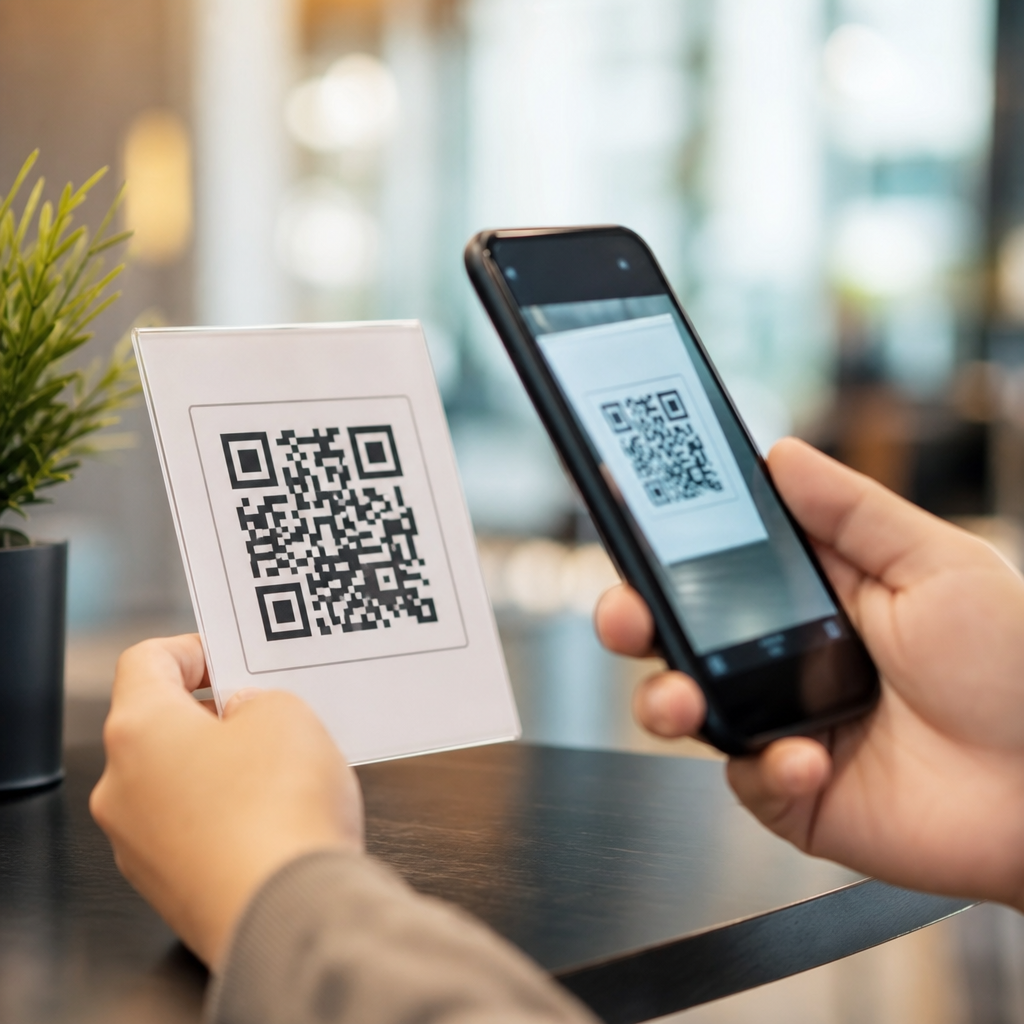
QR codes bridge physical touchpoints and digital actions by encoding data into a machine-readable square that a smartphone camera can interpret in seconds. In practical terms, they turn a poster, package, menu, receipt, badge, sign, or product label into a doorway to online content without requiring a user to type a web address. That simple transition from offline to online is why QR codes have become a core tool in retail, events, healthcare, logistics, restaurants, education, and field service. When teams ask how QR codes work, they usually mean two things: how the symbol stores information technically, and how the scan experience connects a real-world object to a digital destination. Both matter, because a code that scans perfectly but leads to a poor landing page still fails.
A QR code, short for Quick Response code, is a two-dimensional barcode first developed by Denso Wave in 1994 for tracking automotive components. Unlike a traditional one-dimensional barcode that stores data in parallel lines, a QR code stores information horizontally and vertically in a matrix of small black and white modules. That structure allows much higher capacity and faster reading from multiple angles. Modern smartphones, native camera apps, point-of-sale scanners, and industrial readers can decode the symbol almost instantly. In my own work with campaigns and packaging rollouts, the most important lesson has been that QR codes are not merely graphics; they are data containers, routing mechanisms, and measurement points wrapped into one compact visual marker.
Understanding this matters because QR codes sit at the intersection of user experience, print production, mobile web performance, and analytics. A single code can launch a payment flow, authenticate a login, open an app store page, display a PDF manual, trigger a Wi-Fi connection, or send someone to a personalized landing page. Businesses use them to shorten the path between intent and action. Consumers use them because scanning is often faster and less error-prone than manual entry. The best QR code implementations respect context: they present the right digital experience at the right physical moment, with clear value for the person scanning. As a hub for QR Code Basics & Education, this guide explains how QR codes function, what makes them reliable, where they work best, and how to design an offline-to-online experience that actually converts.
How QR codes store and deliver information
A QR code works by translating characters, numbers, or commands into binary data that is arranged in a square grid. When you generate a code, a QR platform or encoder applies standardized formatting defined by ISO/IEC 18004. The pattern includes more than the payload itself. It also contains finder patterns in three corners so a scanner can detect orientation, timing patterns to define the grid, alignment patterns to correct distortion, format information, and error correction data based on Reed-Solomon algorithms. Those built-in structures are the reason a smartphone can read a QR code even if it is tilted, partially obscured, or printed on curved packaging.
There are two broad categories of QR codes: static and dynamic. A static QR code contains the final destination directly in the pattern. If the payload is a URL, that URL is permanently encoded, and changing it requires creating and reprinting a new code. A dynamic QR code usually encodes a short redirect URL controlled by a QR code generator platform. The visible symbol stays the same while the destination can be updated later. That distinction is critical in production. For anything printed at scale, such as product packaging, direct mail, outdoor signage, manuals, or event collateral, dynamic QR codes are usually the safer choice because they preserve flexibility and support scan tracking.
The scanner process is straightforward. A camera captures the image, software identifies the finder patterns, corrects perspective, converts the module grid into binary data, and decodes the payload. If the payload is a web address, the device prompts the user to open it in a browser or in an in-app web view. If the payload uses a specialized schema, such as mailto, tel, SMS, vCard, UPI, or Wi-Fi credentials, the phone launches the relevant action. This is why QR codes can do more than link to websites: they can activate device behaviors. Still, URLs remain the most common use because they support rich content, analytics, consent management, and continuous optimization after the code is printed.
Capacity depends on data type and error correction level. Numeric content can store more characters than alphanumeric, and far more than binary or kanji in equivalent versions. In practice, less data is better. Shorter payloads create simpler patterns, which scan more reliably at smaller sizes and under poorer conditions. That is another reason dynamic QR codes outperform static ones for marketing and education use cases: the code only needs to hold a compact redirect rather than a long URL with tracking parameters.
What happens when someone scans a QR code offline
The offline-to-online journey begins before the camera opens. A person notices a code in a physical setting, decides whether it looks trustworthy, evaluates the surrounding prompt, and scans only if the expected value is clear. This human layer is often ignored, yet it determines performance more than the symbol itself. A museum placard that says “Scan for the full audio guide” gives a concrete benefit. A cereal box that says “Scan for recipes and nutrition details” creates relevance in context. A table tent that says “Scan to view the menu” removes friction. In each case, the QR code is not the message; it is the mechanism.
Once scanned, network connectivity becomes the next variable. If the code opens a URL, the phone needs internet access to retrieve the page. That sounds obvious, but it shapes deployment choices. I have seen event venues place QR codes in basements with weak cellular reception and no guest Wi-Fi, causing avoidable failure. In those cases, lightweight pages, captive-portal aware flows, or on-site connectivity planning matter as much as print quality. When the payload is something local, such as Wi-Fi login details or a plain text string, the action can work without internet, but most marketing and educational experiences are web based.
The online destination should match the physical moment. If someone scans a QR code on equipment in a factory, they probably need maintenance instructions, safety procedures, or parts lookup, not a generic homepage. If they scan a code on product packaging in a store aisle, they may want ingredients, sustainability claims, verification, or reviews. If they scan a code in direct mail, the page should continue the offer shown in print. Relevance improves engagement, and it also helps analytics because each QR placement can map to a distinct user intent. That is where dynamic QR code platforms, campaign tagging, and dedicated landing pages provide real operational value.
Security also enters the journey. People are right to hesitate if a QR code appears tampered with or unexplained. Best practice is to add human-readable URLs, brand cues, and concise callouts near the code. On digital screens and secure environments, this is easy. On printed assets in public, anti-tamper design and regular inspection matter. Organizations handling payments, credentials, or identity should combine branded domains, HTTPS, and short redirect chains to reduce risk and build confidence.
Static vs dynamic QR codes and where each fits
Static QR codes are best when the destination will never change and analytics are not essential. Common examples include Wi-Fi access in a conference room, a fixed PDF on internal signage, a vCard for a staff desk, or permanent product identifiers in constrained systems. They are simple, inexpensive, and independent of a third-party redirect service. Their limitation is permanence. If the linked page moves, the code breaks. If the business wants scan data by location or date, static codes do not provide it by themselves.
Dynamic QR codes are better for most public-facing offline-to-online experiences because they support editability, centralized management, and measurement. Marketing teams can change the landing page after print deadlines. Retailers can route by inventory availability. Event organizers can switch from registration to live agenda to post-event survey without replacing signs. Support teams can update manuals or troubleshooting content while leaving the equipment label untouched. In my experience, this flexibility is the single biggest reason mature organizations standardize on dynamic codes for campaigns and documentation.
| Type | How it works | Best use cases | Main limitation |
|---|---|---|---|
| Static QR code | Encodes the final data or URL directly in the symbol | Permanent information, internal labels, fixed contact details, simple Wi-Fi access | Destination cannot be changed after printing |
| Dynamic QR code | Encodes a short redirect managed through a platform | Marketing campaigns, packaging, events, manuals, multi-location tracking | Often depends on a service provider and redirect infrastructure |
There are tradeoffs. Dynamic codes rely on domain governance, redirect uptime, and data handling practices. If the provider is unreliable or the branded short domain is not maintained, the experience can degrade. That is why enterprise teams often use their own domains, verify SSL configuration, and document ownership of QR destinations just as they would any customer-facing digital asset. A QR code is not a one-off graphic; it is part of the web stack.
Design, print, and scanning factors that affect reliability
The most common reason a QR code fails is not the standard itself but poor implementation. Size matters. A practical baseline for print is at least 2 x 2 centimeters for close-range scanning, though larger is safer, especially in low light or when the user is moving. A common rule is a scanning distance-to-size ratio of roughly 10:1, meaning a code meant to be scanned from one meter away should be around 10 centimeters wide. Contrast matters too. Dark modules on a light background scan best. Inverted styles, low-contrast brand colors, glossy finishes, and busy patterns reduce readability.
Quiet zone is another non-negotiable factor. A QR code needs clear margin around the symbol, typically four modules wide, so the scanner can separate the code from surrounding design elements. When designers push text, borders, or illustrations too close, scan rates drop. Logos in the center can work if error correction is set appropriately and the obscured area stays within tolerance, but excessive customization often turns a functional asset into a fragile one. I have had the best long-term results with restrained branding: subtle color adaptation, a small embedded mark, and rigorous device testing across iPhone and Android camera apps.
Print production introduces its own risks. Codes placed on curved bottles can distort. Tiny codes on pharmaceutical labels may fill in due to ink spread. Outdoor signs can fade under UV exposure. Reflective laminates cause glare. On digital screens, moiré patterns and refresh artifacts can interfere. The answer is always testing in real conditions, not just on a desktop preview. Scan from expected distances, under expected lighting, with average consumer devices, and over actual network conditions. If the destination page is heavy and slow on mobile data, users will blame the code, not the page.
Landing page performance is part of scanability in a broader sense. Google’s Core Web Vitals are not just a search concern; they affect whether the scan completes the intended task. A QR code leading to a bloated homepage, intrusive pop-up, or non-mobile layout wastes user intent. The ideal destination is fast, mobile-first, and specific to the context of the scan. That is how offline-to-online experiences earn trust and produce measurable outcomes.
Where QR codes create the strongest offline-to-online experiences
QR codes work best when they remove friction at the exact moment someone needs information or action. In restaurants, they replace printed menus, support ordering, and update instantly when inventory changes. In retail, they connect packaging and shelf tags to product specifications, comparison tools, user reviews, warranties, and loyalty offers. Brands such as Nike and Sephora have used mobile-led in-store journeys where product information and membership experiences sit one scan away from physical merchandise. The value is not novelty; it is immediacy.
In events, QR codes streamline registration, session check-in, lead capture, booth engagement, and post-event follow-up. A badge can authenticate entry, while signage can open maps, schedules, or sponsor offers. In manufacturing and field service, codes on assets connect technicians to service histories, safety instructions, parts catalogs, or training videos. This is where QR codes move beyond marketing and become operational infrastructure. Hospitals and clinics use them for patient education, specimen tracking, and device identification, though regulated contexts demand careful privacy and security controls.
Education is another strong fit. A textbook page can link to demonstrations, quizzes, or accessibility resources. Campus signage can open wayfinding, department details, or emergency procedures. Museums and public spaces use QR codes to add multilingual interpretation without cluttering the physical environment. Direct mail remains effective too: personalized QR codes can connect a postcard to a tailored landing page, reducing the gap between attention and conversion. Across these examples, the pattern is consistent. The strongest offline-to-online experiences use QR codes where typing is inconvenient, where context defines intent, and where a mobile action can be completed quickly.
Measurement, governance, and building a durable QR strategy
To make QR codes sustainable, organizations need more than generators and graphics. They need naming conventions, ownership, testing protocols, analytics, and content maintenance. Every QR code should have a documented purpose, destination, placement, creation date, and responsible team. Dynamic QR platforms often provide scan counts, timestamps, device types, and approximate location data, but those metrics become useful only when tied to campaign goals. Use UTM parameters where appropriate, connect scans to analytics platforms such as Google Analytics 4, and evaluate downstream behavior, not just raw scan volume.
Governance matters because QR codes often outlive campaigns. Packaging may stay in market for months. Manuals and signage can remain in use for years. Broken redirects, expired domains, and outdated pages damage trust. A durable QR strategy includes periodic audits, redirect hygiene, and content reviews. It also includes accessibility and plain-language standards. Users should know what will happen when they scan, and landing pages should work with screen readers, mobile browsers, and consent requirements in the regions where they are deployed. If payments or identity are involved, treat the flow with the same rigor as any other secure web interaction.
QR codes connect offline to online experiences by compressing the path from physical attention to digital action into a single scan. Their power comes from a combination of reliable encoding, context-aware placement, mobile-first destinations, and measurable routing. When implemented well, they help businesses educate customers, simplify operations, and extend the value of every printed or physical touchpoint. When implemented poorly, they expose weak design, weak governance, and weak user experience. The difference is discipline.
For teams building under QR Code Basics & Education, the core lesson is simple: start with user intent, choose the right code type, design for real scanning conditions, and send people to pages built for the moment they are in. Then measure, update, and maintain those experiences as living assets. Audit your current QR codes, test them with fresh eyes, and improve the journey behind every scan.
Frequently Asked Questions
How do QR codes connect offline materials to online experiences?
QR codes act as a fast bridge between a physical object and a digital destination. A printed code on a poster, package, menu, receipt, badge, sign, or product label stores machine-readable information that a smartphone camera can recognize almost instantly. When someone scans the code, their device interprets the encoded data and opens the linked action, such as a website, video, contact form, app download page, digital menu, payment screen, product guide, or event check-in page. This removes the friction of typing a long URL or searching manually, which is one of the main reasons QR codes are so effective.
What makes this connection especially valuable is how naturally it fits into real-world behavior. People are already interacting with physical touchpoints throughout the day, whether they are shopping in a store, attending an event, visiting a clinic, receiving a delivery, or sitting in a restaurant. A QR code transforms that moment of attention into a measurable digital interaction. Instead of ending at the physical object, the experience continues online where brands and organizations can provide more information, capture leads, enable transactions, deliver support, or guide the next step in a customer journey.
In practical use, this means a retail shelf tag can link to reviews and inventory details, an event badge can open a schedule or networking profile, a healthcare form can connect patients to instructions, and a logistics label can pull up tracking or workflow records. The power of QR codes lies in how they make the offline-to-online transition immediate, simple, and intuitive for the user.
Why are QR codes so effective for marketing, customer engagement, and conversions?
QR codes are effective because they reduce friction at exactly the point where interest is highest. When someone sees a product on a shelf, a promotional sign in a window, a printed ad, or a flyer at an event, they are already engaged in the physical environment. A QR code gives them a direct path to take action in that moment instead of postponing the interaction until later. That immediacy can significantly improve engagement because users do not need to remember a website, type a URL, or search for the brand after the fact.
They also work well because they are versatile. A single scan can lead to product pages, discount offers, loyalty programs, social media profiles, registration forms, how-to videos, customer support resources, review prompts, or mobile payment experiences. This flexibility allows businesses to match the QR code destination to the user’s context. For example, a code on product packaging might direct to setup instructions, while a code on a window display may lead to a seasonal promotion or store locator.
From a conversion standpoint, QR codes create a shorter path from interest to action. A shorter path usually means fewer drop-offs. They also make campaign measurement easier when linked to trackable destinations. Businesses can analyze scans by time, location, device type, and campaign source to understand what physical placements are driving digital results. In that sense, QR codes do more than connect offline and online touchpoints; they help organizations optimize the full customer journey based on real interaction data.
Where are QR codes most commonly used across industries?
QR codes are widely used because they solve a universal problem: how to move someone from a physical interaction into a digital workflow quickly and reliably. In retail, they appear on product packaging, shelf displays, receipts, and in-store signage to provide reviews, promotions, loyalty offers, product details, or reorder options. In restaurants, they are commonly used for digital menus, table ordering, feedback requests, and contactless payment. At events, QR codes simplify registration, ticket validation, agenda access, exhibitor information, and attendee networking.
In healthcare, QR codes can support patient intake, prescription information access, appointment check-in, educational resources, and equipment tracking. In logistics and field service, they are often used on labels, inventory bins, parts, and assets to connect workers to shipment status, maintenance records, inspection forms, or service histories. In education, schools and training organizations use them to link printed materials to assignments, videos, digital resources, and attendance systems. Even in offices and public spaces, QR codes help with visitor check-in, Wi-Fi access, wayfinding, and internal process documentation.
The reason they fit so many industries is simple: QR codes are adaptable to both customer-facing and operational use cases. They can enhance convenience for consumers while also improving accuracy, speed, and traceability for staff. Any environment that combines physical objects or locations with digital content can usually benefit from using QR codes strategically.
Do users need a special app to scan a QR code?
In most cases, no special app is required. Most modern smartphones can scan QR codes directly through the built-in camera app or the device’s native scanning tools. A user simply opens their camera, points it at the code, and taps the prompt that appears. This is a major reason QR codes have become so mainstream. The process is quick, familiar, and accessible to a broad audience without adding extra steps such as downloading a separate scanner.
That said, usability still depends on good implementation. The QR code should be printed clearly, placed at a comfortable scanning distance, and paired with a strong call to action so users know what they will get by scanning. For example, “Scan to view the menu,” “Scan for setup instructions,” or “Scan to claim your discount” gives people confidence and context. Without that guidance, some users may hesitate because they do not know what to expect on the other side of the scan.
It is also important to ensure the landing page is mobile-friendly, since most scans happen on smartphones. A broken link, slow-loading page, or poor mobile experience can undermine the convenience the QR code is supposed to create. So while scanning itself is usually effortless, the full experience depends on thoughtful design from the printed code all the way to the online destination.
What are the best practices for using QR codes successfully?
Successful QR code use starts with purpose. Every code should connect to a clear and useful action that matches the user’s situation. If the code appears on packaging, the linked content should support ownership or purchase decisions, such as product instructions, authentication, ingredients, or reorder options. If it appears on signage or at an event, the destination should help the user act immediately, such as registering, checking in, navigating, or accessing time-sensitive information. Relevance is what makes the offline-to-online jump feel natural instead of forced.
Design and placement matter just as much. The code should be large enough to scan easily, printed with strong contrast, and placed where lighting, angle, and distance make scanning convenient. It should not be distorted, overcrowded, or hidden among too many competing visual elements. Including a short explanation or call to action improves scan rates because people understand the benefit right away. Testing across devices, screen sizes, and print formats is also essential before launching at scale.
From a strategic perspective, businesses should use trackable links, monitor scan performance, and continuously improve based on results. Dynamic QR codes are especially useful because they allow the destination to be updated without reprinting the code. This gives organizations flexibility to change campaigns, fix links, rotate offers, or localize content over time. Security and trust are also important, so branded landing pages, secure URLs, and transparent messaging help users feel comfortable scanning. When QR codes are relevant, easy to scan, and connected to a strong mobile experience, they become one of the simplest and most effective tools for linking physical interactions to digital outcomes.





