
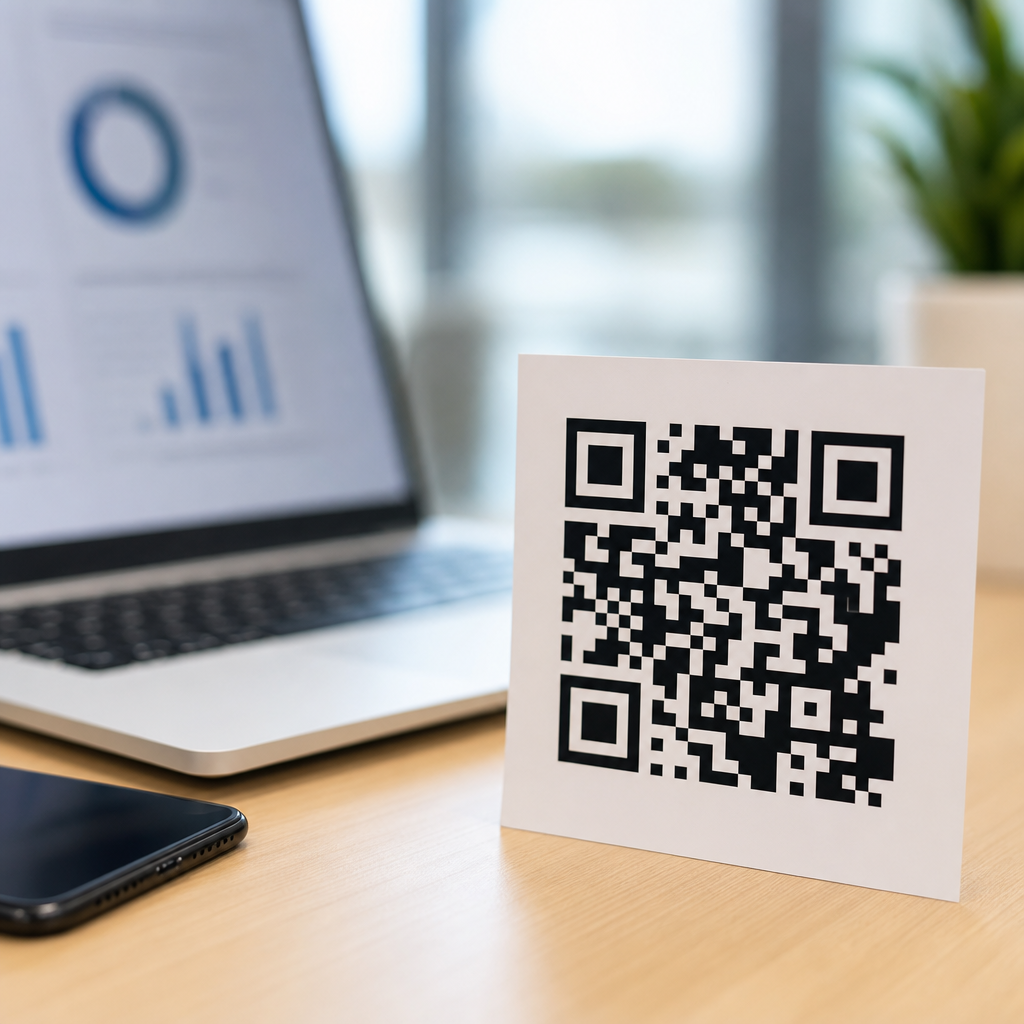
QR codes look simple on the surface, but the question “How much data can a QR code hold?” opens the door to understanding how QR codes work, why some scan instantly while others fail, and how design choices affect real-world performance. A QR code, short for Quick Response code, is a two-dimensional matrix barcode invented by Denso Wave in 1994 to track automotive parts. Unlike a traditional one-dimensional barcode that stores data in a single line of varying widths, a QR code stores data both horizontally and vertically inside a square grid of black and white modules. That structure lets it hold far more information than a UPC barcode and remain readable even when partially damaged.
In practice, QR code capacity depends on several variables working together: the version of the symbol, the encoding mode, the error correction level, and the physical quality of the printed or displayed code. Version refers to the size of the grid, starting at Version 1 with 21 by 21 modules and increasing to Version 40 with 177 by 177 modules. Encoding mode describes what kind of data is being stored, such as numeric digits, alphanumeric characters, bytes, or Kanji. Error correction adds redundancy so a scanner can reconstruct missing data if part of the code is dirty, curved, or covered. These technical choices determine whether a code holds a short URL, a vCard, Wi-Fi credentials, product data, or a long block of text.
This matters because most businesses and creators use QR codes for customer-facing experiences, not laboratory tests. I have seen teams pack too much information into a code, print it too small on packaging, then wonder why scans drop in retail aisles or on restaurant tables. The capacity question is not just about maximum characters on paper. It is about usable capacity under real scanning conditions. A technically valid code can still perform poorly if it is too dense for a smartphone camera, has low contrast, or sits on reflective material. Understanding how QR codes work helps you choose the right payload, symbol size, and destination so the code remains fast, resilient, and easy to scan.
For most practical uses, the best answer is straightforward: a QR code can hold up to 7,089 numeric characters, 4,296 alphanumeric characters, 2,953 bytes of binary data, or 1,817 Kanji characters in the largest standard model using the lowest error correction level. Those are official capacities for standard QR Code Model 2 symbols, the format most people encounter. However, very few production QR codes should aim anywhere near those limits. The more data you store directly in the symbol, the more complex the grid becomes, and the more scanning reliability depends on ideal conditions. That is why short URLs and dynamic redirects are common best practice for marketing, payments, menus, and support journeys.
What Determines QR Code Capacity
Four factors determine how much data a QR code can hold. First is version. Higher versions add more modules, which increases data capacity, but also increases visual density. A Version 1 code is compact and easy to scan at small sizes, while a Version 40 code can hold much more data but usually needs to be physically larger to remain reliable. Second is encoding mode. Numeric mode is the most efficient because it compresses digits tightly. Alphanumeric mode supports numbers, uppercase letters, and a limited set of symbols. Byte mode handles general text and URLs, including lowercase letters, but it uses space less efficiently. Kanji mode is optimized for specific character sets and can store those characters more compactly than general byte encoding.
The third factor is error correction level. QR codes use Reed-Solomon error correction with four standard levels: L, M, Q, and H. Level L can recover about 7 percent of damaged codewords, M about 15 percent, Q about 25 percent, and H about 30 percent. More correction improves resilience, especially on packaging, outdoor signage, labels exposed to abrasion, or branded designs with logos placed in the center. The tradeoff is lower data capacity because some of the available space is dedicated to redundancy rather than payload. Fourth is the data itself. Two strings with the same number of visible characters may produce different symbol sizes depending on character set, mode switching, and how the generator optimizes encoding.
When clients ask me how much information they can “fit” in a QR code, I recommend starting from the environment where the code will be scanned. A warehouse label, a direct mail postcard, and a bus shelter ad place very different demands on the symbol. If the code will be small, scanned quickly, or printed on inconsistent materials, usable capacity drops sharply. That is why capacity should be treated as a design constraint, not a bragging point.
Maximum Data Limits by Type
The following table summarizes the commonly cited maximum capacities for standard QR Code Model 2 at the largest size, Version 40, with low error correction. These numbers represent theoretical upper limits, not recommended everyday targets.
| Data type | Maximum capacity | Typical real-world use |
|---|---|---|
| Numeric | 7,089 characters | IDs, payment references, serial numbers |
| Alphanumeric | 4,296 characters | Coupon codes, uppercase text, short structured strings |
| Byte/binary | 2,953 bytes | URLs, plain text, vCards, Wi-Fi settings |
| Kanji | 1,817 characters | Japanese text in optimized encoding |
These limits shift downward when you increase error correction. For example, a long URL in byte mode with level H may require a much larger version than the same URL with level M. Most online QR code generators handle this automatically, but the generator’s convenience can hide important tradeoffs. If you paste a 300-character tracking URL full of parameters into a generator, it may create a dense symbol that scans poorly when shrunk onto packaging. Replacing that destination with a short redirect often cuts the module count dramatically and improves scan rate without changing the user experience.
Structured Append can split data across multiple QR codes, and Micro QR offers a smaller format for tiny payloads, but standard consumer campaigns rarely need either. If you are building a hub page about how QR codes work, the key point is that maximum capacity exists, yet practical performance usually matters more than the published ceiling.
How QR Codes Actually Store and Protect Data
A QR code is not a random pattern. Every area has a job. The three large squares in the corners are finder patterns, which help the scanner detect the symbol and orientation. Alignment patterns correct distortion, especially in larger versions. Timing patterns establish the grid. Format information tells the scanner which error correction level and mask pattern were used. In some larger versions, version information is also encoded separately. The remaining modules contain data and error correction codewords arranged according to a standardized placement algorithm defined in ISO/IEC 18004.
Before data is placed into the grid, it is converted into codewords. Mode indicators tell the scanner how to interpret the following bits. Character count indicators specify payload length. The data is then encoded, split into blocks, and supplemented with Reed-Solomon error correction codewords. Finally, a mask pattern is applied to reduce problematic visual patterns that could confuse scanners, such as large blank regions or repeating runs. The generator evaluates eight possible masks and selects the one with the lowest penalty score under the standard. This is why two tools can produce slightly different-looking codes for the same content while remaining equally valid.
In field testing, these mechanics explain common behavior. A QR code can still scan with a corner scratched because the finder patterns and error correction allow reconstruction. A code printed on a curved bottle may still work if alignment patterns remain readable. But a heavily stylized code with low contrast, missing quiet zone, and an oversized center logo can fail even when the payload is short. The standard gives QR codes robustness, not invincibility.
Why Short URLs Beat Large Payloads in Most Cases
Although a QR code can store text directly, embedding large amounts of content is usually the wrong choice for customer journeys. A static QR code that contains a full URL, UTM parameters, campaign IDs, and personalization fields may become unnecessarily dense. A shorter URL or dynamic redirect improves readability, lets you update the destination later, and often provides analytics such as scan time, location, device type, and conversion path. Platforms like Bitly, Rebrandly, and enterprise QR management systems exist for this reason.
Consider a restaurant menu. Embedding an entire menu in plain text would be wasteful and difficult to maintain. Linking to a mobile-optimized web page keeps the code small and lets staff change prices or availability instantly. The same logic applies to product manuals, event check-in, and app downloads. Even Wi-Fi QR codes, which store network name, encryption type, and password directly, work best when the string is kept clean and reasonably short. Long SSIDs and complex passphrases remain possible, but dense codes demand better print quality and larger minimum size.
There are exceptions. Offline environments sometimes require direct payloads because there is no dependable internet connection. Manufacturing, healthcare workflows, equipment servicing, and secure facility operations may encode identifiers or instructions directly into the symbol. In those cases, capacity planning should be tied to scanner capability, substrate durability, and minimum x-dimension rather than generic web assumptions.
Scanning Reliability, Print Size, and Real-World Limits
The question users often mean is not “What is the maximum capacity?” but “How much data can I include before scans become unreliable?” The answer depends on symbol density relative to print size. As a rule, denser QR codes need larger physical dimensions. A tiny Version 2 code on a business card can scan beautifully. A tiny Version 15 code with a long URL may struggle, especially in dim light or on older phone cameras. Quiet zone is another frequent failure point. The code needs clear margin around all sides, typically four modules wide, so the scanner can distinguish the symbol from surrounding graphics.
Contrast matters just as much as size. Black on white remains the safest choice. Dark blue on white often works. Light gray on pastel backgrounds regularly fails. Glossy packaging, window clings, and curved labels introduce reflections and distortion that reduce effective capacity because the scanner must work harder to resolve each module. I have repeatedly seen teams blame “bad phones” when the actual issue was inadequate contrast or a code placed across a package seam.
Testing should include real devices, real distances, and real lighting. iPhone and Android native camera apps are good baseline tools because they reflect common consumer behavior. For industrial use, dedicated imagers from Zebra, Honeywell, and Datalogic handle difficult symbols more consistently, but they do not excuse poor design. A QR code is successful when the least patient user can scan it quickly without instructions.
Best Practices for Choosing the Right QR Code Strategy
If your goal is strong scan performance, use the smallest payload that achieves the task. Prefer short URLs over long direct links. Choose level M or Q error correction for most printed marketing uses, increasing to H only when branding, wear, or obstruction justifies the capacity tradeoff. Keep high contrast, preserve the quiet zone, and avoid decorative changes that alter module shapes beyond what common scanners tolerate. For packaging or signage viewed from farther away, increase physical size before increasing complexity. A practical rule many printers use is roughly one inch of scan distance for every ten modules, though camera quality and environment still matter.
Use reputable generators and validate output. Google Charts is gone, but tools from QRCode Monkey, Scanova, Beaconstac, and enterprise print systems can produce standards-compliant symbols. Verify that redirects use HTTPS, pages load quickly, and destination content is mobile friendly. If the article serves as a hub for QR Code Basics and Education, these are the core concepts readers need before diving into related topics like static versus dynamic QR codes, QR code error correction, QR code sizing, or how to create a QR code that actually scans.
The most important takeaway is simple: QR code capacity is generous, but effective QR code design is disciplined. Standard QR codes can hold thousands of characters, yet the best-performing codes usually contain much less because they prioritize scan speed, resilience, and maintainability over raw storage. Version, encoding mode, error correction, and print conditions all shape usable capacity. If you understand those moving parts, you can predict when a code will stay compact and reliable and when it will become too dense for the context.
For businesses, educators, and creators, that knowledge turns QR codes from a novelty into dependable infrastructure. You can choose the right payload, keep the symbol readable, and build experiences that work on real phones in real environments. Start with a short destination, test before launch, and treat every QR code as a user experience decision, not just a graphic asset. That approach will improve scan rates, reduce friction, and make every future lesson about how QR codes work easier to apply.
Frequently Asked Questions
How much data can a QR code actually hold?
A QR code’s maximum capacity depends on the type of data being encoded, the QR version used, and the level of error correction applied. In the most generous case, a standard QR code can hold up to 7,089 numeric characters, 4,296 alphanumeric characters, 2,953 bytes of binary data, or 1,817 Japanese Kanji characters. Those numbers refer to the largest standard QR code size, known as Version 40, with the lowest error correction level. In practice, however, most QR codes used in marketing, packaging, payments, and product labels contain far less data than the theoretical maximum.
The reason is simple: the more data you put into a QR code, the denser the pattern becomes. As density increases, the code gets harder to scan quickly and reliably, especially on smaller print sizes, curved surfaces, low-quality materials, or cracked phone screens. That is why many real-world QR codes contain only a short URL rather than full text, long strings, or large amounts of encoded information. Technically, a QR code can store quite a bit, but practically, scan performance matters more than maxing out capacity.
What determines how much information a QR code can store?
Several factors work together to determine QR code capacity. The first is the encoding mode. QR codes can store data as numeric, alphanumeric, byte/binary, or Kanji, and each mode uses space differently. Numeric data is the most efficient, which is why a QR code can store more digits than letters or raw binary content. Alphanumeric mode supports numbers, uppercase letters, and a limited set of symbols. Byte mode is more flexible because it can encode general text, URLs, and UTF-8 data, but it usually consumes more space.
The second factor is the QR code version, which refers to its dimensions. Standard QR codes range from Version 1 to Version 40. A Version 1 code is a 21 by 21 module grid, while Version 40 is 177 by 177 modules. As the version number increases, the code can hold more data, but it also becomes more visually complex. The third factor is error correction. QR codes can be generated at four error correction levels: L, M, Q, and H. Higher error correction makes the code more resilient to dirt, scratches, logos, or partial damage, but it reduces the amount of space available for actual data. So when people ask how much data a QR code can hold, the best answer is: it depends on the data type, code size, and durability requirements.
Why do some QR codes scan instantly while others are slow or fail completely?
Scanning speed is closely tied to data density and design quality. A QR code with only a short destination URL usually scans almost immediately because the pattern is relatively simple and easy for camera software to interpret. By contrast, a QR code packed with large amounts of text or binary data creates a more complex matrix with smaller modules. If that dense code is then printed too small, placed in poor lighting, distorted on a curved surface, or surrounded by visual clutter, scanners may struggle to detect it accurately.
Other common causes of poor scanning include low contrast, insufficient quiet zone around the code, glossy materials that reflect light, and excessive customization. Even if a QR code is technically valid, real-world conditions can make it difficult to read. For example, adding a large logo in the center, using decorative colors with weak contrast, or compressing too much content into a tiny label can all hurt performance. This is why effective QR code design balances capacity with usability. The goal is not just to fit data into the symbol, but to ensure that people can scan it quickly on ordinary smartphones in ordinary environments.
Does adding error correction or a logo reduce a QR code’s data capacity?
Yes. Error correction directly affects capacity because part of the QR code’s available space is reserved for recovery data rather than user content. Standard QR codes offer four levels of error correction: L can recover about 7% of damage, M about 15%, Q about 25%, and H about 30%. As you move to higher levels, the QR code becomes more robust, but the amount of data it can store decreases. That tradeoff is often worthwhile when the code may be printed outdoors, exposed to wear, or customized with branding elements.
Logos also influence capacity and performance, though indirectly. A logo placed in the center covers modules that would otherwise be used to store or verify data. If the code does not have sufficient error correction, the covered area may prevent successful scanning. Even with strong error correction, an oversized logo can push the design beyond what scanners can reliably tolerate. This is why branded QR codes need thoughtful generation and testing. The safest approach is to keep the encoded data short, choose an appropriate error correction level, leave the finder patterns untouched, and test the final code across multiple devices and distances before publishing it at scale.
What is the best practice if you need a QR code to carry more information?
The best practice is usually not to force all of the information directly into the QR code. Instead, encode a short URL that points to online content, a landing page, a file, or a dynamic destination. This keeps the QR code visually simpler and easier to scan while still giving users access to extensive information. It also adds flexibility. If the destination changes later, a dynamic QR code can often be updated without reprinting the symbol, which is especially useful for campaigns, menus, product packaging, and event materials.
If you truly need to encode more content directly, optimize for efficiency. Use the most space-efficient data format available, reduce unnecessary characters, choose the lowest error correction level that still fits the use case, and increase the printed size to preserve readability. Most importantly, test under realistic conditions. A QR code that works perfectly on a large monitor may fail when printed small on cardboard or viewed in dim lighting. In real-world applications, the most effective QR code is rarely the one holding the most data. It is the one that delivers the intended information quickly, reliably, and without friction for the person scanning it.





