QR codes for campus navigation solve a simple but persistent problem: students, staff, visitors, and event guests often struggle to find the right building, entrance, office, classroom, or service point across large education campuses. A QR code is a scannable two-dimensional barcode that opens digital content instantly, usually a map, directions page, form, or information hub. In an education setting, campus navigation means guiding people through academic buildings, residence halls, libraries, athletic venues, parking areas, and temporary event spaces with less friction and less reliance on printed maps or staffed help desks.
I have helped organizations deploy location-based QR systems, and campuses stand out because they combine public access, frequent schedule changes, multiple audiences, and sprawling physical layouts. A first-year student needs a route to chemistry lab. A visiting parent needs parking guidance during orientation. A contractor needs the correct service entrance. A wheelchair user needs an accessible path that avoids stairs and heavy doors. Traditional signage still matters, but static signs alone cannot answer all these needs in real time. QR codes bridge the gap between physical wayfinding and dynamic digital guidance.
This matters because navigation problems create measurable costs. Late arrivals disrupt classes, staff spend time giving directions, visitors miss appointments, and event experiences suffer when people feel lost before they even reach the venue. Higher education institutions also manage reputation at scale. If the first interaction with campus is confusion, every later touchpoint has to work harder. Well-designed QR code navigation improves arrival confidence, reduces directional questions, and supports accessibility, multilingual guidance, and temporary routing changes without reprinting every sign. As a hub topic within education marketing, it also connects operations, student experience, admissions, events, and communications into one practical system.
How QR codes improve campus wayfinding
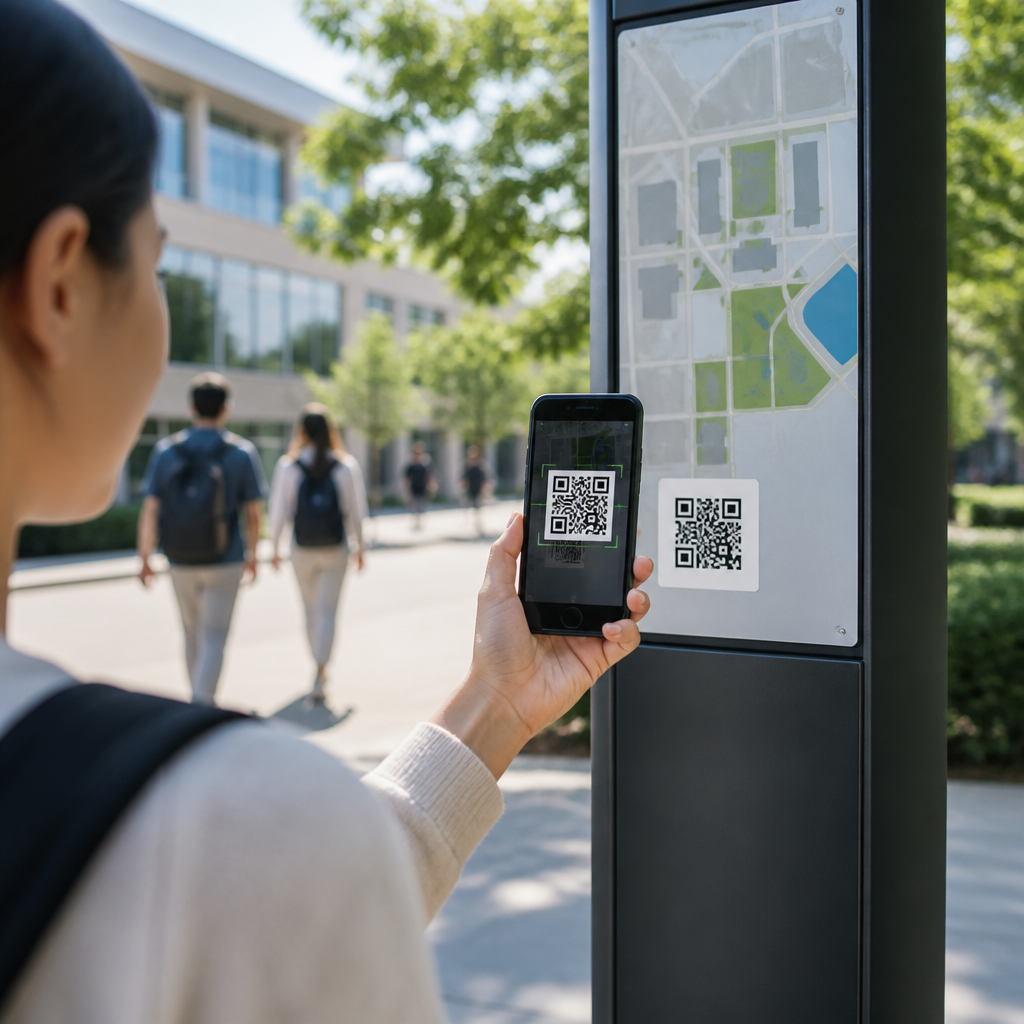
QR codes improve campus wayfinding by turning signs, kiosks, posters, parking placards, shuttle stops, and door plates into interactive navigation touchpoints. When scanned, a code can open a mobile map pinned to the user’s current destination, launch step-by-step walking directions, display building hours, or route someone to an accessibility-friendly entrance. The core advantage is context. A printed map shows everything at once, which can overwhelm new users. A QR code on a sign near Lot C can instead answer the exact question a person has at that location: how do I get from here to admissions, financial aid, the stadium, or the science complex?
Campuses benefit because navigation is rarely one journey. A student may need to find the registrar in the morning, a tutoring center at noon, and an evening lecture hall afterward. Dynamic QR destinations support these varied journeys through editable landing pages. Using a dynamic QR platform, the university can keep the printed code in place while changing the linked destination during construction, weather closures, or event setup. That flexibility matters on campuses where pathways close, departments relocate, and access rules change by semester.
Another practical benefit is reduced cognitive load. Instead of reading a directory, memorizing turns, and trying to reconcile indoor and outdoor signage, the user scans and follows a route on their phone. This is especially useful during orientation week, commencement, open days, and conferences, when thousands of unfamiliar visitors arrive in compressed time windows. In those moments, QR codes act as distributed digital concierges across campus.
Education-specific use cases across the campus journey
The strongest campus navigation programs do not treat QR codes as a single admissions tactic. They support the full education journey. Prospective students use entrance signage QR codes for self-guided tours, department routes, and parking instructions. New students scan dormitory and student services codes during move-in to find housing offices, ID card pickup, health services, and dining halls. Current students use building entrance or corridor codes to confirm room locations, office hours, and nearest support resources. Staff and faculty use service-area codes for facilities offices, meeting rooms, and internal departments. Visitors use event-specific codes for check-in points, accessibility seating, and exit routing.
Libraries are a strong example. A QR code near the entrance can open floor-by-floor maps, silent-study areas, printer locations, accessible restrooms, and circulation desk directions. A code in the stacks can guide users to subject librarians or special collections rooms. Athletic venues use QR codes to direct guests to gates, concessions, merchandise, and first aid. Residence life teams use codes in common spaces to map laundry rooms, package lockers, counseling services, and emergency assembly areas. Medical, research, and technical campuses can separate public routes from restricted areas, reducing accidental entries and confusion.
The education sector also faces audience diversity. International students may need multilingual directions. Parents may be unfamiliar with campus terminology. Continuing education attendees may arrive outside standard office hours. QR destinations can segment information by user type and time. A single landing page can offer buttons for “I am a student,” “I am a visitor,” or “I need an accessible route,” creating cleaner navigation than a dense signboard ever could.
Best practices for implementation, accessibility, and governance
Effective QR code campus navigation starts with route design, not code generation. First, identify high-friction locations: parking lots, transit stops, major intersections, building entrances, elevators, and temporary event zones. Then map common journeys using actual user questions collected by admissions staff, reception desks, security teams, disability services, and student ambassadors. In my experience, the most useful data often comes from the people who answer “Where is that building?” fifty times a day. Those repeated questions reveal where a QR code will provide immediate value.
Accessibility must be planned from the start. Linked pages should meet WCAG guidance, use readable contrast, support screen readers, and avoid tiny tap targets. Navigation should include accessible entrances, elevator paths, ramp routes, and restroom locations rather than assuming all users can take the shortest route. Placement matters too. Codes should be mounted at a scannable height, in well-lit areas, with short plain-language instructions such as “Scan for walking directions to Student Services.” Universities serving multilingual populations should offer language selection on the landing page, not force users through browser translation alone.
Governance prevents QR sprawl. Institutions need standards covering design, destination URLs, naming conventions, analytics tagging, security review, and update ownership. Without governance, one department links to a PDF, another to a broken map, and another to a generic homepage, which undermines trust. A central web or digital experience team should define templates, while departmental owners maintain destination accuracy. Tools commonly used for this include dynamic QR management platforms, Google Maps links for outdoor routing, Apple Maps integration for iPhone users, GIS-based campus map systems, and URL parameters tracked in Google Analytics 4.
| Campus location | Recommended QR destination | Primary benefit |
|---|---|---|
| Parking lot entrance | Mobile map with walking routes to key buildings | Reduces late arrivals and visitor confusion |
| Main building directory | Searchable department and room finder | Faster routing than static directories |
| Residence hall lobby | Move-in checklist and service locations | Supports new student onboarding |
| Event venue gate | Gate map, seating help, and accessibility info | Improves event flow and guest experience |
| Library entrance | Floor maps, service desks, and room booking links | Helps users find resources independently |
Technical setup, analytics, and integration with campus systems
Dynamic QR codes are the standard choice for campus navigation because they allow destination updates without replacing printed materials. Static codes can work for permanent landmarks, but most institutions need the flexibility to change routes when construction blocks a path, offices move, or event logistics shift. A strong setup includes a dedicated landing page or map endpoint for each location, short descriptive URLs, and UTM parameters for campaign-level reporting. This lets the institution see which codes get scanned, at what times, and from which placement zones.
Analytics turn navigation from a convenience into an operational insight tool. If a code at the north parking lot receives heavy scan volume every Monday morning, admissions may need more visible signs there or better pre-arrival messaging. If scans spike near one building but bounce rates are high, the linked page may be unclear or failing to match user intent. Google Analytics 4, Looker Studio dashboards, and tag-managed event tracking can reveal scan trends by orientation season, event type, or campus location. GIS teams can also compare scan activity with foot traffic patterns to improve route planning.
Integration matters. The best user experience often combines QR codes with interactive campus maps, event platforms, student apps, and appointment systems. For example, a confirmation email for an advising appointment can include the same building route users later access from a QR code in the parking lot. A conference microsite can use event-specific codes at arrival points that link to live agendas, venue maps, and session rooms. Security teams may add emergency routing pages, while facilities teams can temporarily redirect access during maintenance. Because the QR code is only the entry point, the real value comes from connecting it to maintained digital infrastructure.
Limitations, security risks, and how campuses avoid failure
QR codes for campus navigation are effective, but they are not a complete wayfinding system on their own. They depend on smartphone access, camera familiarity, and mobile connectivity. Some visitors will not scan codes, and some older buildings have weak signal coverage. That means campuses still need clear physical signage, staffed support during major events, and offline-friendly maps where possible. A QR code should enhance signage, not replace the fundamentals of legible directories, arrows, and building identification.
Security is another real concern. Users know that malicious QR codes can redirect to unsafe pages, so institutions must build trust through branded signage, recognizable domains, and consistent design. Avoid third-party short links that obscure the destination if possible. Use HTTPS, maintain redirects carefully, and monitor for tampering on physical signs. Facilities and security teams should include QR inspection in routine rounds, especially for exterior placements where sticker replacement is easy. Some campuses add a human-readable URL beneath the code so users can verify the destination before scanning.
Common failure points are predictable. Teams place codes where there is no decision to make, link to generic homepages, neglect accessible route details, or fail to update destinations after department moves. Another mistake is measuring scans without evaluating successful outcomes. The goal is not scan volume alone; it is faster arrivals, fewer directional questions, smoother events, and better user confidence. Pilots work best when they target a defined problem area, such as orientation parking or a confusing student services building, then expand using measured results.
How this education hub supports broader marketing and student experience goals
As a sub-pillar within QR codes in marketing, campus navigation connects directly to recruitment, retention, event success, and brand perception. Prospective students form impressions quickly, and ease of movement shapes whether a campus feels welcoming or intimidating. Self-guided tours become more effective when every stop includes a QR route to the next location, nearby amenities, and department-specific content. Open house attendance improves when guests can find parking, check-in, and session rooms without stress. The same infrastructure later supports admitted student days, alumni weekends, donor events, and community programs.
For enrolled students, navigation affects belonging and independence. A first-generation student who can confidently find advising, tutoring, counseling, and financial aid is more likely to use those services. During the first weeks of term, that confidence matters. Institutions often invest heavily in support resources but underinvest in helping students physically reach them. QR-guided navigation closes that gap with relatively low deployment cost compared with kiosks or staffed desks. It also provides an internal linking opportunity across education content, connecting this hub to articles on self-guided campus tours, QR codes for event check-in, QR codes for library services, and QR codes for student engagement.
The key takeaway is straightforward: QR codes for campus navigation work best when they are treated as an ongoing service layer across the education experience, not a one-off signage project. Start with high-friction routes, use dynamic destinations, design for accessibility, connect analytics to real outcomes, and maintain trust through governance and security. When campuses do that well, they reduce confusion and make every arrival easier. Review your busiest routes, identify the questions people ask most, and launch a pilot where better navigation will be felt immediately.
Frequently Asked Questions
How do QR codes improve campus navigation for students, staff, and visitors?
QR codes make campus navigation faster, easier, and more intuitive by connecting people directly to location-specific digital guidance. Instead of relying only on printed maps, static signage, or verbal directions, a person can scan a code with a smartphone and instantly open a campus map, turn-by-turn walking directions, building details, office hours, accessibility routes, or event check-in information. This is especially useful on large education campuses where multiple academic buildings, residence halls, libraries, administrative offices, dining areas, parking lots, and student service centers may be spread across a wide area.
For students, QR codes can reduce first-week confusion and help them get to classrooms, advising offices, labs, and support services on time. For staff and faculty, they can streamline movement between departments, meeting rooms, and campus resources. For visitors, prospective families, guest speakers, and event attendees, QR codes provide a simple self-service way to find the correct entrance, reception desk, or venue without needing to stop and ask for help. In practice, this improves the overall campus experience, lowers frustration, and supports a more organized and welcoming environment.
Where should campuses place QR codes for navigation to be most effective?
The most effective QR code placement strategy focuses on high-decision points across campus. These are the places where people naturally pause and ask themselves where to go next. Common examples include campus entrances, parking areas, transit stops, visitor centers, residence hall lobbies, library entrances, student unions, administrative buildings, elevator banks, stairwell landings, and intersections between major walkways. Codes can also be placed outside classrooms, departments, service desks, and event venues to provide highly specific destination guidance.
Placement should be intentional and user-centered. A QR code near a parking lot might open a map showing the shortest route to admissions or a nearby lecture hall. A code at the entrance to a building might display a floor directory, room locations, accessibility information, and office hours. At event locations, a code could guide guests to registration, overflow seating, restrooms, or emergency exits. To maximize usability, the code should be clearly visible, mounted at a practical scanning height, and paired with short explanatory text such as “Scan for directions” or “Find your classroom here.” Good placement helps ensure the technology feels helpful rather than hidden or confusing.
What information can a campus navigation QR code link to?
A campus navigation QR code can link to a wide range of digital content, depending on the needs of the institution and the specific location where the code is placed. The most common destination is a mobile-friendly map or directions page, but the value goes far beyond that. A single code can open walking directions to a building, an interactive floor plan, office and department listings, room numbers, faculty directories, check-in forms, event schedules, visitor instructions, transportation details, parking guidance, or links to emergency and accessibility services.
Campuses can also tailor QR code destinations to the audience and setting. For example, a code outside an academic building might lead to classroom directories and faculty office locations, while a code near a residence hall might show housing office contacts, move-in instructions, and after-hours support. A code at the library could link to floor maps, service desks, and study room booking information. During special events such as orientation, open houses, commencements, or conferences, campuses can use dynamic QR codes to update maps, route attendees to temporary entrances, or provide real-time announcements without reprinting physical materials. This flexibility is one of the biggest reasons QR codes are so effective in navigation systems.
Are QR codes for campus navigation accessible and easy for most people to use?
Yes, when implemented properly, QR codes can be a highly accessible and user-friendly navigation tool. Most students, staff, and visitors already carry smartphones with built-in QR scanning through the camera app, which means there is little to no learning curve. Scanning a code typically takes only a few seconds and removes the need to manually search a website or type in a location name. This speed is particularly useful for first-time visitors, new students, and people moving through campus on a tight schedule.
That said, accessibility depends on thoughtful design. The landing page should be mobile optimized, easy to read, and simple to navigate. Text should be clear, links should be large enough to tap easily, and directions should include plain language. Campuses should also consider accessible route information for wheelchair users and others who may need elevator access, step-free entry points, or alternate pathways. In addition, QR codes should complement, not replace, traditional signage. Printed directional signs, staffed information points, and short URLs displayed alongside the QR code can help people who do not use smartphones or prefer another method. A well-designed system makes navigation more inclusive for a broader range of campus users.
What are the main benefits of using QR codes instead of relying only on printed campus maps and signs?
The main advantage of QR codes is that they turn static navigation into a dynamic, updateable experience. Printed maps and signs are useful, but they can become outdated quickly when offices move, event routes change, buildings undergo renovation, or temporary closures affect normal pathways. A QR code can link to live digital information that can be updated centrally without replacing every printed sign. This gives campuses much more flexibility and helps ensure that people receive current directions rather than old information.
QR codes also allow campuses to provide more detail than a physical sign ever could. A printed sign may only have room for arrows and a few building names, while a QR code can open layered content including maps, room directories, accessibility notes, service hours, contact details, and location-specific instructions. They are also cost-effective because the same code can continue to serve users over time, especially when paired with dynamic content. From an operational perspective, QR codes can reduce the burden on front desk staff and security teams who frequently answer directional questions. From a user experience perspective, they make the campus feel more modern, efficient, and easier to navigate, which is especially important for large institutions that want to create a strong first impression.