QR codes have become one of the most practical tools for improving student engagement because they connect physical learning spaces to digital content in seconds. In education, student engagement means more than participation. It includes attention, curiosity, interaction, persistence, and the willingness to apply knowledge beyond a single lesson. A quick response code, commonly called a QR code, is a scannable matrix barcode that opens a link, video, document, form, app, or message when viewed through a phone or tablet camera. In schools, colleges, training programs, museums, and campus services, that simple action removes friction. Students do not need to type long web addresses, search for files in a learning management system, or wait for emailed resources. They scan and arrive immediately at the next step.
I have seen this change classroom behavior in very ordinary moments. When a teacher places a QR code on a worksheet that leads to a short explainer video, students who would normally pause and wait for help often move forward independently. When a campus orientation poster includes a QR code to a map, event schedule, and advising contacts, new students engage with support resources earlier. That shift matters because access delays reduce attention. The easier it is for learners to move from question to answer, the more likely they are to stay involved.
This matters across the education sector because modern learning is blended. Printed handouts, whiteboards, textbooks, classroom displays, lab stations, and campus signage still play important roles, but students expect digital depth behind them. QR codes bridge that gap at very low cost. They also support measurable engagement. Schools can track scans, time, location, and destination performance when they use dynamic QR codes through platforms such as Bitly, QR Code Generator, Beaconstac, or Uniqode. That data helps educators refine materials instead of guessing what students use. For institutions building stronger communication, participation, and resource access, QR codes are not a gimmick. They are a reliable engagement layer that works across teaching, recruitment, student services, and lifelong learning.
Why QR Codes Work in Education
QR codes improve student engagement because they reduce effort at the exact moment interest appears. In instructional design, lowering friction increases the chance that learners will complete a desired action. A student who must type a 60-character link from a slide is much less likely to open the resource than a student who can scan a code in two seconds. That difference sounds small, but in live classrooms it changes completion rates, especially during transitions between activities.
They also support active learning. Instead of passively reading, students can scan to answer a poll, watch a demonstration, hear pronunciation, open primary sources, submit an exit ticket, or join a collaborative document. This is especially useful in mixed-ability classrooms. Fast finishers can scan extension tasks, while students needing reinforcement can access guided practice without waiting. In my experience, that creates smoother pacing and fewer attention drop-offs.
Another reason QR codes work is device familiarity. Most students already know how to scan with iPhone and Android cameras, and school-issued Chromebooks or tablets often support scanning through built-in apps. Because the action feels natural, teachers do not need extensive training time. Accessibility still matters, though. Every QR code should include a plain-language label such as “Scan for worksheet audio” or “Scan for lab safety checklist,” plus a short fallback URL for students whose devices cannot scan.
Classroom Use Cases That Increase Participation
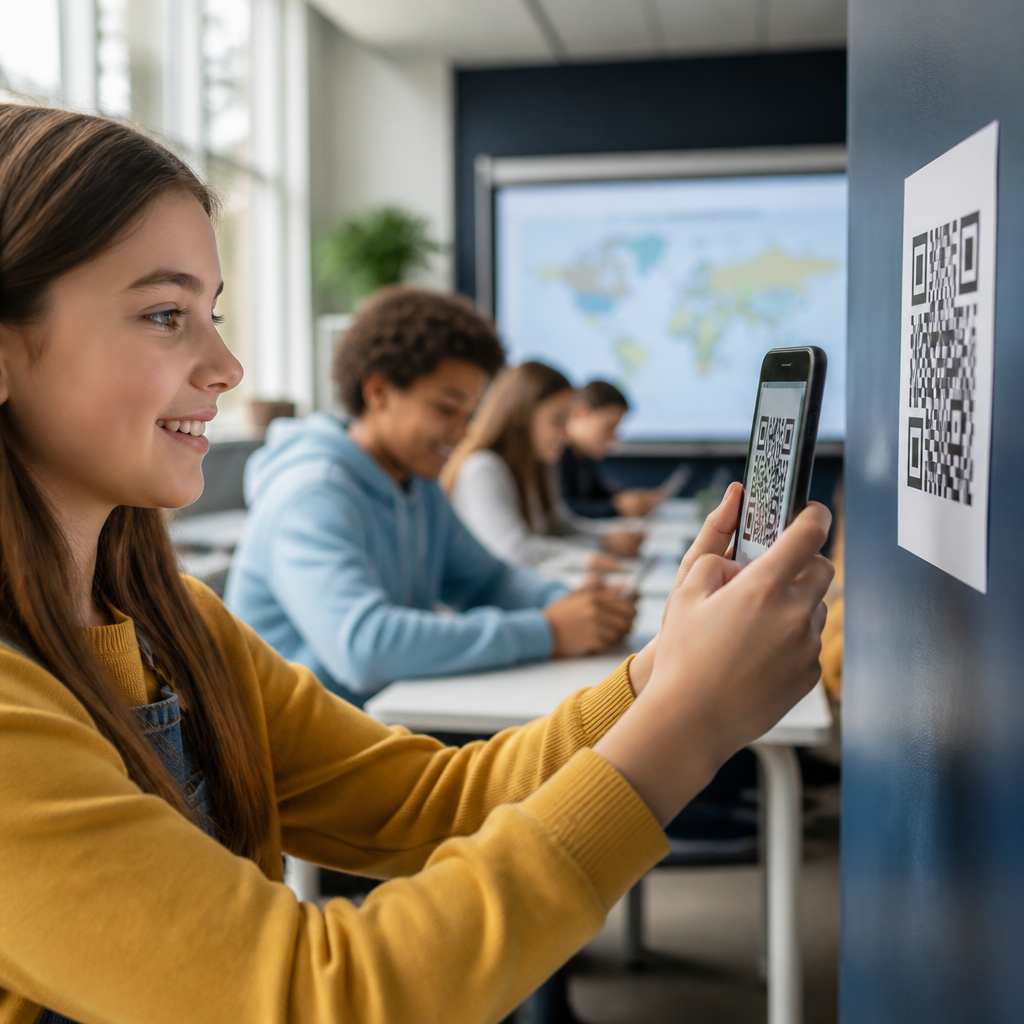
The classroom is the clearest place to see how QR codes improve student engagement. Teachers can add codes to lesson slides, desks, stations, notebooks, bulletin boards, and printed packets. Each placement should tie directly to a learning action. For example, an elementary reading teacher can place codes inside classroom library books linking to audio read-aloud support. This helps emerging readers build confidence without waiting for one-on-one assistance. In a secondary science class, lab benches can include codes linking to safety procedures, equipment demonstrations, and data-entry forms. Students spend less time asking where materials are and more time completing the experiment accurately.
In higher education, professors often use QR codes for attendance check-ins, formative quizzes, discussion prompts, and supplemental readings. During large lectures, a code on the first slide can open a poll in Mentimeter, Slido, or Google Forms, giving quieter students a way to respond anonymously. That increases participation beyond the few students willing to raise a hand. Seminar instructors can attach codes to case studies so students jump directly to source articles, legal documents, datasets, or discussion boards.
QR codes are also effective for project-based learning. A history class creating museum-style exhibits can attach codes to posters that open student-recorded narration or citations. Art students can connect gallery displays to process videos. Career and technical education programs can place codes on machinery or practice stations linking to step-by-step procedures. In each case, the physical artifact becomes interactive, and students see their work as publishable, not disposable.
| Education setting | QR code use case | Student engagement benefit |
|---|---|---|
| K–12 classroom | Scan for exit tickets, audio support, or extension tasks | Raises participation and supports differentiated instruction |
| University lecture hall | Scan for live polls, attendance, and shared notes | Increases response rates in large groups |
| Laboratory or workshop | Scan for safety rules, demonstrations, and assessment rubrics | Improves task clarity and reduces downtime |
| Library or museum | Scan for multimedia interpretation and catalog access | Encourages self-directed exploration |
| Campus services | Scan for advising, maps, event registration, and forms | Boosts resource discovery and service usage |
Campus Communication, Support Services, and Student Life
Student engagement extends far beyond the classroom. Colleges and schools often struggle with fragmented communication: posters on walls, emails buried in inboxes, and portals students forget to check. QR codes unify those touchpoints. A residence hall flyer can link directly to maintenance requests, mental health resources, or event calendars. A financial aid office can place a code at the front desk that opens deadlines, document checklists, and appointment scheduling. A student union poster can link to club sign-ups or volunteer opportunities. When the next action is immediate, response increases.
Orientation is one of the strongest use cases. New students are overloaded with information, and many questions repeat: where to go, what to bring, how to register, whom to contact. QR codes on welcome packets, lanyards, wayfinding signs, and campus maps can centralize those answers. I have seen institutions reduce lines at information desks simply by placing codes at key decision points with labels like “Scan for first-week schedule” and “Scan for academic advising locations.”
Libraries and student support centers also benefit. Shelf markers can link to research guides. Tutoring centers can place codes in classrooms so students book appointments on the spot. Counseling offices can offer discreet access to crisis support, intake forms, and after-hours resources. In these contexts, QR codes improve engagement by making help easier to reach during the moment of need, which is often the difference between action and abandonment.
Marketing, Recruitment, and Event Engagement in Education
Because this topic sits within QR codes in marketing, it is important to see education through that lens as well. Schools, universities, and education brands market constantly: to prospective students, parents, alumni, donors, and community partners. QR codes strengthen those campaigns by connecting offline promotion to measurable digital action. On brochures, direct mail pieces, billboards, campus banners, and event signage, a QR code can drive users to virtual tours, program pages, scholarship details, application forms, or RSVP landing pages.
Recruitment teams use them effectively at college fairs and open houses. Instead of handing out stacks of paper, staff can offer codes for admissions checklists, department videos, housing tours, and text-message updates. That shortens the path from interest to inquiry. Dynamic codes are especially valuable because the destination can change after print materials are distributed. A postcard mailed in October can lead to one landing page before deadlines, then redirect to admitted-student resources later without reprinting the code.
Event engagement improves too. Graduation programs can link to livestreams and graduate profiles. Athletics posters can open ticket pages and schedules. Alumni magazines can connect readers to giving campaigns or reunion registration. The underlying principle is consistent: QR codes turn static marketing assets into interactive experiences with trackable outcomes. For education organizations that need clearer attribution between physical outreach and digital conversion, that is a significant operational advantage.
Best Practices for Implementation, Measurement, and Accessibility
Effective QR code strategy in education requires more than generating a code and pasting it onto materials. First, use dynamic QR codes whenever possible. They allow destination edits, analytics, and campaign management. Static codes are acceptable for permanent links, but they cannot be updated if a page changes. Second, send scanners to mobile-friendly landing pages. If a code opens a desktop-only PDF, the student experience immediately suffers.
Placement and context matter. Codes should be large enough to scan from the intended distance, printed with strong contrast, and surrounded by white space known as the quiet zone. ISO/IEC 18004 defines the technical standard for QR codes, and following established sizing guidance reduces scan failure. In practice, I recommend testing every code on multiple devices before launch and again after installation under real lighting conditions. A code that works on a designer’s screen can fail on a glossy poster behind reflective glass.
Measurement should match the educational goal. If the aim is participation, track scans against class size and submission rates. If the aim is service access, compare scans with completed appointments or form starts. UTM parameters in Google Analytics 4 help institutions understand which posters, classrooms, or campaigns drive action. Accessibility must remain central. Provide descriptive text, short URLs, and alternatives for students with visual impairments or restricted device access. QR codes should extend inclusion, not create a new barrier.
Common Mistakes and How to Avoid Them
The most common mistake is using QR codes without a clear purpose. If every handout includes multiple unlabeled codes, students ignore them. Each code should answer one obvious question or support one action. Labels such as “Scan to submit your lab results” outperform generic prompts like “Learn more.” Another mistake is linking to cluttered destinations. The landing page should continue the exact promise made near the code.
Schools also underestimate maintenance. Broken links, outdated forms, expired event pages, and changed room locations erode trust quickly. Assign ownership for each code, especially on permanent signage. Privacy is another issue. If attendance, support access, or student data collection is involved, institutions must follow applicable policies and laws, including FERPA considerations in the United States. Avoid collecting more information than necessary, and be transparent about what happens after a scan.
Finally, avoid assuming QR codes alone create engagement. They are delivery tools, not pedagogical strategy by themselves. The content behind the code must be useful, timely, and aligned with the student task. When educators pair strong content with low-friction access, engagement rises. When they use codes as decoration, results are weak.
QR codes improve student engagement because they remove friction, connect print to digital learning, and make participation easier across classrooms, campuses, and recruitment efforts. Their value is practical: faster access to resources, more interaction during lessons, better visibility into what students use, and stronger links between physical materials and digital outcomes. In education settings where attention is limited and communication is fragmented, that efficiency matters.
The strongest implementations share a few traits. They serve a clear purpose, lead to mobile-friendly content, include accessible labeling, and are measured against real goals such as attendance, response rates, appointments, or applications. They also respect the reality of education environments. Teachers need tools that work quickly. Students need support in the moment. Administrators need evidence that an initiative is being used. QR codes meet all three needs when they are planned carefully.
For schools and education marketers building a stronger hub around industry-specific use cases, this topic deserves priority. Start with one high-impact workflow: classroom exit tickets, orientation materials, tutoring sign-ups, or admissions events. Test the experience, review scan data, and expand from there. A well-placed QR code will not replace good teaching or student support, but it will make both easier to access, and that is often what turns interest into action.
Frequently Asked Questions
How do QR codes improve student engagement in the classroom?
QR codes improve student engagement by making it easier for students to move from passive observation to active participation. Instead of only listening to a lesson or reading from a textbook, students can scan a code and instantly access a video explanation, interactive quiz, discussion prompt, digital worksheet, simulation, or extension activity. That immediate connection between a physical classroom resource and digital content helps maintain attention and curiosity, which are two essential parts of meaningful engagement.
They also support interaction in a way that feels natural and efficient. A teacher can place QR codes on classroom walls, handouts, lab stations, project boards, or reading materials so students can explore additional context without interrupting the flow of the lesson. This reduces friction. When students do not have to type long web addresses or search for materials on their own, they are more likely to participate and persist with the activity. In practice, QR codes can turn ordinary lessons into more responsive learning experiences by giving students quick access to the right content at the right time.
Another reason QR codes are effective is that they encourage independence. Students can scan and review instructions, examples, or support materials at their own pace, which helps them stay involved even when they need differentiation or extra reinforcement. In that sense, QR codes strengthen engagement not just by adding technology, but by helping students stay attentive, curious, and willing to continue learning beyond a single moment in class.
What kinds of educational content can be linked to a QR code?
One of the biggest advantages of QR codes in education is their flexibility. A single QR code can connect students to many types of digital content, including lesson videos, tutorial recordings, Google Forms, online quizzes, classroom slides, reading passages, vocabulary practice, virtual lab instructions, collaborative documents, educational games, attendance forms, and assignment submission pages. Because the code simply acts as a bridge, teachers can decide which digital resource best supports the learning objective.
This versatility makes QR codes useful across subjects and grade levels. In an elementary classroom, a QR code might open an audio recording that supports reading fluency or pronunciation. In a science class, it might link to a lab demonstration, safety checklist, or data collection form. In social studies, students can scan a code to view primary source documents, maps, or short historical explainers. In higher education, QR codes can connect learners to research articles, lecture notes, case studies, peer discussion boards, or supplemental media.
Teachers can also use QR codes to support student creation, not just content delivery. For example, students can generate presentations, podcasts, digital posters, or reflection videos and then share them through QR codes displayed during a gallery walk or project showcase. This adds another layer of engagement because students are not only consuming information; they are also producing and communicating knowledge in a format that others can easily access.
Are QR codes effective for different learning styles and student needs?
Yes, QR codes can be highly effective for supporting different learning preferences, readiness levels, and accessibility needs because they provide fast access to multiple formats of the same information. A teacher can offer a printed explanation, a short video, an audio version, and a step-by-step guide through separate QR codes or through one linked resource hub. This allows students to engage with content in a way that matches how they learn best, whether they benefit from visual examples, spoken instruction, interactive tasks, or repeated review.
QR codes are especially helpful for differentiation. Students who need more support can scan a code for guided practice, sentence starters, worked examples, or translated instructions. Students who are ready for more challenge can use another code to access enrichment activities, deeper reading, or independent inquiry tasks. Because the process is quick and discreet, differentiation can happen without drawing unnecessary attention to which students need extra help and which students are ready to extend their learning.
They can also contribute to better inclusion when used thoughtfully. For multilingual learners, QR codes can provide vocabulary support or home-language resources. For students who miss class, the same code can link to catch-up materials. For students who benefit from self-paced review, QR-linked resources can remain available before, during, and after instruction. The key is not the code itself, but the intentional design behind it. When teachers use QR codes to offer choice, clarity, and multiple access points, student engagement becomes more equitable and sustainable.
How can teachers use QR codes without making lessons feel overly dependent on technology?
QR codes work best when they support instruction rather than replace it. They should be seen as a simple access tool, not as the lesson itself. Teachers can use them to remove barriers and add useful layers to learning without turning every activity into a screen-based experience. For example, a teacher might use printed discussion questions during class and place a QR code beside them for students who want an optional video explanation or extension task. In that case, the technology enhances the lesson but does not dominate it.
They are also effective in blended learning environments because they connect hands-on and digital experiences. In a classroom scavenger hunt, lab rotation, station activity, bulletin board display, or project exhibition, students can move physically through the room while using QR codes only when needed to unlock instructions, evidence, prompts, or reflection forms. This keeps the classroom active and interactive while still taking advantage of digital convenience. The learning remains rooted in inquiry, collaboration, and application rather than in technology for its own sake.
To avoid overuse, teachers should be selective and purposeful. QR codes are most valuable when they solve a real classroom need, such as simplifying access to materials, offering differentiation, encouraging self-paced review, or increasing participation. If every step of a lesson depends on scanning, students may experience fatigue or distraction. But when used strategically, QR codes can make learning more seamless, organized, and engaging while allowing the teacher to stay fully in control of the instructional experience.
What are the best practices for using QR codes to increase student participation and persistence?
The most effective use of QR codes begins with a clear instructional goal. Teachers should decide exactly what behavior or outcome they want to encourage, whether that is more discussion, better preparation, stronger independent work habits, improved review, or deeper exploration of a topic. Once that goal is clear, the QR code should link to content that is relevant, easy to access, mobile-friendly, and immediately useful. If students scan a code and encounter a confusing page, a login barrier, or unclear instructions, engagement drops quickly.
Placement and context also matter. QR codes should be positioned where students naturally need them, such as near assignment directions, on task cards, at learning stations, in notebooks, on anchor charts, or at exit points in the classroom. It helps to include a short written description next to each code so students know what they will get before they scan it. This simple step builds trust and reduces hesitation. Teachers should also test every code in advance to make sure it works reliably across different devices.
To increase participation and persistence over time, QR-coded activities should feel meaningful rather than decorative. Codes can link to reflection prompts, quick checks for understanding, peer feedback forms, revision tips, challenge problems, or follow-up resources for students who want to keep learning. They can also support routines, such as warm-ups, exit tickets, or weekly review stations, which helps students become more independent and consistent. When QR codes are integrated into purposeful classroom systems, they do more than create novelty. They help students stay engaged, interact more confidently, and continue working through challenges with greater ownership of their learning.