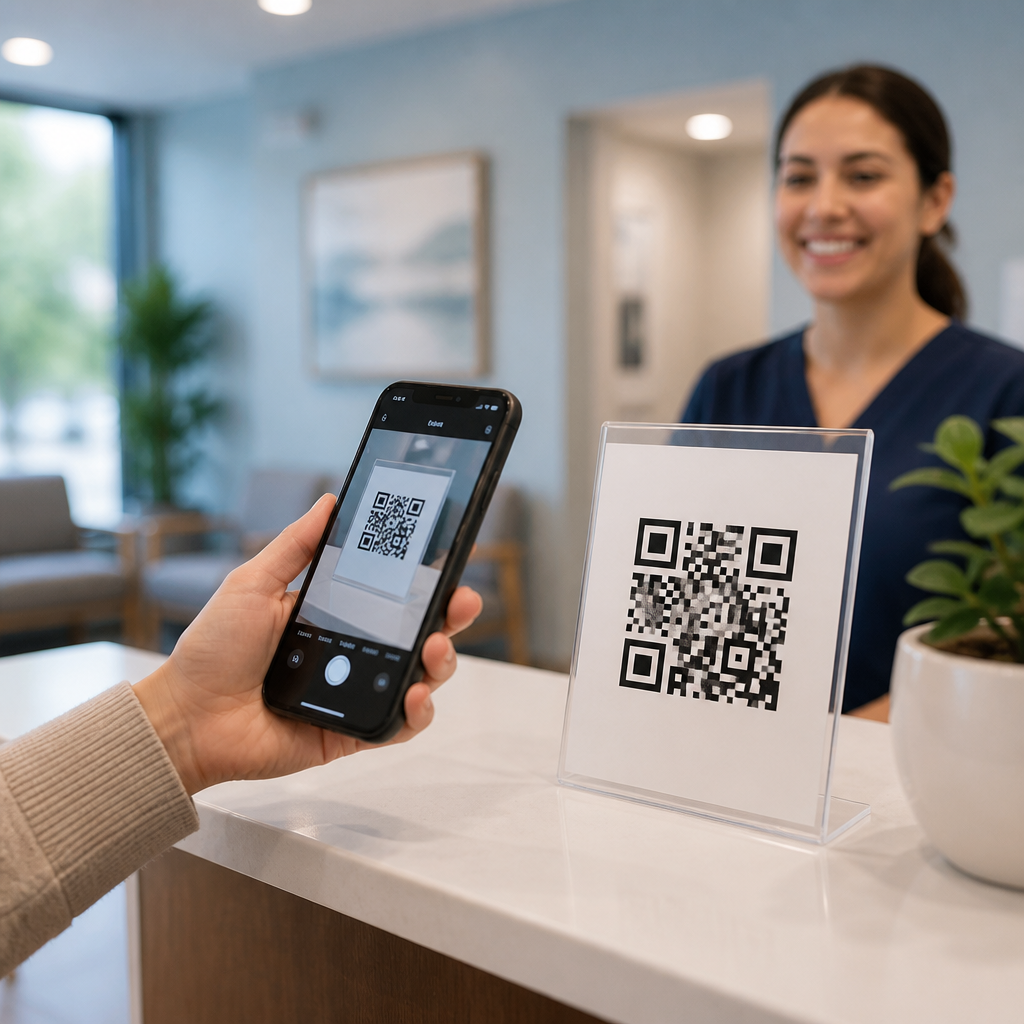
QR codes for patient check-in and forms have moved from a convenience feature to a practical operational tool across clinics, urgent care centers, dental practices, imaging centers, and multi-location health systems. In healthcare, a QR code is a scannable two-dimensional barcode that opens a digital action on a patient’s phone, such as an intake form, a consent document, a wayfinding page, a copay portal, or a virtual waiting room. Patient check-in is the process of confirming arrival, verifying identity, updating demographics, reviewing insurance, and collecting required signatures before care begins. When these two functions are connected well, front-desk bottlenecks shrink, paperwork errors drop, and staff spend more time helping patients who actually need assistance.
I have seen this shift most clearly in practices that were drowning in clipboards. A busy specialty office might greet fifty to one hundred patients before lunch, each carrying some mix of incomplete registration details, unread consent language, and outdated insurance information. Paper packets slow everyone down because handwriting must be interpreted, fields get skipped, and documents still need to be scanned into the record. A QR-based workflow changes the sequence. Patients scan a code from an appointment reminder, a lobby sign, a kiosk, or even the parking lot, then complete the check-in steps on their own device. By the time they reach the desk, much of the administrative work is already finished.
This matters because healthcare intake sits at the intersection of patient experience, compliance, revenue cycle performance, and clinical safety. Incorrect demographics can trigger claim denials. Missing allergies or medication details can affect treatment. Long lines at reception can undermine trust before the visit even starts. Digital forms are not automatically better, however. They need to be accessible, secure, easy to complete on a small screen, and integrated with scheduling and records systems. As a hub page for healthcare use cases, this article explains where QR codes fit, what problems they solve, how different care settings use them, what implementation details matter, and how to evaluate success without creating new friction for patients or staff.
How QR codes improve patient check-in workflows
The main value of QR codes in patient check-in is speed with structure. Instead of asking every arriving patient the same sequence of questions at the counter, practices can hand off routine data collection to a guided mobile flow. A code can open pre-visit registration, same-day arrival confirmation, symptom screening, insurance capture, or balance payment. Dynamic QR codes are especially useful because the destination can be updated without changing printed materials, letting teams point one code to different forms by location, provider, language, or appointment type. In real deployments, this flexibility matters more than the code itself. The operational design behind the scan determines whether the process feels effortless or frustrating.
A typical digital check-in sequence includes identity verification, demographics review, insurance photo upload, consent acknowledgment, copay collection, and final arrival confirmation. For scheduled visits, the best time to start is before the patient enters the building. Sending a reminder message with a personalized secure link often yields the highest completion rate because the patient has time to find their insurance card and answer health questions carefully. A lobby QR code still helps late adopters and walk-ins, but onsite completion competes with noise, low battery, childcare demands, and anxiety. That is why the strongest healthcare workflows use QR codes as one entry point within a larger intake strategy, not as an isolated gimmick.
There are also direct staffing benefits. Front-desk teams usually spend a surprising amount of time on repetitive corrections: transposed dates of birth, missing subscriber IDs, unsigned financial policies, and forms completed in the wrong order. A well-built digital flow can enforce required fields, validate formats, and surface exceptions immediately. If a patient skips medication history because they do not know it, staff can intervene before rooming rather than discovering the gap in the exam room. In practices I have supported, even small reductions in duplicate data entry translated into shorter queues and calmer mornings. That operational calm is valuable because it reduces errors during the busiest periods of the day.
Healthcare settings where QR-based forms work best
Nearly every outpatient setting can use QR codes for patient check-in and forms, but the use case should match the pace and complexity of the visit. Primary care clinics often use QR codes for annual demographic updates, preventive screening questionnaires, and routine consent refreshers. Dental practices commonly attach them to appointment reminders so patients can update medical history, medications, and insurance before hygiene or treatment visits. Urgent care centers use lobby and parking-lot codes for waitlist entry, symptom screening, and estimated wait communication, which helps distribute arrivals and reduce reception crowding during peak periods like flu season.
Specialty practices often gain the most because their paperwork is heavier. Orthopedics may include body-part-specific intake questions and imaging history. Behavioral health can use secure digital screening tools for depression, anxiety, sleep, or substance use, while carefully controlling privacy and trigger language. Women’s health clinics may collect pregnancy history, pharmacy preferences, and consent updates before the appointment begins. Imaging centers can pair arrival check-in with exam preparation instructions, such as fasting reminders or metal-screening questions for MRI. Rehabilitation clinics can use follow-up forms to track pain scores and functional status over a course of visits rather than asking patients to rewrite the same information every time.
Hospitals and larger systems also use QR codes, though governance is more complex. Outpatient departments can place codes on signage, parking confirmations, and pre-registration packets. Visitor management, outpatient surgery preparation, and discharge education can all sit adjacent to patient check-in without using the same workflow. The key is segmentation. A single generic code for an entire campus usually creates confusion, while a code tied to one service line, floor, or appointment category is easier to understand and monitor.
| Healthcare setting | Common QR use case | Main operational benefit |
|---|---|---|
| Primary care | Demographic review, annual consent, preventive screening | Faster routine visits and fewer chart update errors |
| Urgent care | Queue entry, symptom screening, mobile registration | Reduced front-desk congestion during high-volume periods |
| Dental | Medical history updates, insurance capture, treatment consent | Shorter reception time and cleaner documentation |
| Imaging | Arrival confirmation and prep-question verification | Better exam readiness and fewer reschedules |
| Specialty clinics | Condition-specific intake and follow-up questionnaires | More complete information before the clinician enters |
What patients expect from mobile forms and digital intake
Patients do not judge digital intake by the novelty of the QR code. They judge it by whether the process feels respectful of their time and limitations. On a phone, that means short screens, plain-language prompts, visible progress indicators, autosave, and the ability to resume if interrupted. Healthcare teams often underestimate how many patients start a form in one context and finish in another: in a car, in a crowded waiting room, during a work break, or while managing a family member’s appointment. If the form times out too quickly, requires repeated logins, or asks for the same information already on file, completion rates fall and reception staff inherit the frustration.
Accessibility is equally important. Forms should work with screen readers, support sufficient color contrast, and avoid tiny tap targets. Multilingual options are essential in many markets, but translation should be medically accurate, not machine-generated without review. Date pickers, signature boxes, and insurance upload tools should be tested on both iPhone and Android devices using common browsers. I have seen practices blame patients for abandoned forms when the real problem was a file-upload step that failed on older phones. Testing with actual users, including older adults and nontechnical staff, will reveal these breakdowns quickly.
Trust signals also shape completion. Patients need to know they are interacting with an authentic healthcare workflow, not a phishing attempt. That means branded landing pages, secure web addresses, concise privacy language, and front-desk staff who can explain exactly what the code does. Signage should state the expected outcome, such as “Scan to check in, update insurance, and sign forms,” rather than simply displaying a code without context. Clear expectations reduce hesitation and support adoption among patients who are comfortable with mobile banking or airline boarding passes but still cautious about sharing health information digitally.
Integration, security, and compliance considerations
The hardest part of deploying QR codes for patient check-in and forms is not generating the code. It is connecting the intake experience to the systems that run care and billing. Ideally, submitted data writes back into the practice management system, electronic health record, or intake platform without manual rekeying. Depending on the vendor stack, that may require standard APIs, HL7 interfaces, FHIR-based connections, or scheduled imports. The practical goal is simple: staff should not need to print a digital form just to scan it back into the chart. True integration preserves the time savings that justified the project.
Security and privacy standards must be designed from the beginning. If a form contains protected health information, vendors and internal teams need appropriate administrative, technical, and physical safeguards. Secure hosting, encryption in transit and at rest, role-based access, audit logging, session management, and data-retention policies are baseline requirements. Shared-device workflows need extra care, especially in hospital lobbies or kiosks, to prevent one patient from viewing another patient’s information. QR codes should point to secure destinations, and organizations should avoid exposing sensitive identifiers in the URL itself.
Consent and identity verification deserve particular attention. For low-risk administrative updates, a lightweight verification flow may be enough. For legally significant consents, payment authorization, or release-of-information requests, the organization may need stronger authentication, timestamping, and signature evidence. State rules, payer requirements, and organizational policies vary, so legal and compliance teams should review the intended use cases early. There are tradeoffs here. More security steps can reduce completion rates, while too little verification can create documentation risk. The right balance depends on the action being performed and the consequences of an error.
Implementation best practices for clinics and health systems
Successful rollout starts with process mapping, not design mockups. Document every intake step from appointment scheduling to rooming, then identify which fields are essential, which are redundant, and where staff currently fix problems. This exercise often reveals forms that no one reviews, signatures collected out of habit, and duplicate questions spread across scheduling, registration, and clinical history. Simplifying before digitizing prevents the common mistake of turning a bad paper workflow into a long mobile workflow. Once the content is cleaned up, segment forms by visit type and patient status, such as new patient, returning patient, annual update, procedure day, or walk-in.
Pilot in one location or service line before expanding systemwide. Track completion rate, average check-in time, front-desk touch time, registration error rate, and staff intervention frequency. Qualitative feedback matters too. Ask patients where they stalled, what felt repetitive, and whether the instructions were clear. Ask staff which exceptions still require manual work and whether the new process shifted effort to another part of the visit. In several implementations, I found that adding a simple “save and finish later” feature improved completion more than redesigning the entire form because it matched how people actually complete healthcare tasks.
Communication determines adoption. Appointment reminders, confirmation emails, printed signs, and staff scripts should all describe the same process in the same words. Offer alternatives for patients who do not have smartphones, limited data access, low digital confidence, or accessibility needs. A tablet at reception, a staffed kiosk, or assisted check-in line keeps the system inclusive. QR codes for patient check-in and forms work best when they create choice, not when they become a rigid gatekeeper. Organizations that remember this usually see better patient satisfaction and cleaner operational results.
How to measure results and expand the healthcare use case
The strongest business case for QR-based intake comes from measurable operational and financial outcomes. Start with baseline numbers: average wait to complete check-in, percentage of forms finished before arrival, no-show recovery from reminder flows, insurance error rates, claim denials tied to registration problems, and staff hours spent scanning or indexing documents. After launch, compare the same metrics by location, provider, and appointment type. A ten-minute reduction in average check-in time may not sound dramatic until multiplied across hundreds of visits per week, where it can materially improve room utilization and reduce overtime at the front desk.
This healthcare subtopic extends beyond intake. Once patients are comfortable scanning a code from a trusted provider, the same pattern can support post-visit education, prescription instructions, satisfaction surveys, referral intake, event registration, and location-specific wayfinding. In marketing terms, that creates a connected patient journey rather than a single transactional scan. The operational lesson is the same: every QR code should lead to one clear next step, one audience, and one measurable outcome. If you are building a broader healthcare strategy under QR codes in marketing, begin with patient check-in and forms, measure what improves, then expand deliberately into adjacent workflows that reduce friction and strengthen the patient experience.
For clinics and health systems, the takeaway is straightforward: use QR codes where they remove repetitive administrative work, improve data quality, and respect patient preferences. Keep forms short, secure, integrated, and accessible. Pilot carefully, measure hard outcomes, and maintain non-digital options for anyone who needs them. Done well, QR codes for patient check-in and forms turn a common point of frustration into a smoother start to care. Review your current intake process, identify the biggest bottleneck, and test one QR-enabled workflow that solves it this quarter.
Frequently Asked Questions
How do QR codes improve patient check-in and digital forms in healthcare settings?
QR codes streamline patient check-in by replacing repetitive front-desk steps with a simple scan from the patient’s smartphone. Instead of handing over clipboards, asking patients to re-enter information already on file, or creating lines at reception, a clinic can direct patients to scan a code that opens the exact digital action needed. That may include arrival confirmation, demographic review, insurance verification, medical history updates, consent forms, copay collection, or a virtual waiting room. The result is a faster and more organized intake process for both patients and staff.
Operationally, this matters because check-in is not just about marking a patient as present. It often includes verifying identity, confirming coverage, updating contact details, collecting signatures, and making sure required forms are complete before care begins. QR-enabled workflows reduce bottlenecks by shifting these tasks to the patient’s phone, often before the front desk ever becomes involved. In busy environments such as urgent care, imaging centers, dental offices, and multi-provider clinics, that can reduce congestion in waiting areas and help staff focus on exceptions rather than routine data entry.
QR codes also improve form accuracy and completion rates when they link to mobile-friendly, role-specific forms. A new patient can receive a full intake packet, while a returning patient may only need to confirm changes and sign a consent. Because the code can direct users to the right workflow, practices can avoid giving every patient the same generic paperwork. That makes the experience feel more efficient while also helping the organization collect cleaner, more actionable information.
For patients, the experience is usually more convenient and private. They can complete forms at their own pace, use their own device, and avoid reading or writing on crowded counters. For healthcare organizations, the bigger value is consistency. Every patient can be routed through the same structured process, timestamps can be captured automatically, and completed information can be passed into downstream systems more reliably than with paper-first workflows.
Are QR codes for patient intake and forms secure enough for healthcare use?
QR codes themselves are simply a method of launching a digital destination, so the security question depends on the system behind the code. In healthcare, a QR-based patient check-in process can absolutely be designed for secure use, but it should be implemented with the same care given to any patient-facing digital workflow. That means using encrypted connections, controlled access to forms, secure data storage, user session protections, and administrative safeguards that align with healthcare privacy requirements.
A well-designed healthcare QR workflow should avoid exposing protected health information directly inside the code itself. In most cases, the code should point to a secure web page or intake platform rather than store patient-sensitive data in the image. From there, patients can be guided through verification steps such as date of birth confirmation, appointment matching, one-time access links, or portal authentication, depending on the use case and risk level. This helps ensure that scanning the code starts a secure process rather than bypassing it.
Healthcare organizations should also think carefully about placement and purpose. A general lobby QR code for check-in may be appropriate when it leads to a neutral landing page where the patient identifies themselves securely. More individualized workflows, such as pre-visit registration or consent packets, may work better through text message, email, or appointment-specific links that reduce the risk of the wrong person accessing the wrong form. The goal is not just convenience, but controlled convenience.
From an operational standpoint, staff training is just as important as technical controls. Teams should know which codes are active, what each one is used for, how to help patients confirm they are on the correct page, and how to respond if a patient cannot or should not use mobile intake. When security, patient identity, and workflow design are addressed together, QR codes can be a practical and responsible tool for modern patient intake.
What types of patient forms and check-in tasks can a QR code handle?
QR codes can support a wide range of front-end healthcare workflows, not just basic arrival confirmation. In many practices, the most common use is digital patient intake, where a scan opens forms for demographics, insurance information, emergency contacts, medical history, medication lists, allergies, and reason for visit. That same experience can also include consent forms, HIPAA acknowledgments, financial responsibility notices, screening questionnaires, and other required documents that traditionally slow down the reception process.
Beyond forms, QR codes can trigger practical check-in actions that improve patient flow. A patient may scan to notify staff they have arrived, join a virtual waiting room, indicate they are waiting in their car, review appointment instructions, update information before imaging or procedures, or complete specialty-specific questionnaires. Dental offices may use them for treatment consents and health history updates. Urgent care sites may use them for symptom screening and queue management. Large health systems may use them for wayfinding, copay collection, multilingual intake, and location-specific registration.
The strongest implementations are tailored by visit type and patient status. A first-time patient often needs a more comprehensive packet than a returning patient coming in for a routine follow-up. A pediatric visit may route a parent or guardian to forms related to consent and medical history, while an outpatient procedure may require pre-authorization acknowledgments, pre-op instructions, and e-signatures. QR workflows can be configured to present only what is necessary, helping reduce abandonment and form fatigue.
Another advantage is that QR codes can connect check-in with downstream administrative and clinical tasks. Once forms are complete, practices may trigger alerts for staff review, update the patient management system, flag missing items, or prepare the chart for the clinician. This makes QR codes more than a convenience at the front door. They become an entry point into a more coordinated intake process that supports patient experience, staff productivity, and documentation quality.
What should clinics consider when implementing QR codes for patient check-in and forms?
Successful implementation starts with workflow design, not with the code image itself. Clinics should first identify what they want the patient to accomplish when they scan. That could be arrival confirmation, completing registration forms, signing consent documents, paying a balance, or accessing pre-visit instructions. Once the goal is clear, the organization can decide where the QR code should appear, whether it should be generic or appointment-specific, and how it should connect to existing systems such as scheduling, registration, EHR, practice management, or payments.
Usability is another major consideration. The experience must be mobile-friendly, easy to read, and simple enough for patients of varying technical comfort levels. Forms should load quickly, use plain language, minimize unnecessary fields, and support accessibility needs such as larger text, multiple languages, and compatibility with screen readers where possible. Signage should clearly explain what the code does, what patients should expect after scanning, and what alternative is available if they do not have a smartphone or prefer not to use one.
Practices should also plan for staff workflows and exception handling. Not every patient will complete mobile intake without assistance, and some may arrive with incomplete forms, dead batteries, limited connectivity, or privacy concerns. Front-desk and clinical staff need a clear backup process so the QR system enhances service rather than creating friction. This may include tablets on-site, printed alternatives, or staff-assisted completion when needed. A strong rollout treats QR code check-in as one intake path within a broader patient access strategy.
Finally, measurement matters. Clinics should track completion rates, average check-in time, staff workload, waiting room congestion, form error rates, and patient feedback before and after launch. Those metrics help determine whether the QR workflow is actually improving operations. In many cases, small refinements such as shortening a form, changing the sign placement, or pre-filling known information can produce major gains. The most effective QR deployments are not just implemented once and left alone. They are monitored, optimized, and aligned with real front-desk performance.
Do QR codes work well for multi-location health systems, specialty practices, and high-volume care environments?
Yes, QR codes can work especially well in complex healthcare environments because they provide a standardized entry point while still allowing location-specific and service-specific customization. In a multi-location health system, each clinic, imaging center, urgent care site, or specialty department can use QR-enabled check-in and forms without forcing every patient through the same generic process. One location may prioritize rapid arrival confirmation and queue management, while another may need a deeper intake workflow tied to referrals, consents, and clinical questionnaires.
For specialty practices, QR codes help organize visit-specific documentation that would otherwise overwhelm patients and staff. Orthopedics may need pain assessments and injury history. Gastroenterology may require procedure instructions and consent review. Oncology, women’s health, cardiology, and behavioral health all have unique administrative and clinical intake requirements. A QR code can direct each patient to the right workflow based on specialty, appointment type, provider, or visit stage, making intake more targeted and less cumbersome.
High-volume environments benefit from the operational efficiency QR codes create at scale. Urgent care centers can reduce lines by allowing patients to register from the waiting room, parking lot, or entrance signage. Imaging centers can prompt patients to review preparation instructions and complete safety screening before the appointment begins. Large dental groups can standardize health history updates and treatment authorizations across locations. Because the scan action is simple and familiar to most smartphone users, QR workflows can be adopted quickly when