
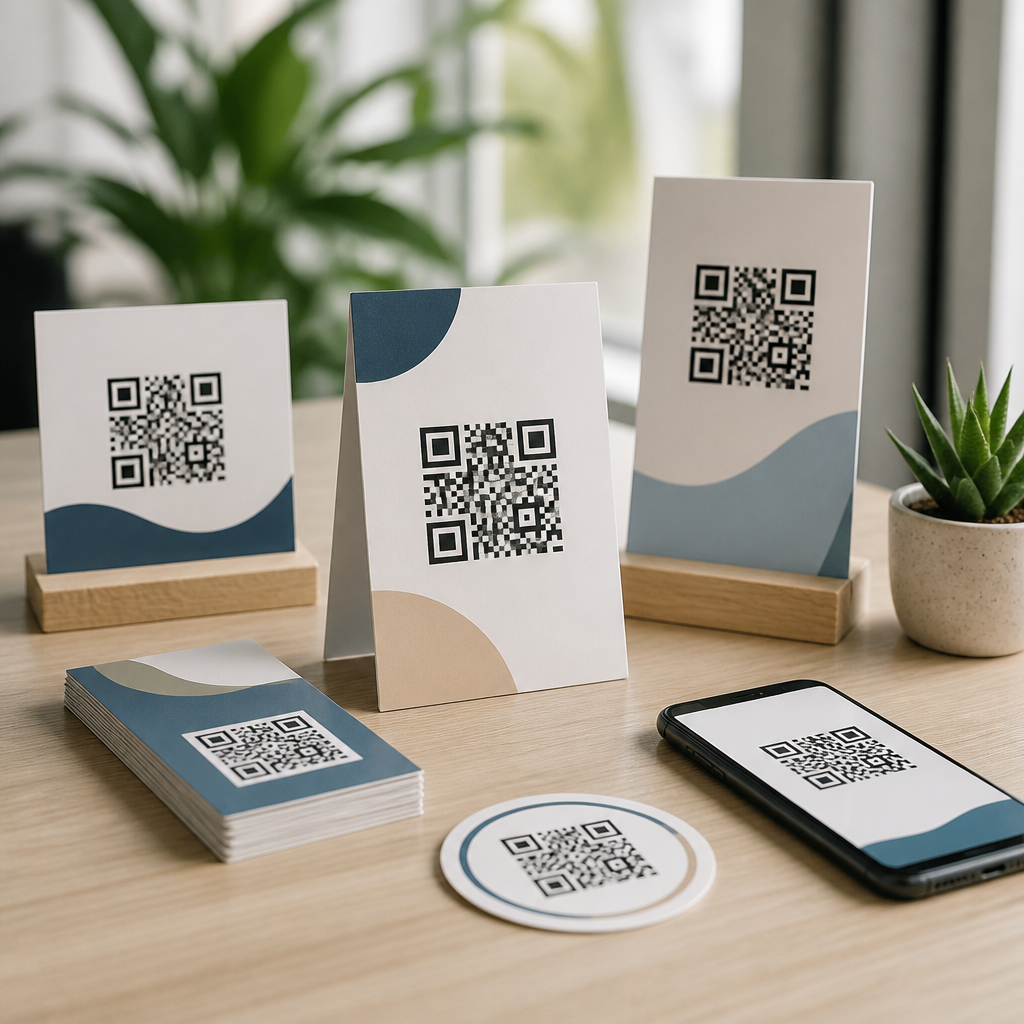
Free QR code marketing templates help teams launch campaigns faster, keep branding consistent, and avoid rebuilding common assets from scratch. In practice, these downloadable resources include flyer layouts, poster designs, table tents, product inserts, packaging labels, event signage, business card mockups, social graphics, email modules, and tracking worksheets built around scannable codes. I have used these materials across retail promotions, restaurant menus, trade show booths, real estate handouts, and nonprofit fundraising campaigns, and the same pattern appears every time: when the template already accounts for scan distance, quiet zone spacing, call-to-action placement, and mobile landing page fit, performance improves and production errors drop.
A QR code is a two-dimensional barcode that stores a destination such as a website URL, app link, PDF, coupon, Wi-Fi credential, video, or payment request. Marketing templates are predesigned assets that reserve the correct space for the code and the message around it. Downloadable resources matter because QR campaigns often fail for ordinary reasons, not technical ones. The code may be too small for the viewing distance, printed on a reflective surface, placed without instructions, or linked to a page that loads slowly on phones. A strong template solves these issues before launch. As a hub for downloadable resources within QR Code Tutorials, Guides & Resources, this article explains what free QR code marketing templates should include, where they fit in a campaign, how to choose the right format, and how to connect each asset to the rest of your QR code strategy.
What free QR code marketing templates should include
The best free QR code marketing templates are not just attractive files; they are practical production tools. Every template should reserve enough white space around the code, because scanners need a clear quiet zone to distinguish the symbol from nearby text and graphics. It should also include a visible call to action such as “Scan to view menu,” “Scan for 10% off,” or “Scan to download the guide.” In campaigns I have audited, adding a plain-language instruction often increased scans more than changing the code style or color. People respond to clarity. They need to know what they will get, how long it takes, and whether there is an immediate benefit.
Good downloadable resources also specify dimensions, bleed, and output format. A print-ready poster template should note trim size, safe area, recommended minimum QR size, and a contrast standard such as dark code on a light background. Digital templates should account for platform cropping and mobile readability. If the destination is a landing page, the template package should reference UTM parameters, analytics naming, and a campaign tracking sheet so scans can be tied to outcomes. This matters because QR code marketing is only useful when a team can measure not just scans, but conversions, assisted revenue, signups, redemptions, or visits generated by each asset.
Core downloadable resources for print campaigns
Print remains one of the strongest use cases for QR codes because it bridges offline attention and digital action instantly. The most useful free templates in this category include flyers, posters, brochures, postcards, shelf talkers, product inserts, table tents, window decals, and direct mail pieces. Each serves a different scanning context. A poster in a transit station needs a larger code and shorter message because viewers are moving. A table tent in a café can support a smaller code because it is read at arm’s length. Packaging inserts can direct buyers to setup videos, warranty registration, reorder pages, or review requests after purchase.
Business cards and real estate sheets deserve special mention because they combine personal contact with persistent access. A business card template with a QR code can open a digital contact card, booking page, or portfolio. A property flyer can link to a virtual tour, neighborhood map, or mortgage calculator. In both cases, the template should keep the code away from edges and folds, and the linked page should match the promise on the printed piece. If a postcard says “Scan for your free estimate,” the landing page should open directly to the estimate form, not the company homepage. Tight message-to-destination alignment consistently produces better campaign results.
Digital and social templates that convert scans into sessions
Although QR codes are commonly associated with print, digital and social templates are increasingly important. Brands use QR codes in presentation decks, webinar slides, digital signage, livestream overlays, email newsletters, app onboarding screens, PDF lead magnets, and social media graphics that viewers open on a second device. These downloadable resources work best when they recognize user behavior. For example, a QR code inside an email may only be useful if the recipient is reading on a desktop and can scan with a phone. In contrast, a QR code in a webinar slide often performs well because many attendees already have a phone nearby and want the resource without typing a long URL.
Social templates need careful planning because platforms compress images and crop layouts. A square Instagram graphic should place the code high enough to avoid interface overlap when screens are small. A LinkedIn event image can pair the code with a short benefit statement and a backup short link for accessibility. For downloadable resources, editable files in Canva, Adobe Express, PowerPoint, Figma, or Illustrator are especially valuable because teams can adapt sizes without recreating the visual hierarchy. The most effective digital templates also include guidance for contrast ratios, file export settings, and destination testing on both iOS and Android before publishing.
How to choose the right template for your campaign goal
Start with the goal, not the format. If the objective is lead generation, choose templates that support a clear offer and a short form, such as flyers, trade show signs, landing-page hero graphics, and QR-enabled handouts. If the goal is immediate purchase, packaging labels, shelf signage, product cards, and menu inserts may be more effective because they reach people closer to the point of decision. For customer support, use templates for quick-start guides, installation cards, equipment labels, and receipts that link to help centers or video walkthroughs. Matching the downloadable resource to the stage of intent is one of the simplest ways to increase useful scans.
The next filter is environment. Ask where the code will be seen, how much time the viewer has, and what device they will use next. A conference banner in a crowded hall should use a larger code, fewer words, and a landing page designed for spotty mobile reception. A direct mail template can carry more context because the recipient is stationary. I recommend that teams map campaign assets against viewing distance, dwell time, and offer complexity before selecting a template. This small planning step prevents common mismatches, such as using a detailed brochure template for a fast-moving event corridor where nobody stops long enough to read it.
| Campaign goal | Best template types | Recommended destination | Key metric |
|---|---|---|---|
| Lead generation | Flyers, trade show signs, webinar slides | Short mobile form or booking page | Form completion rate |
| Sales promotion | Posters, shelf talkers, packaging inserts | Coupon page or product bundle offer | Redemption rate |
| Customer education | Quick-start cards, manuals, labels | Video tutorial or help center article | Support deflection |
| Event engagement | Badges, table tents, booth backdrops | Agenda, giveaway entry, or map | Unique scans |
| Retention and loyalty | Receipts, inserts, loyalty cards | Rewards signup or review request | Repeat purchase rate |
Design standards that make downloadable templates usable
A free template is only useful if it follows production standards. The QR code itself should be generated at high resolution and tested after any styling changes. Static codes are acceptable for simple permanent destinations, but dynamic QR codes are better for most marketing uses because the destination can be updated without reprinting the asset. That flexibility is critical when a promotion changes, an event schedule moves, or a PDF is replaced. Templates should indicate whether the space is intended for a static or dynamic code and note that tracking parameters should be added before final generation, not after printing.
Size and contrast rules should be explicit. A common guideline is to increase code size in proportion to viewing distance, and in field work I treat tiny codes on posters as a red flag. Matte surfaces scan more reliably than glossy finishes under strong light. Curved packaging can distort the symbol, so the flat panel should be chosen whenever possible. Templates should also include room for a fallback URL or short domain, since some users prefer typing and some accessibility tools rely on text alternatives. If branding is applied through frames, colors, or logo overlays, the template should preserve error correction and avoid reducing the code’s finder patterns or overall contrast.
Download formats, editing tools, and file management
When people search for free QR code marketing templates, they usually need more than a visual idea; they need files they can edit quickly. The strongest downloadable resources come in multiple formats: PDF for print handoff, PNG for quick sharing, SVG for scalable graphics, and source files for editing in Canva, Adobe Illustrator, Figma, PowerPoint, Google Slides, or InDesign. Each format solves a different production problem. SVG is ideal when the same code will appear on a business card and a large poster. PowerPoint and Google Slides are useful for internal teams that need speed more than precise print controls.
File naming and version control are often ignored, yet they matter once campaigns expand. I advise teams to label assets by channel, offer, date, and destination version, such as “event-booth-giveaway-2026-v2-dynamic.” The template library should also include a basic readme or usage note covering font licensing, image placeholders, color profiles, and print recommendations. This reduces handoff friction between marketing, design, sales, and external printers. Downloadable resources become much more valuable when they are organized as a system rather than scattered one-off files. A hub page like this should point readers to templates by use case, industry, and tool compatibility so teams can find the right asset without guessing.
Measurement, testing, and common mistakes to avoid
Every QR code template should connect to a measurement plan. At minimum, that means unique campaign URLs, analytics tags, and a defined success metric for each asset. Google Analytics 4 can track sessions and conversions from tagged destinations, while QR code platforms such as Bitly, QR Code Generator Pro, Beaconstac, Flowcode, and Uniqode can report scans by time, device, and location depending on the plan. Scan count alone is not enough. I have seen campaigns with high scans and poor business value because the landing page was slow, the offer was unclear, or the form asked for too much information. Measure the full path from scan to outcome.
Testing should happen in the real environment, not just on a designer’s screen. Print a sample at actual size, place it under normal lighting, and scan from the expected distance on multiple phones. Confirm that the page loads quickly, uses responsive design, and reflects the message on the template. The most common mistakes are familiar: sending traffic to a homepage, shrinking the code to fit a layout, using low-contrast brand colors, ignoring quiet zones, failing to label the benefit, and forgetting to update a dynamic destination after a campaign ends. Avoiding these basics does more for results than decorative customization ever will. Start with reliable function, then refine the creative.
Building a practical resource hub for QR code templates
A sub-pillar hub on downloadable resources should help readers move from discovery to implementation. The most effective structure groups templates by scenario: retail, restaurants, events, education, healthcare, real estate, SaaS, nonprofits, and local services. Under each category, link to narrower tutorials such as how to create a menu QR sign, how to design a packaging insert, how to track postcard scans, or how to test a trade show banner before printing. This kind of internal structure helps users and search engines understand the relationship between broad QR code marketing templates and specific execution guides.
The hub should also distinguish between beginner and advanced resources. Beginners need ready-to-use files with short instructions. Advanced users benefit from editable systems, tracking sheets, print specs, and campaign planning checklists. If you publish free QR code marketing templates, include a preview image, file type list, intended use, minimum recommended code size, and the best destination example. Those details save readers time and increase trust because they show the template was built for real campaigns, not just visual appeal. Explore the related guides in this resource center, download the templates that fit your next campaign, and test each asset before launch so every scan has a clear path to conversion.
Frequently Asked Questions
What are free QR code marketing templates, and how do they help teams work faster?
Free QR code marketing templates are ready-made marketing assets designed to include scannable QR codes without requiring a team to build each piece from scratch. These templates often cover common campaign formats such as flyers, posters, table tents, product inserts, packaging labels, event signage, business cards, social media graphics, email modules, and performance tracking worksheets. Instead of starting with a blank canvas every time a promotion launches, teams can download a pre-structured design, add their branding, insert the correct QR code, and publish much more quickly.
The biggest advantage is speed. When teams already have approved layouts for print and digital campaigns, they can move from idea to launch in far less time. That is especially useful for businesses running recurring promotions, location-based campaigns, seasonal offers, restaurant menu updates, trade show activations, or real estate marketing. Templates also improve consistency. Logos, colors, typography, call-to-action placement, and QR code usage standards can all stay aligned across departments and channels. This creates a more polished customer experience and reduces the risk of off-brand or poorly performing materials.
Another major benefit is efficiency across collaboration. Designers, marketers, sales teams, and operations staff can all work from the same base assets, which helps avoid version confusion and duplicated effort. In practical use, downloadable QR code templates make it easier to test new offers, launch campaigns at scale, and maintain a repeatable process for both printed and digital marketing.
What types of QR code marketing templates are most useful for real campaigns?
The most useful QR code marketing templates are the ones tied to common customer touchpoints and repeatable campaign needs. For print, flyer templates are highly versatile because they can promote discounts, events, product launches, loyalty programs, or store-specific offers. Poster templates are valuable in retail, restaurants, offices, and event spaces where high-visibility scanning opportunities matter. Table tents work especially well for menu links, reviews, reorder pages, specials, or limited-time upsells in hospitality settings. Product inserts and packaging labels are useful for post-purchase engagement, warranty registration, setup guides, cross-sells, and review requests.
For events and in-person marketing, signage templates are among the strongest performers. Businesses can use them at trade show booths, conferences, pop-up shops, open houses, and reception areas to direct visitors to landing pages, lead forms, videos, digital brochures, or scheduling tools. Business card mockups with QR codes are also practical because they connect printed networking materials to portfolios, contact forms, listing pages, or booking links. In real estate, for example, QR-enabled signs and printed handouts can instantly send prospects to property details, virtual tours, mortgage tools, or agent contact pages.
Digital templates matter just as much. Social graphics with built-in QR placement can support omnichannel campaigns by reinforcing a scan action in print-to-digital journeys. Email modules can promote mobile-friendly experiences such as app downloads, coupon activations, or event registration. Tracking worksheets are especially important because they help teams document which QR code belongs to which asset, campaign, location, and destination URL. The best template set is one that covers both distribution and measurement, so marketers are not only publishing quickly but also learning which placements drive meaningful scans and conversions.
How can I customize free QR code marketing templates without hurting scan performance?
Customization should improve brand fit without making the QR code harder to scan. The first rule is to preserve functionality. Keep strong contrast between the QR code and its background, use a sufficiently large code for the viewing distance, and leave adequate white space around it, often called the quiet zone. Avoid placing the code over busy patterns, textured images, or low-contrast brand colors. It may be tempting to heavily stylize the code, but readability should always come first. A visually branded QR code is useful only if people can scan it quickly and reliably.
Next, focus on customizing the surrounding design elements rather than overediting the code itself. That includes updating logos, brand colors, fonts, product imagery, offer messaging, and calls to action. A well-performing template usually includes a clear reason to scan, such as “View the menu,” “Claim 15% off,” “Book a tour,” “See product details,” or “Download the guide.” That message is often more important than decorative treatment. If the benefit is obvious and the destination is mobile-friendly, scan rates usually improve.
It is also smart to adapt each template to its environment. A trade show sign may need larger type and a simpler layout than a product insert viewed up close. A real estate flyer might prioritize listing photos and a “Take a virtual tour” CTA, while a restaurant table tent may emphasize menu access or a limited-time special. Before finalizing any customized template, test the QR code on multiple phones, in different lighting conditions, and from realistic scanning distances. Good customization balances branding, clarity, and usability so the design looks professional while still performing in the real world.
What should I link a QR code to in order to get better marketing results?
The destination should match the intent of the customer at the moment they scan. One of the most common mistakes is linking every QR code to a homepage, which often creates friction and lowers conversion rates. Instead, each code should lead to a focused landing page built for the specific campaign, offer, or audience segment. If someone scans a QR code on product packaging, they may expect setup instructions, care information, support, or a product registration page. If they scan a poster for an event, they likely want registration details, schedules, speaker info, or directions. If they scan a table tent in a restaurant, they should land on a mobile-optimized menu, ordering page, loyalty program, or feedback form.
Strong destinations usually have a single clear next step. That could be claiming a coupon, booking a consultation, requesting a demo, downloading a brochure, watching a product video, browsing a listing, or filling out a lead form. In retail promotions, a QR code might link to a product collection or limited-time discount page. In trade show campaigns, it could lead to a lead capture form with a giveaway incentive. In real estate, it may direct prospects to a virtual tour, neighborhood guide, or appointment scheduler. The destination should load quickly, display well on mobile devices, and continue the same visual message promised by the template.
To improve results, use trackable URLs and campaign-specific pages whenever possible. That makes it easier to compare performance by location, asset type, channel, or audience. The more closely the QR destination matches the user’s immediate interest, the more likely the scan will turn into a meaningful action. In most cases, relevance beats complexity.
How do I measure whether QR code marketing templates are actually working?
Measurement starts by treating each template as part of a campaign system, not just a design file. Every QR-enabled asset should have a distinct purpose, destination, and tracking setup. That means assigning unique QR codes or tagged URLs to different flyers, posters, signs, inserts, or digital assets so you can see which exact placement drove engagement. If multiple locations or audience segments are involved, separate tracking becomes even more important. For example, a retailer may want to compare in-store poster scans against packaging insert scans, while a real estate team may compare open house signage against direct mail handouts.
The most useful performance metrics depend on the goal. Scan volume is a starting point, but it should not be the only benchmark. You should also look at landing page visits, click-through rates, form completions, bookings, purchases, coupon redemptions, menu views, app downloads, or any other conversion tied to the campaign objective. Time of day, device type, geography, and repeat visits can also reveal patterns about customer behavior. This is where tracking worksheets and standardized naming conventions become valuable, because they help teams keep reporting organized across many templates and campaigns.
Just as importantly, evaluate the creative itself. Ask whether the CTA was compelling, whether the code was placed prominently enough, whether the design looked trustworthy, and whether the landing page fulfilled the promise made by the asset. Small changes can produce meaningful improvements, such as increasing code size, simplifying the message, improving the offer, or making the mobile experience faster. When free QR code marketing templates are paired with disciplined tracking and regular optimization, they become more than a convenience tool. They become a repeatable framework for launching, testing, and improving campaigns across retail promotions, restaurant menus, trade show booths, real estate marketing, and many other use cases.





