
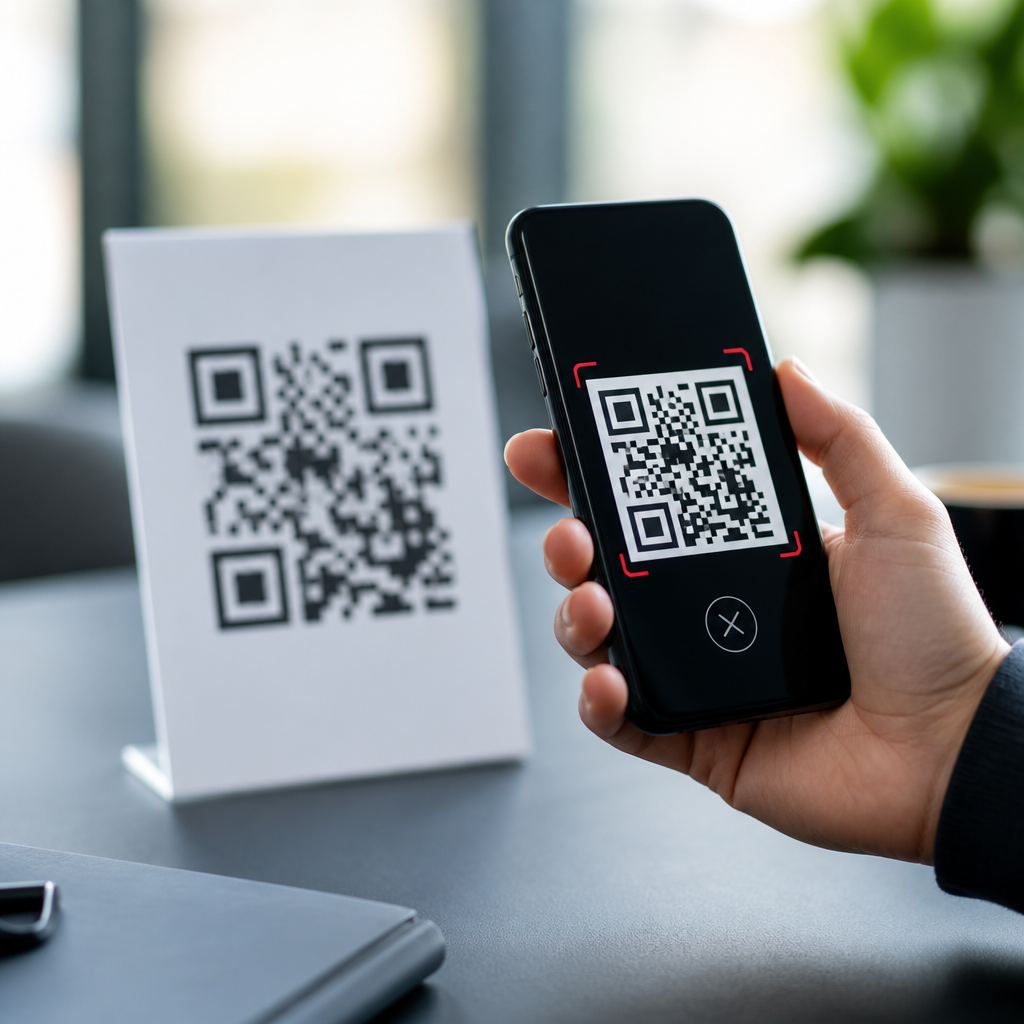
QR codes look simple on the surface, but anyone who has created, printed, deployed, and supported them at scale knows how many things can go wrong between generation and scan. A QR code is a two-dimensional matrix barcode that stores data such as a URL, vCard, Wi-Fi credential, payment string, or app deep link. Smartphones decode the pattern with a camera, image processing, and error correction logic, then hand the payload to the right app or browser. When any link in that chain breaks, users see what feels like a dead end: the code will not scan, scans inconsistently, opens the wrong page, or triggers a browser warning.
Understanding common QR code problems matters because the failure cost is immediate and measurable. In retail, a shelf tag that will not scan can kill a promotion. In restaurants, a broken menu code pushes guests back to paper. In events, ticketing delays cause lines and frustrated attendees. In manufacturing and healthcare, a misread code can create compliance and traceability issues. I have seen teams spend heavily on signage, packaging, and campaign distribution only to discover that a quiet technical mistake, such as a low-contrast print or a redirected URL loop, erased most of the response.
This guide explains the most frequent QR code troubleshooting issues and how to fix them, with practical examples you can use whether you manage a single flyer or a nationwide rollout. It also serves as a hub for the broader FAQs and troubleshooting area within QR code tutorials, guides, and resources. You will learn how to diagnose scanning failures, size and print codes correctly, choose between static and dynamic QR codes, handle destination issues, test across devices, and prevent future problems with a repeatable quality-control process. The goal is simple: make every code easy to scan, reliable after launch, and safe for users to trust.
Why QR codes fail to scan in the first place
The most common question is direct: why is my QR code not working? In practice, failures usually come from one of four categories: the symbol itself, the print or display environment, the scanning device, or the destination content. Start with the symbol. If the code was generated with corrupted data, an overly dense matrix, or a missing quiet zone, many scanners will struggle before the camera even gets a clean read. The quiet zone is the blank margin around the code; industry guidance based on ISO/IEC 18004 expects at least four modules of clear space, and reducing it is one of the fastest ways to create inconsistent scans.
Print and display conditions are the next major cause. Codes fail when they are too small for the expected scanning distance, warped on curved packaging, obscured by glare, or printed with poor contrast. A black code on a white background remains the safest choice because scanner software needs clean luminance separation. Reversing colors, placing codes over busy artwork, or using metallic substrates often hurts performance. On screens, low brightness, cracked protectors, and moiré patterns can interfere. I have seen restaurant table tents work perfectly in office lighting but fail at dinner service because overhead spotlights created bright reflections across laminated surfaces.
Device limitations also matter. Older phones, dirty lenses, weak autofocus, and restrictive camera permissions can make a good code seem broken. Some native camera apps decode URLs well but handle Wi-Fi strings, payment payloads, or app intents inconsistently. Finally, the destination may be the real problem. The code scans, but the link returns a 404 error, blocks by geolocation, opens a slow page on poor mobile networks, or triggers browser security warnings due to mismatched SSL certificates. Troubleshooting works best when you separate scanability from destination behavior and test them as two different systems.
Print, size, contrast, and placement fixes that solve most issues
If you need one section to prevent most QR code problems, focus on physical design and placement. A practical sizing rule I use is a 10:1 scanning-distance ratio: for every 10 inches of scanning distance, make the code at least 1 inch wide. That is not a legal standard, but it is a reliable field guideline for consumer use. A business card code may work at 0.8 inches because it is scanned up close, while a poster viewed from several feet away often needs 2 inches or more. When codes store long URLs directly, the matrix becomes denser, and bigger print sizes are required to compensate.
Contrast is non-negotiable. The safest configuration is dark modules on a light background with no gradients crossing the pattern. Avoid light gray on white, glossy black on reflective silver, and branded colors with low luminance contrast even if they look attractive in design software. Also protect the quiet zone. Designers often crop too tightly or place logos, borders, and copy too close to the edges. That margin is not decorative whitespace; it is part of what helps the scanner isolate the symbol from the surrounding layout.
Placement decisions can make or break a campaign. Put the code where users can comfortably frame it with a phone, not where they need to crouch, stretch, or scan through glass. Do not place a code on a curved bottle seam, near package folds, or under a laminate that reflects direct light. On menus and posters, leave room for the camera to focus and avoid putting the code beside dense patterns that confuse edge detection. For vehicles and windows, account for sunlight and movement. I recommend proofing final artwork on the actual substrate, in the actual lighting, before mass production.
| Problem | Likely Cause | Fix |
|---|---|---|
| Code will not scan at all | Missing quiet zone or damaged symbol | Regenerate the code and keep at least four modules of blank margin |
| Scans only at close range | Code printed too small or too dense | Increase physical size or shorten data by using a dynamic URL |
| Scans in office, fails in store | Glare, poor lighting, reflective laminate | Change finish, adjust placement, and test under real lighting |
| Some phones scan, others do not | Low contrast or unsupported payload type | Use stronger contrast and verify payload behavior on iOS and Android |
| Opens wrong or dead page | Broken redirect, expired campaign, or typo | Audit redirects, update destination, and monitor status codes |
Static versus dynamic QR code problems
Many troubleshooting tickets start with a misunderstanding about static and dynamic QR codes. A static QR code encodes the final data directly in the symbol. If that data is a long URL and you discover a typo after printing ten thousand brochures, you cannot change the destination without replacing the code everywhere. A dynamic QR code usually stores a short redirect URL managed through a platform, letting you change the final destination later, measure scans, and route users by device, time, or geography. For campaigns, packaging, and menus, dynamic codes prevent a large share of post-launch failures.
Static codes still have valid uses. They are simple, private, and durable when the payload will never need to change, such as plain text instructions, a Wi-Fi password for a conference room, or an offline inventory reference inside a controlled workflow. The tradeoff is rigidity. Dynamic codes introduce dependency on a redirect service, DNS health, SSL certificates, and vendor uptime. If the service fails, every scan can fail at once. That is why vendor selection matters. Look for custom domains, export options, scan logging, and transparent uptime practices rather than choosing a generator solely because it is free.
A common problem with dynamic codes is accidental expiration. Some low-cost platforms limit scans, disable links when subscriptions lapse, or insert interstitial ads that reduce trust. Another issue is redirect chaining: code to short link, short link to tracking link, tracking link to final page. Too many hops slow the user journey and can trigger browser or app inconsistencies. Keep redirects minimal, prefer your own branded domain when possible, and document ownership so a code does not die because the original employee left and no one knows which account controls the destination.
Destination, mobile experience, and security troubleshooting
When a QR code scans but users still complain, inspect the destination as ruthlessly as the symbol. Start with the basics: does the URL return HTTP 200, or is it serving a 404, 500, or redirect loop? Does the page load quickly on mobile data, not just office Wi-Fi? Core performance matters because scanning happens in context, often while standing, walking, or waiting. A landing page that takes six seconds to become interactive will feel broken even if the code itself is perfect. Use PageSpeed Insights, Lighthouse, and real-device checks on both iPhone and Android to catch practical issues.
Mobile formatting is another frequent failure point. PDFs designed for desktop monitors, nonresponsive forms, intrusive cookie banners, and tiny tap targets create abandonment after a successful scan. If the code leads to a menu, coupon, registration page, or product instructions, build the destination for mobile first. Keep the page lightweight, the call to action obvious, and the content accessible without pinch-zooming. In one packaging project, scan rates were healthy, but conversions were poor because the destination opened a desktop-sized product selector that covered the submit button on smaller screens.
Security warnings can destroy user trust instantly. If the destination lacks a valid SSL certificate, mixes secure and insecure assets, or uses suspicious-looking shorteners, some users will stop immediately. Branded domains help, but so does consistency between the printed context and the destination. A museum code should not open an unrelated domain with a generic path. Be careful with app deep links as well. If the app is not installed, users need a graceful fallback to the app store or a mobile web page. Good QR code troubleshooting always includes browser behavior, certificates, redirects, analytics tags, and fallback logic.
Testing, analytics, and a repeatable troubleshooting workflow
The fastest way to fix QR code issues is to standardize how you test. My workflow begins before launch with a matrix of devices, lighting conditions, and distances. Test current iPhone and Android models, at least one older device, and both native camera apps plus a dedicated scanner if the payload is specialized. Print prototypes at final size, on final material, and test under the same lighting users will encounter. A code that survives this process rarely fails in the field for avoidable reasons.
After launch, use analytics to separate low engagement from technical failure. Dynamic QR platforms can show scan counts by time and location, but treat those numbers carefully because they measure redirect events, not always completed page views. Pair them with web analytics such as Google Analytics 4 or server logs to see what happened next: bounced sessions, 404 responses, form submissions, or app installs. If scans are high and conversions are low, the issue is usually the destination experience. If scans are near zero in a high-traffic setting, suspect visibility, placement, size, or trust.
A practical troubleshooting checklist is straightforward. First, confirm the code decodes with multiple devices. Second, inspect size, contrast, and quiet zone. Third, verify the landing URL, redirect path, and SSL certificate. Fourth, test the mobile page on live cellular data. Fifth, review analytics for a sudden drop that might indicate expiration, DNS changes, or a vendor outage. Sixth, document the fix and update your asset library so the same mistake is not reintroduced by another team. QR codes are deceptively operational: they touch design, print production, web performance, analytics, and customer support at once.
Most QR code problems are preventable when you treat the code as a full user journey instead of a graphic dropped into a layout at the last minute. The essential fixes are consistent: generate clean symbols, preserve the quiet zone, print with strong contrast, size for real scanning distance, and place the code where a phone camera can frame it easily. Then make sure the destination is fast, mobile-friendly, secure, and still under your control months after launch. These steps solve the majority of failures behind complaints like “my QR code won’t scan” or “the code works, but the page is broken.”
As a hub for QR code FAQs and troubleshooting, this article gives you the baseline process to diagnose nearly any issue, from unreadable packaging codes to expired dynamic links and weak mobile landing pages. The broader lesson is that reliability comes from systems, not luck. Good QR performance depends on design standards, device testing, redirect governance, and routine monitoring. Teams that build those checks into creative reviews and release workflows see fewer support requests and better scan-to-conversion results.
If you manage QR codes for marketing, operations, events, packaging, or customer support, audit your live codes now. Scan them on different phones, inspect where they lead, and fix the weak points before users find them first. A few disciplined checks today can protect every scan tomorrow.
Frequently Asked Questions
Why won’t my QR code scan even though it looks correct?
A QR code can appear visually normal and still fail in real-world scanning because successful decoding depends on much more than the pattern itself. The most common causes are low contrast, poor print quality, an incorrect quiet zone, over-compression in digital images, physical damage, or a code that is simply too small for the scanning distance. The quiet zone is especially important: every QR code needs a clear margin of empty space around all four sides so the camera and decoding software can detect where the symbol begins and ends. If text, borders, background graphics, or other design elements crowd that space, scanning reliability drops quickly.
Size and resolution also matter. A tiny QR code on packaging, signage, or a screen may be hard for a phone camera to resolve, particularly in low light or when the user is standing far away. On printed materials, blurry edges caused by low DPI, ink bleed, glossy finishes, or textured surfaces can confuse the scanner. On screens, glare, motion blur, and low brightness can produce similar problems. Another frequent issue is excessive customization. Rounded modules, embedded logos, gradients, and decorative backgrounds can work, but only within limits. If too much of the original structure is altered, the code may exceed what error correction can recover.
The best fix is to validate the full scan experience instead of only checking that the code generates. Test it on multiple devices, in different lighting conditions, and at the intended use distance. Keep the foreground dark and the background light, preserve a proper quiet zone, use adequate print resolution, and avoid shrinking the code below practical size. If you use branding, choose conservative customization and verify the result with several scanning apps and phone cameras before deployment.
How big should a QR code be for print and digital use?
There is no single perfect size for every QR code because the right dimensions depend on the data density, the scanning distance, the surface it appears on, and the quality of the camera scanning it. A code that stores a short URL can be smaller than one that contains a long payment string, Wi-Fi credential, or complex deep link, because denser codes require cameras to distinguish more modules within the same physical area. As density increases, each individual square gets smaller, which makes scanning less forgiving.
For print, a practical rule is that the farther away people will scan from, the larger the QR code should be. Small handouts, business cards, and labels can often use compact codes successfully, while posters, storefront windows, menus behind counters, product displays, and billboards need much larger symbols. A frequently cited guideline is a scanning distance to code size ratio of roughly 10:1, meaning a code meant to be scanned from 10 inches away should be about 1 inch wide, and one scanned from 10 feet away should be around 1 foot wide. That is not a strict engineering law, but it is a useful planning benchmark.
For digital use, the code should be large enough on screen that the camera can focus and capture clear module boundaries without distortion. Problems often happen when QR codes are displayed too small in email footers, mobile app screens, slide decks, or social posts. Exporting the image too small and then scaling it up later can also introduce blur. The safest approach is to generate the code at high resolution or as a vector format when possible, then test it in the exact placement where users will encounter it. If reliability matters, prioritize larger sizes, shorter payloads, and clean rendering over trying to save space.
Do logos, colors, and custom designs make QR codes harder to scan?
Yes, they can. Customization is one of the most common reasons otherwise valid QR codes become unreliable. QR codes are machine-readable symbols first and design assets second, so every visual change should be treated as a tradeoff against scan performance. Logos placed in the center remove data from the symbol and force the scanner to rely on error correction. Color choices can reduce contrast, gradients can make edges ambiguous, and decorative shapes can interfere with module recognition. Even when a stylized code scans on one phone under ideal conditions, it may fail on older devices, in poor lighting, or after printing.
That does not mean branding is impossible. Many well-designed branded QR codes work perfectly because they keep the functional rules intact. The key principles are high contrast, limited obstruction, preserved finder patterns, and sufficient quiet zone. Dark-on-light combinations remain the safest option. Soft pastel foregrounds, metallic inks, transparent overlays, or reversed light-on-dark designs are much riskier. Central logos should stay relatively small, and you should increase error correction thoughtfully rather than assuming it will fix every design issue. Error correction helps recover some missing or damaged data, but it is not a license to over-style the symbol.
If brand consistency matters, take a conservative approach. Use a short URL to reduce data density, keep the structure as standard as possible, and test both printed and on-screen versions. Try multiple camera models, native camera apps, and third-party scanners. Also test under realistic conditions such as glare, folds, curved packaging, and low light. The goal is not simply to produce a QR code that can scan somewhere; it is to produce one that scans quickly and consistently for real users.
Why does a QR code scan but lead to the wrong page or fail after printing?
If a QR code scans but does not produce the intended result, the problem is usually in the payload, not the symbol detection. The code may contain a mistyped URL, an outdated landing page, a malformed deep link, unsupported app intent syntax, or an expired dynamic redirection target. In some cases, the URL technically resolves but redirects through too many hops, triggers browser security warnings, or lands on a page that is blocked by region, device type, or authentication requirements. To users, all of those issues look like “the QR code is broken,” even though the camera decoded it correctly.
Printing can introduce a second class of problems. A code that worked on screen may become unreliable or functionally wrong after production because the final artwork changed. Designers may have resized it too aggressively, converted it with poor raster settings, inverted colors, placed it over a patterned background, or trimmed away the quiet zone. On packaging and labels, curved surfaces, folds, seams, and reflective finishes can distort the pattern. Even if the code still scans, a damaged or partially obscured print can increase failed attempts and create a poor user experience.
The fix is to verify both layers separately: first confirm that the encoded content is correct, then confirm that the physical or digital presentation preserves scan quality. Before launch, scan the exact production file and the final printed sample, not just the source asset. Follow redirects manually, test on iPhone and Android, and confirm the destination works in common browsers. If you need flexibility, use a dynamic QR code so you can update the destination without reprinting the symbol. Also implement link monitoring so you can catch broken pages, expired campaigns, and redirect issues before users do.
What are the best ways to troubleshoot QR code problems at scale?
At scale, QR code troubleshooting has to move beyond one-off visual checks and become a structured quality process. Start by separating issues into four categories: generation, rendering, environment, and destination. Generation issues include bad data formatting, wrong encoding settings, or over-dense payloads. Rendering issues include missing quiet zones, poor contrast, over-customization, low resolution, and bad resizing. Environmental issues include glare, distance, motion, low light, curved surfaces, and damaged prints. Destination issues include broken links, redirect loops, blocked pages, and app-routing failures. This framework makes it easier to diagnose patterns instead of guessing.
Build a repeatable testing matrix. Scan each code on multiple operating systems, camera qualities, and app contexts. Test native camera apps as well as common third-party scanners if your audience may use them. Evaluate the code in the exact places where users will see it: printed on final materials, displayed on actual screens, viewed through reflective glass, or mounted in outdoor conditions. Include edge cases such as lower-end phones, cracked screens, weak connectivity, and dim environments. For campaigns with many codes, maintain a registry of each code’s destination, format, owner, placement, and launch date so support teams can trace problems quickly.
Prevention is even more important than troubleshooting. Standardize generation settings, keep payloads short where possible, use vector assets for print workflows, and require preflight checks before publication. If you rely on dynamic QR codes, monitor uptime, redirect health, and analytics anomalies. If scan volume suddenly drops for a location or asset, treat that as a warning sign that something may have changed in the field. The most reliable QR programs are not the ones that never encounter problems; they are the ones with disciplined testing, clear ownership, and fast feedback loops for fixing issues before they spread.





