
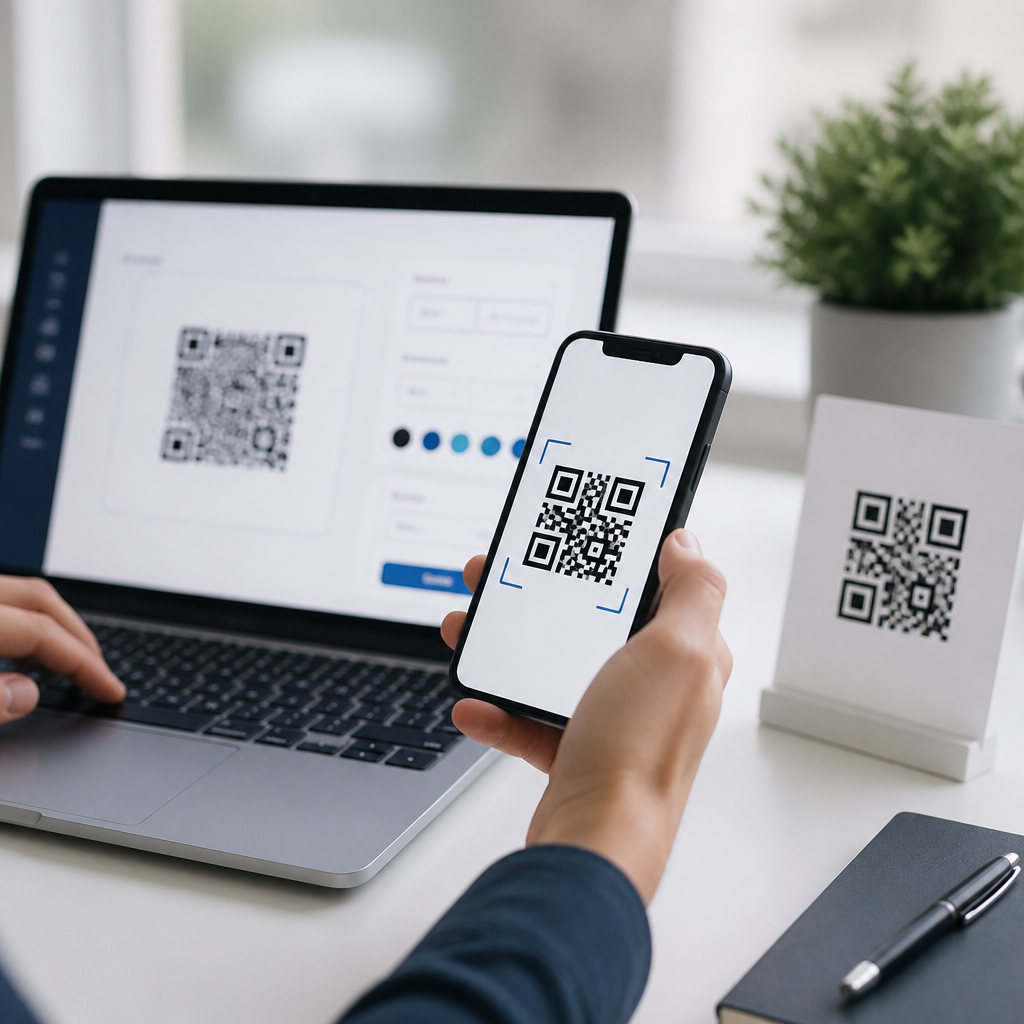
QR codes turn a printed square of black modules into a fast bridge between physical materials and digital content, and learning how to create and use QR codes correctly can improve marketing, support, payments, events, and internal operations. A QR code, short for Quick Response code, is a two-dimensional barcode developed by Denso Wave that stores data both horizontally and vertically, allowing it to hold far more information than a traditional UPC barcode. In practice, that data usually points to a website URL, vCard, PDF, app download page, Wi-Fi credential, payment request, or plain text message. Most modern smartphones can scan one directly through the camera app, which removes friction and explains why QR code usage expanded sharply during contactless commerce, restaurant menus, ticketing, and product packaging. I have implemented QR campaigns for retailers, B2B service firms, and live events, and the difference between a useful code and a failed one usually comes down to setup details, not design flair.
This guide explains the full process step by step, from choosing the right QR code type to testing, printing, tracking, and maintaining it after launch. It also serves as a hub for deeper step-by-step tutorials within the broader QR Code Tutorials, Guides & Resources topic, so it is structured to answer both beginner questions and the practical issues that appear once codes are in production. You will learn the difference between static and dynamic QR codes, when to use each, how error correction affects scannability, what size works on print materials, which generators are worth using, and how to avoid common mistakes such as low contrast, broken destination links, or redirect chains. If your goal is to create QR codes that people actually scan and that continue working months later, the process below is the standard to follow.
Understand the Type of QR Code You Need Before You Generate Anything
The first step in any QR code tutorial is deciding what the code should do, because that choice affects flexibility, tracking, and lifespan. A static QR code encodes the final destination directly into the image. If you create a static code for https://example.com/menu, that exact URL lives inside the pattern permanently. Static codes are appropriate when the destination will never change, such as a personal portfolio URL, a plain text serial number, or Wi-Fi credentials in a small office. They are simple and often free, but they have one major limitation: if the URL changes, you must replace the printed code everywhere it appears.
A dynamic QR code uses a short redirect URL managed by a platform, so you can change the destination later without reprinting the code. Dynamic codes are the right choice for campaigns, flyers, restaurant tables, packaging, event signage, and any printed material with a long life. They also support analytics such as scan count, device type, time of scan, and sometimes approximate location based on IP data. In client work, I default to dynamic QR codes for nearly every public-facing asset because redirects provide operational control. The tradeoff is platform dependence: if you stop paying for a service or the provider shuts down the redirect, the code can fail. That is why vendor selection matters.
You should also choose the content format. URL QR codes are the most common because they work across all devices and allow you to host changing information on a landing page. vCard codes help users save contact information instantly. PDF codes are useful for manuals, warranties, and spec sheets. App store links work best when routed through a smart landing page that detects iOS or Android rather than linking blindly to one store. For internal operations, text, inventory IDs, and deep links into warehouse or field-service software can reduce manual entry errors. The rule is simple: encode the action that creates the least friction for the user.
Choose a Reliable QR Code Generator and Set Up the Destination Properly
Once you know your code type, choose a generator that is stable, transparent, and suitable for your use case. Common options include QR Code Generator, Bitly, Beaconstac, QR TIGER, Flowcode, Canva, and Adobe Express. For enterprise deployments, teams often use marketing automation or print systems that can generate QR codes in bulk. The best tool is not the one with the most templates; it is the one that supports dependable redirects, export formats such as SVG and PNG, customization controls, scan analytics, and clear ownership of the destination URL. If you plan to print at scale, vector export is essential because SVG and EPS stay sharp at any size.
Before generating the code, prepare the destination. This is a step many beginners skip, and it causes poor campaign performance more often than the QR code itself. The landing page should load quickly, use HTTPS, and work cleanly on mobile screens. Buttons must be easy to tap, forms should be short, and the page should match the promise on the printed material. If the code says “View Assembly Instructions,” the scan should open instructions immediately, not a homepage where users must search. For campaigns, add UTM parameters so analytics platforms such as Google Analytics 4 can attribute traffic accurately. A typical URL might include source, medium, and campaign values to separate brochure scans from package scans.
Shorten operational complexity wherever possible. Avoid multiple redirect hops from the QR platform to a link shortener and then to the final page, because every extra hop slows the experience and increases failure risk. If you need a dynamic code, one redirect is enough. Also confirm that robots rules, login walls, or geo-restrictions do not block the destination. In one event deployment I reviewed, the code worked perfectly on staff devices but failed for attendees because the linked PDF sat behind a cloud-storage permission setting. Testing the entire destination path is part of creation, not a final afterthought.
Create the QR Code Step by Step and Configure It for Real-World Scanning
Generating the image itself is straightforward, but the details determine whether people can scan it instantly. Use the tool to select the content type, paste in the destination, choose static or dynamic, and then configure settings such as frame text, colors, and error correction. Error correction allows a code to remain scannable even if part of it is obscured or damaged. The standard levels are L, M, Q, and H, with H tolerating the most damage. Higher error correction is helpful if you plan to add a logo, but it also increases pattern density. Dense codes can become harder to scan at very small sizes, so do not assume the highest setting is always best.
Keep contrast high. Black on white remains the safest choice because cameras identify the modules more reliably when the foreground is dark and the background is light. Inverted combinations, such as white modules on a black background, may scan inconsistently depending on the device and generator. Decorative gradients can work, but they should never reduce edge clarity or blend the quiet zone, the empty margin around the code that scanners use to detect boundaries. Remove that margin and scan rates drop quickly. If you add a logo in the center, keep it small and retest on multiple devices.
| Step | What to Do | Best Practice |
|---|---|---|
| 1. Select content type | Choose URL, PDF, vCard, Wi-Fi, app link, or text | Use a mobile-friendly destination whenever possible |
| 2. Decide static or dynamic | Pick permanent encoding or editable redirect | Use dynamic for printed campaigns and long-lived assets |
| 3. Enter destination | Paste final URL or upload file | Use HTTPS and add UTM tracking where relevant |
| 4. Customize carefully | Adjust color, frame, and logo | Preserve strong contrast and adequate quiet zone |
| 5. Export correctly | Download PNG for screens or SVG/EPS for print | Keep a master file and naming convention for version control |
| 6. Test before release | Scan on different phones and under different lighting | Test both the code and the destination experience |
Export format matters more than many tutorials acknowledge. Use PNG for web placements, slide decks, and email graphics where raster images are acceptable. Use SVG or EPS for professional print because vectors preserve crisp edges on posters, packaging, business cards, and storefront decals. Give files descriptive names, such as event-2026-registration-dynamic-v2.svg, so teams can trace which asset is live. In organizations with many codes, version control prevents outdated images from reappearing in future print runs.
Use QR Codes Effectively in Print, Packaging, Screens, and Physical Spaces
A QR code works only when people notice it, trust it, and can scan it comfortably. Placement therefore matters as much as generation. On print, maintain sufficient physical size. A practical baseline is at least 2 x 2 centimeters for close scanning, though many professionals prefer larger sizes for flyers, posters, and packaging. A useful rule is that the scanning distance should be roughly ten times the width of the code. If users will scan from one meter away, the code should be around ten centimeters wide. For billboards, vehicle wraps, and window signage, go much larger and test from realistic distances rather than guessing from a desktop proof.
Always add a clear call to action beside the code. People scan more often when they know what they will get. “Scan to view the menu,” “Scan to register,” and “Scan for setup instructions” consistently outperform unlabeled codes. Context reduces hesitation, especially for security-conscious users who worry about malicious links. In retail packaging, pairing the code with benefit-focused text like “Scan for installation video and warranty registration” sets the expectation and increases post-purchase engagement. In museums or events, codes can extend the physical experience with audio guides, schedules, speaker bios, or multilingual translations.
Screen-based QR codes introduce additional variables. Brightness, glare, animation overlays, and low-resolution displays can hinder scanning. If a code appears in a presentation, pause long enough for the audience to open their cameras. If it appears on self-service kiosks, keep the surrounding interface static while scanning is expected. For restaurants and venues, laminated table cards remain common, but they require maintenance. Smudges, scratches, and poor reprints degrade performance over time. A quarterly audit of all customer-facing QR placements is a simple operational habit that prevents silent failures.
Test, Track, Secure, and Maintain QR Codes After Launch
Testing should happen before launch, at launch, and periodically after launch. At minimum, scan the code on iPhone and Android devices, using both native camera apps and a secondary scanning app if available. Test in bright light, low light, and at the expected angle of use. Then evaluate the entire destination journey: page load speed, form completion, PDF rendering, app routing, and analytics recording. If the code leads to a phone number or payment workflow, complete the action yourself. In my experience, many “QR code problems” are actually landing-page or redirect issues discovered only when someone performs the full user journey end to end.
Tracking matters when the code supports a business objective. Dynamic platforms typically report total scans, unique scans, time, operating system, and rough location. Pair that with Google Analytics 4 events, CRM attribution, or ecommerce conversions to understand what happened after the scan. For example, a real estate agency might compare scans from yard signs versus brochure boxes, while a manufacturer might measure how many customers open a setup guide from product packaging. The more direct the metric, the more useful the optimization. Scan count alone is not success; completed actions are.
Security deserves attention because QR phishing, sometimes called quishing, is a real risk. Only link to destinations you control or trust, use HTTPS, and avoid hiding critical context from users. Branded domains improve confidence, and visible instructions like “Opens acme.com/support” can reduce suspicion. If you manage QR codes across teams, establish governance: who can create them, where the redirects live, how files are named, and who monitors expiration or subscription status. This is especially important for dynamic platforms with seat-based access or billing dependencies. Losing administrative control over a heavily distributed code is an avoidable operational mistake.
Maintenance is the final step in any complete QR code tutorial. Review live destinations regularly, update redirects when campaigns change, and retire old codes deliberately rather than letting them decay. Keep an inventory spreadsheet or asset database that records code purpose, owner, creation date, destination, platform, and placement. For large programs, I recommend quarterly audits and immediate checks before seasonal reprints. QR codes are simple tools, but they are still infrastructure. Treat them that way and they will continue delivering value long after the first scan.
Build Your QR Tutorial Workflow Once, Then Reuse It Everywhere
Creating and using QR codes successfully is less about pushing a generate button and more about following a repeatable workflow: choose the right code type, prepare a strong mobile destination, configure the image for high contrast and adequate error correction, export the proper format, place it with a clear call to action, and test the full experience under real conditions. That process works whether you are making a single business-card QR code or managing hundreds across packaging, posters, support documents, and events. The main benefit is reliability. When users scan, they should reach the intended content immediately and without confusion.
As the hub for step-by-step tutorials within QR Code Tutorials, Guides & Resources, this page gives you the foundation needed to explore more specific guides, such as dynamic versus static QR code setup, QR code sizing for print, QR code tracking in analytics tools, and QR code design best practices. Start by creating one code for a clear use case, such as a landing page, PDF guide, or contact card, then test it on multiple devices before wider rollout. If you treat creation, placement, and maintenance as one connected system, your QR codes will be easier to manage, easier to trust, and far more likely to drive meaningful action. Scan your own process today, tighten the weak points, and publish your next QR code with confidence.
Frequently Asked Questions
What is a QR code, and how does it work?
A QR code, or Quick Response code, is a type of two-dimensional barcode designed to store information both horizontally and vertically. Unlike a traditional UPC barcode that holds only a small amount of data in a single direction, a QR code can contain much more information in a compact square pattern. That is why it is widely used to connect printed materials, packaging, signs, business cards, menus, labels, and screens to digital destinations such as websites, contact forms, videos, PDFs, payment pages, app downloads, Wi-Fi credentials, and event check-in tools.
When someone scans a QR code using a smartphone camera or scanning app, the device reads the pattern of black and white modules and decodes the embedded data. In many cases, the code contains a URL, so the phone immediately offers to open a webpage. However, QR codes can also store plain text, email details, phone numbers, SMS prompts, calendar events, and other structured information. Their speed and convenience make them useful in both customer-facing and internal business processes because they reduce friction, eliminate typing errors, and create a fast bridge between offline and online actions.
How do you create a QR code step by step?
Creating a QR code is straightforward when you follow a clear process. First, decide exactly what the code should do. For example, you may want it to open a landing page, download a file, send users to a payment screen, display product instructions, or connect guests to Wi-Fi. Choosing the purpose first helps you select the right QR code type and prevents confusion later.
Next, prepare the destination carefully. If the code will point to a webpage, make sure the page is live, mobile-friendly, secure, and relevant to the context in which the code will be scanned. A QR code placed on product packaging should not send users to a generic homepage if they expect setup instructions, pricing, or support. Then use a QR code generator and enter the data you want to encode. Many tools allow you to create either a static QR code, which has a fixed destination, or a dynamic QR code, which can be updated later without reprinting the code.
After generating the code, customize it only within reasonable limits. You can often add brand colors, a logo, or a frame, but readability must remain the top priority. Download the file in an appropriate format, such as PNG for digital use or SVG for high-quality print. Before publishing it anywhere, test it on multiple devices and under realistic conditions. Scan it from different distances, in different lighting, and using both iPhone and Android devices if possible. Finally, place it where people can actually use it easily, include a short call to action such as “Scan to view the tutorial,” and monitor performance if your tool provides analytics.
What is the difference between static and dynamic QR codes?
The main difference is flexibility. A static QR code contains fixed data that cannot be changed after the code is created. If it points to the wrong URL, includes outdated information, or needs to be updated later, you usually must generate a new code and replace the old one everywhere it appears. Static codes are often suitable for simple, permanent uses such as sharing a basic contact card, a stable website URL, or text that will not change over time.
A dynamic QR code, by contrast, typically points to a short redirect URL managed through a QR code platform. That means you can change the final destination later without changing the printed code itself. This is especially valuable for marketing campaigns, restaurant menus, product packaging, event signage, support materials, and operational workflows where links may need to be revised over time. Dynamic codes also often include tracking features, allowing you to view scan counts, locations, device types, and time-based engagement trends.
For most business and campaign use cases, dynamic QR codes are the better long-term choice because they reduce reprint costs and give you more control. Static QR codes still have their place, especially when simplicity and permanence matter most. The right option depends on whether your destination is likely to change and whether analytics are important to your goals.
What are the best practices for using QR codes effectively?
The most important best practice is to make the scan worthwhile. A QR code should lead to content that is useful, relevant, and optimized for mobile users. If someone scans a code on a poster, package, flyer, receipt, or table tent, the destination should match the promise around it. A code labeled “Scan for setup instructions” should go directly to those instructions, not to a homepage that forces the user to search. Relevance and convenience are what make QR codes successful.
Placement and usability matter just as much as the destination. The code should be large enough to scan easily, printed with strong contrast, and positioned where users can access it without awkward movement or poor lighting. Avoid putting QR codes where internet access is weak, where glare interferes with readability, or where users cannot physically step back enough to scan. On-screen QR codes should also be displayed at a reasonable size and with enough space around them. Including a quiet zone, the blank margin around the code, improves readability significantly.
You should also include a clear call to action and, when helpful, a brief explanation of what happens after scanning. Phrases such as “Scan to order,” “Scan to watch the demo,” or “Scan for the support guide” improve engagement because users know what to expect. Finally, test every code before launch and continue checking it regularly, especially in printed materials with long shelf life. A QR code that leads to broken pages, expired promotions, or confusing content creates a poor user experience and weakens trust.
Why is my QR code not scanning, and how can I fix it?
Scanning problems usually come down to design, size, contrast, placement, or destination issues. One common cause is over-customization. While branded QR codes can look attractive, using low-contrast colors, adding oversized logos, distorting the shape, or removing too much of the pattern can make the code unreadable. The safest approach is to use dark foreground elements on a light background and keep customization moderate. Also make sure the code has enough white space around it, since scanners rely on that margin to detect the code properly.
Another frequent issue is size. If the QR code is too small for the scanning distance, phones may struggle to capture it clearly. Print quality can also affect performance; blurry, pixelated, stretched, or low-resolution images often fail in real-world conditions. If the code appears on glossy surfaces, curved packaging, windows, or outdoor signage, glare and distortion can interfere with scanning. In those cases, increasing size, improving print resolution, changing placement, or using matte materials can help substantially.
Sometimes the QR code itself works, but the destination creates the impression that it failed. A broken link, slow-loading page, mobile-unfriendly landing page, or blocked file can all frustrate users after a successful scan. That is why proper testing matters from end to end. Scan the code using different devices, operating systems, and lighting conditions, then verify that the final destination loads quickly and behaves correctly. If reliability is critical, using a dynamic QR code can make future fixes much easier without requiring reprints.





