
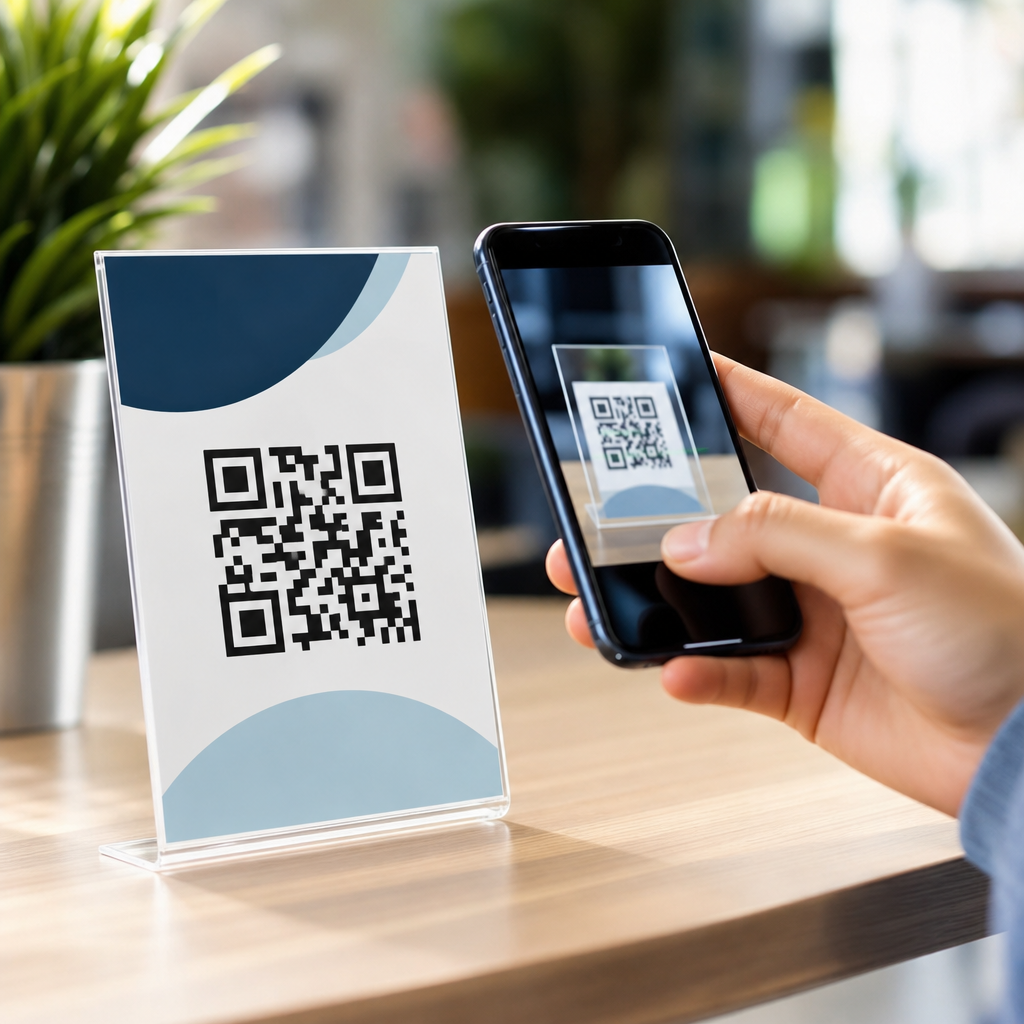
QR codes look simple, but their visual design has a measurable effect on scan speed, error rates, user trust, campaign attribution, and ultimately conversion. In practice, “QR code performance” means how reliably a code scans across different devices, lighting conditions, distances, print surfaces, and user behaviors, while still supporting branding goals. “QR code design best practices” refers to the technical and visual choices that preserve machine readability: contrast, quiet zone, size, error correction, data density, placement, testing, and the use of logos or custom shapes. I have worked on QR implementations for packaging, retail displays, event signage, direct mail, restaurant menus, and field service labels, and the pattern is consistent: attractive codes can outperform plain ones only when design decisions respect scanner requirements first.
This matters because the margin for error is smaller than many teams assume. A landing page can be fixed after launch; a printed QR code on ten thousand brochures cannot. Smartphone cameras vary widely in autofocus speed, low-light handling, and decoding software. Surfaces introduce glare, curvature, or texture. Branding teams often want color, iconography, and stylized modules, while operations teams need a code that works from six feet away on a warehouse sign. The hub topic, QR Code Design & Branding, sits exactly at that intersection. The strongest branded QR code is not the most decorative one. It is the one that communicates trust, matches the brand system, and scans instantly under real conditions. That is the standard every design decision should serve.
Start with scannability: the nonnegotiable design rules
The first rule of QR code design best practices is simple: preserve the code’s structure. A QR code contains finder patterns in three corners, alignment patterns on larger versions, timing patterns, and encoded data modules. Distorting or obscuring any of these elements can break decoding. The most common failure points I see are insufficient contrast, missing quiet zones, and codes printed too small for the intended distance. High contrast remains the baseline. Black on white is still the safest option, but dark foreground on a light background works well if the luminance difference is strong. Pastel modules on cream stock may look refined and still fail under dim indoor lighting.
The quiet zone is equally critical. This is the blank margin around the code, typically at least four modules wide on all sides according to ISO/IEC 18004 guidance. Designers often crop too tightly to fit a layout, especially on packaging or posters. Scanners use that empty border to distinguish the code from surrounding graphics. Remove it, and detection becomes inconsistent. Size must also match use case. A practical field rule is a scan distance ratio near 10:1, meaning a code meant to scan from 20 inches should be about 2 inches wide. For larger environmental signage, increase size generously because camera shake, angle, and motion reduce effective readability. These are not cosmetic preferences. They are performance requirements.
Color, contrast, and branding without sacrificing readability
Brand teams understandably want QR codes to feel native to the visual system rather than pasted on as black squares. That can work, but color decisions should follow scanner behavior, not trend aesthetics. Most smartphone decoders interpret contrast through grayscale values, not brand intent. A navy code on white usually performs well. A yellow code on white performs poorly because the tonal difference collapses. Reversing the scheme, such as white modules on a dark background, is riskier because some scanning apps still handle inverted codes inconsistently, especially in low light or on lower-end Android devices.
Gradients deserve special caution. If a gradient changes contrast within the symbol, some areas may decode while others fail. The same is true for textured backgrounds, photographs behind the code, or translucent overlays. When clients insist on a branded look, I recommend limiting customization to module shape, frame treatment, and a restrained color palette after contrast testing. A good compromise is a dark brand color for modules, a plain light background, and a clear callout frame that says “Scan to view menu,” “Scan to register,” or another direct instruction. That frame improves trust and response while keeping the symbol intact. Effective branding supports recognition and action. It should never force the scanner to guess.
Logo placement, custom shapes, and error correction levels
One reason customized QR codes became popular is the ability to embed a logo at the center. This works because QR codes include Reed-Solomon error correction, allowing partial data recovery when portions are obscured or damaged. Standard levels are L, M, Q, and H, restoring roughly 7 percent, 15 percent, 25 percent, and 30 percent of data respectively. For plain utility codes, M often balances resilience and density. For logo-bearing branded codes, Q or H is usually safer. However, higher error correction increases module count for the same payload, which can make the code denser and harder to scan when printed small. That tradeoff is essential.
In production, I advise treating logos as a controlled exception, not a decorative default. Keep the logo centered, avoid covering finder patterns, and preserve enough surrounding data modules for reliable reconstruction. Rounded modules, softened corners, or branded “eyes” can work if the underlying geometry remains clear. Extreme stylization, such as replacing modules with thin lines or tiny icons, often fails on older cameras and fast-moving scan situations like trade show aisles. The best custom codes pass a practical test: if someone sees the brand identity instantly but the code scans no faster than a standard version, the design may still be acceptable; if recognition rises but scan success drops, the design is wrong. Performance is the final judge.
Data density, dynamic codes, and why destination strategy affects design
Design performance is not only about appearance. It is also about how much data the symbol must hold. Static QR codes encode the final destination directly, such as a URL, vCard, Wi-Fi credential, or text string. The longer the payload, the denser the matrix becomes. Dense codes are harder to scan, especially at small sizes, on porous stock, or with customization applied. Dynamic QR codes solve this by encoding a short redirect URL that points to a managed destination. That keeps the symbol simpler and allows the destination to change later without reprinting the code.
From a design standpoint, dynamic QR codes are usually the better choice for marketing, packaging, and signage because they reduce complexity and enable tracking. They also support campaign governance. If a product package needs a support page today and a recall notice tomorrow, the symbol can stay the same while the endpoint changes. I have seen brands salvage expensive print runs this way. Destination strategy also affects user trust. A short branded domain typically performs better than a generic redirect because users can preview the link and feel safer opening it. In other words, the cleaner code on the page often starts with smarter URL architecture behind the page. Good QR design includes what users cannot see.
Print production, materials, and environmental conditions
Many QR failures originate after the designer exports the file. Print method, substrate, finish, and placement all influence performance. On corrugated packaging, ink spread can thicken modules and close narrow gaps. On glossy posters, overhead lighting can create glare that hides contrast. On curved bottles or cans, distortion increases toward the edges, which is why placing a code across a seam or on a tight curve is a predictable mistake. Vector output is preferred for print because it preserves crisp edges at any size. Raster files can work for digital use, but low-resolution PNG assets reused in large-format print frequently degrade scan accuracy.
Environmental context matters just as much. A code on a restaurant table tent may be scanned from one to two feet under mixed lighting. A code on a transit shelter must work through glass reflections, weather, and hurried movement. A code on industrial equipment may need chemical-resistant labels and legibility after abrasion. The design brief should specify distance, angle, dwell time, and likely device quality before visual exploration begins. That requirement separates decorative QR work from operationally sound design. I also recommend proofing on the actual material whenever possible, not just on office paper. The substrate can change everything.
| Use case | Recommended size | Key design priority | Common failure |
|---|---|---|---|
| Business card | 0.8 to 1 inch | Short dynamic URL, high contrast | Too much data in a tiny code |
| Product packaging | 1 to 1.5 inches | Quiet zone, substrate testing | Placement on seams or curves |
| Poster or flyer | 1.5 to 3 inches | Clear call to action, glare control | Decorative background interference |
| Retail window | 3 to 6 inches | Visibility through glass, contrast | Reflection and low nighttime light |
| Event signage | 4 inches or larger | Distance-based sizing | Code too small for crowd scanning |
Placement, calls to action, and conversion-focused design
A scannable code that nobody notices still underperforms. Placement affects response rates because people need both physical access and immediate context. Codes placed below waist height on shelves are awkward to scan. Codes at the top of a poster may be visible but impractical in a crowded corridor. The best placement aligns with natural pause points: checkout counters, product backs, direct mail panels, tabletop displays, confirmation pages, and event badges. The surrounding message should answer three questions instantly: what do I get, why should I trust this, and what happens next.
This is where conversion design matters. A simple call to action like “Scan for setup guide” usually outperforms a bare code because it reduces uncertainty. Adding a secondary cue such as “No app required” or “Takes 30 seconds” can further improve uptake by addressing friction. In measured campaigns, I have seen response lift when the destination benefit is specific rather than generic. “Scan to see ingredients” beats “Learn more.” Frame design can also help. A border or labeled badge visually isolates the code from surrounding clutter, preserving both readability and attention. Good QR placement turns a technical object into a clear interaction prompt.
Testing methodology, analytics, and continuous improvement
No QR code should go live without structured testing. At minimum, test across recent iPhone and Android devices, multiple camera apps, bright and dim conditions, typical scan distances, and any planned print materials. Include users who did not work on the project because they expose hesitation points the team has normalized. I prefer a checklist that records time to first successful scan, number of attempts, angle tolerance, and whether the destination loads quickly on mobile networks. If the code requires users to step closer, tilt the phone carefully, or move away from glare, redesign before launch.
Performance should continue to be measured after deployment. Dynamic QR platforms such as Bitly, QR Code Generator PRO, Flowcode, and enterprise campaign tools can report scans by time, device, and location. Those numbers help diagnose design issues. For example, a code on print inserts may show strong scans in daylight retail settings but weak scans in evening events, pointing to contrast or glare limitations. A high scan count with low landing-page completion suggests the code itself works while the destination experience does not. That distinction is important for teams managing the broader QR Code Design & Branding hub. The QR symbol, CTA, placement, and mobile destination are one system. Optimize them together, and performance improves predictably.
Design impacts QR code performance because every visual decision affects machine readability and human behavior at the same time. The reliable path is clear: keep contrast high, protect the quiet zone, size for distance, manage data density, use logos carefully, choose dynamic codes when flexibility matters, test on real materials, and place the code where people can scan comfortably. Branding should strengthen trust and recognition, not compete with decoding rules. The most successful QR codes I have shipped were not the flashiest. They were the ones that scanned instantly, matched the brand cleanly, and sent users to a useful mobile experience.
As the hub for QR Code Design Best Practices, this page establishes the core standards that every supporting topic should build on, from logo integration and color selection to packaging placement, print production, and campaign analytics. If you are reviewing an existing code, start with a simple audit: contrast, quiet zone, size, destination URL, CTA, and real-device testing. If you are creating a new one, treat performance as a design requirement from the first layout, not a technical check at the end. Do that, and your QR codes will earn more scans, better engagement, and more dependable results. Apply these principles to your next code before it goes to print.
Frequently Asked Questions
How does QR code design affect scan speed and overall performance?
QR code design has a direct impact on how quickly and reliably a smartphone camera can detect, focus on, and decode the pattern. While many people think a QR code either works or does not, performance is actually more nuanced. A well-designed code scans faster, produces fewer failed attempts, and works more consistently across different phones, camera qualities, lighting conditions, and viewing angles. That matters because even small delays can reduce user confidence and increase drop-off, especially in retail, events, packaging, direct mail, and outdoor advertising.
The main reason design affects performance is that scanners rely on clear visual structure. High contrast between the dark modules and light background helps the camera distinguish the code from its surroundings. Adequate quiet zone, which is the blank margin around the code, allows the scanner to identify the QR code boundary correctly. Proper sizing ensures the code remains readable at the expected scan distance. If any of these fundamentals are weakened by styling choices, decorative elements, poor printing, or low-quality reproduction, scan speed usually suffers first, even before total failure becomes obvious.
Performance also depends on environmental factors, and design can either protect against them or make them worse. Glossy surfaces can create glare, low light can reduce edge clarity, and curved packaging can distort alignment. A strong design accounts for these realities by preserving crisp edges, avoiding low-contrast color combinations, and using sufficient module size so details remain intact after printing. In other words, effective QR code design is not just about aesthetics. It is a practical engineering choice that improves usability, user trust, and conversion by making the path from scan to action feel effortless.
What are the most important QR code design best practices for reliable scanning?
The most important QR code design best practices are the ones that preserve machine readability under real-world conditions. First, maintain strong contrast, ideally with a dark foreground and light background. This gives scanning software the clearest possible separation between modules and background. Inverted color schemes, metallic inks, transparent overlays, or visually busy backgrounds may look distinctive, but they often reduce reliability. If branding requires non-black colors, use dark, saturated tones on a very light background and test extensively before deployment.
Second, preserve the quiet zone. This is the clear space around the QR code that helps scanners recognize the symbol as a distinct object. If text, borders, illustrations, or patterned backgrounds intrude into that margin, the scanner may struggle to locate the code, especially on lower-end devices or in fast-moving situations. Third, use appropriate size for the intended context. A code printed on product packaging and viewed from a few inches away can be smaller than one on a poster meant to be scanned from several feet away. Size decisions should always reflect expected user distance, camera quality, and environmental conditions.
Fourth, choose a suitable error correction level and avoid over-styling. Error correction allows a code to remain readable even if part of it is damaged or obscured, which is useful when adding a logo or planning for print wear. However, error correction is not a license to ignore design fundamentals. Excessive customization, rounded modules, distorted finder patterns, or oversized logos can still undermine performance. Finally, test across multiple devices, operating systems, lighting conditions, print materials, and scan angles. Best practice is not just creating a code that works once in ideal conditions. It is creating one that performs consistently in the real world, where user patience is limited and campaign success depends on frictionless access.
Can branded or customized QR codes still perform well?
Yes, branded and customized QR codes can perform very well, but only when branding is applied within technical limits. Customization becomes risky when visual identity takes priority over scan reliability. Adding a logo, changing colors, softening corners, or incorporating brand shapes can all be effective, but the underlying structure of the code still has to remain clear enough for scanners to decode quickly. The most successful branded QR codes are designed with restraint. They look distinctive without compromising the core geometry that scanning software depends on.
One of the safest ways to brand a QR code is through color and context rather than aggressive alteration of the modules themselves. For example, using brand colors with strong contrast, placing the code within a branded frame, and pairing it with a clear call to action often delivers better results than heavily stylizing the code pattern. If a logo is inserted into the center, the design should rely on an appropriate error correction level and keep the logo size modest so it does not block too much data. Finder patterns, alignment patterns, and the quiet zone should remain especially protected because those elements are critical for detection and orientation.
Branding can also improve performance indirectly by increasing trust and making the code look intentional rather than suspicious. People are more likely to scan a QR code when they understand where it leads and believe it belongs to a legitimate brand or campaign. That said, trust gains disappear quickly if the code scans inconsistently. The best approach is to treat branding and readability as complementary goals rather than competing ones. A customized QR code should not merely look on-brand in a design file. It should prove, through testing, that it scans quickly on different devices, under different lighting conditions, and on the actual surfaces where it will appear.
Why do contrast, size, and quiet zone matter so much in QR code performance?
Contrast, size, and quiet zone are foundational because they determine whether a scanner can reliably detect and interpret the code before it ever attempts to decode the data. Contrast matters because camera-based scanning depends on visual separation. If the foreground and background are too similar in brightness or if the background contains gradients, reflections, or textures, the code becomes harder to isolate. Even when a code technically scans under ideal conditions, weak contrast often slows detection and increases failed attempts in dim light, bright sunlight, or on older phone cameras.
Size matters because each module, the small square units that make up the QR code, must be large enough to be captured clearly at the expected distance. As viewing distance increases, the required print size increases too. A code that is readable on a phone screen from close range may fail when printed small on a poster across a room. Size decisions also need to account for print quality, material texture, motion, and user behavior. If people are scanning while walking past signage or holding packaging at awkward angles, a larger code can significantly improve success rates and reduce hesitation.
The quiet zone is equally important because it gives the scanner a clean boundary around the QR code. Without that buffer, nearby graphics, text, borders, or background patterns can interfere with code recognition. This is a common reason visually attractive codes perform poorly in practice. Designers may focus on the code itself but overlook the surrounding space, even though that margin plays a major role in scan reliability. Together, contrast, size, and quiet zone form the baseline conditions for strong performance. If they are handled correctly, more advanced branding and layout decisions become much safer. If they are neglected, no amount of creative styling or campaign strategy can fully compensate for the resulting scan friction.
How can businesses measure whether QR code design is helping or hurting conversions?
Businesses can measure QR code design performance by looking beyond simple scan counts and evaluating the full path from exposure to conversion. A code may generate scans but still underperform if users require multiple attempts, abandon the process after scanning, or interact only in certain conditions. The most useful metrics often include scan rate by placement, completion rate on the destination page, time to action, device breakdown, bounce rate, and conversion rate tied to each code variant. If one design consistently produces stronger downstream results than another, that difference often reflects real scan usability and user trust, not just creative preference.
Campaign attribution becomes especially valuable when separate QR codes are used for different placements, formats, or design treatments. For example, a brand might compare a plain high-contrast code against a heavily customized branded version across print ads, product packaging, and in-store signage. If the customized version shows lower scan volume or weaker conversion from comparable traffic, the design may be introducing friction. Dynamic QR codes are particularly helpful here because they support destination updates and more flexible tracking without changing the printed symbol. This allows teams to analyze performance by source, time period, geography, or campaign channel while keeping the user experience consistent.
Testing should also include qualitative and operational signals. Customer feedback, failed scan complaints, staff observations, and field testing across real devices can reveal issues analytics alone may miss. A design that works fine on a flagship phone indoors might struggle on mid-range devices under warehouse lighting or on reflective packaging in a store aisle. The strongest measurement approach combines controlled A/B testing, campaign-level attribution, and practical scan testing in the environments where the code will actually be used. When businesses connect design decisions to measurable outcomes like successful scans, completed forms, purchases, sign-ups, or redemptions, QR code design stops being a purely visual choice and becomes a conversion optimization tool.





