
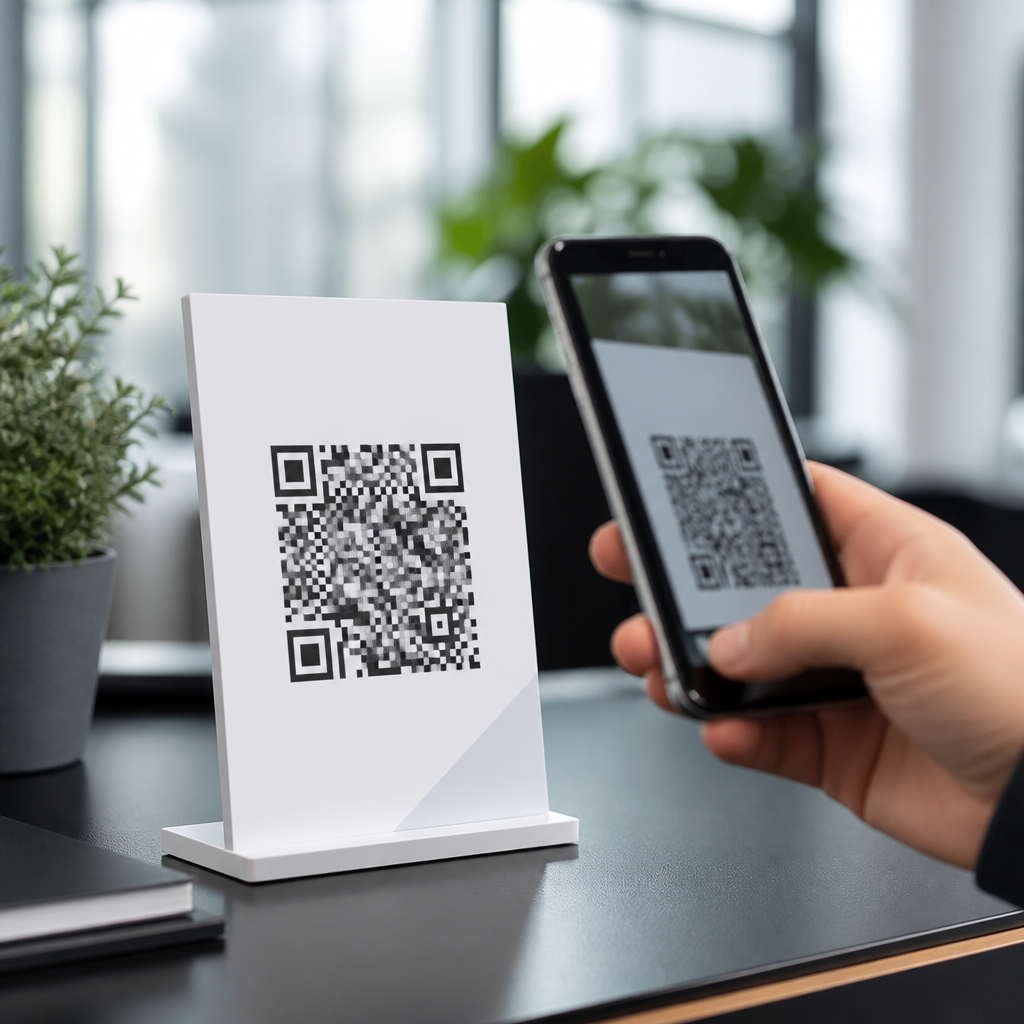
QR code lead capture form templates turn a simple scan into a measurable conversion event, giving marketers, sales teams, event organizers, and local businesses a fast way to collect contact details without forcing people to type on a phone. In practice, these templates combine a scannable QR code, a mobile-friendly landing page or embedded form, clear consent language, and a follow-up workflow inside a CRM or email platform. I have implemented them for trade show booths, restaurant table tents, property flyers, retail displays, and service businesses, and the pattern is consistent: when the form is short, the offer is relevant, and the destination page loads instantly, scan-to-lead performance improves. This matters because QR traffic is intent-rich. Someone who scans from packaging, signage, direct mail, or an in-person interaction is already responding to a prompt in the physical world. A reusable library of downloadable resources saves time, standardizes best practices, and helps teams launch campaigns faster while maintaining brand consistency, privacy compliance, and reporting accuracy across every QR code touchpoint.
What QR code lead capture form templates include
A strong QR code lead capture form template is more than a design mockup. It is a working conversion system with predefined fields, messaging blocks, tracking parameters, and integration notes. The core assets usually include a QR code placement guide, landing page wireframe, form copy, thank-you page copy, CRM field map, and analytics checklist. The best downloadable resources also define technical settings such as dynamic versus static QR codes, UTM conventions, mobile responsiveness requirements, and page speed limits. Dynamic QR codes are usually the better choice for lead capture because they let you update the destination URL, pause campaigns, and review scan analytics without reprinting the code. Static QR codes can work for low-risk evergreen promotions, but they become a liability when an offer expires or a page changes.
Field design is critical. In most campaigns I build, the highest-converting form asks for first name, email, and one qualifying field such as company, location, or service interest. Every additional field reduces completion rate unless the perceived value rises with it. A coupon template can stay short, while a B2B quote request template may need budget range, role, or project timeline. Good templates account for that tradeoff by offering short-form, medium-form, and qualification-first variants. They also include trust elements: a privacy note, consent checkbox when required, and expectation-setting copy such as “We will email your guide within five minutes.” That direct language reduces abandonment because users know what happens next.
This downloadable resources hub should help readers find templates by use case rather than by format alone. Someone searching for QR code lead capture form templates may need a trade show badge alternative, a real estate flyer inquiry form, a restaurant feedback form, a giveaway entry page, or a lead magnet delivery page. The hub format works because it organizes those assets into practical categories and connects each resource to implementation guidance. Instead of downloading a generic form and guessing, readers get a template designed for the traffic source, offer type, and follow-up path tied to that use case.
Best use cases for downloadable QR form resources
The most effective QR lead capture campaigns match the form to the context of the scan. At events, a booth visitor often wants a brochure, demo, spec sheet, or prize entry. A QR code on signage can replace paper lead cards and reduce friction during busy conversations. For this use case, templates should feature large tap targets, autofill-friendly fields, and a clear incentive. Real estate is another high-performing category. A code on a yard sign, brochure box, or property flyer can send buyers to a form offering pricing, a showing request, or a neighborhood guide. Because real estate leads are high value, templates usually include lead routing instructions and optional SMS consent.
Retail and hospitality benefit from speed. A tabletop display in a cafe can invite customers to join a loyalty list, claim a birthday offer, or enter a seasonal promotion. A hotel lobby sign can drive local attraction guides and future-stay discounts. In these settings, the template must be fast, visually simple, and forgiving on mobile networks. Service businesses use QR forms on vehicle wraps, invoices, door hangers, and waiting room posters. A plumbing company might offer a maintenance checklist download, while a dental office might invite appointment requests. In both cases, the QR form should identify service area and urgency so staff can prioritize follow-up correctly.
Education, nonprofits, and healthcare organizations use scan-to-form resources differently but with the same principles. Schools collect tour requests, webinar registrations, and fundraising interest. Nonprofits capture volunteer signups and donation intent. Healthcare providers often use QR codes for screening forms, class registration, or patient education materials, though regulated environments require extra caution around protected health information and data storage. The template library should clearly label when a form is suitable only for general inquiries and when specialized compliance review is needed.
| Use case | Best form length | Primary CTA | Key follow-up action |
|---|---|---|---|
| Trade show booth | 3 to 4 fields | Get the brochure or demo | Instant email plus sales alert |
| Real estate flyer | 4 to 6 fields | Request pricing or tour | Agent routing and SMS option |
| Restaurant tabletop | 2 to 3 fields | Join loyalty list | Coupon delivery automation |
| Home services sign | 3 to 5 fields | Book estimate | Zip-code qualification and callback |
How to choose the right template for your campaign
Selecting the right QR code lead capture form template starts with the offer, not the code. Ask what the user gets immediately after scanning. If the answer is weak, no template will fix the conversion problem. Strong offers include a coupon, downloadable guide, event registration, consultation request, waitlist access, or product comparison sheet. Once the value exchange is clear, align the form with the user’s level of intent. Cold traffic from posters or packaging needs fewer fields than warm traffic from a sales conversation. This is why I usually keep top-of-funnel consumer forms under three required fields and reserve longer qualification forms for appointment requests or enterprise sales inquiries.
Next, evaluate the scan environment. Indoor scans at close range allow denser layouts and longer supporting copy. Outdoor signs, moving foot traffic, and poor lighting demand larger QR codes, fewer instructions, and a shorter destination page. A common mistake is designing the form in a desktop editor while ignoring mobile ergonomics. Templates should specify recommended font sizes, button spacing, and contrast ratios. They should also include guidance on QR code sizing. A practical rule is at least a 10:1 distance-to-code-width ratio, meaning a code meant to scan from ten feet away should be about one foot wide, though camera quality and print clarity can affect results.
Integration is the final filter. A template is only useful if it fits your stack. Most teams use tools such as HubSpot, Mailchimp, Klaviyo, Typeform, Jotform, Google Forms, Airtable, Zapier, or Salesforce. The downloadable resource should indicate which platforms it supports and whether it includes hidden fields for source attribution, campaign ID, or sales territory. If a template cannot pass lead source data into your CRM, reporting becomes unreliable. If it cannot trigger an automation, response time slows down, and lead quality drops because hot intent fades quickly after the scan.
What to include in a high-converting downloadable resource library
A comprehensive hub for downloadable QR form resources should not stop at one blank template. It should package assets in a way that reduces production time for repeat campaigns. The most useful libraries include editable landing page copy, QR placement mockups, thank-you page variants, confirmation email text, and naming conventions for analytics. They also provide campaign checklists covering print testing, device testing, consent review, and launch verification. I have seen teams waste days on avoidable issues like broken redirects, low-contrast codes, and forms hidden behind cookie banners on mobile. A good resource prevents those mistakes before they reach print.
Template packs should be segmented by campaign objective. For example, “Lead Magnet Delivery” resources can include a short form, asset delivery email, and retargeting audience setup. “Event Lead Capture” resources can include a booth sign layout, rep handoff process, and duplicate suppression rules. “Local Business Inquiry” resources can include geolocation fields, appointment windows, and service-area qualification. The more closely the resource mirrors the actual workflow, the more likely a team is to use it correctly. Generic files often get downloaded and forgotten; guided templates get launched.
Quality control matters as much as variety. Every downloadable template should be tested across iPhone and Android devices, major browsers, and both strong and weak mobile connections. Forms should support autofill, avoid intrusive pop-ups, and minimize script bloat. Google’s research on mobile landing pages has long shown that speed strongly affects conversion behavior. Even a well-designed QR campaign can underperform if the destination page is heavy. For that reason, the best resource hubs prioritize lightweight builds, compressed images, and minimal dependencies rather than decorative effects.
Tracking, compliance, and optimization essentials
Lead capture is only valuable when it is measurable and compliant. Every QR template should include a tracking framework from the start: destination URL, UTM parameters, scan source label, medium, campaign, and creative ID. Dynamic QR platforms such as Bitly, QR Code Generator PRO, Beaconstac, and Uniqode can track scans, time, device type, and approximate location, while analytics platforms and CRMs record submissions and downstream conversions. Separating scans from form completions is essential. A high scan count with low completion rate usually signals a weak landing page, slow load time, or mismatch between call to action and offer.
Compliance requirements vary by region and industry, but they cannot be treated as an afterthought. If a form collects personal data, templates should include privacy policy links, consent text where needed, and retention guidance. Email marketing campaigns may need explicit opt-in language depending on jurisdiction and list use. SMS capture requires especially careful disclosure around recurring messages, data rates, and consent records. In Europe, GDPR expectations around lawful basis and data minimization apply. In California, CPRA adds disclosure and consumer rights considerations. In regulated industries, internal legal review is not optional. The best downloadable resources make this obvious instead of burying it in fine print.
Optimization should be systematic. Start with one variable at a time: headline, incentive, field count, button copy, or follow-up timing. In repeated tests, I have seen specific CTA language outperform generic wording because it tells the user exactly what they will receive. “Get the vendor list” is stronger than “Submit.” “Text me the menu” is stronger than “Learn more.” Review completion rates by source, not just aggregate averages. A code on packaging may attract different intent than the same code on a poster. When the hub links to specialized articles for testing, analytics, compliance, and design, it becomes the operational center for the entire downloadable resources subtopic.
How this hub supports your broader QR code resource strategy
As a sub-pillar page within QR Code Tutorials, Guides & Resources, this hub should direct readers to every major article connected to downloadable lead capture assets. That means linking out to pages on dynamic QR codes, QR landing page design, QR code sizing for print, form optimization, event marketing workflows, CRM integrations, analytics setup, privacy compliance, and troubleshooting scan failures. Hub pages perform best when they solve the broad intent first and then route readers to deeper answers. Someone arriving here wants to understand what templates exist, which one to use, what to download, and how to launch without errors.
The practical benefit of this structure is clarity. Instead of scattering related assets across disconnected blog posts, the hub creates a single reference point for marketers, designers, and operators. Readers can compare use cases, select a template, and then move into the next implementation guide with context already established. Search engines and AI systems also favor pages that define a topic comprehensively and connect it to supporting resources with clear topical relationships. For that reason, the strongest hub pages use direct language, named tools, and concrete scenarios rather than abstract advice.
QR code lead capture form templates work because they bridge the physical and digital experience at the exact moment of interest. When your downloadable resources are organized by use case, built for mobile, integrated with your systems, and grounded in privacy and analytics best practices, they do more than save design time. They create a repeatable acquisition channel. Use this hub as your starting point: choose the template that matches your campaign, test it in the real scan environment, connect it to your follow-up workflow, and publish with confidence.
Frequently Asked Questions
What is a QR code lead capture form template, and how does it actually work?
A QR code lead capture form template is a prebuilt system that connects a scannable QR code to a mobile-friendly form designed to collect lead information quickly. Instead of asking someone to manually type in a long web address or fill out a paper card, you place the QR code on a sign, table tent, product display, flyer, badge, direct mail piece, or event booth. When a person scans the code with their phone, they are taken directly to a landing page or embedded form where they can submit details such as name, email address, phone number, company, job title, location, or inquiry type.
The template part is important because it standardizes the process. Rather than building every campaign from scratch, you start with a proven layout that already includes key components: a headline, a short value proposition, form fields, consent language, a call to action, and a thank-you step. More advanced templates also include hidden tracking fields, CRM mappings, autoresponder triggers, and source attribution settings. That means each scan can become a measurable conversion event tied to a specific campaign, location, sales rep, or physical asset.
In practical use, the workflow is straightforward. First, someone scans the QR code. Second, they land on a page optimized for mobile completion. Third, they submit their information. Fourth, the form sends that data into a CRM, email platform, spreadsheet, or automation tool. Fifth, your follow-up sequence begins, whether that means an instant coupon, a sales notification, a meeting scheduler, a downloadable resource, or a nurture email. This is why QR code lead capture form templates are so effective: they reduce friction at the point of interest and make offline engagement easier to track, automate, and scale.
Where are QR code lead capture form templates most useful for marketing, sales, and in-person events?
These templates are especially useful anywhere people are already physically engaged with your brand but may not be ready for a full conversation or a complicated signup process. Trade shows are one of the strongest examples. A booth visitor can scan a QR code to request pricing, enter a giveaway, book a demo, or download product specifications without waiting in line or handing over a business card. Sales teams can then prioritize follow-up based on booth traffic, scanned source, and form responses.
They also perform well in hospitality and local business settings. Restaurant table tents can invite customers to join a loyalty program, enter a promotion, claim a discount on their next visit, or subscribe to event announcements. Retail stores can place QR codes near products to collect interest for back-in-stock alerts, VIP launches, or consultations. Fitness studios, salons, dental offices, and real estate offices can use them for consultation requests, appointment inquiries, and email list growth right from physical signage.
Another high-value use case is printed collateral. Flyers, postcards, brochures, packaging inserts, direct mail pieces, and even window decals can turn passive exposure into active lead capture. Instead of hoping someone remembers your website later, the QR code creates an immediate path to conversion. The same principle applies in offices, campuses, conferences, pop-up shops, and field marketing activations. The best environments are those where attention is present but time is limited. A well-designed template helps convert that brief moment of intent into data you can act on.
What should be included in a high-converting QR code lead capture form template?
A high-converting template should balance speed, clarity, and trust. Start with a clear headline that tells the user exactly what they get by submitting the form. That could be a coupon, a quote, a consultation, access to a guide, a giveaway entry, or event follow-up materials. The value exchange should be obvious within seconds of landing on the page. If people have to guess why they should complete the form, conversion rates usually drop.
The form itself should ask only for information that is necessary for the next step in your process. For top-of-funnel campaigns, this often means keeping fields minimal, such as first name and email address. For sales-oriented campaigns, you may add phone number, company name, or qualification questions. The key is to avoid unnecessary friction, especially on mobile devices. Short forms typically perform better, but the ideal field count depends on the offer and how qualified you need the lead to be.
Strong templates also include mobile-friendly design elements such as large tap targets, fast load speed, readable text, and simple layouts that do not require pinching or zooming. Consent language should be visible and understandable, especially if you are collecting marketing opt-ins or operating in regulated jurisdictions. A persuasive call-to-action button matters too. Generic wording like “Submit” is usually less compelling than outcome-driven phrasing such as “Get My Quote,” “Claim My Offer,” or “Reserve My Spot.”
Finally, an effective template extends beyond the form. The thank-you screen should confirm what happens next and may include a direct action like downloading a file, adding a calendar event, calling a sales rep, or visiting a relevant page. Behind the scenes, your template should support CRM integration, tagging, attribution, autoresponders, and internal notifications. The best-performing QR lead capture templates are not just attractive forms. They are complete conversion systems designed to capture interest, record source data, and trigger immediate, relevant follow-up.
How do you track performance and measure ROI from QR code lead capture forms?
Performance tracking starts by treating each QR code as a unique campaign asset rather than using the same destination for every placement. For example, the QR code on a trade show booth should be different from the one on a restaurant table tent, print ad, or direct mail postcard. Even if the forms look similar, assigning unique tracking parameters or separate landing pages allows you to identify exactly where leads originated. That is what turns scanning activity into actionable marketing data.
The core metrics usually include scans, landing page visits, form completion rate, total leads, cost per lead, qualified lead rate, meeting bookings, and downstream revenue. A high scan count with a low completion rate often indicates friction on the page, weak offer alignment, or too many required fields. A low scan count may point to poor QR code placement, weak call-to-action messaging, or low visibility in the physical environment. Measuring both scan behavior and form behavior gives you a fuller picture of where optimization is needed.
For attribution, it helps to pass source details into your CRM or email platform automatically. Hidden fields can capture campaign name, location, event name, sales rep, product category, or asset ID. Once that data is stored with the lead record, you can compare performance by channel and campaign over time. This is especially valuable for in-person marketing, where attribution is often harder than in digital channels. QR lead capture forms bridge that gap by linking physical interactions to measurable digital outcomes.
ROI becomes easier to calculate when the workflow is connected end to end. If a lead enters through a QR form, receives an automated sequence, books a call, and eventually becomes a customer, you can tie revenue back to the original scan source. That allows more informed decisions about event spend, print campaigns, signage placement, and promotional offers. The best teams do not just count leads; they evaluate lead quality, pipeline impact, and conversion to revenue. That is where QR code lead capture templates become far more than a convenience feature—they become a reliable attribution and growth tool.
What are the most common mistakes to avoid when using QR code lead capture form templates?
One of the biggest mistakes is sending people to a generic homepage instead of a purpose-built mobile landing page. When someone scans a QR code, they are taking a high-intent action in a specific moment. If the destination is broad, cluttered, or not tailored to the offer they just saw, many will leave before converting. The scan experience should feel like a direct continuation of the message on the physical asset, with immediate relevance and minimal distraction.
Another common issue is asking for too much information too soon. Long forms can work in some B2B scenarios, but in most QR-based interactions, simplicity wins. People are often standing, walking, multitasking, or using one hand on a phone. Requiring too many fields, complex dropdowns, or unnecessary steps can sharply reduce completion rates. It is usually better to capture essential details first and gather more information later through follow-up.
Poor QR code placement is also a frequent problem. If the code is too small, visually crowded, poorly lit, or placed where people cannot comfortably scan it, performance suffers regardless of how good the form is. Every QR code should be tested in the real environment and paired with clear instructions or a concise call to action. People need to know why they should scan and what they will receive when they do. “Scan to sign up” is acceptable, but “Scan to get 15% off your next order” is much more compelling.
Teams also make avoidable mistakes on the back end by failing to connect forms properly to CRM systems, email automations, consent records, and lead routing rules. Capturing a lead is only the first step. If the data is not stored correctly, if the sales team is not notified, or if the promised follow-up never arrives, the user experience breaks down and opportunity is lost. Finally, many businesses overlook privacy and compliance.





