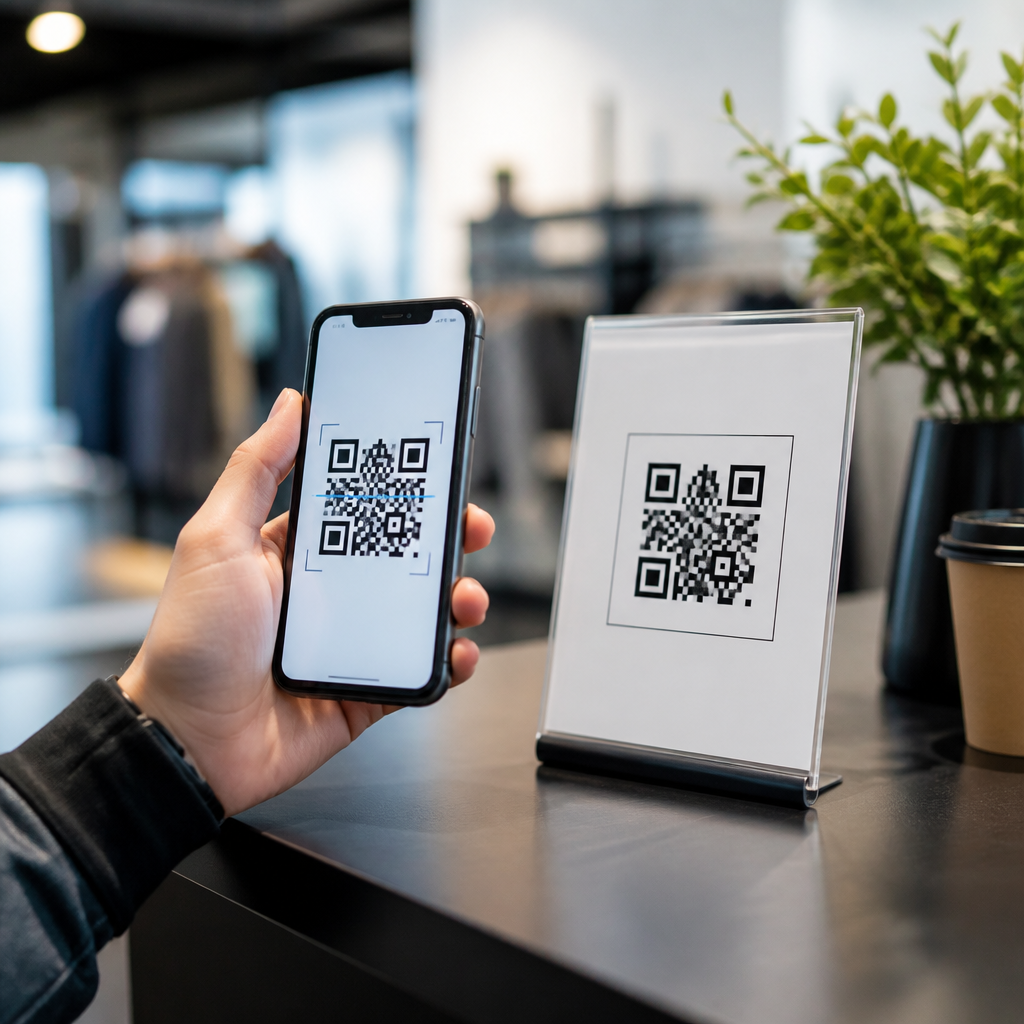

QR code compliance and security checklist work is no longer a niche concern reserved for regulated industries. Any organization that prints a scannable code on packaging, posters, receipts, product labels, menus, invoices, badges, medical forms, or logistics documents now has to manage legal, technical, and operational risk. A QR code looks simple, but the destination, data handling, analytics, printing process, and scan experience create obligations that marketing teams, IT administrators, compliance officers, and frontline operators all share. Treating QR deployment as a controlled process prevents broken user journeys, privacy violations, phishing exposure, inaccessible design, and costly reprints.
In practice, a QR code compliance and security checklist is a repeatable set of controls used before publishing, during monitoring, and after changes occur. Compliance means the code and its campaign meet applicable rules, such as privacy notice requirements, sector regulations, labeling standards, records retention policies, and accessibility expectations. Security means the code cannot be easily abused to redirect users, collect data improperly, or expose internal systems. I have seen teams focus entirely on scan volume and ignore destination governance, only to discover that a vendor changed a redirect, a landing page lost consent language, or a printed code was too small for older phones to read under poor lighting.
This hub article covers the full Templates & Checklists subtopic for QR Code Tutorials, Guides & Resources. It explains what a strong checklist includes, how to apply one across departments, and which supporting templates your team should maintain. It also answers the questions readers usually ask first: What should be reviewed before a QR code goes live? Which standards matter? Who owns approvals? How often should codes be rechecked? By the end, you will have a practical framework for building safer QR experiences, documenting decisions, and linking every new code to a controlled publishing workflow instead of an ad hoc design request.
What a QR code compliance and security checklist must cover
A useful checklist spans the entire lifecycle of the code, not just the square graphic itself. Start with purpose. Every QR code should have a documented business objective, named owner, approved destination, and retention period. If no one owns the code after printing, no one notices when the landing page changes, the domain expires, or analytics scripts drift out of policy. I require a unique identifier for each production code so support teams can tie incidents, reprints, and audit records to the exact asset in circulation.
Next, validate destination integrity. The most common failure is sending users to a URL that later redirects somewhere unintended. Use HTTPS, enforce HSTS where possible, and keep the destination on a domain your organization controls or contractually governs. If a dynamic QR platform is used, review its redirect behavior, role-based access controls, audit logs, and export options. Platforms such as Bitly Enterprise, QR Code Generator Pro, and Beaconstac can support governance, but only when access is limited and naming conventions are enforced. Anonymous link editing is a red flag.
Data handling belongs in the same checklist. If the scan opens a form, app download, coupon, support chat, payment page, or event registration flow, identify what personal data is collected, where consent appears, what analytics tags fire, and how records are retained. For organizations subject to GDPR, CCPA, HIPAA, PCI DSS, or sector-specific guidance, the landing experience matters as much as the code. A QR code on a patient intake sheet, for example, should never send protected information through an unsecured web form without proper safeguards and a business associate agreement where required.
Physical and visual controls are also essential. Quiet zone spacing, contrast ratio, print size, material finish, and placement determine scan success. ISO/IEC 18004 defines QR Code symbology; following it helps, but field testing matters more than theoretical capacity charts. Glossy laminates, curved bottles, low-light corridors, and outdoor glare all reduce reliability. In campaigns I have audited, the issue was rarely the encoding standard. It was usually poor print production, overdesigned branding, or a code placed where users could not comfortably frame it with one hand.
Core pre-launch checklist for legal, privacy, and technical review
Before any QR code goes live, run a formal pre-launch review. This is the checklist stage that prevents most avoidable failures. Confirm the destination URL, final redirect chain, page title, and mobile rendering on iOS and Android. Test using current versions of Safari and Chrome because native camera behavior differs slightly by device. Verify that the page loads over HTTPS, certificates are valid, and no mixed-content warnings appear. If the code leads to a downloadable file, check file size, file type, malware scanning results, and accessibility tags for PDFs.
Then complete legal and privacy checks. Confirm whether the scan triggers cookies, pixels, geolocation, lead capture, SMS enrollment, payment processing, or age-gated content. The privacy notice should be visible before data submission, and consent language should match the actual processing activity. If minors may scan the code, review child privacy obligations and marketing restrictions. If health, financial, or employment information is involved, route the campaign through the same review path used for web forms and customer portals. A printed shortcut does not exempt the digital destination from existing policy.
Brand and accessibility checks come next. Maintain sufficient contrast between the code and background, avoid placing logos so large that they interfere with error correction margins, and provide nearby human-readable instructions. In public environments, include a short URL as a fallback for users whose cameras fail or who use assistive technologies. Where action is required, explain the expected result, such as “Scan to download the assembly guide” or “Scan to verify product authenticity.” Clear labeling reduces abandonment and helps users assess legitimacy before opening a link.
| Checklist area | What to verify | Why it matters |
|---|---|---|
| Destination control | HTTPS, owned domain, approved redirects, named asset owner | Prevents hijacks, expired links, and unmanaged edits |
| Privacy | Notice, consent, data minimization, retention, vendor review | Reduces regulatory and reputational risk |
| Security | Malware scan, form protection, RBAC, audit logs, MFA | Limits phishing, tampering, and unauthorized changes |
| Accessibility | Readable instructions, fallback URL, mobile-friendly page, tagged files | Improves equal access and task completion |
| Print quality | Size, quiet zone, contrast, substrate testing, placement height | Increases real-world scan reliability |
| Measurement | UTM standards, event naming, dashboard owner, anomaly alerts | Supports performance analysis and incident detection |
Security controls that reduce phishing, tampering, and redirect risk
QR code security starts with the assumption that users cannot inspect the destination before scanning as easily as they can with a typed or visible link. That makes publisher controls non-negotiable. Use managed domains, multifactor authentication for all QR platform accounts, and role-based permissions that separate creation, approval, and publication. Any service that lets many staff members overwrite a destination without logs creates unacceptable risk. At minimum, keep change history, editor identity, timestamps, and rollback capability.
Dynamic QR codes deserve special attention. They are powerful because they allow updates without reprinting, but that flexibility is also the attack surface. I recommend a written change policy: no destination changes without ticketed approval, documented reason, and post-change testing. Monitor redirect destinations with automated checks. Security teams can use synthetic monitoring or simple scheduled scripts to validate status codes, TLS configuration, and page fingerprints. If a campaign URL suddenly redirects to a new domain, the alert should fire immediately.
Protect the landing page itself. Web application firewalls, secure headers, anti-bot controls, and form abuse prevention help when scans spike after a product launch or event. If payment is involved, route users into a PCI-compliant environment rather than embedding improvised collection forms. For authenticity use cases, such as anti-counterfeit labels, pair the QR code with serial verification logic and anomaly reporting so repeated scans from different regions can flag gray-market diversion. Security is not only about preventing malicious edits; it is also about detecting suspicious usage patterns that suggest fraud.
User trust signals matter too. Display recognizable branding on the destination page, keep the path readable, and avoid unnecessary intermediate jumps. Many phishing campaigns exploit generic link shorteners and vague calls to action. A legitimate poster in a transit station should not send users through three unrelated domains before reaching the final page. Simplicity helps both trust and incident response because teams can map the expected journey quickly when something goes wrong.
Compliance operations, documentation, and ownership
The strongest QR code compliance and security checklist fails if no operating model supports it. Assign clear ownership at three levels: business owner, technical owner, and compliance approver. The business owner is accountable for purpose and content accuracy. The technical owner manages the QR platform, redirects, hosting, and monitoring. The compliance approver confirms that required disclosures, retention rules, and review records exist. In mature programs, these roles appear in a RACI matrix and are tied to a ticketing workflow in Jira, ServiceNow, or a similar system.
Documentation should be lightweight but complete. For each production code, store the encoded or managed URL, campaign name, placement location, publication date, print vendor, artwork version, landing page owner, data collected, retention schedule, and decommission plan. Keep screenshots of the live experience and a copy of the approved creative. This archive becomes invaluable when customer support reports a bad scan months later or when legal asks which disclosure language was visible on launch day.
Review frequency depends on risk and permanence. Event signage may need verification before launch, during the event, and immediately after deactivation. Packaging codes can remain in circulation for years, so quarterly or monthly health checks are more appropriate. If the code appears in healthcare, finance, education, or public sector workflows, schedule regular audits and spot tests across devices. Physical assets outlive digital assumptions. I have seen excellent landing pages break simply because a content management update changed a slug or removed a form field required by an integration.
This hub page also sits above several supporting assets your team should create: a pre-launch checklist, a print production checklist, a vendor due diligence template, an incident response checklist, a redirect change log template, and a retirement checklist for codes leaving service. Together, these templates reduce reliance on memory and make training faster for new staff, agencies, franchise operators, and field teams.
Building a templates library for repeatable QR governance
A hub for Templates & Checklists should help teams standardize work, not just explain theory. Start with a master intake template that asks who requested the code, why it exists, where it will appear, how long it will remain in use, and whether the destination collects data or initiates a transaction. Add mandatory fields for domain owner, approval date, fallback URL, and support contact. This intake form becomes the trigger for legal review, security review, design production, and analytics setup.
Next, maintain channel-specific checklists. A packaging checklist should include substrate durability, curved-surface testing, warehouse scan validation, and multilingual instructions where products cross borders. A retail signage checklist should cover viewing distance, mounting height, tamper inspection, and store-level replacement procedures. An email or PDF checklist should verify that the QR image remains sharp after compression and that the destination is still usable when scanned from a laptop screen. Different contexts create different failure modes, so one generic checklist is never enough.
Vendor templates are equally important. If an outside agency creates or manages codes, require contract language covering ownership of domains, access revocation on termination, breach notification windows, data processing terms, and export rights for analytics and redirect mappings. Ask vendors whether they support single sign-on, SCIM provisioning, audit logs, and IP restrictions. These controls matter because QR governance often breaks at the handoff between marketing convenience and enterprise accountability.
Finally, include an incident template. When a code fails, teams should record what happened, when it was detected, which users were affected, whether any data exposure occurred, how the destination was remediated, and whether printed materials require replacement. Over time, these records reveal patterns: recurring low-contrast print jobs, repeated redirect edits by untrained staff, or campaign launches that skipped mobile testing. Good templates turn isolated mistakes into process improvements.
How to audit, maintain, and retire QR codes safely
QR code governance does not end at launch. Audit active codes against a current inventory and physically rescan samples from the environments where users encounter them. Confirm the final destination, page speed, consent language, analytics behavior, and error handling. Review scan metrics for anomalies, such as abrupt drops that indicate a broken page or unexplained spikes that may signal misuse. Google Analytics 4, Adobe Analytics, and server logs can all help, but they should be paired with periodic manual testing because numbers alone do not reveal poor usability.
When a code must change, prefer updating the destination within a controlled dynamic system rather than covering printed materials with stickers or layering one code over another. If the campaign is over, retire it cleanly. Do not let old links drift into 404 errors. Either maintain a clear archival page explaining that the promotion has ended, or redirect to a relevant support resource with updated notice language. Abrupt dead ends reduce trust and trigger unnecessary customer service contacts.
For permanent decommissioning, remove platform access for former owners, export the final audit record, and mark the asset as retired in your inventory. If there was a security incident, preserve logs and screenshots according to your investigation policy. The core benefit of a QR code compliance and security checklist is not bureaucracy. It is reliability. Controlled QR programs scan more consistently, expose less risk, and cost less to maintain over time because problems are caught before they are printed into the physical world. Use this hub to build your templates library, formalize ownership, and review every code before the next one goes live.
Frequently Asked Questions
What does a QR code compliance and security checklist usually include?
A strong QR code compliance and security checklist covers far more than whether the code scans correctly. At a minimum, it should address destination safety, data privacy, consent practices, redirect controls, print quality, change management, analytics governance, and incident response. In practice, that means verifying that the QR code points to an approved domain, uses HTTPS, avoids unnecessary redirects, and does not send users to destinations that could be considered deceptive, expired, or inconsistent with the printed context. It also means confirming who owns the code, who can edit the destination, how updates are logged, and how long the code is expected to remain active.
From a compliance standpoint, the checklist should also review whether scanning the code triggers personal data collection, location tracking, form submissions, cookies, or marketing attribution tools. If it does, the organization needs to make sure privacy notices, lawful processing grounds, consent requirements, retention policies, and vendor agreements are aligned with applicable regulations and internal policy. If the QR code appears on healthcare, financial, educational, or employee-facing materials, additional obligations may apply depending on the type of data involved and the jurisdiction.
Operationally, a complete checklist should include testing across multiple devices and lighting conditions, confirming error correction levels, validating the final printed size and contrast, and ensuring that the surrounding instructions are clear. It should also define review intervals so codes do not become stale, vulnerable, or misleading over time. The most effective checklists treat QR codes as living digital access points rather than static printed graphics, because the real risk usually comes from what happens after the scan.
Why are QR codes considered a security risk if they are only images?
QR codes may look like harmless images, but they function as gateways to digital actions. A scan can open a website, initiate a payment, download a file, launch an app, prefill a message, or trigger a workflow. Because users cannot always recognize the destination by looking at the pattern, QR codes are attractive tools for phishing, credential theft, malware delivery, fraudulent payment requests, and impersonation attacks. This is especially risky in public spaces, on product packaging, and in fast-moving environments where people scan quickly without verifying where they are being sent.
The threat is not limited to malicious outsiders. Internal misconfigurations can create major risk as well. A code might redirect to the wrong campaign page, expose an unsecured form, collect more information than intended, or continue pointing to outdated content long after a policy, price, or legal disclosure has changed. Dynamic QR codes are particularly useful operationally, but they also create a larger attack surface if administrative access is poorly controlled. If someone unauthorized gains access to the redirect platform or account, they can silently change destinations without reprinting the code.
That is why organizations should treat QR codes as managed digital assets. Security controls should include approved domain policies, authenticated administration, role-based access, logging, destination monitoring, URL reputation checks, and a documented process for retiring or replacing compromised codes. Even though the code itself is an image, the user experience behind it is part of the broader web, mobile, identity, and data ecosystem. In security terms, the image is merely the front door.
How can businesses make QR codes compliant with privacy and data protection requirements?
The first step is understanding what happens when someone scans the code. If the scan simply opens a static webpage with no tracking and no data collection, the compliance burden may be relatively limited. But if the landing page places cookies, records device identifiers, captures location data, connects to analytics platforms, or asks the user to submit personal information, then privacy and data protection obligations become much more significant. Businesses need to map the full data flow from scan to storage, including third-party services involved in hosting, analytics, forms, payments, and remarketing.
Once the data flow is understood, organizations should apply standard privacy controls to the QR code journey. That includes providing a clear privacy notice, limiting data collection to what is necessary, establishing a lawful basis for processing where required, honoring consent requirements for cookies or marketing tracking, and ensuring that retention periods are defined. If third-party vendors process data collected through the QR experience, contracts and data processing terms should be in place. Businesses should also consider whether the context of the code creates heightened sensitivity, such as healthcare intake forms, employee badges, educational records, or financial account access.
It is also important to align the printed call to action with the actual digital experience. If a sign says “Scan for menu” but the landing page also starts collecting marketing data or prompts account creation, that mismatch can create transparency and fairness concerns. Good compliance practice means telling users what to expect before they scan whenever practical, especially if the scan leads to form submission, payment, geolocation, or account-based interaction. In short, a compliant QR code is not just technically functional; it is transparent, proportionate, secure, and governed like any other digital collection point.
What are the most important technical best practices for secure QR code deployment?
Start with destination control. Every QR code should resolve to an approved, monitored URL under organizational control whenever possible. Use HTTPS, minimize redirect chains, and avoid sending users to consumer-grade file sharing links or unmanaged third-party pages unless there is a documented business reason and proper oversight. If dynamic QR codes are used, protect the management platform with strong authentication, role-based permissions, and audit logs. Administrative access should be limited to authorized personnel, and destination changes should follow a review process rather than ad hoc editing.
Print and usability quality matter too, because a failed or confusing scan can create workarounds that undermine security. Codes should have sufficient size, contrast, and quiet zone spacing, and they should be tested on multiple devices, operating systems, and camera qualities. The landing page should be mobile optimized, load quickly, and clearly display the expected brand identity so users can confirm legitimacy. Including a visible branded URL near the QR code can help users verify the destination before or after scanning and reduce susceptibility to tampered labels or replacement stickers.
Monitoring and lifecycle management are equally important. Organizations should periodically scan their own deployed codes to confirm that the destination is still valid, secure, and contextually correct. Broken links, expired promotions, changed business processes, or domain ownership issues can turn a once-safe code into a liability. A mature program also includes inventory tracking, version control, incident escalation procedures, and retirement rules for old codes. The technical goal is simple: every scan should be intentional, trustworthy, resilient, and easy to validate.
How often should organizations review and update their QR code compliance and security controls?
QR code controls should be reviewed on a recurring schedule and whenever material changes occur. As a baseline, many organizations benefit from quarterly reviews for active campaigns and periodic audits of all live codes in production. However, review frequency should increase when codes are tied to sensitive functions such as payments, identity verification, healthcare forms, customer support workflows, employee access, or regulated disclosures. High-visibility codes in public spaces or long-lived printed materials deserve special attention because they remain exposed even when teams forget they exist.
Triggers for immediate review include changes to landing page content, domain migrations, vendor platform changes, privacy policy updates, new analytics implementations, staff turnover affecting account access, and reports of phishing or sticker tampering. A business should also reassess its controls whenever it expands QR code use into new departments, regions, or use cases. What worked for a simple restaurant menu may be inadequate for invoices, shipping labels, medical intake packets, or customer authentication journeys.
The broader point is that QR code governance should not be a one-time design task. It should be part of ongoing digital risk management. Organizations that maintain an inventory of deployed codes, assign ownership, log changes, test regularly, and connect QR workflows to privacy, security, and compliance teams are much better positioned to prevent problems before they affect customers or regulators. Consistency matters here: the safest QR code program is one that is reviewed often enough that no code becomes invisible to the business that issued it.