
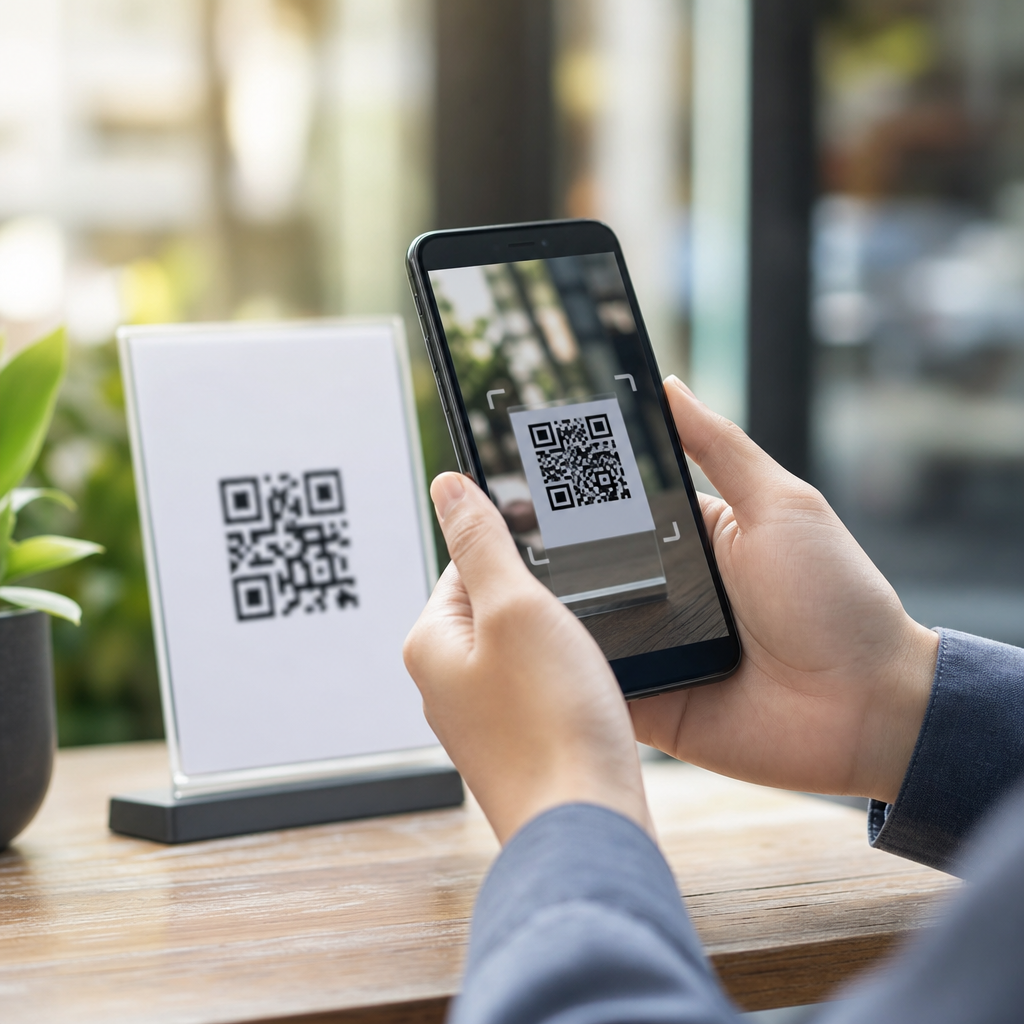
Mobile optimization for QR code conversions is the discipline of making every step after a scan fast, readable, persuasive, and measurable on a smartphone so more people complete the action you want. In practice, that action might be a purchase, app install, form submission, coupon redemption, menu order, event check-in, or lead capture. I have worked on QR campaigns for retail packaging, restaurant tables, trade show booths, direct mail, and outdoor signage, and the same truth shows up every time: the QR code itself rarely causes poor performance. The mobile experience after the scan does. If the landing page loads slowly, the form feels tedious, the button is hidden, or the offer is vague, scans do not become conversions.
For teams managing QR code analytics, tracking, and optimization, conversion rate optimization means systematically improving post-scan performance using data, testing, and user-centered design. Conversion rate is the percentage of scanners who complete a desired action. Mobile optimization is broader: page speed, responsive layouts, thumb-friendly navigation, accessibility, message match, and technical reliability across devices and networks. These disciplines belong together because most QR scans happen on phones, often in distracting environments with weak connectivity and limited attention. A commuter scans from a station poster, a shopper scans from shelf talkers, and a diner scans from a table tent. In each case, friction compounds quickly.
This hub article explains how to improve QR code conversions on mobile from strategy to execution. It covers the metrics that matter, the design patterns that reduce abandonment, the technical decisions that affect load time and attribution, and the testing methods that produce measurable lifts. It also connects this topic to the broader discipline of QR code analytics, tracking, and optimization by showing how scan data, channel context, and on-page behavior should inform every decision. If your goal is higher conversion rates from existing QR traffic, better mobile optimization is usually the fastest path.
Why mobile context determines QR code conversion rates
A QR scan is a high-intent action, but it is also a fragile one. Users are not browsing casually; they are interrupting a physical-world activity to complete a digital task. That means your landing experience must align with context immediately. On a product package, users expect product details, ingredients, reviews, warranty registration, or reorder options. On a restaurant table, they expect a menu, ordering, payment, or loyalty enrollment. At an event, they expect agenda details, speaker bios, booth maps, or lead forms. The more your landing page reflects that physical setting, the higher your conversion rate.
Message match is the first principle. The text near the code, the incentive promised before the scan, and the first screen after the scan should all say the same thing. If signage says “Scan for 20% off today,” the landing page should immediately display the discount, expiration, and redemption steps above the fold. If packaging says “Scan for setup instructions,” do not route users to a generic homepage where they must search. I have seen conversion rates improve simply by replacing broad destination pages with mobile pages built for the exact scan context.
Environmental constraints matter just as much. QR scans occur in bright sunlight, noisy venues, moving crowds, and inconsistent mobile networks. This is why minimal page weight, large typography, strong contrast, and concise copy outperform desktop-style layouts. Mobile users also rely on one-handed interaction. Primary calls to action should be easy to tap with a thumb, forms should minimize keyboard switching, and checkout or submission flows should use autofill, mobile wallets, and shortened field sets wherever possible.
Core metrics for QR conversion rate optimization
If you want to optimize mobile QR performance, track the full funnel rather than only scans. Scan count measures interest, not outcomes. At minimum, monitor scans, unique scanners, landing page views, engaged sessions, call-to-action clicks, form starts, form completions, transactions, revenue, and conversion rate. Also segment by device type, operating system, browser, location, campaign asset, time of day, and landing page variant. In analytics reviews, I pay particular attention to the gap between scans and page views, and between page views and conversion actions. Those gaps reveal whether the issue is link reliability, load speed, message mismatch, or page friction.
Tools matter here. Google Analytics 4 can capture landing page events, conversions, session source data, and engagement metrics. Google Tag Manager helps deploy event tracking cleanly. Dynamic QR platforms can add scan-level details such as timestamp, geolocation, and device metadata. Heatmap tools like Microsoft Clarity or Hotjar can show rage taps, excessive scrolling, and form hesitation on mobile pages. For performance diagnostics, Lighthouse and PageSpeed Insights identify render-blocking assets, oversized images, and layout shifts that hurt user experience.
Use a measurement structure that connects physical placement to digital outcomes. A shelf display QR code and a product package QR code may point to similar pages, but they should use distinct tracking parameters or unique dynamic destinations. That allows you to compare not only scan volume but assisted revenue, average order value, and completion rate by placement. Without that granularity, teams often optimize the wrong asset because they cannot separate curiosity scans from commercially valuable traffic.
| Metric | What it tells you | Common problem signal | Optimization response |
|---|---|---|---|
| Scan-to-load rate | Whether scanners successfully reach the page | High scans, low page views | Check redirects, QR destination health, network weight |
| Bounce or quick-exit rate | Whether the page matches scan intent | Users leave in seconds | Tighten message match and simplify first screen |
| CTA click-through rate | Whether the offer and layout motivate action | Views but few next-step clicks | Strengthen value proposition and button prominence |
| Form completion rate | Whether users can finish on mobile | Many starts, few submissions | Reduce fields, enable autofill, improve error handling |
| Revenue per scan | Commercial value of each QR interaction | Strong scan volume, weak revenue | Adjust audience targeting and destination experience |
Mobile landing page design that removes friction
The highest-converting QR landing pages are not miniature desktop pages. They are purpose-built mobile experiences with a single priority. Start with the above-the-fold area. Users should instantly understand what they scanned, what they get, and what to do next. Use a clear headline, one supporting sentence, one primary CTA, and supporting trust cues such as ratings, delivery timelines, payment logos, or privacy reassurance. Avoid carousels, dense navigation menus, and competing promotions. Every extra decision lowers completion rates.
Speed is nonnegotiable. Google research has repeatedly shown that conversion probability declines as page load time rises. For QR pages, the tolerance is even lower because users are often standing, waiting, or shopping in motion. Compress images with modern formats like WebP or AVIF, defer noncritical scripts, preload important assets, reduce third-party tags, and serve through a content delivery network. A dedicated lightweight landing page will usually outperform a template-heavy corporate page builder output.
Forms are where many QR conversions die. Ask only for information required to complete the transaction or qualification step. If the goal is lead capture, name and email may be enough at first touch. If the goal is appointment booking, let users pick a time before asking for extended details. Use input types that trigger the right mobile keyboard, show inline validation, keep labels visible, and preserve progress if the user switches apps. If a field is optional, mark it clearly. If privacy matters, say how data will be used in one sentence near the submit button.
Accessibility improves conversion as well as compliance. Use readable font sizes, high color contrast, descriptive button text, and touch targets that meet mobile usability standards. Screen reader-friendly forms and keyboard-navigable flows help a wider audience complete tasks. They also tend to be simpler and clearer for everyone, which is exactly what high-performing QR landing pages need.
Offer design, copy, and calls to action that convert after the scan
Conversion rate optimization is not only a design task; it is also an offer strategy task. Many underperforming QR campaigns fail because the incentive is weak or unclear. “Learn more” rarely converts as well as a specific outcome such as “Get today’s discount,” “View installation guide,” “Join the waitlist,” or “Order in two taps.” The best CTA language states both the action and the value. Specificity reduces uncertainty, and reduced uncertainty improves conversion.
Urgency can help when it is real. Limited-time discounts, event-only bonuses, and stock-based offers perform well if the page confirms the terms immediately. Artificial urgency usually backfires, especially on mobile, where aggressive popups and countdowns feel manipulative. Trust cues work better: customer review counts, recognizable payment methods, secure checkout messaging, shipping estimates, or a short statement explaining why the offer is worth the user’s time.
Copy should reflect scan intent, not brand boilerplate. A person who scans a QR code on packaging is not asking for your company mission statement. They likely want assembly, authenticity verification, recycling instructions, ingredients, warranty registration, or replenishment. A person scanning from a flyer may want pricing, an RSVP form, or a location map. In my experience, pages written from the user’s immediate job-to-be-done consistently outperform pages written to satisfy internal brand messaging priorities.
Personalization can increase relevance when it is tied to context. Dynamic QR codes make it possible to route users by geography, language, store location, time window, or campaign variant. For example, a national retail promotion can detect the nearest store and show local inventory, opening hours, and pickup options. A multilingual package can route scanners to the correct language automatically based on device settings while preserving a manual switcher. Relevance is not a luxury in mobile QR conversion flows; it is a baseline expectation.
Technical implementation, attribution, and testing methodology
Strong QR conversion performance depends on technical discipline behind the scenes. Use dynamic QR codes whenever ongoing optimization matters. They allow destination changes without reprinting assets, enable campaign segmentation, and preserve continuity when product pages, promotions, or legal requirements change. Pair them with clear URL governance so every code has an owner, naming convention, expiration review, and analytics mapping. Broken redirects, duplicated parameters, and untracked variants are common operational failures, not edge cases.
Attribution should be planned before launch. Use consistent campaign parameters, first-party analytics where possible, and server-side event forwarding when privacy settings or browser restrictions reduce client-side visibility. For ecommerce, connect scans to downstream purchase events and revenue. For lead generation, connect landing page data to your CRM so you can evaluate lead quality, not just volume. For offline environments, use unique QR destinations per asset to preserve placement-level attribution. This is especially important when the same campaign appears on packaging, posters, receipts, and direct mail.
Testing should follow a structured hypothesis, not random tweaks. Start with the biggest friction points: destination relevance, page speed, CTA clarity, and form length. Then test one meaningful variable at a time when traffic allows. A/B testing platforms can compare headline variants, button copy, hero imagery, or field counts, but many QR campaigns have modest traffic. In that case, use sequential testing, large effect-size changes, and qualitative tools like session recordings to identify obvious usability failures quickly.
Real-world examples show how this works. A restaurant menu QR can improve orders by removing the homepage detour and landing directly on a lightweight menu with prominent “Start Order” and Apple Pay or Google Pay support. A B2B trade show QR can improve qualified leads by replacing a ten-field form with a two-step flow: scan for the case study, then ask for role and company size after the asset opens. A consumer packaged goods brand can lift repeat purchase rate by routing package scans to a reorder page with subscription options instead of a generic brand site. In each case, mobile optimization turns existing scan intent into measurable business outcomes.
Mobile optimization for QR code conversions works because it respects the reality of how people scan, decide, and act on phones. High-performing campaigns connect the physical prompt to a relevant mobile destination, load quickly on imperfect networks, present one clear next step, and remove avoidable friction from forms, checkout, and navigation. They also measure the entire post-scan funnel so teams can see where users drop off and fix the actual problem rather than guessing. That combination of context, usability, and instrumentation is what raises conversion rate, not the QR code graphic alone.
As the hub page for conversion rate optimization within QR code analytics, tracking, and optimization, this topic should guide how you evaluate every campaign asset you publish. Start with message match and mobile speed. Then tighten your CTA, simplify forms, segment destinations by placement, and track revenue or lead quality alongside scan volume. Use dynamic QR codes, analytics tooling, and disciplined testing to create a repeatable optimization process rather than one-off fixes. Small improvements at each step compound into major gains when scan traffic is already present.
If you manage QR campaigns today, audit your top landing pages on a phone, on cellular data, and in the real-world environment where scans happen. Count the taps required, measure the load time, review the funnel metrics, and prioritize the highest-friction step. Then improve one element, measure the result, and keep iterating. Better mobile optimization is the most reliable way to turn more QR scans into conversions.
Frequently Asked Questions
Why is mobile optimization so important for QR code conversions?
Mobile optimization matters because a QR scan almost always starts with high intent and very little patience. Someone sees the code, takes out a phone, scans it, and expects the next step to feel immediate, clear, and effortless. If the landing page loads slowly, the text is hard to read, the buttons are too small, or the form is frustrating on a touchscreen, that intent disappears fast. In real campaigns, the difference between a well-optimized mobile experience and a poor one can be the difference between steady conversions and a pile of wasted scans.
QR code conversions improve when every post-scan element is designed for the smartphone context. That means fast page speed, strong contrast, simple layouts, responsive design, thumb-friendly calls to action, and copy that gets to the point quickly. It also means understanding the environment where the scan happens. A person scanning from retail packaging may be standing in a store aisle. A restaurant guest may be seated with one hand free. A trade show attendee may be juggling a badge, bag, and coffee. Mobile optimization respects those real-world conditions and reduces friction so the user can complete a purchase, submit a lead form, redeem an offer, or check in without extra effort.
From a performance standpoint, mobile optimization also makes campaigns easier to measure and improve. When your landing pages are built for mobile users, you get cleaner data on bounce rate, click behavior, form completion, and conversion paths. That helps you identify where people drop off and what changes actually lift results. In short, mobile optimization is not just about appearance. It directly affects usability, trust, speed, and the likelihood that a scan becomes a meaningful action.
What makes a QR code landing page convert better on mobile?
A high-converting mobile QR landing page is focused, fast, and easy to act on within seconds. The best-performing pages usually match the user’s expectation immediately. If the QR code promises a coupon, the coupon should appear right away. If it offers a menu, users should not have to dig through a homepage to find it. If it leads to event registration, the registration step should be obvious and short. Message match is one of the biggest conversion drivers because it reassures the visitor that the scan worked and they are in the right place.
Layout plays a major role. On mobile, the most important content should appear near the top of the screen with a clear headline, a short supporting explanation, and one primary call to action. Too many competing buttons, pop-ups, or navigation options usually hurt performance. Readability is equally important. Use large enough font sizes, strong visual hierarchy, and enough spacing so the page feels comfortable on a small screen. Buttons should be easy to tap with a thumb, and forms should ask only for the information needed to complete the conversion.
Technical execution is just as important as design. Compress images, remove unnecessary scripts, and keep page elements lightweight so the experience feels instant, even on cellular connections. Mobile pages linked from QR codes should also avoid unnecessary redirects because every extra delay increases abandonment. If possible, use autofill-friendly forms, mobile wallet integrations, click-to-call buttons, app deep links, location-aware features, or one-tap checkout options to reduce effort. The best QR landing pages win by removing confusion and shortening the path between scan and action.
How can I reduce drop-off after someone scans a QR code?
Reducing drop-off starts with understanding that the scan itself is only the beginning of the conversion journey. Many campaigns lose people not because the QR code failed, but because the next experience did not match the urgency of the moment. The first step is to eliminate delays. A slow mobile page is one of the fastest ways to lose a scanner, especially in environments like outdoor signage, direct mail, or event spaces where attention is limited. Prioritize fast loading, streamlined code, and a direct destination URL that opens cleanly on all major mobile browsers.
The next step is clarity. Users should instantly understand what they are supposed to do and why it benefits them. If the page opens with vague messaging, too much text, or a cluttered design, users often leave before engaging. A strong headline, a specific value proposition, and a single prominent call to action can dramatically improve completion rates. It also helps to remove distractions such as excessive navigation, unrelated content blocks, or mandatory account creation when it is not essential.
Trust signals are another major factor. People are more willing to complete a mobile action when the page looks credible and secure. Brand consistency, recognizable design, HTTPS, concise privacy reassurance, customer reviews, and transparent offer terms can all support conversion. Finally, test the full experience in real conditions. Scan from different phones, operating systems, and network speeds. Stand where the audience will stand. Fill out the form with one hand. That practical testing reveals friction points analytics alone often miss. The less effort, uncertainty, and waiting you introduce after the scan, the lower your drop-off rate will be.
What should I track to measure QR code conversion performance on mobile?
To measure QR code conversion performance effectively, track both scanning activity and what happens after the scan. A scan count is useful, but by itself it does not tell you whether the campaign actually produced value. The more meaningful metrics begin after the landing page loads. Start with sessions, bounce rate, engagement rate, click-through rate on the main call to action, form starts, form completions, purchases, coupon redemptions, app installs, check-ins, or whatever final conversion matters most for the campaign. Those numbers show whether the mobile experience is helping users complete the intended action.
It is also important to track context. Use campaign parameters, dynamic QR codes, or unique destination URLs so you can separate performance by placement, audience, creative variation, and channel. A code on retail packaging may perform very differently from one on a restaurant table tent or a direct mail piece. If you only look at total scans, you miss those differences. When tracking is set up well, you can compare how specific QR placements perform by device type, time of day, geography, traffic source classification, and conversion path.
Mobile behavior metrics add another layer of insight. Monitor page load time, scroll depth, button taps, form abandonment, rage clicks, and error events. If users scan but do not convert, these signals can show whether the issue is speed, usability, or weak messaging. For advanced optimization, connect QR analytics with CRM, ecommerce, POS, or event systems so you can tie scans to revenue, lead quality, repeat visits, or lifetime value. Good measurement turns QR codes from a simple access tool into a real performance channel you can optimize with confidence.
What are the most common mistakes that hurt mobile QR code conversions?
One of the most common mistakes is sending users to a page that is technically mobile-responsive but not truly mobile-optimized. A page may resize to fit a phone screen and still be difficult to use. Tiny text, long paragraphs, crowded layouts, weak contrast, hard-to-tap buttons, and long forms all increase friction. Another frequent issue is linking the QR code to a generic homepage instead of a specific, conversion-focused destination. Every extra step after the scan gives people another reason to leave.
Speed problems are also a major conversion killer. Heavy images, unnecessary scripts, multiple redirects, and intrusive pop-ups can turn a high-intent scan into an immediate bounce. In many QR environments, users are on cellular networks, not ideal Wi-Fi, so performance optimization matters even more. Brands also often underestimate how important message match is. If the sign, package, or printed piece promises one thing and the landing page delivers something unclear or unrelated, trust drops instantly and conversions suffer.
Other mistakes include failing to test across devices, ignoring analytics, and making the call to action too vague. A button that says “Learn More” often underperforms a button that says exactly what happens next, such as “Get Coupon,” “Order Now,” or “Reserve My Spot.” Some campaigns also ask for too much information too soon, especially in lead capture or event registration flows. On mobile, every field adds friction. The best practice is to collect only what is necessary at that moment. In my experience across packaging, restaurant, trade show, mail, and signage campaigns, the winning formula is consistent: reduce friction, keep the promise clear, design for real smartphone behavior, and measure every meaningful step after the scan.




