
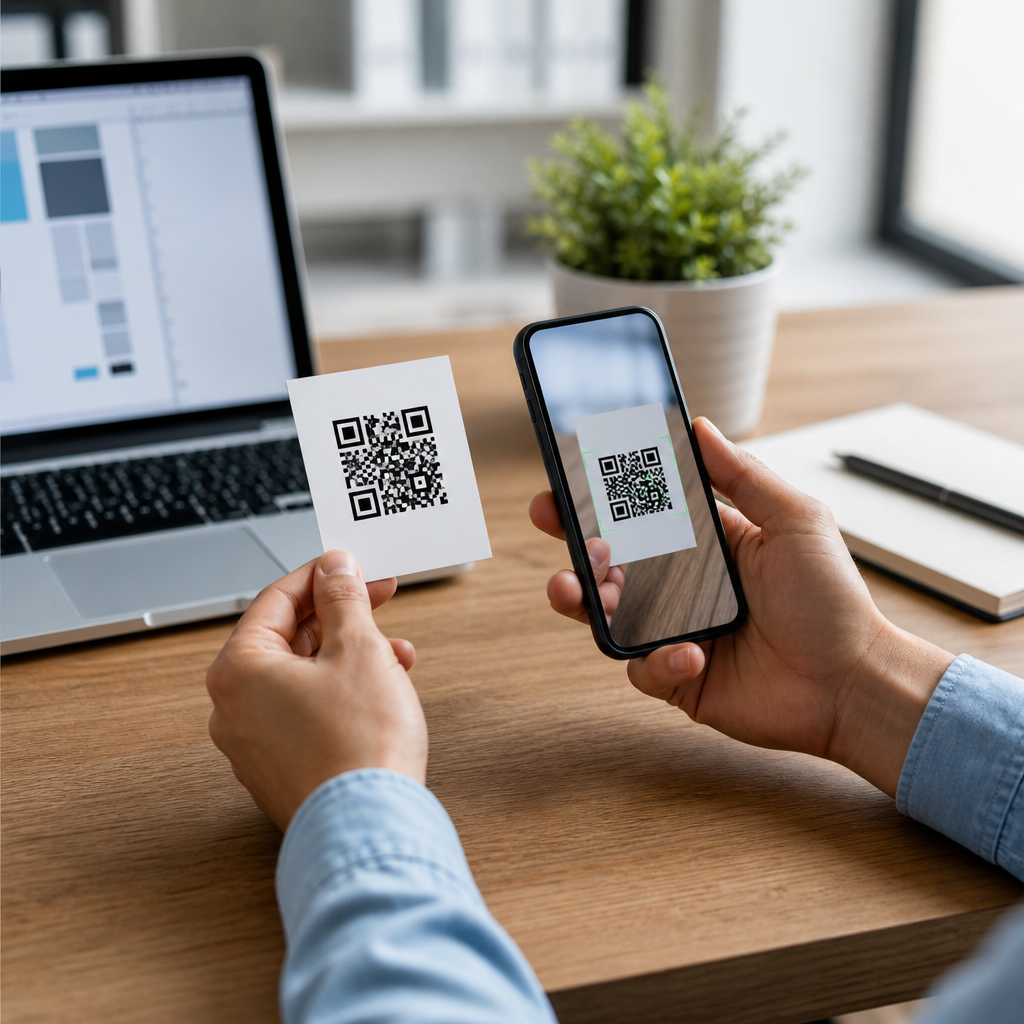
Publishing a QR code without testing it is one of the fastest ways to break a customer journey, waste print budget, and lose trust at the exact moment someone tries to engage with your brand. In practice, testing a QR code before publishing starts much earlier than the final scan: it begins with creating the code correctly, choosing the right content type, setting appropriate error correction, and confirming that the destination works across devices, browsers, and network conditions. That is why a strong guide to how to test a QR code before publishing must also explain how to create a QR code step by step, because the quality of testing depends on the quality of the build.
A QR code, short for Quick Response code, is a two dimensional matrix barcode standardized under ISO/IEC 18004. It stores data as modules arranged in a square grid that cameras and scanners can decode quickly. Static QR codes contain fixed data and cannot be edited after printing. Dynamic QR codes use a short redirect URL, allowing you to change the destination later and measure scans. That difference matters during testing. A static code must be final before production, while a dynamic code lets you update destination logic after launch, though the printed pattern still needs full validation.
I have worked on QR deployments for packaging, retail signage, restaurant menus, direct mail, event badges, and field service labels, and the same pattern repeats: most failures are preventable. The code may technically scan, yet still fail the user because the landing page loads slowly, the Wi Fi portal blocks the redirect, the print size is too small for the viewing distance, or analytics parameters break the URL. A reliable process tests scannability, destination behavior, visual contrast, placement, environment, and measurement. Done correctly, it protects conversion rates and reduces costly reprints.
This article serves as the main hub for QR code creation and testing. It explains how to create a QR code step by step, what to check before publishing, which mistakes to avoid, and how to validate real world performance. If you need one practical answer, it is this: create the right type of QR code, design it for scan reliability first, then test it with multiple devices in the conditions where people will actually use it.
How to Create a QR Code Step by Step
The most effective way to test a QR code before publishing is to build it methodically. Start by defining the action you want after the scan. Common destinations include a website, PDF, app store page, vCard, Wi Fi login, payment request, video, or feedback form. This choice determines the data structure and affects testing. A restaurant menu QR code, for example, should point to a mobile optimized page or lightweight PDF. A business card QR code should use vCard format if you want direct contact saving rather than sending people to a generic homepage.
Next, decide whether the code should be static or dynamic. Use static only when the destination will never change and you do not need scan analytics. Use dynamic when campaigns may evolve, when printed materials have a long shelf life, or when you need metrics such as scans by time, location, or device. In most business settings, dynamic is the safer choice because it reduces the risk of stale links and gives you a way to correct errors after publication.
Then prepare the destination carefully. If the QR code opens a page, make that page secure with HTTPS, mobile friendly, fast, and free from intrusive popups. Compress images, check Core Web Vitals, and confirm that forms, buttons, and maps work on both iPhone and Android. If the code triggers a phone call, email draft, or SMS, test the URI scheme. If it downloads a file, keep the file small enough for cellular networks. Many scan failures are not decoding problems at all; they are destination experience failures.
Choose a reputable QR code generator rather than an unknown tool that might inject redirects or expire links. Established options include QR Code Generator Pro, Beaconstac, Bitly, Flowcode, Uniqode, and Adobe Express for simple use cases. When evaluating a generator, check export formats, dynamic editing, password protection, analytics, bulk creation, and custom domain support. For printed applications, vector export such as SVG, EPS, or PDF is preferable because it scales cleanly without introducing blur.
Select the appropriate error correction level. QR codes support four levels: L, M, Q, and H, allowing roughly 7 percent, 15 percent, 25 percent, and 30 percent recovery respectively. Higher error correction helps if part of the code may be obscured by a logo, scratch, fold, or glare, but it also increases data density. For simple URLs on packaging or posters, M or Q is often a good balance. If you add a centered logo, H may be justified, but only if you keep quiet zones and module clarity intact.
Finally, generate the code and save a master asset. Keep one untouched original file, one print ready file, and one web optimized file. Name them clearly, store the destination URL in your campaign documentation, and record the generator, creation date, and owner. That documentation sounds mundane, but it matters when a campaign needs updates months later or when teams must prove which asset was approved for production.
Design Rules That Affect Scan Reliability
A QR code that looks attractive but ignores scanner behavior will underperform. The most important design rule is contrast. Dark modules on a light background remain the safest choice because smartphone cameras and decoding software detect that pattern reliably. Black on white is ideal. Dark blue on pale cream can work. Light gray on white, metallic silver on glass, or pastel gradients usually cause trouble, especially in low light.
The second rule is preserving the quiet zone, the empty margin around the code. A standard recommendation is at least four modules wide on all sides. Without that border, scanners may struggle to isolate the pattern from surrounding graphics or text. I have seen beautifully designed flyers fail because a background texture crept too close to the code edge. Removing that decorative clutter immediately improved scan rates.
Size also matters. A practical rule for print is a minimum of about 2 x 2 centimeters for close range scanning, though larger is better when users stand farther away. On posters, billboards, shelf talkers, or storefront windows, scale the code for expected scanning distance. Some teams use the rough ratio of viewing distance divided by ten to estimate minimum code size. That is not a formal standard, but it is a useful planning shortcut in the field.
Use vector files for print and avoid screenshots or low resolution raster exports. Blurry edges reduce decoder confidence. If you customize the code with rounded modules, gradients, embedded logos, or inverted colors, test more aggressively because each styling choice can reduce tolerance. Branded QR codes can perform well, but only when branding stays secondary to readability. The finder patterns, timing patterns, and overall module grid must remain clear.
| Element | Best Practice | Risk If Ignored |
|---|---|---|
| Contrast | Dark code on light background | Slow or failed scans in common lighting |
| Quiet zone | At least 4 modules on each side | Scanner cannot isolate the code |
| Print asset | Use SVG, EPS, or print PDF | Pixelation and soft edges |
| Size | Match code size to viewing distance | Users cannot scan from where they stand |
| Destination | Mobile optimized HTTPS page | High bounce after successful scan |
How to Test a QR Code Before Publishing
Testing should happen in layers. First, verify the encoded content. Scan the code with at least two native camera apps and one dedicated scanner app. Confirm that the decoded destination exactly matches your intended URL, phone number, text string, or payment payload. If you use tracking parameters such as UTM tags, check that they are complete, correctly escaped, and not duplicated. A single malformed parameter can break analytics or landing page logic.
Second, test across devices and operating systems. At minimum, scan with a recent iPhone, a recent Android device, and one older device with a weaker camera. Native camera behavior differs. Some phones prompt instantly, others require steadier framing, and older hardware struggles with dense codes or glossy surfaces. If your audience includes warehouse workers, event staff, or delivery drivers, test under the same practical conditions they face rather than only in an office.
Third, test environments. Scan indoors under warm light, near windows with glare, outdoors in bright sun, and in lower light if relevant. Test the code flat on paper, mounted behind acrylic, wrapped around a bottle, and placed on textured packaging if those conditions match the final use. Curved surfaces can distort module geometry. Reflective laminates create hotspots. Transparent labels over dark contents often reduce contrast more than designers expect.
Fourth, test the post scan experience. Measure page load speed on cellular, verify redirects, and confirm that cookie banners, age gates, or app interstitials do not block the main action. If the page contains a form, submit it. If it opens a map, check the address handoff. If it downloads a PDF, confirm that the file opens on iOS and Android. A technically valid scan is only half the job; the outcome must be frictionless.
Fifth, test print proofs before full production. Never approve a QR code from a mockup alone. Print at actual size on the actual material whenever possible, then scan that proof from realistic distances and angles. In packaging and direct mail, this step catches many issues: ink spread that fattens modules, trimming that cuts quiet zones, varnish glare, and low contrast stock choices. A ten minute proof test can prevent a five figure reprint.
Common Mistakes and How to Prevent Them
The most common mistake is linking to a page that is not mobile ready. Users scan with phones, so the destination must fit small screens, load quickly, and present one clear next step. Another frequent error is making the code too small, especially on labels and business cards packed with content. Teams often sacrifice scannability for layout convenience. That tradeoff is backwards; if the code is central to the campaign, it deserves space.
A third mistake is over customizing the design. Logos that cover too much area, decorative patterns that interfere with finder squares, and low contrast brand colors all reduce reliability. I advise clients to test the plain black and white version first, then introduce branding incrementally and rescan after each change. This isolates the exact point where aesthetics begin to harm function.
Another preventable issue is using long, messy URLs in static codes. Long URLs create denser patterns that are harder to scan, especially at small sizes. If you must use a static code, shorten the URL with a controlled branded short domain. Better yet, use a dynamic code from a trusted platform with clear ownership and renewal procedures. Forgotten subscriptions and expired domains have broken many perfectly printed QR campaigns.
Finally, many teams skip documentation. Record who owns the domain, who controls the generator account, which redirect is active, and where the code appears physically. When a scan path fails six months later, that operational record is what allows quick diagnosis instead of finger pointing between design, web, and marketing teams.
Publishing Checklist and Long Term Maintenance
Before publishing, confirm five essentials: the code scans instantly, the destination is correct, the page works on mobile, the printed or displayed version performs in real conditions, and ownership of the link infrastructure is documented. If the campaign matters, add analytics validation by performing test scans and confirming that events appear in your reporting platform, whether that is Google Analytics 4, Adobe Analytics, or a platform native dashboard.
After publication, monitor performance instead of assuming success. Dynamic QR platforms can show scan counts, time patterns, and approximate location data. Pair those metrics with landing page engagement to distinguish scan problems from page problems. If scans are high but conversions are low, the issue is likely the destination experience. If scans are low in one venue, investigate placement, visibility, or environmental factors there.
Maintenance matters because QR codes live in the physical world longer than many digital campaigns. A flyer may sit on a counter for months. Product packaging may remain in circulation for a year. Event signage may be reused seasonally. Review destinations on a schedule, renew domains, update redirects when content moves, and periodically rescan printed pieces from stock. A QR code is not a one time asset; it is a durable access point that needs governance.
Testing a QR code before publishing is ultimately about protecting user intent. Someone takes out a phone, opens a camera, and expects a quick result. When you create the code carefully, design it for readability, test it across devices and environments, and maintain it after launch, that expectation is met consistently. Start with the creation steps in this hub, apply the testing workflow before every release, and treat each QR code like a live product touchpoint rather than a simple graphic.
Frequently Asked Questions
Why is it so important to test a QR code before publishing it?
Testing a QR code before publishing is essential because a single failure can interrupt the entire customer journey at the exact moment a user is ready to act. If the code does not scan, opens the wrong destination, loads slowly, or displays poorly on a mobile device, the result is often immediate abandonment. In printed campaigns, packaging, signage, menus, direct mail, and event materials, that problem is especially costly because once the code is out in the world, fixing it may require reprinting, replacing assets, or accepting lost engagement. A QR code is often treated like a small design element, but functionally it acts as a gateway to a landing page, form, payment flow, app download, support page, or product experience. If that gateway breaks, trust drops fast.
Testing also helps you catch issues that are not obvious during creation. A code may look visually correct while still pointing to a mistyped URL, a page that redirects poorly, a mobile-unfriendly destination, or a resource blocked in certain browsers. Even when the code itself scans, the end experience can fail under weak signal conditions, on older phones, or when the destination page has slow load times. That is why testing should cover both the scan itself and everything that happens after the scan. The goal is not simply to verify that a camera recognizes the code, but to confirm that users can reliably complete the intended action across real-world conditions.
What should you check before you even start scanning the QR code?
Good QR code testing starts before the first scan. The first step is verifying that the code was created correctly for its intended purpose. Confirm that the content type matches the use case, whether that is a website URL, PDF, contact card, Wi-Fi login, payment link, app deep link, or something else. Make sure the destination is final, accurate, and publicly accessible. If the code uses a URL, check for spelling errors, broken parameters, unintended redirects, tracking mistakes, and protocol issues such as using the wrong HTTP or HTTPS format. If the code is dynamic, verify that the management dashboard is set up correctly and that edits, redirects, analytics, or expiration settings will not interfere with users after launch.
You should also review technical build choices that affect scan reliability. Error correction level matters because it determines how well the code can still scan if part of it is obscured, stylized, or damaged. A higher error correction level can be helpful for printed materials or branded designs, but adding too much data or overdesigning the code can make scanning harder. Check the quiet zone around the code, since scanners need clear space around the edges to detect it properly. Confirm that contrast is strong, that the code is not too small for the intended placement, and that logos, colors, or decorative shapes have not compromised readability. In other words, successful testing starts with validating the QR code file, the encoded data, and the visual execution before relying on live scans alone.
How do you properly test a QR code across devices and real-world conditions?
Proper QR code testing means using multiple devices, multiple scanning methods, and multiple environments. Start by scanning the code with different smartphones, including both iPhone and Android models, because camera behavior, built-in QR recognition, and browser handoff can vary. Test with the default camera app first, then try at least one third-party QR scanner if your audience may use them. Repeat the test on newer and older devices where possible, since lower-end cameras or slower processors may reveal issues that flagship devices hide. If the QR code leads to a website, test that site in multiple mobile browsers such as Safari and Chrome and confirm that the page loads securely, displays correctly, and lets users complete the intended action without zooming, pinching, or waiting too long.
Real-world conditions matter just as much as device variety. Test under bright light, low light, glare, and different scanning distances. If the code will appear on packaging, posters, storefront windows, tabletop displays, or curved surfaces, test it in a mock version of that context. A QR code that scans perfectly on a desktop monitor may fail once reduced in size, printed with lower contrast, placed behind reflective material, or viewed at an awkward angle. It is also smart to test on both strong and weak network connections because users may be scanning in transit, in retail environments, or at events where signal strength fluctuates. A thorough test simulates the actual conditions your audience will encounter, not just ideal lab conditions.
What are the most common problems that make a QR code fail after publication?
Some of the most common failures begin with the code itself. The QR code may be too small, low contrast, cropped too tightly, missing its quiet zone, distorted by stretching, or over-customized with branding elements that interfere with scanner recognition. Print production can introduce additional problems such as blurry edges, ink bleed, color inversion, poor substrate contrast, or placement on folded, curved, or reflective surfaces. Even a valid code can become difficult to scan if it is positioned where people cannot comfortably frame it with their camera, such as too high on signage, too low on packaging, or in a location with glare or motion.
Other failures happen after the scan. The encoded link may contain a typo, redirect incorrectly, lead to a 404 page, require a login users do not have, or load a page that is not mobile optimized. Some destinations are blocked by browser warnings, slow servers, broken scripts, intrusive pop-ups, or expired campaign settings. In dynamic QR systems, problems can also come from paused campaigns, changed destinations, disabled accounts, or misconfigured tracking links. A final common issue is mismatch between user expectation and landing page content. If the QR code promises a coupon, menu, registration form, or product information but opens a generic homepage instead, users may treat it as a failure even when the scan technically worked. That is why testing should cover usability and relevance, not just technical recognition.
What is the best final checklist to follow before publishing a QR code?
A strong final checklist should confirm both technical accuracy and user experience. First, verify the encoded content one last time: the URL or file destination is correct, secure, live, and publicly accessible. Check that any redirects, UTM parameters, dynamic rules, or campaign settings are functioning as intended. Then confirm that the QR code artwork is high resolution, not stretched, has sufficient contrast, includes proper margin space, and is sized appropriately for the placement and expected scanning distance. If the code will be printed, review a proof at actual size rather than approving only a digital preview. If it will appear on packaging or signage, test the code in a realistic mockup or sample production environment.
Next, perform cross-device and cross-browser scans, test on different network conditions, and make sure the landing experience is fast, mobile friendly, and easy to complete. Review the full post-scan journey: page load, content relevance, form behavior, button visibility, payment or signup flow, analytics tracking, and any thank-you or confirmation pages. Finally, have someone unfamiliar with the campaign test it without guidance. Fresh eyes often catch unclear calls to action, confusing destination pages, or placement issues internal teams overlook. If every part of that checklist passes, you are not just confirming that the QR code scans—you are confirming that it supports a smooth, trustworthy experience from first scan to final action.





