
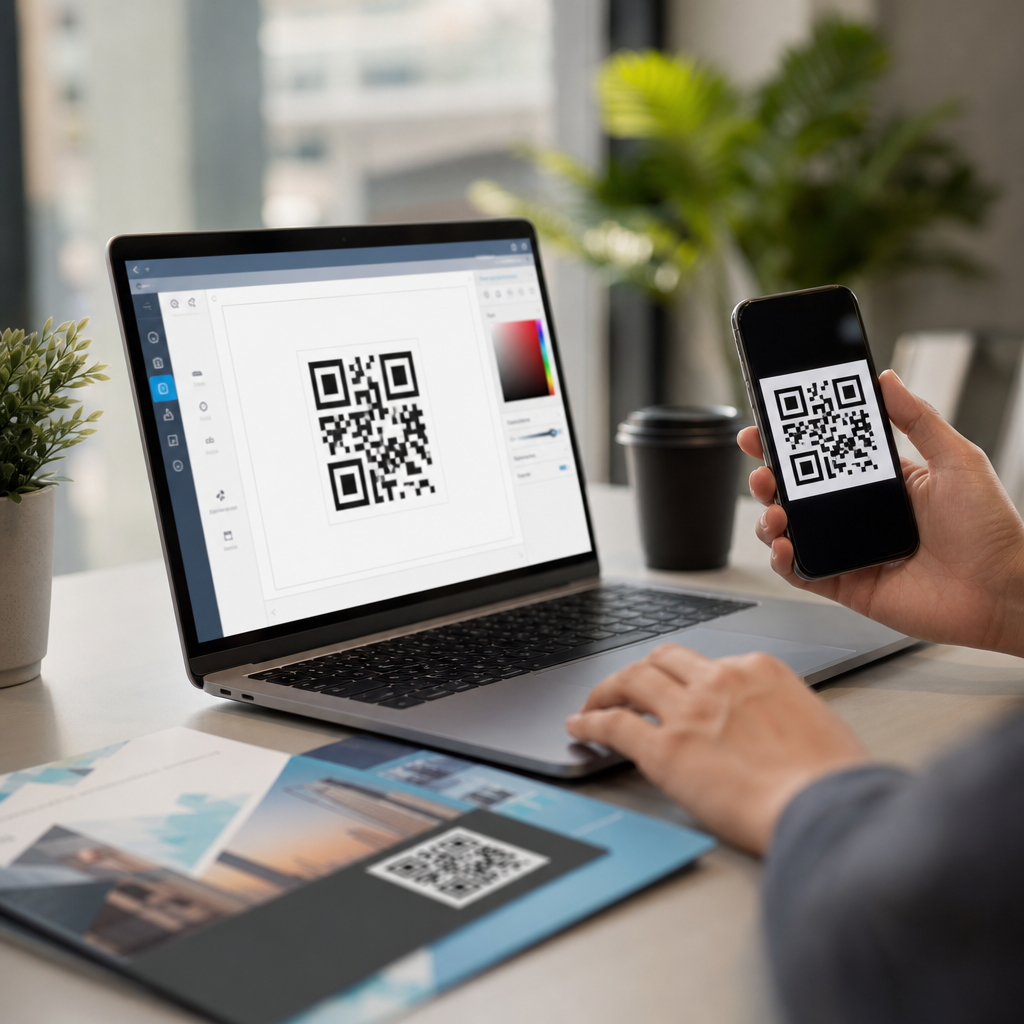
QR codes have become one of the most practical bridges between offline attention and online action, which is why marketers now use them on packaging, direct mail, posters, menus, event signage, retail displays, and product inserts. A QR code, short for Quick Response code, is a two-dimensional barcode that stores data such as a website URL, contact record, coupon, file download, Wi-Fi credential, payment request, or app link. When someone scans it with a smartphone camera, the code launches the intended action immediately. For marketing campaigns, that speed matters because every extra step reduces conversion rates.
Creating a QR code for marketing campaigns is not just a design task. It is a campaign planning decision that affects tracking, attribution, user experience, print quality, privacy compliance, and long-term maintainability. I have built QR-driven campaigns for trade shows, restaurant promotions, retail shelf talkers, and postcard drops, and the consistent lesson is simple: the best-performing codes are created with a clear destination, measurable campaign structure, and production standards that survive real-world use. A code that looks fine on a laptop screen can fail on corrugated packaging, glossy window clings, or low-light event badges.
The core terms are straightforward. A static QR code stores fixed information directly in the image and cannot be edited after printing. A dynamic QR code points to a short redirect URL controlled by a QR platform, which means the final destination can be changed later and scans can usually be tracked by time, device type, and location. Error correction is the built-in redundancy that helps a scanner read a partially damaged code. Modules are the small square dots that make up the pattern. Quiet zone is the empty margin around the code that scanners need for recognition. Understanding these basics is what separates a code that merely exists from a code that performs.
This matters because QR codes now influence measurable revenue. Restaurants use them to connect table tents to digital menus and loyalty sign-ups. B2B exhibitors use them to capture booth traffic with lead forms. Consumer brands place them on packaging to drive product education, subscription enrollment, or reviews. Real estate teams use them on signs for virtual tours. Healthcare providers use them for appointment instructions. In each case, the QR code is a conversion path, not a decorative square. The following guide explains exactly how to create a QR code step by step for marketing campaigns, including strategy, tool selection, setup, testing, printing, and optimization.
Start with the campaign objective and destination
The first step in creating a QR code for marketing campaigns is deciding what one action you want the scan to produce. Common objectives include website visits, coupon redemption, email sign-ups, app installs, event registrations, product education, payments, and review requests. The mistake I see most often is trying to make one QR code do everything. A poster cannot effectively send users to a homepage where they must hunt for the next step. The destination should match the context of the scan and answer the user’s immediate question.
If the code appears on product packaging, the destination might be a mobile landing page with setup instructions, warranty registration, and cross-sell recommendations. If it appears on a postcard, the destination should be a short-form campaign page tied to the offer printed on that card. For an in-store display, a code can open a product comparison page or a first-party coupon wallet pass. The destination should be mobile optimized, fast-loading, and specific. Google research has repeatedly shown that mobile page speed affects abandonment, so avoid sending scanners to heavy pages bloated with autoplay video or oversized scripts.
Use campaign tagging before you generate the code. Add UTM parameters to the destination URL so analytics platforms can attribute scans by source, medium, and campaign. For example, a spring catalog code might use source=print, medium=qr, campaign=spring_launch. If you use a dynamic QR platform, you can still keep UTMs on the final landing page URL for cleaner reporting in Google Analytics 4, Adobe Analytics, HubSpot, or similar tools.
Choose static or dynamic QR codes based on risk and reporting needs
Once the destination is clear, choose between a static and dynamic QR code. Static codes are suitable when the information will never change, such as a permanent Wi-Fi login for a small office or a simple plain-text message. They are often free and easy to generate. However, they are usually a poor fit for marketing campaigns because you cannot update the destination once the code is printed. If the landing page URL changes, the campaign asset becomes obsolete.
Dynamic QR codes are the professional default for marketing. They let you edit the destination after distribution, which protects you from broken links, inventory changes, campaign extensions, and localized routing needs. They also support scan analytics in many platforms, including QR Code Generator Pro, Bitly, Beaconstac, Uniqode, Flowcode, and Scanova. In practice, this means a single code on packaging can route to a new seasonal page next quarter without reprinting the box.
There are tradeoffs. Dynamic services often require a subscription, and if the subscription lapses, redirect behavior may be affected depending on the vendor’s policy. Review ownership terms, export options, redirect domains, GDPR controls, and uptime commitments before standardizing on a provider. For regulated industries or large enterprises, confirm whether the platform supports access controls, audit trails, custom domains, and data processing agreements.
| Type | Best use | Main advantage | Main limitation |
|---|---|---|---|
| Static QR code | Permanent information with no expected changes | No ongoing platform dependency | Destination cannot be edited after creation |
| Dynamic QR code | Marketing campaigns, print assets, packaging, events | Editable destination plus scan tracking | Usually requires a paid platform |
Create the QR code with the right settings
When you open your QR code generator, select the content type first: URL, vCard, PDF, SMS, app link, coupon, Wi-Fi, or payment. For most campaigns, use a URL because it gives you the most flexibility, especially with a dynamic redirect. Paste the final tagged destination or the dynamic redirect target, then configure the code. Keep the pattern simple enough for reliable scanning. High contrast is the rule. Black modules on a white background remain the most dependable choice across older cameras, harsh glare, and low-light environments.
Most tools let you customize color, frame, call-to-action text, and logo placement. Branding can improve trust and boost scan intent, but heavy customization can reduce readability. If you insert a logo in the center, raise error correction moderately, usually to level Q or H, and test extensively. Avoid light pastel modules, busy image backgrounds, transparent fills, thin outlines, and inverted color schemes unless you have validated them across multiple devices. The scanner must distinguish the modules clearly from the background.
Export the file in the right format. For print, use SVG, EPS, or high-resolution PDF whenever possible because vector files scale cleanly. For digital use, PNG is usually sufficient. Size matters. A useful field rule is a scan distance ratio of about 10:1, meaning a code viewed from ten feet away should be roughly one foot wide. For handouts, a code smaller than 0.8 by 0.8 inches often becomes unreliable, especially on lower-quality printers or textured stock. Always preserve the quiet zone around the code.
Design the landing page and call to action around the scan
A QR code does not convert by itself. The surrounding call to action tells people why they should scan and what they will get. “Scan to learn more” is weak because it asks for effort without offering value. “Scan for 15% off today,” “Scan to see the installation video,” or “Scan to book your free demo” performs better because the benefit is explicit. Place the call to action next to the code, not elsewhere on the asset, and make sure the landing page repeats the same promise immediately above the fold.
The landing page should be built for one-thumb use on mobile. Keep forms short, buttons large, copy concise, and trust signals visible. For lead generation, ask only for the fields you truly need. For e-commerce, preload the coupon or collection page. For events, present the schedule, map, or registration form without forcing extra navigation. If the scan happens in a low-bandwidth environment, such as a convention hall, compress images and limit third-party scripts. In my own event campaigns, reducing page weight and removing unnecessary pop-ups consistently improved completion rates because attendees scanned while standing or walking.
Accessibility also matters. Use readable type, sufficient color contrast, descriptive button labels, and mobile-friendly spacing. If the code points to a PDF, ensure the file is optimized for phone viewing and not a desktop document shrunk onto a tiny screen. If it launches a video, provide captions. A better scan experience increases not only conversions but also the quality of traffic recorded in analytics.
Test across devices, lighting, materials, and real placement conditions
Testing is where many campaigns succeed or fail. Do not stop at scanning the code once from your computer monitor. Test it on iPhone and Android devices, using both native camera apps and common third-party scanners if your audience may rely on them. Check performance under bright sunlight, indoor glare, dim event lighting, and at the expected scan distance. If the code will be printed on curved packaging, glossy labels, fabric banners, or vehicle wraps, test samples on those actual materials before approving a full run.
Confirm the full user flow after the scan. The code should open the correct destination, preserve UTM parameters, load quickly, and display properly on mobile browsers. Test whether the redirect chain is short; excessive redirects can slow loading and occasionally break attribution. Validate that consent banners, geolocation rules, coupon logic, and form submissions all work as intended. In GA4, verify that sessions and conversions are attributed correctly. In a CRM like HubSpot or Salesforce, confirm leads carry the right source values.
I also recommend failure testing. Deliberately reduce print size, partly obstruct the code, and test from awkward angles. This reveals whether your chosen error correction and contrast are robust enough for field conditions. A code that scans only in perfect office lighting is not production ready. Strong campaigns are built for the least favorable realistic environment, not the most favorable one.
Deploy, track results, and optimize the campaign over time
After testing, place the QR code where the audience has time and space to scan it. A subway ad, checkout counter sign, trade show booth panel, product box, or table tent each creates different behavior. If someone is moving quickly, the code must be large and the value proposition immediate. If they are seated, such as in a restaurant or waiting room, longer-form content may work. Placement affects both scan volume and conversion quality.
Once the campaign is live, monitor scans, click-throughs, landing page engagement, and downstream conversions. Scan count alone can be misleading. A code on broad-reach signage may attract many scans but few qualified leads, while a code on post-purchase packaging may generate fewer scans and higher repeat revenue. Compare performance by asset, location, audience segment, and offer. Dynamic platforms can route traffic by geography or time, enabling localized pages or limited-time promotions without replacing printed materials.
Optimization usually comes from four levers: clearer call to action, better placement, faster mobile page, and improved offer relevance. If scans are low, the problem is often visibility or incentive. If scans are high but conversions are low, the landing page or offer is usually at fault. Update the destination, refine the creative, and keep a changelog so you can connect performance shifts to specific edits. To build a durable QR marketing program, document naming conventions, UTM standards, design specs, and testing checklists, then apply them consistently across future campaigns.
Creating a QR code for marketing campaigns is most effective when you treat the code as part of a complete conversion system rather than a standalone graphic. Start with one defined objective, send scanners to a mobile-first destination, and decide early whether you need a static or dynamic QR code. In most professional campaigns, dynamic codes are the safer choice because they allow updates and reporting after print distribution. Configure the code for readability, keep contrast high, preserve the quiet zone, and export production-ready files for the channels you plan to use.
The next layer is execution. Pair the code with a specific call to action, make the landing page fast and relevant, and test under real conditions before launch. Then track scans, visits, and actual conversions so you can improve placement, messaging, and offers over time. That disciplined approach turns QR codes from a novelty into a dependable acquisition and retention tool. If you are building a campaign now, create one measured test asset first, validate the full user journey, and scale only after the data confirms the experience works.
Frequently Asked Questions
1. What is a QR code, and why is it useful for marketing campaigns?
A QR code, or Quick Response code, is a two-dimensional barcode that can store different types of information, including a website URL, digital coupon, contact details, file download, payment link, Wi-Fi credential, app store destination, or event registration page. When a person scans the code with a smartphone camera, it immediately opens the intended digital experience, reducing the number of steps between interest and action. That convenience is exactly why QR codes have become so valuable in modern marketing.
For marketers, QR codes create a direct bridge between physical touchpoints and online conversion opportunities. A printed postcard can send people to a landing page. Product packaging can direct customers to tutorials, reviews, loyalty programs, or reorder pages. Event signage can drive attendees to schedules, speaker bios, or lead capture forms. Instead of asking people to type a long URL, search for a brand online, or download materials later, a QR code lets them act in the moment when attention is highest.
QR codes are also useful because they support measurable campaign performance. When paired with trackable URLs, UTM parameters, or dynamic QR technology, marketers can monitor scans, traffic sources, user behavior, conversions, and engagement by campaign, location, or medium. This helps teams understand what messaging, placement, and offer perform best. In short, QR codes are practical because they make campaigns easier for customers to engage with and easier for marketers to optimize.
2. How do I create a QR code for a marketing campaign step by step?
The first step is to define the purpose of the campaign before generating anything. Decide exactly what action you want people to take after scanning. That could be visiting a landing page, claiming a discount, downloading an app, joining an email list, viewing a menu, watching a product demo, or saving your contact information. The destination matters because the QR code should support a specific conversion goal, not just send traffic somewhere generic.
Next, create or prepare the content the QR code will open. If you are linking to a webpage, make sure the landing page is mobile-friendly, fast-loading, and aligned with the campaign message. If the QR code appears on packaging or print materials, the experience after the scan should feel seamless and relevant. For example, a QR code on an in-store display should not lead to a cluttered homepage when it could lead directly to the featured product or promotion.
After that, choose a QR code generator. Many tools allow you to create static or dynamic QR codes. A static QR code permanently encodes the destination and cannot be edited later. A dynamic QR code uses a short redirect URL, allowing you to change the destination, track scans, and update campaigns without reprinting the code. For marketing use, dynamic codes are often the better choice because they offer flexibility and analytics.
Then enter your destination data into the generator, customize the design if appropriate, and download the file in a suitable format. PNG files are common for digital use, while SVG, EPS, or PDF formats are often better for professional printing because they scale cleanly. If the code will be printed on posters, packaging, direct mail, or signage, high-resolution output is essential.
Before publishing, test the QR code multiple times using different phones, camera apps, lighting conditions, and scan distances. Confirm that it opens quickly and sends users to the correct page. Finally, place the QR code where it is easy to notice and scan, and include a short call to action such as “Scan to get 20% off,” “Scan to watch the demo,” or “Scan to register now.” A QR code performs best when people understand exactly why they should use it.
3. Should I use a static or dynamic QR code for marketing?
For most marketing campaigns, a dynamic QR code is the stronger option. The biggest advantage is flexibility. If your landing page changes, your offer expires, your event date updates, or you need to redirect traffic to a new destination, you can edit the target behind the code without changing the printed design. That is especially important for campaigns that appear on packaging, retail displays, brochures, posters, menus, or other materials that may stay in circulation for weeks or months.
Dynamic QR codes also provide valuable analytics. Depending on the platform you use, you may be able to track total scans, unique scans, time of scan, device type, and geographic trends. When combined with campaign tracking links, this gives marketers a much clearer picture of how offline materials contribute to online engagement and conversions. That data can help justify spend, improve placement strategy, and refine future creative.
Static QR codes still have a place, but they are better suited to fixed information that will never need to change, such as a permanent homepage URL or a simple contact record. They can be useful when you do not need analytics or when you want a no-maintenance option. However, once a static QR code is created and printed, the encoded destination cannot be updated. If the link breaks or the campaign changes, the code becomes less useful or even unusable.
In practical terms, if the QR code is tied to a promotion, seasonal campaign, lead generation effort, event, or anything performance-driven, dynamic is usually the safer and smarter choice. If the content is permanent and measurement is not a priority, static may be sufficient. The decision comes down to whether you value editability, tracking, and long-term control.
4. What are the best practices for designing and placing a QR code in a campaign?
The most important best practice is clarity. A QR code should be easy to find, easy to scan, and clearly connected to a benefit. Do not place a code on a page or package without context. Add a short instruction and a compelling reason to scan, such as “Scan for setup instructions,” “Scan to redeem your offer,” or “Scan to see the full collection.” People are much more likely to engage when the value is immediate and obvious.
Size and contrast matter a great deal. The code should be large enough to scan comfortably from the expected distance. A small code may work on product packaging held in the hand, while a poster or billboard requires a much larger version. High contrast between the foreground and background is essential, with dark code elements on a light background typically offering the best reliability. Overly decorative designs, weak contrast, or busy backgrounds can interfere with scanning.
Keep the design functional even if you customize it with brand colors or a logo. Most QR generators allow some branding adjustments, but the code must remain readable. Preserve the quiet zone, which is the empty margin around the code, because scanners rely on that space to identify the pattern correctly. If you add a logo in the center, test it carefully to ensure it does not compromise performance.
Placement should match real-world behavior. Put the QR code where users have time and ability to scan it. For example, a code on a restaurant table tent, product box, event badge, retail shelf talker, or direct mail piece is often more scan-friendly than a code placed too high on a wall or in a fast-moving environment. Also consider lighting, surface curvature, and material finish. Glossy reflections, folds, or awkward angles can reduce scan success.
Finally, always connect the QR code to a mobile-optimized destination. Even a perfectly designed code will underperform if it leads to a slow, cluttered, or desktop-first page. The full experience includes the scan, the page load, the message match, and the conversion path. Great placement gets the scan, but great landing page design gets the result.
5. How can I track the performance of a QR code marketing campaign?
Tracking starts with using the right type of link structure. If possible, create a dedicated landing page or campaign URL for each QR placement, then add UTM parameters so visits can be identified in analytics platforms such as Google Analytics. This allows you to separate traffic from direct mail, packaging, posters, event signage, in-store displays, or product inserts and measure which sources produce the strongest results.
Dynamic QR code platforms can add another layer of measurement. Many of them provide scan reporting, including how many times the code was scanned, when scans occurred, and in some cases where or on what devices they happened. While scan data alone does not tell the whole story, it is useful for identifying interest levels and comparing performance across materials or locations. For example, if one retail display generates far more scans than another, that may point to stronger messaging, better positioning, or higher audience intent.
To evaluate campaign success properly, go beyond scan counts and look at downstream outcomes. Measure page views, bounce rate, time on page, form submissions, coupon redemptions, purchases, downloads, bookings, or whatever conversion action your campaign is designed to generate. A QR code with fewer scans but a higher conversion rate may be more valuable than one with heavy traffic but weak follow-through.
It is also smart to test variables over time. You can compare different calls to action, landing pages, offers, placements, or creative treatments to see what drives better engagement. If you use dynamic codes, you can refine your destination without reprinting every asset, which makes optimization much easier. The most effective marketers treat QR codes not as simple links, but as measurable





