
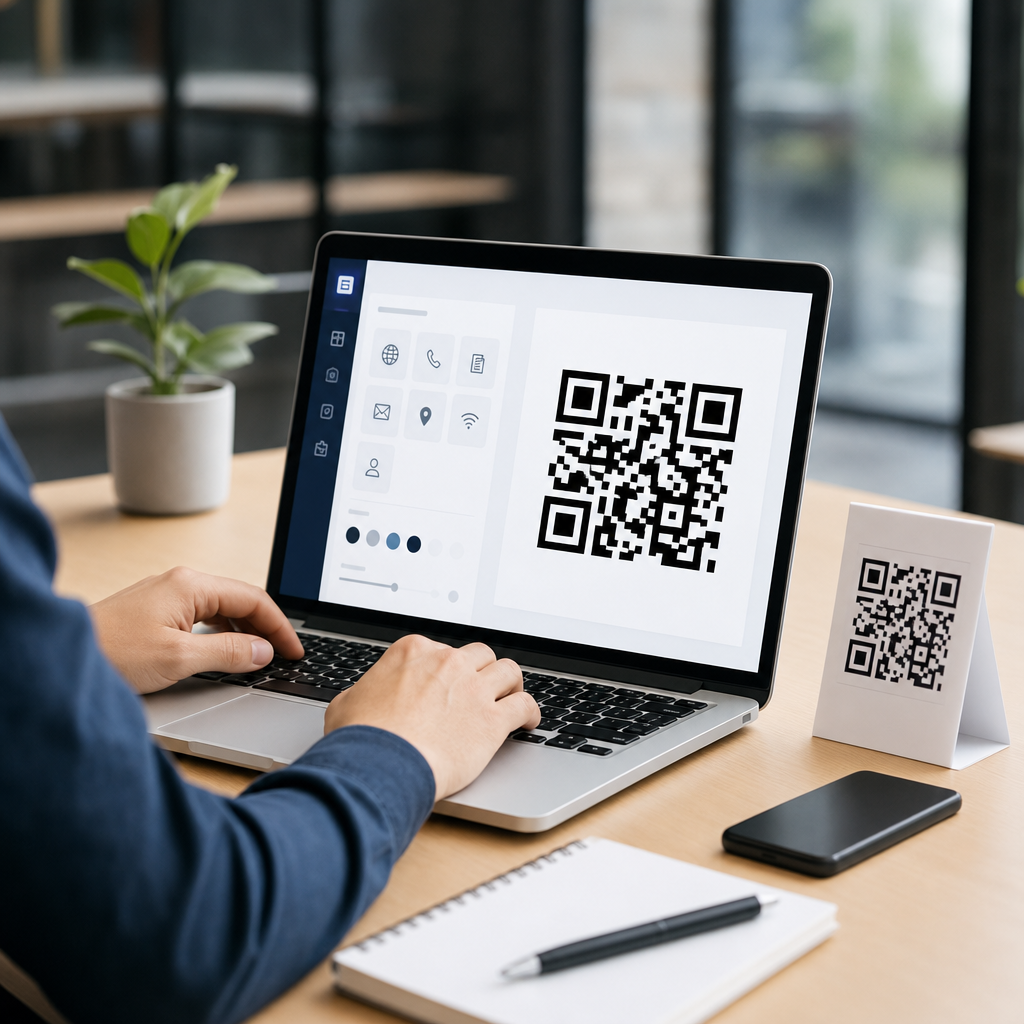
Creating a QR code for a business is simple in principle, but doing it well requires the right format, destination, design, testing process, and tracking plan. A QR code, or Quick Response code, is a two-dimensional barcode that stores data such as a website URL, vCard, payment link, PDF, app link, Wi-Fi credential, or coupon. Smartphone cameras can scan it instantly, making it a practical bridge between print and digital touchpoints. For businesses, that bridge matters because a scan removes friction: a customer can open a menu, claim an offer, leave a review, join a loyalty program, or contact sales without typing anything. I have built QR campaigns for retail stores, trade show booths, restaurant tables, product packaging, and direct mail, and the difference between a code that drives action and one that gets ignored usually comes down to planning, not software.
When people ask how to create a QR code for a business, they are usually asking several questions at once. What should the code link to? Should it be static or dynamic? Which QR code generator is reliable? How big should it be on a flyer or sign? Can it include a logo? How do you track scans and measure results? Those questions matter because a QR code is not just a graphic asset; it is part of a conversion path. A poorly chosen destination page, low contrast design, or broken redirect can waste print spend and damage trust. A well-built code can improve response rates, simplify customer journeys, and produce measurable data across offline and online channels.
The most useful way to think about business QR codes is as infrastructure. The code itself is only the scanner entry point. Behind it sits a destination optimized for mobile, a reason to scan, a testing checklist, and an analytics setup. This guide covers the complete step-by-step process, from defining the business goal and choosing the right QR code type to designing, printing, testing, and maintaining it over time. It also explains the tradeoffs between free and paid tools, common mistakes to avoid, and practical examples for restaurants, real estate agents, service businesses, event marketers, and local retailers. If you want a QR code that people actually scan and that your team can manage confidently, start with the business objective rather than the generator.
Step 1: Define the business goal and choose the right destination
The first step in creating a QR code for a business is deciding what action you want the customer to take after scanning. Common goals include driving website traffic, collecting leads, enabling contactless payments, sharing a digital menu, getting app downloads, increasing reviews, or distributing product instructions. In practice, the destination should be singular and specific. A restaurant table code should open the menu, not the homepage. A trade show badge sign should open a lead form or scheduling page, not a generic services page. A product package code should lead to setup instructions, warranty registration, or a support center article tailored to that SKU.
In campaigns I have managed, the strongest scan rates came from matching the QR destination to the immediate context. On a storefront window after hours, a code that opens booking or ordering performs better than one that opens a full site navigation. On direct mail, a code tied to a limited-time landing page with a clear offer routinely outperforms a broad homepage link. The rule is straightforward: one placement, one intent, one outcome. Before generating anything, write the intended action in one sentence, such as “Scan to book a consultation” or “Scan to download the installation guide.” That sentence becomes the benchmark for every later choice.
Step 2: Decide between a static and dynamic QR code
A static QR code contains the final data directly in the code pattern. Once created, it cannot be changed without replacing the printed code. A dynamic QR code uses a short redirect URL controlled by the platform, allowing you to change the destination later while keeping the same printed code. For businesses, dynamic QR codes are usually the better choice because marketing assets often outlive campaigns, landing pages move, and offers change. Dynamic codes also support scan analytics such as total scans, time of scan, device type, and approximate location, depending on the provider and privacy settings.
Static codes still have valid uses. If you need a code for permanent information that is unlikely to change, such as plain text, a Wi-Fi credential in a controlled environment, or a fixed URL on internal documentation, a static code avoids platform dependence. But for customer-facing marketing, dynamic codes are safer. I have seen businesses print thousands of brochures with static codes pointing to a page later removed during a site redesign. A dynamic redirect would have prevented that loss. If you expect to update the destination, run A/B tests, pause campaigns, or monitor performance, choose dynamic from the beginning.
Step 3: Select a reliable QR code generator and setup method
Not all QR code generators are equal. A business-grade tool should support dynamic codes, custom domains or branded short links, error correction control, download formats such as SVG and PNG, campaign organization, analytics, and dependable uptime. Widely used platforms include QR Code Generator Pro, Bitly, Beaconstac, Uniqode, Flowcode, and QR Tiger. Some businesses also create dynamic QR behavior through their own short domain and redirect rules using a CMS, marketing automation platform, or server-side redirects. That approach offers greater control, but it requires technical governance so links do not break when staff or systems change.
Free tools can be acceptable for simple one-off static codes, but review the terms carefully. Some free services place limits on scans, inject branding, expire dynamic links after a trial, or rely on shared redirect domains that users may distrust. For branded business use, I recommend using a provider with transparent pricing, export options, and an admin interface your team can manage. If your organization values data ownership, branded short URLs, and compliance review, involve marketing operations or IT before launch. The creation step is quick; the operational consequences last much longer.
Step 4: Build the code with the correct content and settings
Once the destination and platform are chosen, enter the exact content carefully. For URL-based QR codes, use the final mobile-friendly page, not a desktop-only page or an unfinished preview link. Include UTM parameters if you want campaign attribution in Google Analytics 4, Adobe Analytics, or another analytics platform. A link such as example.com/spring-offer?utm_source=flyer&utm_medium=qr&utm_campaign=spring_sale is far more useful than an unlabeled homepage URL because it connects scans to downstream conversions. If the code will open a phone number, email draft, SMS prompt, payment app, or vCard, test the scheme on both iPhone and Android devices.
Most generators also let you choose error correction. QR codes support four levels: L, M, Q, and H, with higher levels preserving readability if part of the code is obscured or stylized. For business use, especially when adding a logo, I generally choose Q or H. Keep the encoded URL reasonably short when possible, because denser codes are harder to scan at small sizes. Dynamic QR codes help here because the encoded redirect is often shorter than a long campaign URL. Small technical choices at generation time directly affect scan speed and print flexibility later.
Step 5: Design for readability first, branding second
A branded QR code can improve recognition, but scannability always comes first. The safest design uses a dark foreground on a light background, strong contrast, and a quiet zone, which is the blank margin around the code. Avoid reversing the scheme unless thoroughly tested. Do not place the code over busy photography or patterned backgrounds. Rounded modules, gradient fills, and embedded logos are acceptable only if scanning remains reliable across older phones and lower light conditions. In client work, the most common design error is shrinking the quiet zone or using low-contrast brand colors that look elegant in a mockup but fail in the real world.
Size matters as much as color. A common rule is that the scanning distance should be about ten times the code width, though environment and camera quality affect results. A code on packaging might work at around 0.8 inch if the URL is short and print quality is high, while a poster viewed from several feet away needs to be much larger. Always export a vector file such as SVG, EPS, or PDF for print so edges remain sharp. Use PNG for digital placements where raster is acceptable. If your designer delivers only a low-resolution screenshot, regenerate the asset properly before it goes to production.
Step 6: Add context, incentive, and a clear call to action
Many business QR codes underperform because they appear without any supporting text. People need a reason to scan. Label the action explicitly: “Scan to order ahead,” “Scan to see pricing,” “Scan to leave a review,” or “Scan to download the warranty guide.” If there is a benefit, state it near the code. On retail signage, “Scan for today’s in-store coupon” performs better than a bare code. On real estate flyers, “Scan for video tour and floor plan” is more compelling than “Learn more.” The code should never force the customer to guess what comes next.
Context also reduces trust barriers. Customers are more likely to scan when they recognize the brand, understand the destination, and see that the result is useful. If possible, show the destination domain in plain text under the code, especially on print assets where phishing concern may exist. For regulated industries or high-consideration purchases, clarity is essential. A simple line of explanatory copy often raises scan engagement more than visual embellishment. Think of the QR code as a button on paper: buttons need labels, and good labels describe both the action and the reward.
Step 7: Test across devices, environments, and placements
Testing is the stage most teams rush, and it is where preventable failures hide. Scan the code with native iPhone and Android camera apps, not just one device. Test in bright light, dim light, and from the expected viewing distance. Print the code at actual size on the material you plan to use, because glossy lamination, textured surfaces, curved packaging, and window glare can all affect scan success. Confirm that the redirect loads quickly, the landing page is mobile responsive, forms are short, and the next action works without pinch-zooming or awkward typing.
| Checkpoint | What to verify | Why it matters |
|---|---|---|
| Scan reliability | Works on iPhone and Android first try | Reduces abandonment at the first step |
| Destination URL | Correct page with UTM parameters active | Preserves attribution and user intent |
| Mobile experience | Fast load, readable text, short form | Most scans happen on phones |
| Print quality | Sharp edges, sufficient size, quiet zone intact | Poor printing breaks scanning |
| Context copy | CTA explains what users get after scanning | Improves scan-through rate |
| Analytics | Scans and conversions tracked correctly | Enables measurement and optimization |
I also recommend failure testing. What happens if the page is removed, the redirect is paused, or the site is slow on cellular data? If you use a dynamic provider, confirm who on the team owns the account and billing so the code does not deactivate unexpectedly. For permanent assets such as packaging, vehicles, trade show displays, or window decals, testing should include a sign-off process with marketing, design, and whoever controls the destination page. One broken code on a high-visibility asset can waste months of opportunity.
Step 8: Track scans, conversions, and campaign quality
A QR code is valuable because it can be measured. Dynamic platforms typically report scans, unique visitors, location estimates, and time trends. Your website analytics should then show what those visitors did next: purchases, bookings, form fills, app installs, calls, or document downloads. The important distinction is that scans are not the same as results. A poster might generate many scans but few conversions if the landing page is weak. A product insert might generate fewer scans but a higher conversion rate because the user intent is stronger. Judge the code by business outcomes, not by scan volume alone.
For clean reporting, use consistent naming conventions. Separate campaigns by channel, placement, and offer: flyer, window sign, table tent, packaging insert, booth banner, and so on. If you use Google Analytics 4, define key events and conversions before launch. If you run local business campaigns, connect results to phone tracking, CRM records, or POS redemption codes when possible. Over time, you will learn which locations, messages, and offers produce the highest-value scans. That operational learning is why dynamic business QR codes are more than convenience tools; they are measurable acquisition and service assets.
Common mistakes businesses should avoid
The most frequent mistake is linking to a homepage instead of a purpose-built landing page. Others include printing a code too small, using weak contrast, omitting a call to action, failing to test on real devices, and choosing static codes for campaigns that later need updates. I have also seen businesses place codes where scanning is physically awkward, such as behind reflective glass, too high on a wall, or in places with poor cellular reception. Another avoidable problem is sending users to PDFs that are hard to read on phones when a responsive web page would serve better.
There are also governance mistakes. Teams sometimes create QR codes from personal accounts, then lose access when an employee leaves. Or they depend on a free service that later changes terms, leaving printed assets exposed. Document your QR inventory, owners, destinations, and renewal dates. If a code appears on long-life materials, archive the source file and note where it has been deployed. Businesses treat domains, analytics, and ad accounts as infrastructure; QR codes deserve the same discipline because they connect directly to customer actions.
Best use cases by business type
Restaurants use QR codes for menus, ordering, loyalty signups, and review requests. Retailers use them on shelf talkers, packaging, receipts, and window displays to connect in-store browsing with offers or product education. Real estate professionals place them on yard signs and brochures for video tours, listing pages, and lead capture. Service businesses use them on vehicles, invoices, and leave-behind cards for booking, estimates, and testimonials. At events, exhibitors use booth codes for meeting scheduling, product sheets, and demo requests. In each case, the strongest implementations reduce one immediate friction point and connect it to a mobile-friendly next step.
The pattern is consistent across industries: match the scan moment to user intent, keep the destination focused, and measure what happens after the scan. A QR code on a package should help the owner of that product. A QR code in a lobby should help a visitor check in, pay, or find information. A QR code on direct mail should justify the interruption with a clear offer. When the code is relevant to the exact moment, it feels useful rather than gimmicky, and performance follows.
Creating a QR code for a business is not difficult, but creating one that performs reliably and supports measurable growth requires a method. Start with a clear business goal, choose the right destination, and select dynamic codes for most customer-facing uses. Build the code with correct content, tracking parameters, and suitable error correction. Design it for scan reliability before branding, place it with a clear call to action, and test it on real devices in real conditions. Then monitor scans and conversions so the code becomes part of an ongoing optimization process rather than a one-time graphic.
The main benefit of doing this well is reduced friction. Customers move from physical space to digital action in seconds, and your business gains a cleaner path to orders, bookings, reviews, support, or lead capture. That is why QR codes continue to work across print, packaging, signage, events, and in-store experiences. If you are building your first business QR code, begin with one high-intent use case, launch it with tracking, and improve from actual scan data. A small, well-executed QR project usually teaches more than a dozen untested ideas.
Frequently Asked Questions
1. What type of QR code should a business create?
The right QR code type depends on what action you want customers to take after scanning. For many businesses, the most common choice is a URL QR code that sends people to a website, landing page, menu, booking form, product page, or contact page. That is often the best starting point because it is easy for customers to understand and easy for businesses to update and measure through the destination page. However, a business QR code does not have to point only to a website. It can also open a digital business card, start a payment flow, download a PDF, connect a user to Wi-Fi, launch an app, reveal a coupon, or prefill a message or email.
In practice, the most important decision is whether to use a static or dynamic QR code. A static QR code contains fixed information directly in the code itself, which means the destination cannot be changed after printing. That can work for permanent information, but it is limiting if you later want to update a link, swap a menu, replace a PDF, or redirect traffic to a seasonal campaign. A dynamic QR code is usually the smarter business option because it lets you change the destination without reprinting the code, and it often includes scan analytics such as total scans, time, location, and device type.
Businesses should also match the code type to the customer journey. A restaurant may use a menu or payment QR code, a real estate agent may use a property listing or vCard QR code, a retailer may use a coupon or product detail code, and a service business may use a booking page or review request code. The best format is the one that removes friction and makes the next step obvious. If the scan asks too much of the user or sends them somewhere generic, results usually drop. A successful business QR code is not just technically correct; it is aligned with a clear conversion goal.
2. What should a business link a QR code to?
A business should link a QR code to the most useful next step for the customer, not simply to the homepage by default. A homepage is broad and may force users to search for what they need, which adds unnecessary friction after the scan. In most cases, a dedicated landing page performs better because it is built around one action: booking an appointment, ordering a product, viewing a menu, downloading a brochure, redeeming an offer, requesting a quote, or saving contact information. The destination should feel like a direct continuation of the message beside the QR code.
For example, if a QR code appears on product packaging, it may be best to link to setup instructions, warranty registration, support resources, or related products. If it appears on a flyer for a promotion, it should go straight to that offer. If it appears on a storefront sign, it may lead to store hours, directions, online ordering, or a location-specific page. If it appears on a business card, a vCard or mobile contact page can be more useful than a standard website link. The general rule is simple: the destination should answer the user’s likely question immediately.
It is also important to think beyond convenience and consider mobile experience. Since most scans happen on smartphones, the linked page should load quickly, display well on small screens, and make the next action easy to complete with minimal typing. A slow page, cluttered interface, or poor mobile design can waste the value of the scan. Businesses should also use trackable links, such as URLs with campaign parameters or analytics integrations, so they can see which QR placements actually drive engagement and conversions. A QR code works best when the destination is relevant, fast, focused, and measurable.
3. How can a business design a QR code that still scans reliably?
A business can customize a QR code for branding, but reliability must come first. The safest approach is to start with a high-quality generator, keep strong contrast between the code and the background, and avoid changing so many visual elements that scanners struggle to read it. In most cases, a dark code on a light background delivers the best scan performance. Inverted colors, low-contrast palettes, busy textures, or transparent overlays may look stylish but often reduce readability, especially in poor lighting or on lower-quality phone cameras.
Size and spacing matter just as much as color. Every QR code needs a clear margin around it, commonly called the quiet zone, so scanners can distinguish the code from surrounding text and graphics. If that border is cramped or covered, scan rates can drop. The printed size should also match the expected scanning distance. A code on a tabletop display can be smaller than one on a window, poster, or billboard. As a practical rule, businesses should ensure the code is large enough to scan comfortably from the position where people will actually stand.
Adding a logo can be effective, especially for brand recognition, but it should be done carefully. A small centered logo is often acceptable if the QR code has sufficient error correction and the logo does not cover too much of the data pattern. Rounded shapes, custom colors, and branded frames can also work, but they should be tested across multiple devices before launch. Including a short call to action near the code, such as “Scan to book,” “Scan for menu,” or “Scan to get 10% off,” improves response because people understand what they will get. Good QR code design is not about making the code decorative; it is about making it trustworthy, recognizable, and effortless to scan.
4. How should a business test a QR code before printing or publishing it?
Testing should be treated as a required step, not an afterthought. Before a QR code appears on packaging, signage, mailers, business cards, menus, or advertisements, a business should scan it repeatedly using multiple devices and different camera apps. Test with both iPhone and Android phones if possible, and check performance in bright light, dim light, and realistic in-store or on-site conditions. A code that scans perfectly on a desktop preview may behave differently once printed on glossy material, reduced in size, or placed behind glass.
Beyond basic scanning, the destination experience also needs testing. Make sure the code opens the correct page, that the page loads quickly, and that the content matches the promise near the code. If the label says “Scan to schedule a consultation,” the page should lead directly to scheduling, not to a general services page. Forms should work, buttons should be easy to tap, payment links should be secure, and any downloadable files should open properly on mobile devices. Businesses should also confirm that analytics, redirects, and campaign tags are functioning so scans can be tracked accurately after launch.
Placement testing is another important step that many businesses overlook. A QR code can fail not because the code is wrong, but because the physical environment makes scanning awkward. If the code is too high, too low, curved around packaging, blocked by reflections, placed near a checkout rush point, or printed on a moving surface, engagement can suffer. It helps to simulate real user behavior: stand where a customer would stand, hold a phone at a normal angle, and see whether the scan feels fast and natural. Thorough testing prevents wasted print runs, protects campaign performance, and ensures the QR code actually serves customers instead of frustrating them.
5. How can a business track QR code performance and improve results over time?
Tracking is what turns a QR code from a simple convenience tool into a measurable marketing asset. The easiest way to track performance is by using a dynamic QR code platform or a trackable destination URL with analytics parameters. This allows a business to measure scan volume, timing, device type, general location, and downstream actions such as purchases, bookings, downloads, calls, or form submissions. Without tracking, it is difficult to know whether a code is working, which placements perform best, or how QR traffic contributes to revenue and leads.
Businesses should define success before launching the code. For one campaign, success may mean total scans. For another, it may be completed orders, redeemed coupons, app installs, event registrations, or contact saves. That goal should shape both the destination page and the reporting setup. If possible, connect QR campaigns to broader analytics tools such as website analytics, CRM systems, ecommerce reporting, or marketing automation platforms. That creates a clearer picture of what happens after the scan and whether certain channels, locations, or printed materials drive higher-quality traffic.
Improvement comes from testing and iteration. A business can compare different calls to action, landing pages, offers, placements, sizes, or designs to see what produces more scans and more conversions. For example, “Scan to view menu” may outperform a generic “Scan me,” and a discount offer may outperform an informational page in one setting but not another. Reviewing data regularly also helps identify issues such as weak mobile performance, low engagement from a specific location, or a mismatch between the QR message and the landing page. The best businesses treat QR codes as part of an ongoing optimization process, not as a one-time design task. When the format, destination, design, testing, and tracking plan all work together, a QR code becomes a practical and measurable bridge between offline attention and online action.





