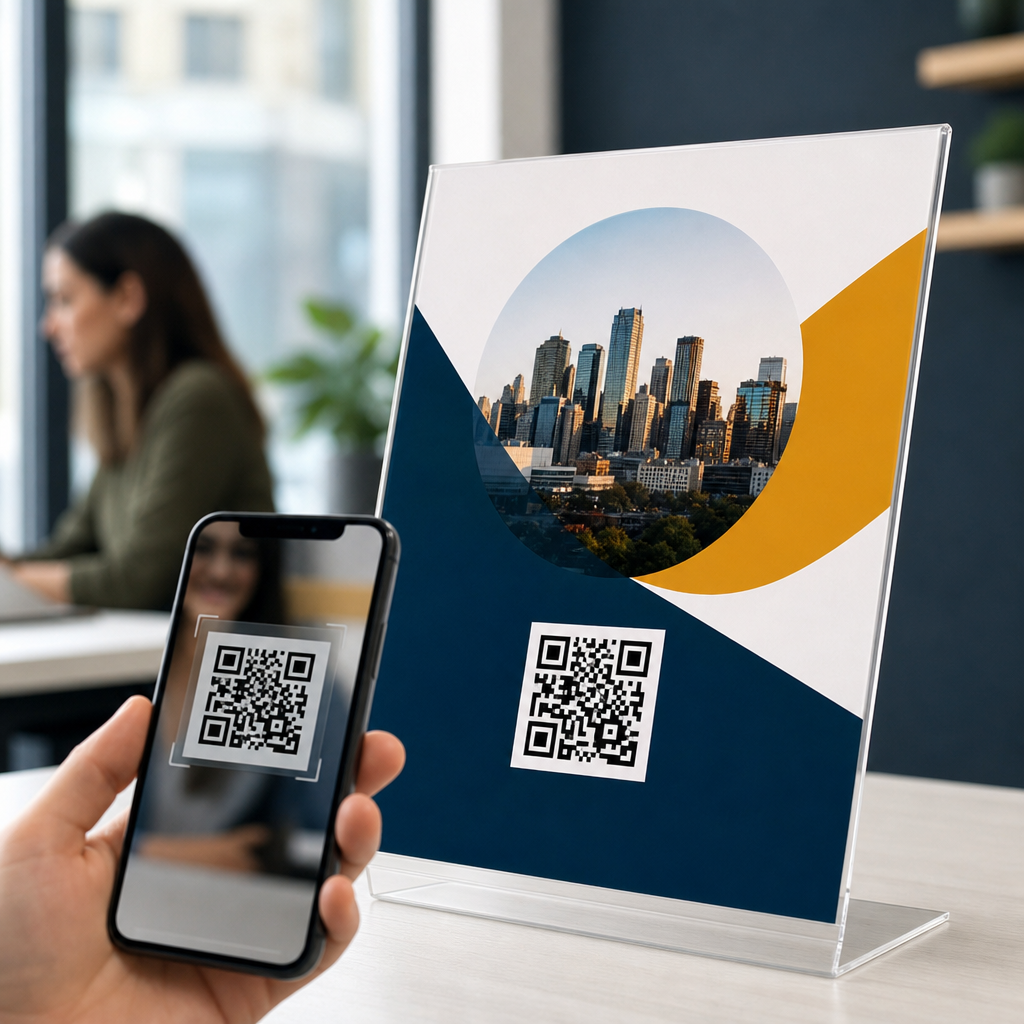
Flyers and posters still do one job better than almost any digital ad: they put a message in front of people exactly where they are standing. A QR code turns that static print into an immediate action, letting someone scan with a phone and open a menu, event page, coupon, app download, video, or contact form in seconds. If you want to know how to create a QR code for a flyer or poster, the process is straightforward, but the details determine whether people actually scan it.
A QR code, short for Quick Response code, is a two-dimensional barcode that stores data such as a URL, text, phone number, email address, Wi-Fi login, or vCard contact record. Modern smartphone cameras can read most QR codes without a separate app. For print marketing, the most common use is linking a code to a mobile-friendly landing page. In practice, I have seen the same design produce wildly different results depending on the destination, size, contrast, and placement of the code. A code that is technically valid can still fail in the real world if it is too small, too dense, poorly printed, or aimed at the wrong page.
This matters because a flyer or poster usually has a short window to earn attention. People may be walking, commuting, shopping, or waiting in line. They will not type a long URL, and many will not remember a brand name later. A well-made QR code reduces friction at the exact decision moment. It can also make print measurable. By using a trackable link, you can see scans, visits, and conversions by location, campaign, or date range. That turns offline distribution into something closer to performance marketing, which is why QR codes are now standard in retail, restaurants, real estate, events, education, healthcare, and local services.
To create a QR code for a flyer or poster effectively, you need to choose the right content, decide between a static and dynamic code, generate the code with a reliable tool, design it for easy scanning, test it on multiple devices, and print it at a practical size with a clear call to action. Those are the fundamentals. The rest of this guide walks through each step in plain language, including what works, what usually goes wrong, and how to avoid expensive reprints.
Choose the right destination before you generate anything
The first decision is not the QR code generator. It is the destination. Ask one question: what should happen immediately after a person scans? For a restaurant poster, the answer might be a mobile menu or reservation page. For an event flyer, it could be ticket checkout. For a real estate sign, it may be a property listing with photos and a lead form. For a healthcare clinic, it might be online scheduling. The destination should match the intent created by the printed message.
In most cases, linking to your homepage is a mistake. Homepages contain too many choices and force extra navigation. A flyer promising “20% off your first order” should send users directly to a page that repeats the offer, explains redemption terms, and gives a single next step. Message match matters. When the poster says one thing and the landing page says another, conversion rates drop because users feel they landed in the wrong place.
Make sure the destination is mobile-friendly, loads quickly, and uses HTTPS. Google’s Core Web Vitals are not just a search concern; they affect scan outcomes because mobile users abandon slow pages fast. Compress large images, remove intrusive pop-ups, and keep forms short. If your business uses analytics, add campaign parameters to the URL so you can track source, medium, and campaign inside Google Analytics 4 or another analytics platform.
You should also decide whether the QR code needs to be permanent or editable. A static QR code contains the final destination directly. Once printed, it cannot be changed. A dynamic QR code points to a short redirect URL managed by a QR platform, which lets you update the final destination later without changing the printed code. Dynamic codes are usually better for flyers and posters because campaigns evolve, event links change, and mistakes happen.
Pick a generator and build the QR code step by step
Once your destination is ready, use a reputable QR code generator. Well-known options include QR Code Generator, Bitly, Canva, Adobe Express, Beaconstac, Uniqode, and goQR.me. The best tool depends on your needs. If you need analytics, editable links, bulk creation, or brand templates, use a platform built for dynamic codes. If you only need a one-off static URL, a simpler tool can be enough. I generally recommend avoiding random free generators that do not clearly explain whether the code is static, whether scans are limited, or whether the service injects ads or interstitial pages later.
The basic creation process is consistent across platforms. Enter the content type, usually a website URL. Paste the final mobile landing page link or your dynamic campaign link. If the tool offers correction level settings, keep the default unless you understand the tradeoff. Higher error correction can help a code stay readable if part of it is obscured, but it also increases complexity and density. Dense codes are harder to scan from a distance, which matters on posters.
Next, customize the appearance carefully. You can change colors, add a frame, and sometimes place a logo in the center. Branding helps recognition, but readability comes first. Keep strong contrast between foreground and background, typically dark code on a light background. Black on white remains the most reliable choice. If you use brand colors, test extensively. Pastel codes, metallic finishes, or low-contrast combinations often look attractive on screen but fail in print under uneven lighting.
Then export the file in a print-ready format. For professional printing, vector files such as SVG, EPS, or PDF are preferable because they scale without losing sharpness. PNG can work for small jobs if the resolution is high, but low-resolution raster exports are a common cause of blurry modules and failed scans. Before finalizing, save the original settings so the code can be regenerated later if needed.
| Decision | Best choice for most flyers and posters | Why it works |
|---|---|---|
| Destination | Dedicated mobile landing page | Improves message match and reduces extra taps |
| Code type | Dynamic QR code | Lets you update links and track scans after printing |
| Color | Dark foreground on light background | Maximizes contrast for phone cameras |
| File format | SVG, EPS, or PDF | Keeps edges crisp at any print size |
| Destination URL setup | Tracked link with campaign parameters | Measures scans, visits, and conversions accurately |
Design the QR code so people can scan it fast
A QR code for a flyer or poster must be easy to scan in realistic conditions, not just in a design mockup. The most important factor is size. A widely used rule is a scanning distance ratio of about 10:1, meaning a code should be roughly one inch wide for every ten inches of scanning distance. On a handout viewed at arm’s length, 1.2 to 1.5 inches may work. On a poster read from several feet away, the code often needs to be 2 to 4 inches wide, sometimes larger.
Leave adequate quiet zone around the code. This is the blank margin surrounding the outer squares. Without that separation, phone cameras can struggle to identify the code boundaries, especially when the design has busy backgrounds, gradients, or overlapping images. Most generators include the quiet zone automatically, but designers sometimes crop it away to save space. Do not do that. The white border is functional, not decorative.
Placement matters too. Put the code where a person can notice it after understanding the main message. On most flyers, that means near the lower half with supporting text nearby. On posters, eye-tracking usually favors a logical reading path: headline, benefit, proof, then action. The QR code belongs near the action. Avoid placing it too close to folds, corners, reflective surfaces, window glare, or areas likely to be covered by tape, frames, or mounting hardware.
Add a direct call to action. Codes without context get fewer scans because people do not know what will happen. “Scan to view the menu,” “Scan for tickets,” “Scan to claim 20% off,” and “Scan to book a free estimate” all outperform a bare code. If relevant, mention what users gain and how long it takes. Specificity reduces hesitation. In retail campaigns I have worked on, a plain code was routinely outperformed by one paired with a clear benefit statement and a visual cue such as an arrow or phone icon.
Test, track, and troubleshoot before you print at scale
Testing is where most preventable problems are found. Scan the code with both iPhone and Android devices, using the native camera app and at least one third-party scanner. Test in bright light, dim light, and from realistic viewing distances. Print a sample on the same material and at the same size you plan to use in production. A code that scans from a laptop screen may behave differently once ink spreads slightly on coated stock or when the poster sits behind glass.
Check the full user path, not only the scan itself. The landing page should load fast, display correctly on small screens, and preserve the campaign message from the printed piece. Test forms, payment flows, map links, app store buttons, and confirmation pages. If the code opens a PDF, confirm that the file is mobile-readable and not excessively large. If the goal is phone calls, use a tap-to-call link. If the goal is saving contact details, a vCard QR code can be useful, but many businesses still convert better with a simple booking page.
Tracking should be built in from the start. Dynamic QR platforms often provide scan counts, timestamps, rough locations, device types, and unique versus total scans. Pair that with Google Analytics 4, Matomo, or another analytics suite to see what happens after the click. Use distinct links for different poster locations or audience segments. For example, a gym might use one code for apartment lobby posters and another for coffee shop flyers. That reveals which placement actually drives trial passes.
If scans are low, troubleshoot systematically. Common issues include codes that are too small, overly stylized designs, poor contrast, bad placement, weak calls to action, and destinations that are not compelling. Also consider environment. A code in a subway station competes with motion and low dwell time. A code on a conference booth sign may perform better because people are already engaged. Small adjustments, such as increasing size by half an inch or changing the CTA from generic to benefit-driven, can materially improve response.
Printing, compliance, and long-term maintenance
Before you send artwork to print, confirm production specifications. Use vector files when possible, convert colors correctly if the printer requires CMYK, and request a proof. Some printing methods, papers, and finishes reduce scan reliability. Gloss lamination can create glare. Textured stock can break clean edges. Extremely dark backgrounds may lower contrast if the code is reversed out in white. In most cases, standard dark-on-light printing on matte or satin stock is the safest choice.
If your flyer or poster will be displayed outdoors, think about durability. Sunlight can fade colors, rain can warp surfaces, and scratches can obscure modules. Higher error correction can help in some cases, but it is not a cure for poor material choices. For large-format posters, ask the printer how the code will render at final size and inspect a proof from the expected viewing distance. A ten-second proofing check is cheaper than replacing a hundred posters.
There are also policy and trust considerations. If the code collects personal data, the landing page should disclose how information will be used and comply with relevant privacy rules. If you operate in healthcare, finance, or education, be especially careful about what the code links to and what data the form requests. Never hide the destination behind misleading copy. People scan more readily when the brand is visible and the next step is clear.
Finally, treat QR codes as living campaign assets. Review scan and conversion data regularly. Update dynamic destinations when offers change, inventory runs out, or events sell out. Replace underperforming landing pages. If a flyer becomes evergreen, redirect the code to a current page rather than letting users hit a dead link. The strongest print campaigns are maintained, not forgotten after launch. That ongoing discipline is what turns a simple square graphic into a dependable bridge between offline attention and online action.
Creating a QR code for a flyer or poster is not difficult, but creating one that performs consistently requires deliberate choices. Start with a clear goal and a mobile-friendly destination that matches the printed message. Use a reliable generator, and choose a dynamic QR code when you want flexibility and measurement. Keep the design simple, high-contrast, and large enough for the real scanning distance. Preserve the quiet zone, add a specific call to action, and export in a print-ready format.
Then test everything. Scan on multiple devices, print a proof, and walk through the full landing page experience. Track scans and conversions so you can improve placement, wording, and offers over time. When you approach QR code creation this way, a flyer or poster stops being a static announcement and becomes a measurable conversion tool. That is the real benefit: less friction for the audience and better data for the business.
If you are building print campaigns now, audit one existing flyer or poster today. Check its destination, size, contrast, CTA, and tracking setup. A few practical fixes can make your next QR code far more scannable and far more valuable.
Frequently Asked Questions
How do I create a QR code for a flyer or poster?
To create a QR code for a flyer or poster, start by deciding exactly what you want people to do after they scan. That destination might be a website, event registration page, restaurant menu, coupon, app download, video, map location, or contact form. Once you know the goal, copy the destination URL or prepare the content you want the QR code to open. Then use a QR code generator to enter that link or content and produce the code image.
From there, customize only what supports readability. You can usually change colors, add a frame, or place a logo in the center, but the code must still remain easy for phone cameras to recognize. Download the file in a high-quality format, ideally SVG, PDF, or a high-resolution PNG, so it prints sharply. Before placing it on your flyer or poster, test it on multiple phones and from different distances. The final step is adding the code to your design with enough white space around it and a clear call to action such as “Scan to view the menu” or “Scan for event details.” The process itself is simple, but strong results come from matching the QR code to a clear purpose, good placement, and easy scanning conditions.
What should a QR code on a flyer or poster link to?
A QR code should link to the most useful next step for the person seeing your flyer or poster in that moment. In most cases, that means sending them to a mobile-friendly page that continues the message from the print piece. For example, a concert poster might link to ticket sales, a restaurant flyer might open a digital menu, a real estate sign might lead to a property listing, and a retail promotion might go to a coupon or limited-time offer. The best destination is not just relevant, but immediate and easy to act on from a phone.
It is also important to avoid making people work too hard after they scan. Sending them to a generic homepage often creates friction because they have to search for the information themselves. Instead, deep-link directly to the exact page you want them to see. If possible, use a landing page designed specifically for the campaign so the message, offer, and branding feel consistent with the flyer or poster. You should also make sure the page loads quickly, looks good on mobile devices, and has a clear action button. A strong QR code experience is not just about the code itself; it is about what happens after the scan.
How big should a QR code be on a flyer or poster?
The right size depends on how far away people will be when they first notice it and how close they can get to scan it. On a standard flyer that someone holds in their hand, a QR code often needs to be at least around 1 x 1 inch to scan reliably, though slightly larger is usually safer. On a poster viewed from a wall, window, or bulletin board, the code should be larger because people may be scanning from farther away or at an angle. A practical rule is that the farther the scanning distance, the larger the code should be to maintain usability.
Size is only one part of scanability. Print quality, contrast, and quiet space matter just as much. A tiny code with sharp printing and strong contrast may outperform a larger one that is blurry or crowded by surrounding text and graphics. It is smart to test a printed proof at real-world size before final production. Tape the draft where it will actually appear, step back to a normal viewing distance, and scan it with different phones. If people need to reposition repeatedly, zoom in, or move uncomfortably close, the code is too small or poorly placed. In print marketing, a QR code should be easy to use without effort, not technically possible only under perfect conditions.
What design mistakes make people less likely to scan a QR code?
The most common mistake is treating the QR code like a decorative element instead of a functional one. If the code is too small, low contrast, distorted, or buried in a busy design, scan rates drop quickly. Another major problem is failing to explain why someone should scan. Many people will ignore even a perfectly printed code if there is no obvious benefit. A short instruction and value-focused prompt, such as “Scan for 20% off,” “Scan to RSVP,” or “Scan to watch the trailer,” can make a significant difference.
Other mistakes include placing the code too close to folds, edges, reflective surfaces, or areas that may be wrinkled or obstructed. Over-customization is another frequent issue. Brand colors and logos can work well, but only if the code remains readable. Light colors on light backgrounds, glossy finishes that create glare, and background patterns behind the code all reduce scanning reliability. It is also a mistake to link to a page that is slow, not mobile-friendly, or unrelated to the print message. People make quick decisions when interacting with posters and flyers, so every part of the experience needs to feel effortless, trustworthy, and immediately useful.
Should I use a static or dynamic QR code for a flyer or poster?
If you are printing flyers or posters in quantity, a dynamic QR code is often the better choice. A static QR code permanently stores the final destination, which means you cannot change the link after printing. That can be fine for long-term content that will never need updating, such as a simple contact card or a fixed informational page. However, if the landing page might change, if you want to correct an error later, or if you want to track scan performance, a dynamic QR code gives you much more flexibility.
With a dynamic code, the printed image stays the same while the destination behind it can be updated. That is especially useful for event promotions, seasonal offers, restaurant campaigns, real estate listings, or any marketing material where the target page may evolve over time. Many dynamic QR tools also provide analytics such as scan counts, dates, locations, and device types, which can help you measure results and improve future campaigns. The main consideration is choosing a reliable provider and understanding whether the service requires an ongoing subscription. For one-time personal use, static may be enough. For business, marketing, or anything with changing content, dynamic is usually the smarter and more durable option.