Top QR code design software for marketers combines branding control, campaign analytics, and reliable scan performance, making it a core part of modern customer acquisition, packaging, retail, and event strategy. A custom QR code design tool is a platform that lets teams generate scannable codes while adjusting colors, frames, logos, shapes, short links, and destination behavior. Unlike a basic free generator, professional software also supports dynamic QR codes, which means the destination URL can be changed after printing, plus tracking for scans by time, device, and location. For marketers, that difference matters because campaigns rarely stay static. Landing pages change, seasonal offers expire, and attribution needs to be measured across print and digital touchpoints.
I have worked with QR campaigns on product packaging, direct mail, in-store signage, trade show badges, and restaurant tables, and the same lesson appears every time: design flexibility is useful only when the code still scans instantly under real conditions. Marketers often focus on how a code looks inside a poster or label, but the software choice affects much more than aesthetics. It determines error correction options, file export quality, bulk generation, team workflows, password protection, UTM governance, and integration with analytics platforms such as Google Analytics 4 or HubSpot. Good QR code design software reduces production mistakes, speeds approvals, and protects campaign data quality.
This topic matters because QR codes have moved from novelty to infrastructure. Consumers now expect a seamless bridge from physical media to mobile content, and brands use codes for coupons, product authentication, menus, app installs, reviews, and lead capture. The best custom QR code design tools help marketers balance brand consistency with technical standards such as contrast, quiet zone spacing, and test scanning across iOS and Android devices. This hub article explains what to look for, which platforms stand out, where each tool fits best, and how to choose software that supports both creative freedom and measurable marketing performance.
What Marketers Need From Custom QR Code Design Tools
Marketers need more than a box that converts a URL into a pattern. The right platform should support dynamic codes, editable destinations, high-resolution exports in PNG, SVG, EPS, or PDF, and clear scan analytics. Dynamic QR codes are especially valuable because they let a printed mailer, flyer, shelf talker, or package stay in circulation while the campaign destination changes behind the scenes. That preserves media spend. If a product page moves or a promotion changes, the printed asset does not become obsolete. Advanced platforms also add parameters automatically, so campaign traffic can be segmented inside analytics tools without manual link errors.
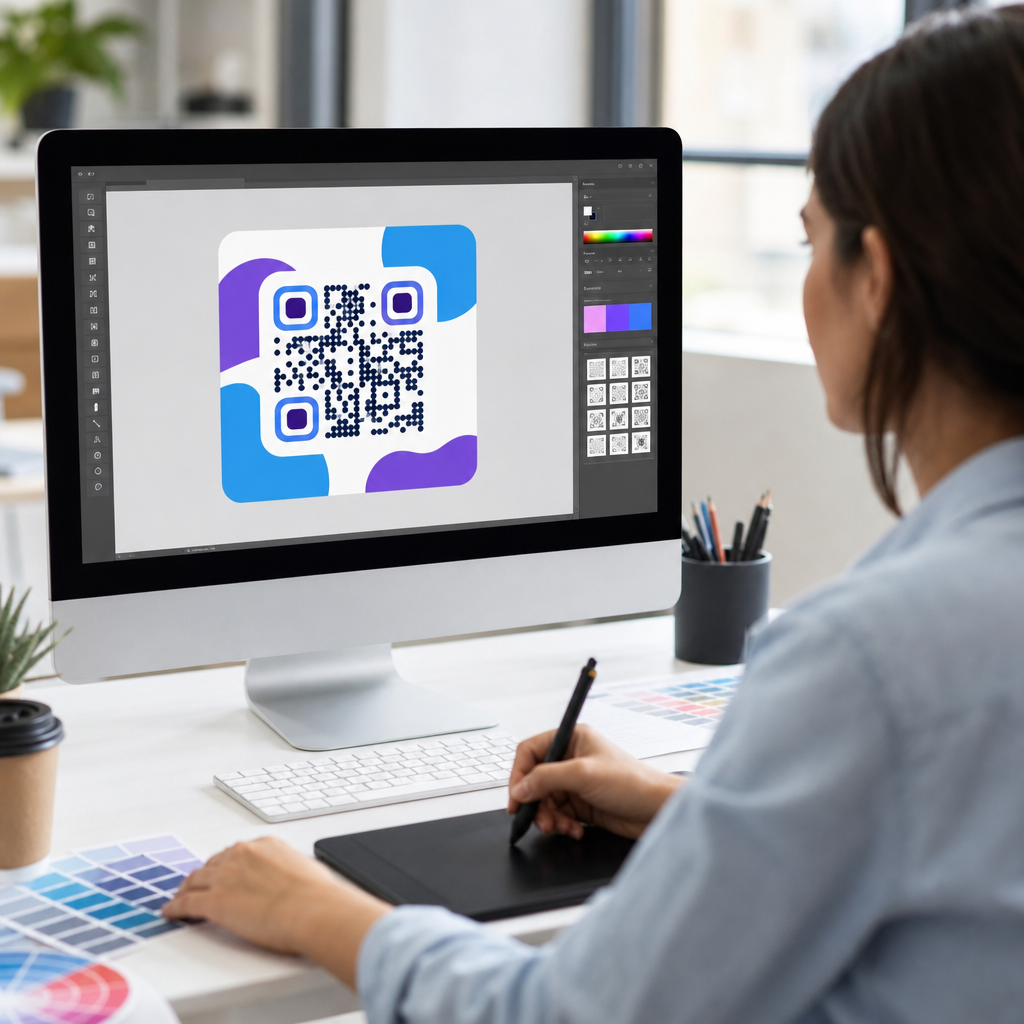
Design control is the next requirement. Many brands want logo insertion, custom eye shapes, frame text such as “Scan to Learn More,” and approved color palettes. In practice, software should make these options easy while guarding against risky choices. A good tool warns users when low contrast, oversized logos, or aggressive shape distortion may hurt scan reliability. The strongest products strike a balance between creativity and validation. They let teams customize a code so it feels on-brand, then provide scan tests, preview modes, and error correction settings to keep performance strong in print and on screens.
Workflow features also matter more than many buyers expect. Marketing teams often need shared folders, naming conventions, campaign tags, user permissions, approval history, and bulk creation for stores, sales reps, or product SKUs. Without those controls, QR management gets messy quickly. I have seen organizations lose track of which code belongs to which poster version, then struggle to compare conversion rates later. Software with templates, folders, API access, and export presets makes QR campaigns repeatable, especially across regional teams or agencies.
Best QR Code Design Software for Marketing Teams
Several platforms consistently stand out for custom QR code design tools, but they serve different needs. QR Code Generator Pro is widely used because it combines an approachable interface with dynamic codes, branded templates, analytics, and multiple destination types, including URL, PDF, app store, vCard, and social links. For marketers who need a balance of ease and reliability, it is often the fastest tool to deploy across campaigns. Beaconstac is strong for enterprises that need advanced security, role-based access, API capabilities, and large-scale management. It is especially useful for packaging, omnichannel retail, and regulated environments where governance matters.
Flowcode is another strong option, particularly for brands that prioritize polished landing experiences and creator-style campaigns. Its interface is simple, and teams often use it for events, restaurants, and consumer marketing where quick deployment matters. Bitly, while known primarily for link management, also supports QR creation and fits teams already standardizing on branded short links and attribution workflows. Scanova remains a solid marketing choice because it offers dynamic QR campaigns, design customization, and practical bulk features without overwhelming small teams. Uniqode, formerly Beaconstac in some market discussions, is frequently shortlisted for enterprise use because of scale, integrations, and governance.
| Software | Best For | Key Strength | Main Limitation |
|---|---|---|---|
| QR Code Generator Pro | General marketing teams | Strong design plus dynamic campaign management | Advanced enterprise controls may be lighter than specialized platforms |
| Beaconstac | Enterprise and multi-location brands | Governance, API access, security, analytics | Can be more complex for simple one-off campaigns |
| Flowcode | Events, hospitality, consumer campaigns | Fast deployment and polished user experience | Less depth for complex asset governance |
| Bitly | Teams already using branded links | Link management and attribution alignment | QR design depth is narrower than dedicated platforms |
| Scanova | SMBs and agencies | Good feature depth without heavy complexity | Enterprise customization may be limited |
The best choice depends on campaign volume, collaboration needs, and reporting expectations. A solo marketer running a restaurant menu and a few in-store posters does not need the same governance as a multinational CPG brand printing millions of units. The key is matching the software to the business process, not just the design gallery on the pricing page.
Design Features That Improve Branding Without Hurting Scan Rates
The most useful custom QR code design features are logo embedding, frame text, color control, eye customization, and vector export. Logo embedding works well when the logo is small and centered, with enough data redundancy from a higher error correction level, typically level Q or H for branded designs. Frame text matters because it acts as a call to action. Codes that say “Scan for 15% Off” or “Scan to See Ingredients” generally outperform unlabeled codes because the value proposition is explicit. Color control helps align the code with the brand palette, but contrast remains nonnegotiable. Dark modules on a light background still produce the most reliable results.
In real production, the biggest mistakes are not dramatic; they are subtle. A designer uses a brand beige instead of white, reduces the quiet zone to fit packaging copy, or exports a low-resolution raster file that softens edges. Each change slightly increases failure risk. Software that enforces minimum spacing and offers SVG or EPS export prevents these errors. Vector files are critical for print because they scale cleanly for posters, shelf wobblers, cartons, and billboards. PNG can be fine for web use, but packaging and large-format print usually need vector output to preserve the pattern integrity.
Shape customization deserves caution. Rounded dots and stylized eyes can work, but radical changes make the code harder for low-end mobile cameras or poor lighting conditions. Reliable tools preview the scanning threshold before export. When I test branded codes, I always scan from multiple angles, with both older Android devices and newer iPhones, under glare and at different distances. Software is only part of the answer; disciplined testing closes the loop.
Dynamic QR Codes, Analytics, and Attribution
Dynamic QR codes are the foundation of serious QR marketing because they separate the visible code from the final destination. Instead of encoding the landing page directly, the code points to a managed short URL that can redirect anywhere. That allows marketers to update pages, rotate offers, A/B test destinations, pause campaigns, or route users by geography without reprinting materials. For packaging and out-of-home advertising, this is a major economic advantage. A static QR code can still be useful for permanent information, but once attribution and flexibility matter, dynamic should be the default.
Analytics quality is where software platforms differ sharply. At a minimum, marketers should expect scan counts, timestamps, approximate geolocation by IP, device or operating system breakdowns, and referrer context where available. Better tools support UTM parameters, webhook events, or native integrations with Google Analytics 4, Adobe Analytics, HubSpot, Salesforce, Zapier, or Segment. That matters because scans alone do not prove business value. A code on a poster might generate 2,000 scans, but the real question is how many users completed a form, made a purchase, or visited a store. Strong attribution requires consistent campaign naming and destination tracking beyond the QR dashboard.
There are limits. QR analytics are not perfect, especially when privacy settings restrict location detail or when conversions happen on a different device later. Marketers should treat scan data as directional unless it is connected to a complete measurement framework. The best platforms make that easier by preserving source parameters and supporting clean integrations, but no software can eliminate every attribution gap.
How to Choose the Right Tool for Your Campaign Mix
Start with use case mapping. If your primary need is packaging, choose software with dynamic editing, long-term redirect stability, batch creation, and print-safe vector exports. If you run event marketing, prioritize fast creation, mobile-first landing pages, contact capture, and easy badge or sign duplication. If you manage retail or franchise locations, look for bulk generation, folder structure, permissions, and regional reporting. Agencies should favor white-label exports, team collaboration, and reusable templates that reduce setup time across clients.
Then assess technical fit. Confirm supported file formats, API availability, custom domains for branded short links, single sign-on, and data retention controls. Check whether the platform can generate different QR types beyond simple URLs, including PDF, video, app links, forms, Wi-Fi, coupon, and vCard. Review governance details such as user roles and audit logs if multiple departments will publish codes. Also inspect redirect speed. Slow redirection adds friction, especially on weaker mobile connections, and can lower conversion rates even when scan counts look healthy.
Pricing should be judged against operational risk, not just monthly cost. A cheap generator may look sufficient until a campaign needs edits after print, analytics for reporting, or branded domains for trust. I recommend shortlisting two or three tools, creating the same campaign in each, exporting files, testing scans under real conditions, and reviewing dashboard clarity with the people who will actually use it. The right software is the one your team can operate accurately at scale, not merely the one with the most design presets.
Common Mistakes Marketers Make With QR Code Design Software
The most common mistake is treating QR code design as pure decoration. Branding matters, but scan reliability matters more. Low contrast, tiny print size, missing quiet zones, reflective surfaces, and weak calls to action regularly undermine performance. Another frequent problem is using static codes for campaigns that obviously need future edits. Once thousands of brochures or packages are printed, that decision becomes expensive. Teams also forget to standardize UTM naming, which makes reporting inconsistent across channels and time periods.
A second mistake is skipping live testing. Preview tools are helpful, but they are not enough. Test on different phones, under fluorescent light, outdoors, and at realistic viewing distances. For packaging, test on curved surfaces and finished materials, not just flat digital proofs. For in-store signs, test through glass or from awkward angles. Good QR code design software improves the odds of success, but only field testing reveals how the code behaves in the environment where customers will scan it.
Finally, many teams fail to build a sustainable library. They create codes ad hoc, store exports on desktops, and lose the connection between assets and results. A hub-style approach works better: central templates, naming conventions, campaign folders, and links to related QR code creation and tools resources. That structure makes optimization possible over time.
Custom QR code design tools give marketers a direct bridge between physical attention and measurable digital action, but the best platform is the one that protects both brand expression and scanning reliability. The strongest software options today combine dynamic QR codes, branded design controls, analytics, vector exports, and collaborative workflows. For most teams, the decision comes down to scale and governance: approachable all-around tools suit everyday campaigns, while enterprise platforms justify their cost when security, bulk management, and integrations are central requirements.
The practical takeaway is simple. Start with campaign goals, choose software that supports dynamic editing and solid analytics, and never sacrifice contrast, spacing, or testing for visual flair. Use branded frames and logos carefully, export print-ready files, and connect scans to a broader measurement system so results are tied to business outcomes rather than vanity metrics. When chosen well, QR code design software does more than generate codes; it improves agility, reduces reprint risk, and makes offline marketing easier to optimize.
If you are building out your QR Code Creation & Tools stack, use this page as your hub for evaluating custom QR code design tools, then shortlist platforms based on your campaign mix, collaboration needs, and reporting standards. Test before you commit, document your workflow, and build a reusable system that turns every scan into actionable marketing data.
Frequently Asked Questions
What should marketers look for in QR code design software?
Marketers should look beyond basic code generation and focus on software that supports branding, flexibility, analytics, and reliability at scale. The best QR code design software allows teams to customize colors, add logos, adjust shapes and frames, and create codes that match campaign creative without sacrificing scanability. That balance matters because a visually appealing QR code is only effective if it scans quickly across different devices, lighting conditions, print sizes, and surfaces.
Another key feature is dynamic QR code support. Dynamic codes let marketers change the destination URL or behavior after the code has already been printed or published, which is essential for packaging, retail displays, direct mail, event signage, and out-of-home campaigns. Good platforms also include campaign tracking, scan analytics, device and location reporting, short link management, bulk creation, team permissions, and integrations with marketing tools. For growing organizations, workflow features such as templates, brand asset libraries, approval controls, and export options for print and digital use can save significant time while keeping campaigns consistent across channels.
Why are dynamic QR codes important for marketing campaigns?
Dynamic QR codes are important because they give marketers flexibility after launch. Instead of locking a printed code to a single static destination, dynamic functionality allows the destination to be updated without changing the visible QR code itself. That means a code placed on product packaging, posters, brochures, table tents, or event materials can continue to work even if a landing page changes, a promotion ends, a tracking structure is updated, or traffic needs to be redirected to a new offer.
From a performance perspective, dynamic QR codes also support better measurement and optimization. Marketers can connect one code to campaign analytics, monitor scan volume, compare placements, test different landing pages, and adjust destinations based on audience behavior. This is especially useful in omnichannel campaigns where the same code may appear across physical and digital touchpoints. Instead of reprinting assets whenever strategy shifts, teams can preserve continuity, reduce waste, and react faster to real campaign data. For most professional use cases, dynamic capability is one of the clearest distinctions between enterprise-ready QR code software and a simple free generator.
Can a custom-designed QR code still scan reliably?
Yes, a custom-designed QR code can still scan reliably, but only if it is created within technical best practices. Professional QR code design software is valuable because it helps marketers customize appearance while maintaining the core structure required for readability. Features like logo insertion, custom color palettes, rounded patterns, and branded frames can improve recognition and response rates, but they must be applied carefully. Excessive distortion, low contrast, poor quiet zones, or oversized logos can make a code difficult or impossible to scan.
Reliable platforms usually include built-in validation, error correction controls, preview testing, and export settings optimized for both print and screen use. Marketers should aim for strong contrast between the foreground and background, preserve adequate white space around the code, and test performance across different smartphone cameras and environments. It is also wise to evaluate scanability at the final production size and on the actual material, whether that is cardboard packaging, glossy signage, labels, or event badges. In short, custom design and strong scan performance are absolutely compatible, but the software needs to support both brand expression and technical safeguards.
How does QR code software help with campaign analytics and ROI tracking?
Advanced QR code software helps marketers connect offline engagement to measurable digital outcomes. When someone scans a code, the platform can record important data such as the number of scans, time of scan, device type, approximate location, and in some cases referral context. That gives teams visibility into how physical placements are performing, whether the code appears on packaging, point-of-sale displays, direct mail, window signage, or conference materials. Instead of treating offline media as hard to measure, marketers can use QR activity as a clear response signal.
Many platforms go further by supporting UTM parameters, short links, conversion integrations, and dashboard reporting that fit into broader marketing attribution workflows. This allows teams to compare campaign variants, identify high-performing placements, and connect scans to landing page engagement, sign-ups, purchases, or other downstream actions. For ROI analysis, that visibility is extremely valuable because it turns the QR code from a simple access tool into a measurable acquisition and engagement channel. The strongest software makes this process easier by centralizing code management, reporting, and destination updates in one place, so marketers can optimize campaigns quickly instead of relying on disconnected tools.
Is free QR code software enough for professional marketing use?
Free QR code software can be enough for very simple, short-term needs, such as generating a basic static code for a single URL. However, it is often limited in the areas that matter most to marketers running real campaigns. Basic tools may not offer dynamic QR codes, editable destinations, robust customization, analytics, team collaboration, security controls, or reliable asset exports for commercial print production. In many cases, they also provide little support for brand consistency or post-launch optimization.
For professional marketing use, those limitations can become costly. A campaign may need codes that can be updated after printing, tracked across locations, styled to match packaging or event creative, and managed by multiple stakeholders. A retailer may need batch generation for hundreds of products. A field marketing team may need scan reporting by venue. A brand may need to ensure that every code meets design standards while still scanning reliably. Paid or enterprise-grade QR code design software is usually the better choice in these cases because it is built for long-term management, measurable performance, and operational control. For marketers focused on customer acquisition, campaign agility, and brand experience, the software should be treated as a strategic tool rather than just a free utility.