
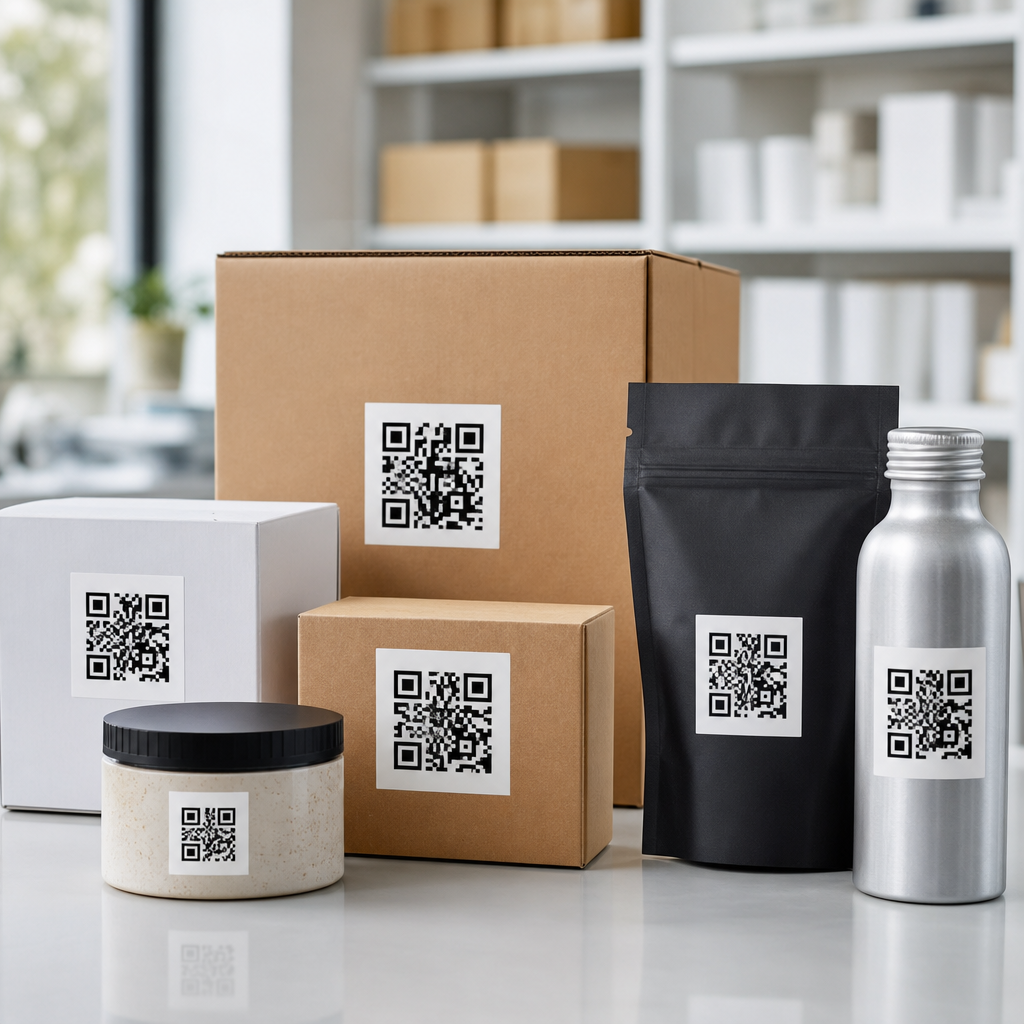
Bulk QR codes for product packaging let brands create, manage, and print large volumes of scannable codes across SKUs, batches, regions, and campaigns without building each code manually. In practice, bulk QR code generation means producing many codes at once from a spreadsheet, database, or product information system, then connecting every code to a destination such as a product page, authentication record, user guide, warranty flow, recycling instructions, or promotional experience. This matters because packaging has become a digital touchpoint. A label, carton, pouch, or bottle can now carry variable data that links physical inventory to digital content, first-party analytics, and post-purchase engagement.
I have worked with packaging teams that started with a single static QR code on every box, only to hit limits when they needed different landing pages by language, market, or lot number. Bulk workflows solve that problem. Instead of redesigning artwork for every variant, a team can generate thousands of unique or grouped codes, export print-ready assets, and maintain a clear mapping between each code and its destination. For fast-moving consumer goods, electronics, cosmetics, supplements, and industrial parts, that mapping is what turns a QR code from a graphic element into an operational system.
The term product packaging includes primary packaging such as bottles and pouches, secondary packaging such as cartons, and tertiary packaging such as cases and pallets. Bulk QR code generation can support all three levels. A consumer-facing code on a carton may open ingredients, instructions, or loyalty rewards, while a warehouse-facing code on a case may support traceability or picking. Depending on the program, codes may be static, with one fixed destination, or dynamic, where the destination can be changed after print. Dynamic bulk QR codes are usually the better fit for packaging because they reduce reprint risk and support version control, testing, redirects, and analytics.
Why does this deserve a hub page within QR code creation and tools? Because bulk QR code generation sits at the intersection of design, packaging production, data management, compliance, and customer experience. Teams evaluating tools need more than a list of features. They need to know how to structure data, choose between static and dynamic codes, prepare files for printers, avoid scanning failures, track performance, and connect QR programs with systems such as ERP, PIM, DAM, CRM, and marketing automation. The sections below cover those decisions in plain terms so this page can anchor deeper content across the wider subtopic.
What bulk QR code generation means for packaging operations
Bulk QR code generation is the process of creating many QR codes in one controlled workflow, usually by importing rows of data. Each row can represent a SKU, serial number, URL, GS1 Digital Link, batch record, or campaign variable. The generator then outputs either image files such as SVG, EPS, PNG, or PDF, or a hosted dynamic code linked to a redirect platform. For packaging, this is more than a convenience feature. It is a production method that reduces manual errors, shortens artwork cycles, and gives packaging teams a repeatable way to deploy codes at scale.
A common packaging use case is one code per SKU with country-specific destinations. A beverage company, for example, might need the same can design sold in the United States, Canada, and Mexico, but with local language content, deposit information, and promotional rules. With a bulk workflow, the team imports a file containing SKU, market, destination URL, and naming convention, then outputs organized assets for each art file or variable print stream. Another use case is one unique QR code per unit for serialization, anti-counterfeit verification, or warranty registration. In that model, every code is different, and the data structure becomes even more important.
Operationally, the strongest programs define ownership early. Packaging engineering usually owns print specifications and placement rules. Brand or digital teams own landing pages and campaign logic. IT or data teams own source data quality, APIs, and system integration. Procurement and operations may own printer capability, converting constraints, and vendor onboarding. When those groups work from separate spreadsheets, bulk QR projects stall. When they agree on a data schema, file naming standard, and approval path, projects move quickly and reprints drop.
Static versus dynamic QR codes for packaged products
Static QR codes encode the final destination directly in the symbol. They are simple, cheap, and acceptable when the content will never change, such as a permanent safety PDF or a stable corporate URL. The drawback is that any destination change requires a new code and usually a packaging artwork revision. For products with long shelf life, distributed inventory, or multiple markets, that rigidity creates avoidable waste.
Dynamic QR codes place a short redirect URL in the symbol and store the final destination on a server. That structure lets teams update landing pages after packaging is printed. It also enables scan analytics, device and geography routing, A/B testing, and emergency redirects if a page breaks. In my experience, dynamic codes are usually the default choice for packaging unless cost, security policy, or disconnected use cases require static encoding. They are especially valuable when legal text, instructions, or promotional dates may change during inventory life.
There are tradeoffs. Dynamic platforms add subscription cost, governance requirements, and dependence on a provider’s uptime. If a vendor fails or redirects are mishandled, packaging in the field can point nowhere. The practical answer is to choose a provider with export options, documented APIs, role-based access control, and service monitoring. Teams should also maintain a redirect ownership log and test a sample of live codes after deployment. Static codes have fewer moving parts, but they offer little resilience once millions of labels are printed.
Core packaging use cases and where bulk codes create value
Bulk QR codes support several high-value packaging outcomes. The first is product information delivery. A code can open ingredients, allergen data, care instructions, setup videos, manuals, or safety data sheets. This is useful where package space is limited or where content changes often. The second is traceability. Brands can link each code to batch, lot, date, or location data for recalls, quality investigations, and supply chain visibility. The third is customer engagement, including loyalty, recipes, onboarding, and reorder journeys. The fourth is authenticity, where a unique code can verify whether a product record exists and whether the code has been scanned unexpectedly often or in suspicious locations.
Regulatory and standards-based use cases are expanding fast. Many consumer goods companies are preparing for richer product identification frameworks using web-based resolvable identifiers. In food and beverage, cosmetics, and healthcare-adjacent categories, packaging teams increasingly need localized content, ingredient transparency, and digital access to instructions. Bulk generation makes those programs feasible because data can be applied systematically instead of by hand. For example, a supplement brand can generate market-specific dynamic QR codes that route EU customers to local compliance content while sending US customers to different labeling and claims pages.
| Use case | Typical code model | Primary data source | Main packaging benefit |
|---|---|---|---|
| Product information | Dynamic code by SKU or market | PIM or CMS | Update content without reprinting |
| Traceability | Unique code by batch or unit | ERP or MES | Faster recalls and quality analysis |
| Warranty and onboarding | Unique or grouped dynamic code | CRM or support platform | Higher registration and lower support load |
| Authentication | Serialized unique code | Serialization database | Counterfeit detection and channel control |
| Promotions and loyalty | Dynamic code by campaign or unit | Campaign platform | Track scans and personalize follow-up |
Real-world results depend on execution quality. A code that links to a generic homepage is rarely useful. A code that opens a fast mobile page with the exact product context performs much better. I have seen electronics packaging reduce setup-related support tickets by placing a bulk-generated dynamic QR code on the box and quick-start insert, both leading to model-specific onboarding videos. I have also seen food brands improve campaign attribution by assigning distinct dynamic codes to package sizes and retail channels, which exposed where scan intent was highest.
How to structure source data for bulk QR code creation
Most failures in bulk QR code generation start in the spreadsheet, not in the QR symbol. Clean source data should include a unique identifier, destination rule, product metadata, status field, owner, and version or effective date. If codes will be unique by unit, you also need a secure serialization pattern and controls against duplication. Naming conventions matter because asset libraries become unmanageable quickly. A file name like sku_country_language_batch_version is far easier to govern than ad hoc labels created by different teams.
For dynamic campaigns, include redirect fields separate from display metadata. That lets teams change a destination without renaming the asset or losing reporting continuity. If the workflow includes a landing page template, map each column to a defined parameter. Example fields might include GTIN, SKU, product name, market, language, channel, campaign, expiry date, and fallback URL. If using GS1 Digital Link, the identifier and qualifiers must be formatted correctly because the web resolver depends on exact syntax.
Validation should happen before generation and after output. Before generation, confirm that required fields are populated, URLs respond with a 200-level status where appropriate, and there are no illegal characters in file names or redirects. After generation, scan a statistically meaningful sample from each batch, verify destination logic, and inspect print proofs at actual size. In large deployments, a simple checksum or row-count reconciliation prevents silent data loss between source file and generated asset set.
Design and print requirements that affect scan reliability
A QR code that works on a laptop screen may fail on a curved bottle or matte flexographic label. Packaging introduces print and substrate variables that digital teams often underestimate. Minimum size depends on data density, print process, viewing distance, and camera quality, but smaller codes with high data payloads are consistently riskier. Quiet zone, contrast, and distortion control are non-negotiable. Dark code on a light background remains the safest choice. Reverse-out codes, metallic inks, gloss varnish, and severe curvature can all reduce scan performance.
Vector output is generally preferred for prepress because SVG, EPS, or PDF scales cleanly. Error correction level should be chosen deliberately, not left to defaults without understanding the tradeoff. Higher error correction can help when a code may be partially obscured, but it also increases symbol complexity. For packaging, I advise testing the final printed code on the real substrate under retail lighting, with common smartphone models, before approving mass production. ISO/IEC 18004 governs QR code symbology, while print quality grading is often assessed under ISO/IEC 15415 and related verification methods.
Placement matters as much as symbol generation. Do not position codes over seams, folds, or tear areas. Keep them away from highly textured embossing and from regions likely to wrinkle during filling or transport. If the package may be scanned in-store, ensure the code is easy to find and accompanied by a clear call to action. If the code is for internal logistics only, human-readable backup text and scanner compatibility may matter more than brand styling.
Choosing bulk QR code software and integrating it with existing systems
The best bulk QR code generator for product packaging is not merely the one with attractive templates. It is the one that fits the packaging data flow. Essential features include CSV or API-based bulk generation, dynamic redirect management, folder and naming controls, export in print-ready formats, analytics, user permissions, and audit logs. For enterprise programs, API access is often decisive because it allows PIM, ERP, DAM, or CMS systems to trigger code creation automatically.
Well-known tools in the market include enterprise QR platforms, label and barcode systems, and variable data printing software. Adobe Illustrator can place QR codes for artwork, but it is not a full governance system for large dynamic programs. Nicelabel, Loftware, Esko, and packaging-oriented workflow tools can be relevant when labels and variable data are tied to production lines. Marketing-focused QR platforms may be strong on landing pages and analytics but weaker on serialization and print governance. The right choice depends on whether your primary requirement is campaign agility, regulated traceability, or plant-level throughput.
Integration reduces manual handling. A practical setup might pull SKU and market data from a PIM, create dynamic QR redirects through an API, push approved assets to a DAM, and send final files into the artwork management workflow. Analytics can then feed scan events into CRM or BI tools such as Salesforce, HubSpot, Google Analytics 4, or Power BI. When that loop is in place, packaging becomes measurable media rather than static print.
Measurement, governance, and scaling the program
Once codes are live, teams should measure more than total scans. Useful packaging KPIs include scans per 1,000 units sold, repeat scan rate, scan-to-conversion rate, geography by market, unsupported scans, time to first scan after purchase, and landing page completion metrics. For serialized programs, anomaly detection matters too. Multiple scans from unexpected countries or scan bursts on unopened distribution stock can indicate diversion or counterfeit activity.
Governance keeps the program trustworthy at scale. Set redirect ownership, review cadences, expiration policies, and archiving rules. Document which codes are consumer-facing, channel-facing, or internal only. Maintain fallback destinations so that expired campaigns do not lead to dead pages. If packaging remains in market for eighteen months, the QR experience should remain useful for at least that long. I recommend a quarterly audit of top-volume codes and immediate alerts for broken redirects or unusual scan patterns.
As the program expands, build internal links between packaging workflows and related capabilities: dynamic QR codes, QR code analytics, GS1 Digital Link, variable data printing, product authentication, and serialized packaging. The main benefit of bulk QR codes for product packaging is not just speed. It is control. Brands can launch faster, localize accurately, measure real use, and update digital experiences long after the package leaves the press. If you are building a QR code creation and tools strategy, start by mapping packaging use cases, cleaning source data, and piloting one product line with dynamic bulk generation. That small, disciplined launch will reveal the standards you need for a scalable program.
Frequently Asked Questions
What are bulk QR codes for product packaging, and how do they work?
Bulk QR codes for product packaging are large sets of QR codes created at the same time instead of one by one. Brands use them when they need unique or grouped codes across many products, SKUs, packaging versions, markets, retail channels, or campaigns. Rather than manually designing and assigning every code, a business can upload a spreadsheet, connect a database, or sync with a product information management system to generate hundreds, thousands, or even millions of scannable codes in a structured batch.
Each code can point to a specific destination based on product and business rules. For example, one code may open a product detail page, while another leads to a warranty registration form, an authentication record, assembly instructions, ingredient information, recycling guidance, or a limited-time promotion. In more advanced setups, the destination can change dynamically based on variables such as location, language, product lot, date, or campaign status. This gives packaging teams a scalable way to connect physical products to digital experiences without rebuilding every QR code manually.
In practice, the workflow usually starts with a data source containing product identifiers and destination logic. The bulk generation system turns that data into QR codes, exports print-ready files, and often stores a record of each code for tracking and management. That record is important because it allows teams to monitor scans, update linked content when dynamic QR codes are used, and maintain traceability across packaging runs. For brands managing multiple product lines or frequent packaging updates, bulk QR code generation reduces errors, saves time, and creates a much more controlled packaging process.
Why do brands use bulk QR codes on product packaging instead of creating QR codes manually?
Brands choose bulk QR codes because manual creation does not scale well once packaging programs become even moderately complex. A single product line may have multiple sizes, languages, regions, compliance requirements, and retailer-specific variations. Add marketing campaigns, serialization, batch tracking, and after-purchase support, and suddenly a business may need hundreds or thousands of packaging-linked QR codes. Creating those manually is slow, inconsistent, and highly prone to mistakes such as broken links, duplicate assignments, or mismatched product data.
Bulk generation solves that problem by introducing structure and automation. Teams can define naming conventions, assign destination URLs or records in a spreadsheet, and create all required codes in one controlled process. This is especially valuable for organizations working across operations, packaging design, regulatory compliance, logistics, customer support, and marketing. Instead of each department handling QR codes separately, the brand can centralize code creation and maintain a reliable connection between every printed code and its intended digital destination.
Another major reason brands adopt bulk QR code workflows is flexibility after packaging is printed. If dynamic QR codes are used, companies can update the linked content without changing the printed package itself. That means a brand can redirect customers from a seasonal promotion to a standard product page, replace an outdated user guide, localize content by market, or update recycling instructions as regulations change. For businesses that print packaging in volume, this ability can significantly reduce waste, improve customer experience, and extend the useful life of existing packaging inventory.
What types of information or experiences can bulk QR codes connect to on product packaging?
Bulk QR codes can connect packaging to a wide range of digital destinations, and that flexibility is one of the main reasons they are so useful. At the most basic level, a code can take a customer to a product page with specifications, ingredients, materials, dimensions, usage details, or support contacts. For products that require setup or maintenance, the code can open installation videos, digital manuals, troubleshooting flows, or FAQs. This helps reduce friction after purchase and makes information easier to access than printed inserts alone.
Beyond basic product content, brands often use packaging QR codes for authentication and traceability. A unique code can link to a serial number, batch record, or verification page that helps customers, retailers, or internal teams confirm that a product is genuine. In regulated or quality-sensitive industries, the same infrastructure can support recalls, lot-level transparency, and product history lookups. Bulk QR generation is particularly valuable here because each item, batch, or SKU may need its own destination or record, and handling that manually would be impractical.
Marketing and sustainability use cases are also common. A QR code can launch loyalty programs, promotional landing pages, sweepstakes, recipe ideas, brand storytelling, or region-specific campaign experiences. It can also provide recycling instructions, disposal guidance, refill information, or environmental impact details tailored to packaging material and local regulations. Because these use cases often vary by geography, product family, or campaign window, bulk QR code systems give brands the ability to deploy packaging experiences at scale while keeping the content relevant and manageable.
How do businesses manage bulk QR codes across multiple SKUs, regions, and packaging runs?
Successful management starts with clean, structured data. Most businesses organize bulk QR code projects around a source file or connected system that includes fields such as SKU, product name, market, language, packaging type, batch number, campaign ID, destination URL, and internal tracking identifiers. The QR platform or generation tool uses those fields to create the correct code for each packaging variation. This approach is far more reliable than ad hoc generation because it creates a clear relationship between the printed code and the product data behind it.
To keep large programs organized, brands typically use naming conventions, folder structures, version control, and permission settings. For example, a company may separate codes by product line, region, or print cycle, then assign access based on department or vendor role. Maintaining export records is also important, especially when working with packaging printers and co-manufacturers. Teams need to know which code files were sent, when they were approved, and which print run they belong to. This reduces the risk of outdated or incorrect codes appearing on finished packaging.
Ongoing performance and maintenance matter just as much as initial setup. Businesses often track scan volume, geography, device type, and conversion behavior to understand how customers interact with packaging. If the system uses dynamic QR codes, teams can update destinations or content rules without replacing the code artwork. That makes it easier to support product lifecycle changes, new campaigns, legal updates, or market-specific content over time. In short, the best-managed bulk QR code programs combine strong data governance, print workflow control, and ongoing analytics to keep packaging accurate and effective at scale.
What should brands consider before printing bulk QR codes on product packaging?
Before printing, brands should first decide whether they need static or dynamic QR codes. Static codes embed the final destination directly and cannot be changed after printing, which may work for permanent pages with little risk of change. Dynamic codes route through a managed link, allowing the destination to be updated later. For most product packaging programs, dynamic codes offer more flexibility because they support evolving campaigns, revised product information, multilingual experiences, and post-print corrections without requiring packaging to be discarded.
Print quality and scanning reliability are equally important. A QR code should be tested at the actual printed size, on the actual packaging material, and under realistic conditions such as curved surfaces, matte coatings, glossy finishes, flexible films, or dark backgrounds. Quiet zone spacing, contrast, error correction, and placement all affect scan performance. Brands should also check whether the code remains easy to scan after packaging is folded, sealed, refrigerated, transported, or displayed in store. Even a well-designed digital experience can fail if the code is hard to scan in the real world.
It is also wise to think through governance, analytics, and customer experience before launch. The landing destination should load quickly, work on mobile devices, and clearly match the customer’s expectation when they scan the package. If unique codes are used for authentication, warranty, or batch tracking, the business should define how those records will be stored and maintained. Privacy, localization, and compliance may also need review depending on the market and the data being collected. A strong bulk QR packaging strategy is not just about generating many codes efficiently; it is about making sure every printed code remains accurate, useful, and measurable throughout the life of the product.





