
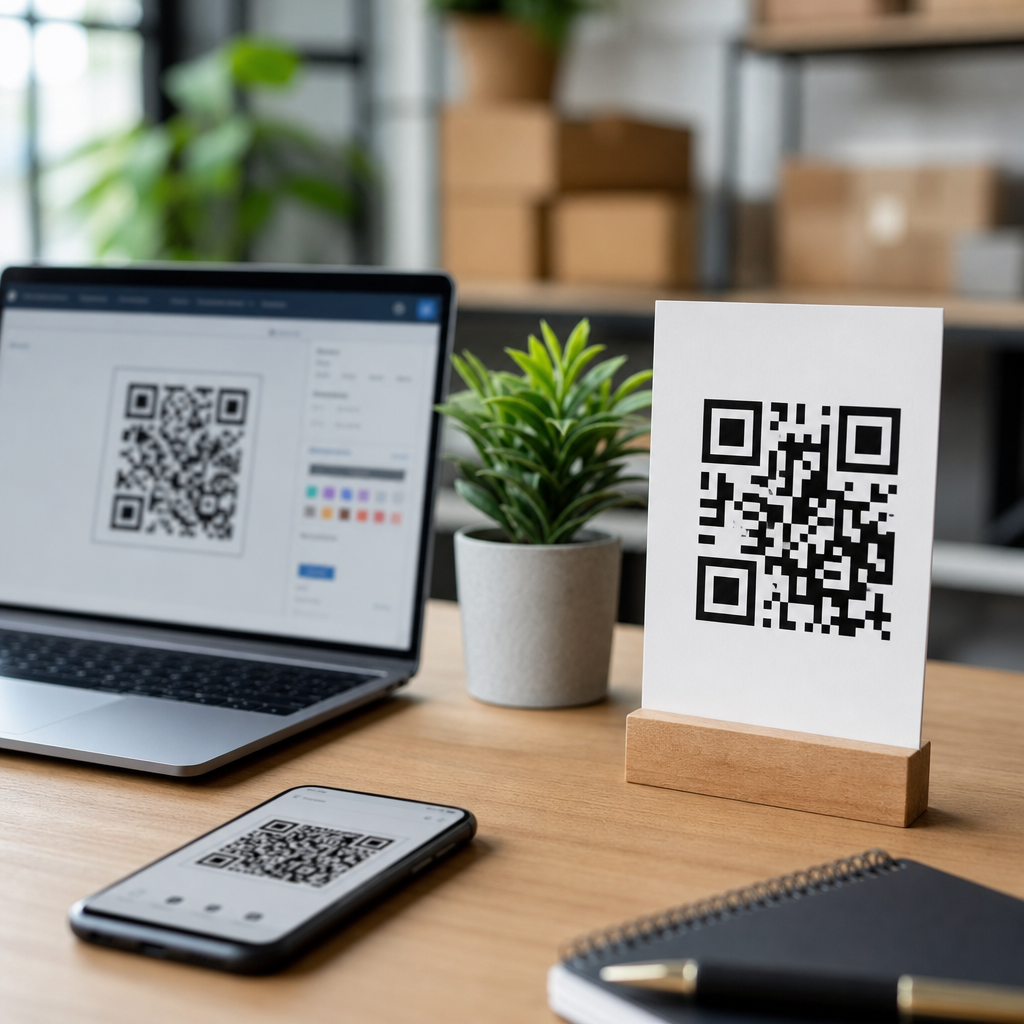
Choosing the best QR code generators for small businesses starts with understanding what a QR code can actually do for sales, service, and operations. A QR code, short for Quick Response code, is a two-dimensional barcode that stores a destination such as a website URL, PDF, menu, payment link, contact card, app download, Wi-Fi credential, or review page. Small businesses use them because they bridge offline and online customer journeys with almost no friction. A customer can scan a table tent, storefront poster, invoice, product label, or business card and land exactly where you want them in seconds.
In practice, I have seen QR codes outperform printed calls to action because they remove typing, reduce drop-off, and make tracking easier. A café can move customers from a countertop sign to an order page. A contractor can put a code on trucks that opens a quote form. A retailer can place shelf tags that launch product videos or warranty registration. The best QR code generators make this possible without forcing a business owner to wrestle with design settings, error correction levels, file formats, redirects, analytics, and print quality problems. They also help prevent common mistakes like using low-resolution exports, creating non-editable links for changing promotions, or choosing a provider that adds branding unless you pay.
This matters because QR codes now sit at the intersection of marketing, customer experience, and measurement. Modern smartphone cameras scan them natively, consumer familiarity is high, and low-cost print runs make testing easy. But not every platform is equal. Some tools are ideal for simple static codes. Others excel at dynamic QR codes, bulk creation, team access, scan analytics, and integrations. For a small business, the right choice depends on budget, campaign complexity, and whether the code needs to be changed later without reprinting. This guide explains the best QR code generators, what features actually matter, and which tools fit specific business needs.
What Small Businesses Should Look for in a QR Code Generator
The best QR code generators for small businesses share a core set of features. First is support for static and dynamic QR codes. Static codes store the final destination directly in the code and cannot be edited after printing. Dynamic codes use a short redirect URL managed by the platform, so you can change the destination later, track scans, and run time-sensitive campaigns without replacing printed materials. If you expect menus, promotions, booking links, or campaign pages to change, dynamic codes are worth paying for.
Second is export quality. For professional printing, SVG, EPS, or PDF vector files matter because they scale without blurring. PNG is often fine for web use and small signs, but large posters, packaging, and trade show displays need vector output. Third is customization with guardrails. You want the ability to add brand colors, logos, and frames without reducing scan reliability. A good generator warns you when contrast is too low, quiet zones are too tight, or logos cover too much of the data area. Fourth is analytics. Useful dashboards show total scans, unique scans, time, location by country or city, device type, and operating system. Those metrics help businesses compare flyers, signage placements, and in-store prompts.
Fifth is governance. Even a very small company benefits from folders, naming conventions, user permissions, and account ownership. I have seen businesses lose access when a staff member creates all QR codes under a personal login. Finally, pricing structure matters more than headline price. Some providers offer cheap entry plans but limit dynamic codes, scan volume, retention, white labeling, or custom domains. Before choosing, map the intended use case: restaurant menus, review collection, lead generation, event check-in, payments, packaging, or property signage. That use case determines whether you need simple generation, campaign management, or enterprise-style controls.
Top QR Code Generators Worth Considering
For most small businesses, five platforms consistently stand out: QR Code Generator Pro, Beaconstac, Flowcode, QR TIGER, and Canva for basic design-led needs. QR Code Generator Pro is widely used because it balances ease of use, dynamic code support, and a polished interface. It is a strong option for businesses that want dependable creation and analytics without a steep learning curve. Beaconstac is stronger when a company wants advanced campaign management, bulk generation, API access, and security controls; it is more platform-like than casual creator tool. Flowcode appeals to businesses focused on branded experiences and straightforward analytics, especially for marketing assets and printed collateral.
QR TIGER has built a solid reputation for flexibility, broad QR code type support, and practical pricing tiers that fit growing businesses. It often works well for menus, file downloads, vCards, and multi-URL use cases. Canva is not a dedicated QR management platform, but for static codes embedded directly into flyers, menus, posters, or social graphics, it can be convenient because the code is generated inside the design workflow. That convenience comes with tradeoffs, especially around analytics and dynamic management, so it is best treated as a lightweight option rather than a full operational system.
| Tool | Best For | Key Strength | Main Limitation |
|---|---|---|---|
| QR Code Generator Pro | General small business use | Easy dynamic codes and reliable analytics | Advanced controls cost more |
| Beaconstac | Growing teams and multi-location brands | Bulk creation, integrations, governance | Can be more than a tiny business needs |
| Flowcode | Marketing campaigns and branded assets | Clean interface and strong design presentation | Less suited to operational complexity |
| QR TIGER | Flexible campaign use cases | Broad feature set and competitive pricing | Interface depth may require setup discipline |
| Canva | Simple static codes in designs | Convenient for quick creative production | Limited management and scan intelligence |
If your business runs one location and a handful of campaigns, QR Code Generator Pro or QR TIGER will cover most needs. If you operate multiple stores, rotate seasonal offers, or need a library of codes tied to departments, Beaconstac becomes more compelling. If your priority is beautiful print pieces and quick team collaboration with designers, Flowcode and Canva can fit, provided you understand their limits.
Best Options by Small Business Use Case
The best QR code generator depends heavily on what the code is meant to accomplish. Restaurants typically need editable menu links, table-level tracking, and fast reprints, so dynamic QR codes with folders and naming are essential. In that environment, QR TIGER and QR Code Generator Pro are practical choices because staff can update destinations without touching the printed card on every table. Salons, clinics, and service businesses often care most about reviews, booking, and intake forms. A generator that supports dynamic destinations and UTM-tagged URLs will let you measure whether front-desk signage drives appointments or reputation growth.
Retailers usually benefit from codes tied to product information, loyalty signups, care instructions, or post-purchase registration. If you are placing codes on packaging or shelf labels, vector export and testing under real store lighting become non-negotiable. Contractors, real estate teams, and home service companies often need codes on vehicles, yard signs, business cards, and invoices. In those cases, durability of destination links matters; changing the landing page after a campaign refresh is far cheaper than replacing printed materials. Event-driven businesses need high scan reliability and possibly bulk creation for badges, check-in, or session materials, which is where Beaconstac is especially strong.
For solo operators, a simple rule works well. If you only need one or two permanent destinations, static codes may be enough. If the destination will change, if you want analytics, or if the code will appear on anything expensive to reprint, use dynamic codes. That one decision prevents the majority of costly mistakes I see in QR deployments.
Key Features That Separate Good Tools from Great Ones
Dynamic editing is the feature most small businesses underestimate. A bakery may launch with one catering page, then move to a holiday ordering page, then to a wedding inquiry form. With a dynamic QR code, the same printed countertop sign keeps working through all three campaigns. The second differentiator is scan analytics quality. Basic platforms report total scans. Better platforms report unique scans, repeat scans, geography, devices, and time trends. That allows practical decisions, such as whether window decals drive more action than receipts or whether lunchtime scans justify promoting mobile ordering more aggressively.
Custom domains are another important feature. Instead of a generic short link from the platform, a business can use its own branded redirect domain. That improves trust, supports brand consistency, and reduces dependence on a vendor-branded URL. Bulk generation matters for franchises, property managers, schools, and event teams. So does API access if codes need to be generated automatically from another system. Error correction settings, logo embedding, and frame text affect usability too. A code with a clear frame saying “Scan to See Today’s Menu” usually outperforms a plain code because the value proposition is explicit.
Security and lifecycle controls also matter more than many buyers expect. Good platforms offer password protection for files, expiration settings for temporary campaigns, and access controls for teams. If you collect leads, link to private documents, or run time-limited promotions, those controls reduce risk and confusion. Great tools combine these operational safeguards with design flexibility and simple reporting.
Pricing, Free Plans, and Hidden Tradeoffs
Free QR code generators can be useful, but they are often misunderstood. Most free tools are best for static codes only. That is acceptable for a homepage link, a fixed Wi-Fi code, or a permanent contact card, but it becomes limiting the moment a business wants to edit destinations or measure scans. Some platforms generate a code for free, then quietly lock useful features such as analytics, vector exports, or ongoing access behind a subscription. Others allow dynamic creation during a trial but disable redirection later unless you upgrade. If that code is already printed on menus or packaging, the business is stuck.
Paid plans usually become worthwhile when a QR code is tied to revenue or customer communication. Spending a modest monthly fee to preserve editable links on thousands of printed inserts is usually cheaper than one reprint cycle. Review the billing model carefully. Ask whether pricing is based on number of dynamic codes, scan volume, users, folders, or custom domains. Check whether analytics history is retained or capped. Verify whether paused subscriptions affect active dynamic links. I always recommend that businesses test one critical campaign under the exact subscription level they intend to keep, not just the trial tier.
There is no universal cheapest-best option. The lowest-cost tool can become expensive if it causes reprints, poor attribution, or broken links. The better evaluation is total operating cost over a year, including print replacement, staff time, and lost campaign visibility.
Implementation Tips That Improve Scan Rates and Results
Even the best QR code generator cannot rescue poor implementation. Start with destination quality. The landing page must load quickly, display well on mobile, and match the promise on the sign. If the code says “Scan for 10% Off,” the landing page should immediately reveal the offer, not a generic homepage. Use UTM parameters for web analytics, and create distinct codes for each placement when you need clear attribution. A poster in the window, a receipt insert, and a tabletop sign should not all use the exact same destination if you want to learn which one performs best.
Print testing is essential. Test under bright light, low light, different phone models, and realistic scanning distances. Maintain high contrast, adequate quiet zone, and enough physical size. A common baseline is about 2 x 2 centimeters for close scanning, but larger sizes are safer for signs viewed from farther away. Avoid glossy placement where reflections interfere with cameras. If you add a logo, use a generator that preserves sufficient error correction and preview validation. Finally, include a text fallback such as a short URL, especially on critical materials. That protects accessibility and captures users whose cameras cannot scan in the moment.
After launch, review scan data regularly. In campaigns I have managed, simple wording changes like replacing “Learn More” with “Scan to Book” materially improved engagement because the next step became concrete. QR performance is measurable, so treat it like any other conversion asset: test, compare, refine, and document what works.
The best QR code generators for small businesses are the ones that match your real operating needs, not the ones with the longest feature lists. For straightforward campaigns, QR Code Generator Pro and QR TIGER offer an effective balance of usability, dynamic editing, and analytics. For multi-location teams or high-volume management, Beaconstac brings stronger controls and scalability. For design-centered marketing, Flowcode is appealing, while Canva works for quick static codes built directly into creative assets. The right choice depends on whether you need editable destinations, reporting, branded presentation, team workflows, or bulk creation.
The most important decision is usually static versus dynamic. Static QR codes are fine for permanent information. Dynamic QR codes are the better investment when content changes, print replacement is costly, or attribution matters. From there, evaluate export quality, analytics depth, account governance, pricing structure, and support for the specific use cases your business actually runs. A restaurant, retailer, contractor, and event company will not all choose the same platform, and that is exactly how it should be.
If you are building a dependable QR workflow, start with one high-value use case, test it in the real world, and standardize from there. Choose a generator that lets you scale without redoing printed materials, track what happens after the scan, and keep ownership of your assets as the business grows. Then create your first campaign, measure results, and use that data to expand with confidence.
Frequently Asked Questions
What should small businesses look for in the best QR code generator?
The best QR code generator for a small business should do more than simply create a scannable image. It should support the specific ways a business plans to use QR codes, whether that means sending customers to a website, digital menu, payment page, contact form, review platform, product catalog, app download, or Wi-Fi login. Ease of use matters because many small business owners need to create, update, and deploy codes quickly without relying on a designer or developer. A strong platform should make it simple to generate both static and dynamic QR codes, customize the design to match your brand, and download files in formats that work for print and digital marketing.
Another important feature is analytics. For many small businesses, the real value of a QR code generator is not just producing the code itself, but understanding what happens after someone scans it. Useful reporting may include total scans, scan dates, device types, and location data. This helps measure campaign performance and compare placements such as flyers, packaging, storefront signs, business cards, receipts, table tents, or direct mail. Dynamic editing is also especially valuable. If a destination URL changes, a dynamic QR code lets the business update the link without reprinting the code. That can save time, reduce waste, and make campaigns much more flexible.
Small businesses should also consider reliability, customer support, pricing transparency, and any branding limitations. Some free tools place ads, watermarks, or usage restrictions on the final code experience. Others may require a paid subscription to keep dynamic codes active. A good provider should be clear about what is free, what is paid, and what happens if a plan is canceled. In short, the best QR code generator is the one that combines usability, flexibility, branding control, scan tracking, and dependable long-term performance at a price point that makes sense for a growing business.
Are free QR code generators good enough for small businesses?
Free QR code generators can be good enough for some small business needs, but it depends on how the QR codes will be used. If a business only needs a simple static code that links to a homepage, contact page, or menu that is unlikely to change, a reputable free generator may be perfectly sufficient. For example, a local shop printing a temporary flyer or a startup testing a new promotion may not need advanced features right away. In those cases, a free tool can offer a low-risk way to start using QR codes and see how customers respond.
However, free tools often come with trade-offs. Many do not include dynamic QR codes, which means the destination cannot be edited after printing. If the URL changes, the business must create and reprint a new code. Free platforms may also offer limited customization, lower-resolution downloads, no scan analytics, or unclear terms around long-term use. Some providers advertise a code as free to create, but later restrict access to tracking, editing, or even the continued functioning of the code unless the business upgrades. That is why it is important to read the platform’s terms before using a code in signage, product packaging, menus, or other materials that may stay in circulation for months.
For many small businesses, free generators are best viewed as entry-level tools rather than full business solutions. They are useful for simple, short-term, or low-stakes use cases. But if QR codes are going to support sales, customer service, reputation management, appointment booking, or multi-location marketing, a paid platform is usually worth considering. The added cost often brings better control, reporting, flexibility, and professionalism. A free generator can be enough to get started, but businesses that rely on QR-driven traffic typically benefit from moving to a more robust solution.
What is the difference between static and dynamic QR codes, and which is better for small businesses?
Static and dynamic QR codes may look similar to the customer, but they work very differently behind the scenes. A static QR code contains the final destination directly in the code itself. Once created, it cannot be changed. If a restaurant links a static QR code to a PDF menu and later changes that file location, the original code will no longer send users to the correct place unless a redirect has been managed elsewhere. Static codes are simple, often free, and useful when the destination will remain permanent. They are common for basic uses such as linking to a fixed homepage, email address, phone number, or vCard.
Dynamic QR codes, by contrast, point to a short redirect URL controlled through the QR code platform. This means the business can change the destination later without changing the printed code. That flexibility is extremely valuable for small businesses. A retailer can update a seasonal promotion, a café can replace its menu, a contractor can redirect to a new booking page, and a service business can swap landing pages for different campaigns without reprinting posters, packaging, or countertop displays. Dynamic codes also usually come with scan analytics, which provide insights into customer engagement and campaign effectiveness.
For most small businesses, dynamic QR codes are the better long-term choice because they reduce risk and make marketing more adaptable. They are especially useful when QR codes are printed on materials with a long shelf life or when offers and destinations may change over time. Static codes still have a place, particularly for permanent information and one-time low-cost applications, but dynamic codes tend to offer more strategic value. If a business wants flexibility, measurement, and easier maintenance, dynamic QR codes are usually the smarter option.
How can small businesses use QR codes to improve sales, customer service, and daily operations?
QR codes are effective because they remove friction between a physical interaction and a digital action. For sales, a small business can place QR codes on product tags, shelf talkers, brochures, direct mail, packaging, invoices, and window displays to guide customers straight to product pages, limited-time offers, mobile checkout, loyalty signups, or consultation booking forms. A customer who sees a compelling offer in-store or on a printed handout does not need to manually type a URL. They can scan and act immediately. That convenience can increase conversions, especially when the landing page is mobile-friendly and clearly aligned with the customer’s intent.
For customer service, QR codes can simplify common requests and reduce staff workload. Restaurants use them for digital menus, ordering, and payments. Service businesses can link to FAQs, support forms, appointment scheduling, setup instructions, and warranty details. Retailers can direct customers to assembly videos, return policies, or product care guides. Businesses that depend on reviews can use QR codes on receipts, packaging inserts, or point-of-sale signage to send satisfied customers directly to a review page. This not only improves the customer experience but can also strengthen online reputation and local search visibility over time.
Operationally, QR codes can streamline internal workflows as well. Teams can use them for inventory tracking, equipment instructions, staff training materials, location-specific checklists, event check-ins, Wi-Fi sharing, and contactless information exchange. A salon might use a QR code to share service menus and rebooking links, while a contractor might place one on job folders to open site notes or client approvals. The key is to match the QR code to a clear purpose and a useful destination. When implemented thoughtfully, QR codes become practical tools that support revenue growth, faster service, and smoother business processes.
Do branded and customized QR codes scan as reliably as standard black-and-white ones?
Yes, branded QR codes can scan just as reliably as standard black-and-white codes if they are designed correctly. Modern QR code generators often allow businesses to customize colors, add logos, change frame styles, and incorporate branded call-to-action text without sacrificing usability. In fact, tasteful customization can improve performance because a branded code often looks more trustworthy, more intentional, and more visually connected to the surrounding marketing piece. A customer is more likely to scan a QR code when it clearly appears to belong to the business and when the purpose is obvious, such as “Scan to View Menu,” “Scan to Pay,” or “Scan for 10% Off.”
That said, customization should never come at the expense of readability. The code still needs sufficient contrast between the foreground and background, an appropriate quiet zone around the edges, and a design that does not interfere with the core data pattern. Overly decorative styling, low-contrast colors, poor print quality, or a logo that covers too much of the code can all reduce scan success. The safest approach is to use a generator that supports error correction and design previews, then test the code on multiple smartphones under realistic conditions before publishing it widely. Testing should include different lighting environments, print sizes, and surfaces.
Small businesses should also think beyond appearance and consider usability in context. A QR code placed on a storefront window may need stronger contrast than one on a clean white flyer. A code printed on curved packaging may need to be larger. A dark code on a light background remains the most dependable option in most cases. Branding is beneficial when it supports recognition and trust, but reliability must come first. The best QR code generators help balance both by offering customization options while preserving scan performance, making it possible to create codes that look professional and work consistently.





