
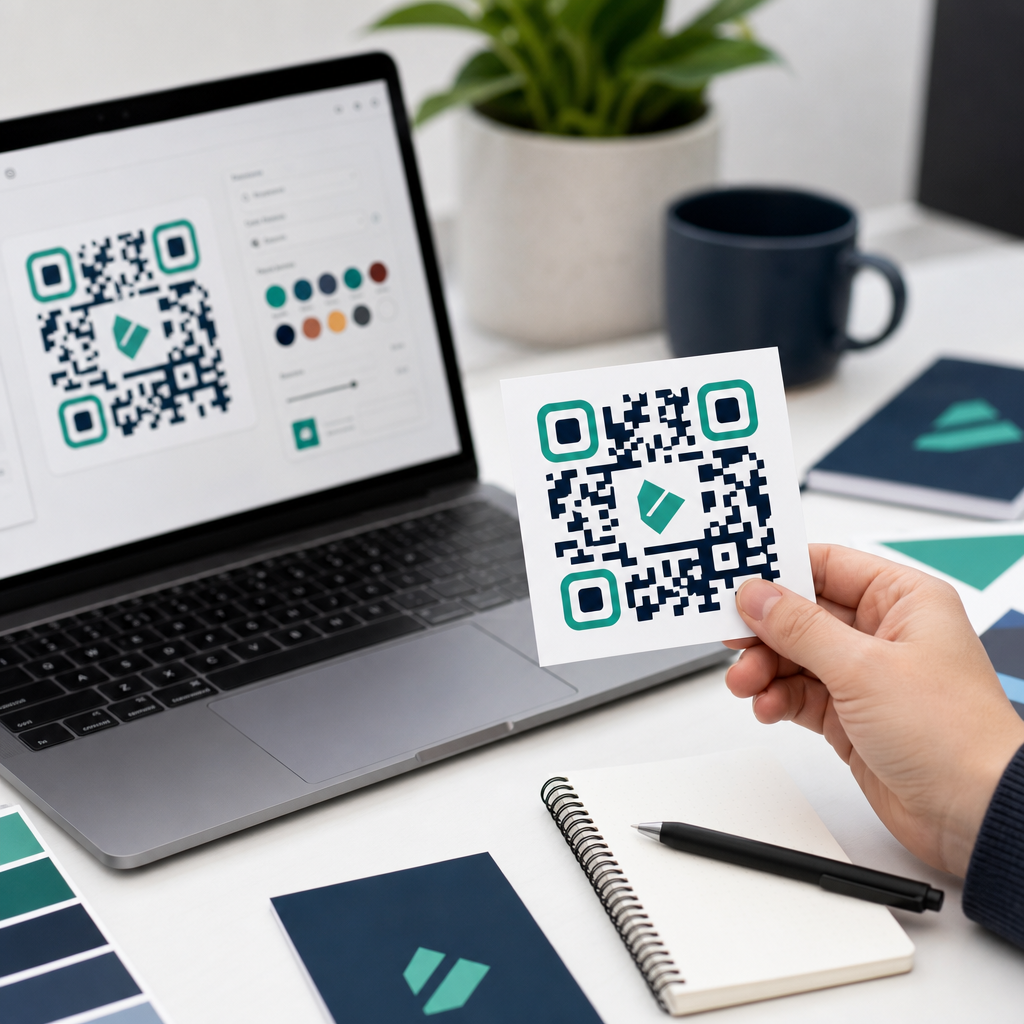
Choosing the best QR code generators for custom branding is no longer a niche design decision; it is a practical marketing, operations, and customer-experience choice that affects scan rates, trust, analytics, and campaign flexibility. A QR code generator is the software that creates machine-readable codes linking to destinations such as websites, PDFs, app stores, menus, vCards, forms, videos, payment pages, or Wi-Fi credentials. Custom branding means modifying that code with brand colors, logos, frames, calls to action, short URLs, and dynamic routing while preserving scannability. In my experience building campaigns for retail, events, restaurants, and B2B sales teams, the strongest tools are not simply the ones with the prettiest templates. The best platforms balance design freedom with error correction, testing controls, bulk creation, analytics, governance, and export quality.
This matters because branded QR codes consistently outperform generic black-and-white codes when they clearly signal what happens after the scan. Users are more willing to scan a code that says “View Menu,” “Register Now,” or “Track Package” inside a recognizable branded frame than a plain square with no context. At the same time, branding can hurt performance if a tool allows excessive styling, low contrast, tiny quiet zones, or oversized logos that interfere with finder patterns. The real question is not just which platform can generate a code, but which one can generate custom branded QR codes that remain reliable across print, packaging, signage, and mobile screens.
For teams evaluating options, the category usually splits into static and dynamic QR code generators. Static QR codes point directly to fixed content and cannot be edited after printing. Dynamic QR codes use a short redirect URL managed by the platform, allowing destination changes, campaign analytics, retargeting, expiration rules, and A/B testing without replacing the printed asset. That difference is decisive for branded campaigns, because custom QR codes often live on expensive physical materials. If a destination changes after brochures, product labels, trade-show banners, or direct-mail pieces are printed, a dynamic platform protects the investment.
This hub article explains what to look for in the best QR code generators, which tools stand out for custom branding, where each platform fits, and how to choose the right one for your use case. It also clarifies the tradeoffs between free and paid generators, self-serve and enterprise platforms, and design flexibility versus operational control. If you manage marketing campaigns, product packaging, restaurant menus, event registration, or distributed field teams, the right generator can become a durable part of your QR code creation and tools stack rather than a one-off utility.
What Makes a QR Code Generator Best for Custom Branding
The best QR code generator for custom branding must do four things well: preserve scan reliability, support recognizable brand treatment, provide flexible destination management, and offer measurable campaign reporting. In practice, I evaluate platforms by starting with reliability. A branded QR code should still scan quickly on older phone cameras, under glare, at awkward angles, and from a reasonable distance. That means the generator should protect minimum contrast, preserve a sufficient quiet zone, support proper error correction levels, and export in vector formats such as SVG, EPS, or PDF for print.
Next comes branding control. Good tools let you add a logo, choose eye shapes, change module styles, insert a frame, and apply color safely. Great tools do this while warning users when a design choice may break scanning performance. That safeguard matters. Many low-end generators let users create beautiful but fragile codes. I prefer platforms that provide live scan testing or built-in validation before export. For regulated industries, universities, franchises, or multi-location retailers, template locking and brand-governance controls are equally important because they keep distributed teams from improvising risky designs.
Destination management is the third factor. Dynamic editing, link scheduling, geo-routing, device-based routing, password protection, and campaign tagging all turn a QR code from a design asset into a managed customer touchpoint. A restaurant may need one code on tables but separate destinations by time of day. A packaging team may direct users to language-specific pages based on geography. A sales team may update one printed leave-behind every quarter without reprinting the code. The best QR code generators make those workflows easy and auditable.
Finally, analytics separates hobby tools from business platforms. At minimum, a platform should show scans over time, location, device type, and top-performing campaigns. Stronger tools integrate UTM parameters, Google Analytics, Meta Pixel, and CRM workflows. That lets marketers connect a branded QR code to real outcomes instead of vanity metrics. If you cannot tie scans to conversions, store visits, registrations, or downloads, the design work is only half useful.
Best QR Code Generators for Different Branding Needs
No single tool is perfect for every company, so the best QR code generators are best understood by use case. QR Code Generator Pro is a strong all-around choice for marketing teams that need dynamic codes, branded templates, analytics, and a broad set of landing-page options. It is approachable for nontechnical users and supports logos, custom shapes, frames, file downloads, vCards, and batch-friendly workflows. For a mid-size business that wants campaign flexibility without enterprise procurement complexity, it is usually on the shortlist.
Beaconstac stands out for larger organizations that need security, team permissions, API access, SSO, and stronger governance. I have seen it fit especially well in healthcare, retail chains, and enterprise marketing operations where distributed users need guardrails. Its dynamic QR management, analytics, retargeting options, and centralized controls make it suitable for multi-market campaigns. If your concern is not just generating a custom QR code but managing thousands of them safely, Beaconstac is built for that scale.
Bitly is compelling when link management is already central to your workflow. Its QR functionality benefits from the company’s mature link infrastructure, branded short domains, and campaign tracking. Teams already using Bitly for short links often appreciate having QR codes inside the same environment. The branding flexibility is not always as visually expansive as dedicated design-first platforms, but the operational simplicity and recognizable reporting model are strong advantages.
Flowcode is often chosen by creators, events, and consumer-facing marketers who want polished design and easy deployment. It emphasizes aesthetics, landing destinations, and straightforward analytics. For posters, merchandise, social promotion, and venue signage, it is one of the easier platforms for producing attractive branded codes quickly. Uniqode, formerly Beaconstac’s close competitor in many evaluations, is also strong for business users who need dynamic functionality, analytics, access control, and multiple QR content types with clean administration.
| Platform | Best fit | Branding strengths | Operational strengths |
|---|---|---|---|
| QR Code Generator Pro | General marketing teams | Logos, frames, colors, templates | Dynamic edits, analytics, broad content options |
| Beaconstac | Enterprise and multi-location organizations | Controlled branded design at scale | SSO, API, permissions, bulk management |
| Bitly | Teams centered on link management | Branded short domains and clean code creation | Established tracking and link governance |
| Flowcode | Events, creators, consumer campaigns | Fast, polished visual customization | Simple deployment and campaign visibility |
| Uniqode | Business users needing admin control | Flexible custom designs with templates | Dynamic routing, analytics, team features |
How Branding Features Affect Scan Performance
Custom branding only works when the QR code remains instantly scannable. The most important technical factor is contrast. Dark modules on a light background are still the safest choice, even when using brand colors. Pale foregrounds, gradients, patterned backgrounds, or transparent overlays often reduce reliability. The quiet zone, the blank border around the code, is equally important. Designers sometimes crop too tightly for packaging or social graphics, but that margin helps scanners isolate the symbol from surrounding content.
Logo insertion should be handled carefully. QR codes include error correction, commonly using L, M, Q, or H levels under the ISO/IEC 18004 standard, which allows a portion of the code to be restored if obscured. That is why a centered logo can work. But error correction is not a license to cover large areas casually. In print reviews, I usually test codes on multiple phones at realistic distances before approving production, especially for curved packaging, glossy labels, and outdoor signage where distortion and glare are common.
Frames and calls to action usually help performance because they provide context. A code labeled “Scan to download the app” removes uncertainty. Users scan less when they do not know what they will get. I have watched the same campaign improve simply by changing a generic square into a framed code with a clear action statement and a brand mark. The best QR code generators support those visual prompts without forcing users into templates that compromise sizing or contrast.
Dynamic QR Codes, Analytics, and Campaign Control
For branded marketing, dynamic QR codes are usually the better investment. They let teams change the destination after printing, which protects spend on physical materials and supports campaign iteration. If a real estate sign points to a listing that later changes, the code can redirect to a new property or an agent profile. If a restaurant switches menu providers, the table code still works. Static QR codes have value for permanent information such as plain text, contact details, or Wi-Fi credentials, but they offer little flexibility once distributed.
Analytics should also be interpreted correctly. Scan count alone can mislead because one user may scan multiple times, and some platforms estimate location based on IP rather than precise GPS. Still, directional data is useful. Marketers can compare scans by creative version, store location, print placement, and date range. Adding UTM parameters allows deeper analysis in Google Analytics 4, where QR visits can be tied to engaged sessions, conversions, and revenue. That is far more useful than simply knowing a code was scanned 5,000 times.
Advanced platforms add retargeting pixels, expiration dates, rules-based redirects, and bulk management. Those capabilities matter in larger programs. A consumer packaged goods brand may place unique dynamic QR codes on regional packaging runs to compare promotions. An event organizer may generate codes in batches for exhibitor booths and monitor which areas of the venue drove the most engagement. These are not edge cases anymore; they are normal requirements for serious QR code creation and tools programs.
Free vs Paid QR Code Generators
Free QR code generators are fine for simple static use cases, especially internal documents, classroom materials, personal portfolios, or one-time flyers. If you need a plain URL code with no analytics and no post-print editing, a reputable free tool may be enough. The problem starts when users assume “free” includes permanent dynamic management. Many free offerings either do not provide dynamic codes at all, watermark the output, limit scans, expire links, or restrict export quality. Those limitations often appear only after the code has been distributed.
Paid tools are justified when branding, reporting, and continuity matter. If a code appears on packaging, storefronts, menus, direct mail, manuals, or trade-show assets, the cost of failure is much higher than the subscription price. Paid platforms also tend to include better support, stronger uptime, user permissions, and compliance features. When I advise teams, I frame the decision this way: if replacing the printed material would cost more than a year of software, use a professional platform from the start.
How to Choose the Right QR Code Generator for Your Team
Start with the environment where the code will live. Packaging and outdoor signage require strong print exports and conservative design controls. Restaurant menus and event signage benefit from dynamic editing and easy mobile landing pages. Sales collateral often needs branded short domains and CRM-friendly tracking. Then evaluate scale. A solo creator may prioritize speed and design. A franchise or enterprise team should prioritize permissions, templates, SSO, bulk creation, and auditability.
Next, test the workflow before committing. Create a branded sample, export it in the format your designers actually use, print it at target size, and scan it on several devices. Review analytics, edit the destination, and see how quickly changes publish. Check whether the platform supports custom domains, API access, pixel integrations, and data export if you ever need to migrate. Vendor lock-in is real with dynamic QR codes because the redirect layer is hosted by the provider. You want a platform you trust to manage that infrastructure long term.
The best QR code generators for custom branding combine safe design, dependable scanning, flexible campaign control, and measurable reporting. For most businesses, the winning platform is not the one with the most dramatic visual effects; it is the one that makes branded QR codes perform consistently across every channel and team. Evaluate branding controls, dynamic management, analytics, governance, and export quality together, then pilot one or two finalists on a real campaign. If you are building out your QR code creation and tools stack, use this hub as your starting point and choose a generator that can scale with your brand.
Frequently Asked Questions
What should I look for in the best QR code generator for custom branding?
The best QR code generator for custom branding should balance design flexibility with technical reliability. It is not enough for a platform to let you add a logo and change colors; it also needs to produce codes that remain easy to scan across different devices, lighting conditions, print sizes, and surfaces. A strong tool should allow you to customize colors, eye shapes, patterns, frames, and calls to action while still preserving proper contrast and error correction. This matters because a beautifully branded code that fails to scan quickly can hurt trust and reduce conversions.
It is also important to evaluate whether the generator supports dynamic QR codes. Dynamic codes let you change the destination URL or content after printing, which is extremely useful for marketing campaigns, menus, packaging, event promotions, and seasonal offers. In addition, look for analytics features such as scan counts, location data, device type, and time-based performance tracking. These insights help businesses measure campaign effectiveness and refine where and how codes are used.
Other key features include file export options like SVG, PDF, PNG, and EPS for both digital and print applications, multi-user access for teams, bulk generation for large campaigns, password protection or access control for sensitive content, and integrations with tools such as Google Analytics, CRMs, or marketing automation platforms. If you plan to use QR codes at scale, subscription transparency, uptime, and customer support also matter. In short, the best QR code generator is one that helps your brand look consistent, scan reliably, and adapt as campaigns evolve.
Do branded QR codes scan as well as standard black-and-white QR codes?
Yes, branded QR codes can scan just as well as standard black-and-white codes when they are designed correctly. The key is understanding that QR codes still follow technical rules, even when customized. The biggest factors affecting scan performance are contrast, quiet zone spacing, code density, print quality, and the amount of visual modification applied. If a brand uses low-contrast colors, removes too much of the pattern, adds an oversized logo, or prints the code too small, scanability can suffer. A quality QR code generator helps prevent these mistakes by applying safe customization limits.
Black-and-white codes are considered the baseline because they offer maximum contrast and simplicity, but modern scanners are very capable. Branded QR codes with dark foreground elements on a light background usually perform well, especially when there is enough white space around the code and the design is tested in real-world conditions. Error correction settings also play a major role. Higher error correction can allow for logos or design elements to be added without breaking the code, though this may increase code complexity. The best platforms automatically manage these tradeoffs so users can customize confidently.
For businesses, the practical takeaway is that branding should enhance recognition, not overwhelm functionality. A subtle logo, brand-consistent color palette, and clear call-to-action frame often improve trust and scan rates because users immediately understand that the code belongs to a legitimate brand. The safest approach is to test the code on multiple smartphones, in different lighting situations, and at the final print size before deployment. When custom branding is handled thoughtfully, it can improve both visual appeal and user engagement without sacrificing usability.
Why are dynamic QR codes better for marketing and business campaigns?
Dynamic QR codes are often the better choice for marketing and business use because they give you flexibility after the code has already been published. Unlike static QR codes, which permanently encode one destination, dynamic codes use a short redirect URL managed through the platform. That means you can update the landing page, menu, PDF, video, or product page without needing to reprint signage, packaging, brochures, or labels. For businesses running active campaigns, this can save both time and money while making campaigns far easier to manage.
Dynamic QR codes are also valuable because they support analytics. Instead of simply placing a code and hoping people scan it, you can measure how many scans occurred, when they happened, where they came from, and what devices were used. This turns a QR code from a passive link into a measurable marketing asset. A restaurant can update its menu and track scan volume by location, a retailer can change a seasonal promotion on printed shelf signage, and an event team can redirect attendees from registration to post-event surveys using the same printed code.
From a branding standpoint, dynamic QR codes also reduce operational friction. If a campaign URL changes, if an app store link needs updating, or if a product page is replaced, the code remains the same visually, preserving consistency across materials already in circulation. This is especially important for custom branded QR codes used on product packaging, direct mail, trade show assets, and in-store displays. For companies that want long-term flexibility, better reporting, and easier campaign optimization, dynamic QR codes are usually the more strategic option.
How important are analytics when choosing a QR code generator?
Analytics are one of the most important features to consider when choosing a QR code generator, especially for businesses using QR codes in marketing, customer service, packaging, events, or operations. Without analytics, a QR code is simply a delivery mechanism. With analytics, it becomes a measurable touchpoint that can reveal how people interact with your campaigns. You can understand whether a poster, flyer, product box, countertop display, or email CTA is actually generating engagement, and that information helps justify spend and improve future strategy.
The most useful analytics typically include total scans, unique scans, scan timing, geographic data, device type, and operating system. Some platforms also offer campaign-level reporting, UTM support, and dashboard filtering by date or location. These details can uncover patterns that are easy to miss. For example, a brand might discover that in-store scans peak during certain hours, that one region responds better than another, or that mobile landing pages need improvement because scan volume is high but conversion is low. These insights help teams refine not just the QR code itself, but the full customer journey after the scan.
Analytics also improve decision-making around custom branding. If one design style or call-to-action frame outperforms another, you can use that data to optimize future versions. In many cases, scan performance depends as much on placement, messaging, and destination quality as it does on the QR code design. A robust generator with reporting tools allows businesses to test, learn, and adapt. For any organization using QR codes beyond one-off personal projects, analytics should be viewed as a core requirement rather than a bonus feature.
Can I use a custom branded QR code for print, packaging, and digital campaigns at the same time?
Yes, a custom branded QR code can absolutely be used across print, packaging, and digital campaigns, and that is one of the main reasons businesses invest in strong QR code platforms. A well-designed branded code helps create a consistent visual identity wherever customers encounter it, whether that is on product boxes, restaurant tables, brochures, posters, receipts, business cards, display ads, or social graphics. Using the same branded look across channels reinforces recognition and can make users more likely to trust the code enough to scan it.
That said, the code should be prepared with channel-specific practical requirements in mind. For print and packaging, resolution, file format, minimum size, material finish, and scanning distance are critical. Vector formats such as SVG or EPS are often best for professional printing because they preserve sharpness at any size. On packaging, codes may need stronger contrast and larger sizing due to curved surfaces, glare, or uneven materials. In digital campaigns, placement, surrounding whitespace, and mobile-friendly landing pages matter more, because users are often scanning from another screen or interacting while multitasking.
Many businesses use dynamic QR codes to make one branded asset adaptable across multiple touchpoints. For example, a product package might send users to setup instructions, a social campaign might direct to a promotional landing page, and an in-store sign might lead to a coupon or loyalty form. Depending on the platform, you may choose separate codes for cleaner attribution or reuse the same base campaign structure with segmented tracking. The best approach is to maintain consistent branding while tailoring destinations, sizing, and performance testing to each environment. When done well, a branded QR code becomes a flexible bridge between physical and digital customer experiences.





