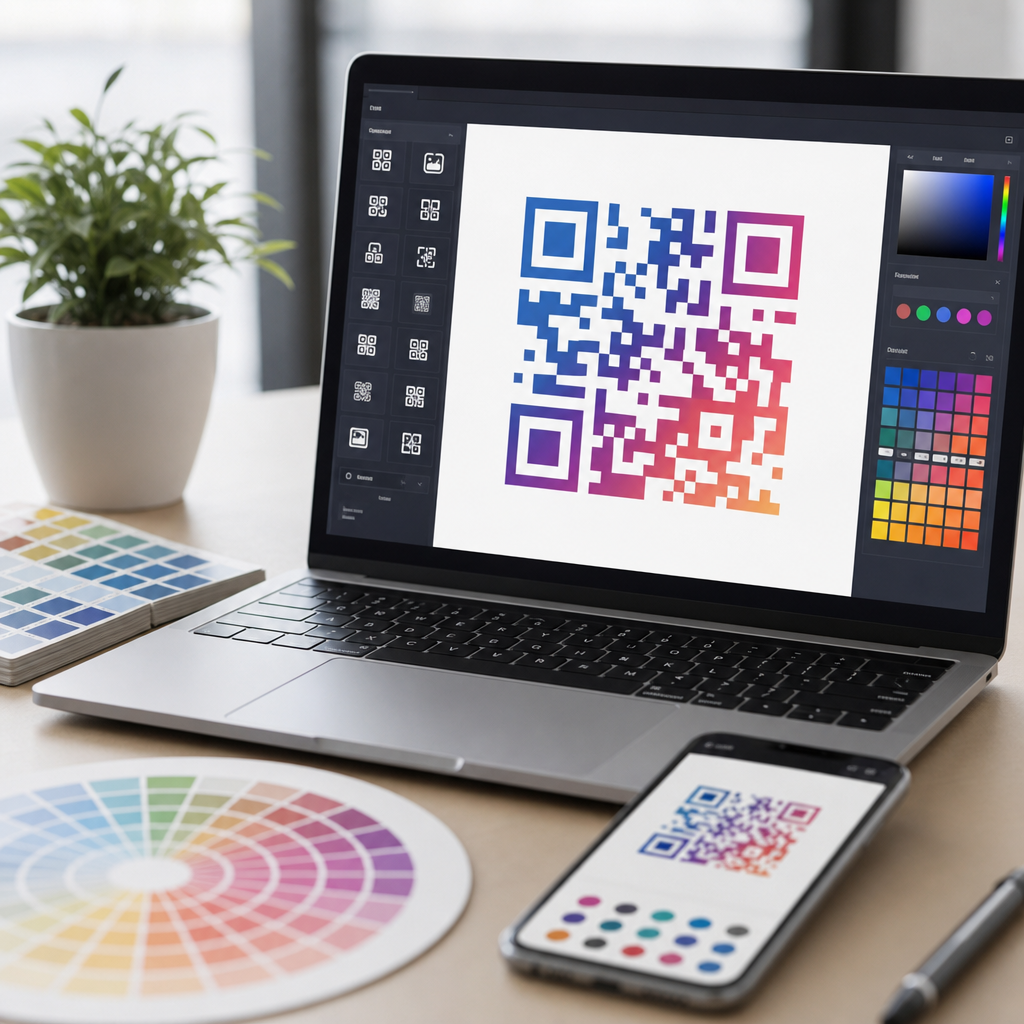
Best QR code color customization tools help brands turn a plain black-and-white matrix into a scannable design asset that fits packaging, signage, menus, business cards, and paid campaigns. In practical terms, color customization means changing foreground and background colors, adding gradients, applying brand palettes, adjusting eye shapes, and testing whether the code still scans across different cameras and lighting conditions. I have built and audited QR campaigns for retail displays, event badges, restaurant ordering, and direct mail, and the same lesson appears every time: style matters, but scan reliability matters more. A beautiful code that fails under glare, low contrast, or poor print quality costs conversions immediately.
This topic matters because QR codes now sit at the intersection of brand design, mobile usability, and conversion tracking. Consumers expect visual consistency, yet QR technology still depends on strict technical tolerances. Error correction, quiet zone spacing, module contrast, and output format all affect performance. The best QR code color customization tools balance those requirements instead of forcing a tradeoff between design and function. They let teams preview designs, generate print-ready assets, create dynamic destinations, and measure scans after launch. For companies building a broader QR Code Creation & Tools strategy, this hub explains what to look for in custom QR code design tools, which platforms are best for specific use cases, and how to choose a workflow that protects both brand standards and scan success.
When evaluating software in this category, focus on a clear definition of quality. A strong custom QR code design tool should support high contrast combinations, editable shapes, logo placement, vector exports such as SVG or EPS, dynamic QR functionality, campaign analytics, and dependable testing across iPhone and Android devices. It should also make the underlying decisions visible: whether the code uses static or dynamic routing, what error correction level is applied, and how much visual modification the pattern can tolerate before scan latency rises. Those capabilities are what separate novelty generators from tools suitable for production marketing.
This hub covers the leading options, selection criteria, design rules, and implementation guidance so you can choose software with confidence and create branded QR experiences that remain readable in the real world.
What the best QR code color customization tools actually need to do
The first requirement is preserving scan performance while allowing visual changes. In day-to-day work, I judge tools on whether they protect fundamentals automatically. The strongest platforms keep a sufficient quiet zone around the code, prevent foreground and background colors from becoming too similar, and warn users when logos or gradients reduce readability. Good software also supports standard QR payload types including URL, vCard, Wi-Fi, PDF, app links, and coupon destinations. If a design tool looks polished but exports low-resolution PNG files or offers no validation workflow, it is not a serious option for business use.
The second requirement is production flexibility. Marketing teams need dynamic QR codes so they can change the destination after printing, run A/B tests, attach UTM parameters, and view scan analytics by campaign. Designers need SVG, PDF, or EPS files for sharp output on packaging and large-format signage. Operations teams need folders, naming conventions, access controls, and sometimes API access. This is why the best QR code color customization tools usually live inside broader QR code generators rather than standalone styling apps. The best products understand the full lifecycle from design to deployment to reporting.
Another nonnegotiable feature is practical previewing. A tool should simulate dark mode phone screens, dim lighting, reflective surfaces, and small-print scenarios. I routinely test with multiple devices because some Android camera apps are less forgiving than the native iPhone camera when contrast is marginal. The difference between a 98 percent reliable scan and an 80 percent reliable scan may come down to a logo that is ten percent too large or a gradient that fades too softly at the corners. Reliable software reduces those risks before the code leaves the design stage.
Top platforms for custom QR code design tools
QR Code Generator Pro remains one of the most recognizable options because it combines design controls with dynamic campaign management. It supports color changes, frame styles, custom calls to action, logo uploads, and scan analytics. For marketers, its strength is not just appearance but workflow: creating branded dynamic codes quickly, updating landing pages without reprinting, and tracking results centrally. It is especially useful for promotional campaigns, retail materials, and teams that need a straightforward interface without extensive training.
Beaconstac is a stronger fit for enterprise use cases. Its platform supports bulk generation, role-based access, analytics, retargeting integrations, and extensive design customization. In projects where governance matters, Beaconstac usually outperforms simpler generators because teams can standardize templates and maintain brand consistency across departments. It also does a good job of balancing logo placement and color editing with readability safeguards. For larger organizations running QR programs across stores, regions, or franchise networks, those controls matter more than novelty styling options.
Bitly Codes is compelling when link management and QR management need to live together. Organizations already using Bitly for short links often benefit from keeping branded links, redirects, and QR assets in one system. The color customization options are practical rather than experimental, but the analytics and governance are strong. This makes it a sensible choice for campaigns where measurement and link hygiene matter more than highly artistic code shapes.
QR TIGER offers a broad feature set and is popular with small businesses and agencies because it combines dynamic QR functions, editable colors, pattern customization, and logo support at competitive pricing tiers. It is often selected for restaurant menus, event registration, and product packaging because teams can produce decent-looking branded codes quickly. Uniqode, formerly Beaconstac’s competitor in many comparisons, also deserves attention for enterprise-grade dynamic codes, customization, and integrations, especially when security, scale, and analytics are central requirements.
| Tool | Best for | Key color customization strengths | Important limitation |
|---|---|---|---|
| QR Code Generator Pro | Marketing teams | Brand colors, frames, logos, dynamic campaign controls | Advanced governance is lighter than enterprise suites |
| Beaconstac | Large organizations | Template control, strong readability safeguards, bulk management | Higher cost for smaller teams |
| Bitly Codes | Link-centric programs | Integrated branded links and practical color styling | Less experimental visual customization |
| QR TIGER | SMBs and agencies | Flexible colors, logos, and editable patterns at accessible pricing | Interface depth can feel uneven across features |
| Uniqode | Enterprise analytics | Brand customization with strong security and reporting | May be more platform than a simple campaign needs |
How to choose the right tool for your business and campaign type
Start with the destination and the lifespan of the code. If you are printing on packaging, vehicle wraps, trade show booths, or permanent signage, dynamic QR functionality is usually worth paying for because the destination may change long after the asset is printed. If you only need a one-time code for a short-lived flyer, a simpler platform may be enough, provided it still exports vector files and supports safe color contrast. Matching the tool to the asset lifespan prevents overbuying while avoiding expensive reprints later.
Next, assess who owns the workflow. Solo creators can tolerate a lightweight generator. Agencies need reusable templates, client approvals, export consistency, and often white-label delivery. Enterprise teams need permissions, folders, audit trails, and API support. In my experience, tool mismatch happens less because of design limits and more because approvals and reporting become messy. A platform that produces attractive codes but lacks organizational structure quickly becomes a bottleneck once campaigns scale.
Budget should be evaluated against failure risk, not just subscription price. A lower-cost tool that creates unreliable colored QR codes can be more expensive than an enterprise platform if it damages a direct mail response rate or forces a packaging reprint. Also inspect analytics depth. Useful reporting includes total scans, unique scans, time, location, operating system, and sometimes conversion tie-ins through UTM tracking or integrations with Google Analytics. If the campaign will be measured seriously, those capabilities should be part of the selection criteria from day one.
Finally, test support and documentation. The better vendors explain quiet zones, contrast ratios, logo sizing, print guidance, and error correction tradeoffs clearly. That documentation is a signal that the company understands production realities, not just decorative output.
Design principles that make colored QR codes scan reliably
High contrast is the foundation. Dark foreground on a light background is still the safest combination, even when using brand colors. Navy on white, dark green on cream, or deep maroon on pale beige can work well. Yellow on white, pastel gray on silver, or gradient fades from medium blue to pale aqua often fail under normal lighting. Most camera systems need clear luminance separation more than they need exact hue differences. That is why some visually attractive combinations underperform in practice.
Keep the background clean and preserve the quiet zone. The quiet zone is the blank margin around the code, typically four modules wide at minimum under ISO/IEC 18004 guidance. When designers place patterns, photos, or colored blocks too close to the edges, scan detection slows or fails entirely. The same rule applies to logos: a centered logo is acceptable when error correction is set appropriately, but oversizing it removes too much data area. I usually recommend conservative logo sizing first, then field testing before expanding.
Gradients and custom shapes require restraint. Soft linear gradients can work if the darkest portions still maintain strong contrast and the transition does not erase module boundaries. Circular gradients, metallic effects, drop shadows, and rounded modules are riskier, especially at small sizes. Print conditions add another variable. On corrugated packaging, textured paper, glossy table tents, and sunlit windows, subtle color choices become weaker. For that reason, the best QR code color customization tools should always be paired with print-specific proofing and live device tests, not just on-screen previews.
Best practices for implementation, testing, and long-term performance
Generate the code in vector format first, then create raster derivatives only when needed. SVG and EPS maintain edge sharpness across sizes and reduce the chance of blurry modules in print. Before approval, test at intended real-world sizes: a business card code may need a different density and styling approach than a poster code viewed from several feet away. I usually run tests under office lighting, daylight, and lower-light conditions with current iPhone and Samsung devices because camera behavior varies enough to expose borderline designs.
Use dynamic routing whenever a campaign may evolve. This is one of the most practical benefits of modern custom QR code design tools. You can keep the visible design the same while changing the landing page, correcting a broken URL, rotating seasonal promotions, or localizing content by market. Dynamic codes also enable analytics, which lets teams identify underperforming placements. If a beautifully styled code on packaging scans poorly compared with an in-store sign, the difference often points to size, contrast, or placement issues rather than audience intent.
Placement matters almost as much as design. Avoid curved surfaces when possible, keep the code away from fold lines and seams, and provide a clear call to action near the code. “Scan to view menu,” “Scan for setup guide,” or “Scan to claim warranty” performs better than leaving the intent unstated. The surrounding copy sets expectations and increases scan rate. Within a QR Code Creation & Tools content strategy, that is why this hub should connect naturally to deeper guides on dynamic QR codes, QR code testing, QR code analytics, logo use, print sizing, and packaging implementation. Those topics support the same core goal: branded QR codes that actually work.
The best QR code color customization tools are the ones that make brand expression possible without compromising scan reliability. Across real campaigns, the pattern is consistent. Tools such as QR Code Generator Pro, Beaconstac, Bitly Codes, QR TIGER, and Uniqode stand out because they do more than recolor a code. They support dynamic destinations, analytics, vector exports, templates, and readability safeguards that matter once a design leaves the screen and enters stores, mailboxes, trade show floors, or product packaging.
If you remember only a few criteria, make them these: choose high contrast colors, keep the quiet zone intact, use logos sparingly, export in vector formats, and test with multiple devices in realistic lighting. Then match the platform to your workflow. Small teams may prioritize speed and affordability, while enterprises need governance, bulk generation, and integration with reporting stacks. There is no single best tool for every situation, but there is a clear best fit once you define campaign lifespan, measurement needs, and production constraints.
As a hub for Custom QR Code Design Tools, this page should guide your next steps across the broader QR Code Creation & Tools category. Use it to shortlist platforms, align stakeholders on design rules, and build a testing process before launch. Start by evaluating one campaign that needs both branding and dependable scanning, then choose the tool that can support that campaign at production quality and scale.
Frequently Asked Questions
What should I look for in the best QR code color customization tools?
The best QR code color customization tools do much more than let you swap black for a brand color. A strong platform should give you precise control over foreground and background colors, support solid fills and gradients, allow customization of eye shapes and data modules, and make it easy to apply brand palettes consistently across campaigns. For practical marketing use, it should also support dynamic QR codes, so you can update the destination URL without reprinting assets for packaging, menus, signage, or business cards.
Just as important, the tool should include built-in scan testing or at least clear validation indicators. Color changes can reduce contrast, and a design that looks polished on a desktop preview may fail under glare, low light, or on lower-quality phone cameras. The best tools help you catch these issues before launch by flagging low-contrast combinations, previewing quiet zones, and showing how logos, gradients, and custom shapes affect scannability. Export options also matter. Look for high-resolution PNG, SVG, PDF, and EPS support so the code performs across digital ads, print collateral, retail displays, and large-format event graphics.
From an operational standpoint, good QR code color customization software should also offer analytics, campaign organization, team collaboration, and template saving. If you are managing multiple branded touchpoints, these features save time and reduce inconsistency. In short, the best tools combine design flexibility with scan reliability, brand governance, and deployment features that work in real marketing environments, not just in a basic generator.
Do colored and gradient QR codes still scan reliably?
Yes, colored and gradient QR codes can scan reliably, but only when they are designed with contrast and usability in mind. The core requirement is still the same as with a standard black-and-white QR code: the scanner needs to distinguish the dark data pattern from the lighter background. If the foreground color is too light, the background is too dark, or a gradient creates uneven contrast across the symbol, scan performance can drop quickly. This is especially true in outdoor signage, glossy packaging, restaurant tables, and event materials where lighting conditions are unpredictable.
In practice, the safest approach is to keep the QR code’s foreground noticeably darker than the background and avoid placing the code over busy imagery. Gradients can work well, but they should remain high contrast throughout the full code area. Many failed custom QR designs happen because a stylish center section looks readable while the lighter edges become difficult for cameras to interpret. Transparent backgrounds can also create problems if the code sits on textured packaging, patterned posters, or colored campaign artwork. A plain, stable background usually performs better than a visually complex one.
The most reliable color customization tools address this by offering scan previews, warning systems, and test exports for real-world validation. Even with a good tool, it is smart to test the finished code on multiple phones, both iPhone and Android, from different distances and under different lighting conditions. If the QR code will appear on retail displays or event signage, test printed samples at actual size instead of relying only on an on-screen preview. A colored QR code can absolutely be both on-brand and highly functional, but scan reliability should always take priority over decoration.
How do logos, custom eye shapes, and branded styling affect QR code performance?
Logos, custom eye shapes, and branded styling can improve visual appeal and brand recognition, but every design change affects the technical balance of the QR code. A logo placed in the center uses up space that would otherwise contain data modules, so the code must rely more heavily on error correction to remain scannable. That can work well when handled correctly, but oversized logos or logos with poor contrast often create avoidable scan failures. The best tools automatically compensate by adjusting error correction levels and preserving the essential structure of the code.
Custom eye shapes and module styles can also be effective when used carefully. Rounded dots, softened corners, or modernized finder patterns may help the code look more premium or aligned with a brand identity, particularly on packaging, menus, or business cards. However, the more aggressively those elements are stylized, the greater the risk that some scanners will struggle to recognize the symbol. This becomes even more important when the code is viewed at a distance, printed at a small size, or placed in environments with glare, shadows, or motion.
A good rule is to use branded styling as enhancement, not as a replacement for readability. Keep the key finder patterns clear, maintain a proper quiet zone around the code, avoid distorting the structure too far, and verify that the final output scans quickly in realistic conditions. Tools that let you preview logo placement, module density, and error correction are especially valuable because they help you push the design without crossing the line into nonfunctional artwork. The strongest QR campaigns achieve a branded look while still feeling effortless to scan on the first try.
Are dynamic QR codes better than static QR codes for branded campaigns?
For most branded campaigns, dynamic QR codes are the better choice. A static QR code permanently encodes a fixed destination, which means any change to the URL, landing page, or tracking setup requires generating a new code and often reprinting the asset. That may be fine for simple, one-off uses, but it becomes limiting for packaging, store displays, event signage, direct mail, and paid campaigns where messaging, attribution, and destinations often change over time.
Dynamic QR codes solve that problem by pointing to a short redirect URL that you can update behind the scenes. This gives marketers much more flexibility. You can change the destination after print production, swap in a seasonal landing page, fix broken links, route users by location or device, and track scans with analytics. That combination is especially valuable when you are investing in custom color styling and brand presentation, because it protects the asset’s lifespan. If you are putting effort into designing a visually polished QR code, you usually want the campaign utility to match the design investment.
From a customization standpoint, many of the best QR code color tools are built around dynamic campaign management. They let you save branded templates, duplicate styles across campaigns, and monitor scan performance over time. That said, static QR codes still have a place when permanence, simplicity, or offline encoding is the priority. If you do not need editing or tracking and the destination will never change, static can be enough. But for most professional marketing use cases, especially those involving branded creative, dynamic QR codes offer better flexibility, measurement, and long-term value.
How can I make sure a custom-colored QR code works on packaging, signage, menus, and business cards?
Start by designing for the real environment where the QR code will be used, not just for what looks good in the editor. Packaging may introduce curved surfaces, reflective finishes, and limited print area. Signage may be scanned from several feet away under mixed lighting. Menus can get stained, folded, or laminated with glare. Business cards require the code to remain readable at a small size. The best way to ensure performance is to match the QR code’s size, contrast, and placement to the actual use case from the beginning.
Keep the foreground dark enough, the background light enough, and preserve a clean quiet zone around the entire code. Avoid placing custom-colored QR codes over product photography, textured materials, or patterned brand backgrounds unless the tool confirms strong scan reliability and you have tested printed samples. For small formats like business cards, simplify the design and avoid overly delicate gradients or excessive logo size. For larger formats like event signage or retail displays, confirm that the code scans from the intended distance and angle, not just up close. If the placement will face direct sunlight or overhead lighting, test under those conditions as well.
Finally, validate with a broad testing process. Scan the code on multiple devices, using both native camera apps and common third-party scanners if relevant. Test in bright light, dim light, and typical everyday conditions. Print prototypes at production size and on production materials whenever possible. This is where the best QR code color customization tools stand out: they support brand expression, but they also help you test, refine, and export production-ready files. A custom QR code should feel like a seamless branded asset, but its success is measured by how quickly and consistently people can scan it in the real world.