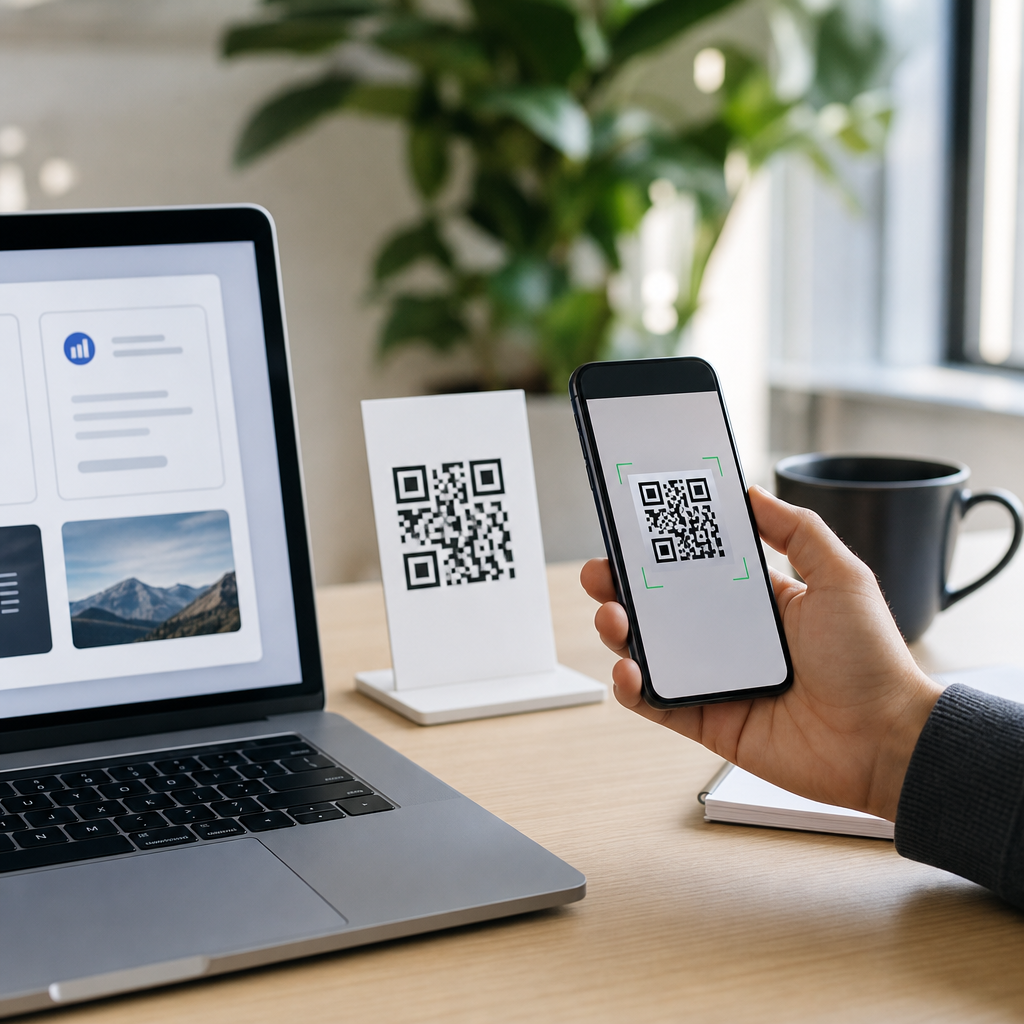
Branded QR codes turn a functional square barcode into a recognizable marketing asset that carries a company’s colors, logo, voice, and intent. A standard QR code simply encodes data, usually a URL, vCard, Wi-Fi credential, payment string, or app link. A branded QR code does the same job while also reflecting brand identity through controlled design choices such as color palette, frame, call to action, custom short domain, center logo, and landing page continuity. For businesses building consistent customer journeys, that difference matters. I have implemented QR campaigns for retail packaging, restaurant menus, event signage, and field sales collateral, and the pattern is consistent: generic codes get scanned when placement is excellent, but branded codes earn trust faster because users can infer where the scan will lead before they open their camera.
Trust is the core reason this topic matters. Consumers have been trained to treat unfamiliar links cautiously, and a plain black-and-white code gives them little context. A branded QR code can signal legitimacy at a glance, especially when paired with a recognizable logo and a clear instruction such as “Scan to view care guide” or “Scan for menu and allergen info.” That small confidence boost affects scan rate, completion rate, and downstream conversions. It also affects operational efficiency. Teams that use dynamic QR codes tied to editable destinations can update campaigns without reprinting packaging or signage, which reduces waste and preserves distribution timelines. For a sub-pillar topic centered on custom QR code design tools, the practical question is not whether decoration is possible, but how far customization can go without breaking scan reliability.
The answer begins with the structure of a QR code. Every code includes finder patterns in three corners, alignment patterns, timing patterns, encoded data, and an error correction layer. Design tools manipulate the visual presentation around those essential components. The best tools protect the machine-readable geometry while letting users change module shape, eye shape, colors, gradients, quiet zone, frame text, and embedded logos. They also offer dynamic link management, analytics, batch generation, file export options such as SVG, EPS, PNG, and PDF, and governance features for teams. Understanding those capabilities helps marketers, designers, and operations managers choose the right software and create codes that scan well in the real world.
This hub article covers how to create branded QR codes from strategy through testing, which custom QR code design tools are best suited to different use cases, and which technical rules should never be ignored. It also explains common mistakes, compares leading platforms, and outlines how to connect QR design decisions to measurable business outcomes. If you are evaluating QR code generators for campaigns, packaging, print, in-store signage, product manuals, or omnichannel customer experiences, this page gives you the framework to make sound decisions and build codes that look distinctive without sacrificing usability.
Start with the use case, not the decoration
The most effective branded QR code projects begin with the destination and context. Before opening any design tool, define what the code should do, where it will appear, who will scan it, and what device conditions are likely. A code on retail packaging may be scanned under fluorescent lighting at arm’s length. A code on a trade show banner may be scanned from several feet away while people walk past. A code on a restaurant table tent may need to work in dim conditions, with sauce stains, and on lower-end Android cameras. Those realities determine size, contrast, redundancy, and whether dynamic editing is essential.
Next, choose the QR code type. Static QR codes permanently encode the destination; they are suitable for content that will never change, such as a plain text serial number or fixed PDF URL. Dynamic QR codes point to a short redirect URL managed by a platform, allowing destination edits, scan analytics, geolocation reporting, UTM tracking, password protection, expiration rules, and A/B testing. In practice, most branded business campaigns should use dynamic codes because packaging, promotional offers, landing pages, and support content change. Reprinting physical assets is almost always more expensive than the software subscription required to manage dynamic links.
A clear call to action is equally important. Users scan when they understand the benefit immediately. “Scan me” is weak because it describes the action, not the reward. “Scan to register warranty,” “Scan for installation video,” and “Scan to claim 10% off” are stronger because they reduce uncertainty. Good custom QR code design tools include frame templates that support this messaging. When I audit underperforming campaigns, vague prompts are one of the most common issues, even when the code itself is technically sound.
How custom QR code design tools actually differ
Many platforms can generate a pretty code, but the serious differences appear in control, output quality, tracking, and workflow. Adobe Express and Canva make quick visual customization easy for nontechnical users. QR Code Generator Pro, Bitly, Beaconstac, Uniqode, QR TIGER, Flowcode, and Scanova offer more campaign-oriented features, especially for dynamic QR management and analytics. For enterprise workflows, Uniqode and Beaconstac are commonly evaluated because they support bulk creation, folders, role-based access, API access, and stronger administrative controls. Bitly is often preferred when link management is already central to the marketing stack.
Design depth varies as well. Some tools allow rounded modules, custom eyes, gradients, and logo overlays, but restrict export quality or lock dynamic features behind higher tiers. Others provide vector exports such as SVG or EPS, which are critical for professional print. If a code will appear on packaging, direct mail, storefront decals, or trade show structures, vector output is the correct choice because it scales without pixelation. PNG is fine for digital placements such as slide decks or social posts, but it is not ideal for large-format print. Good tools also let users control error correction level, usually L, M, Q, or H, with H providing the greatest redundancy for designs that include a centered logo or partial obstruction.
Analytics maturity is another dividing line. Basic platforms report total scans and dates. Better ones report unique scans, device type, operating system, city or region, time-of-day patterns, and campaign-level source data through appended UTM parameters. The strongest platforms integrate with Google Analytics 4, HubSpot, Salesforce, Zapier, and webhooks, helping teams connect scans to leads, purchases, support ticket deflection, or repeat engagement. That matters because a beautiful QR code that cannot be tied to outcomes is hard to justify in budget reviews.
| Tool | Best for | Notable strengths | Main limitation |
|---|---|---|---|
| Canva | Simple marketing assets | Easy layout design, fast for social and flyers | Limited advanced QR analytics |
| Adobe Express | Brand-aligned creative teams | Strong design workflow, good asset consistency | Not a deep campaign management platform |
| Bitly | Link-centric marketing teams | Dynamic redirects, branded links, reporting | Design customization is less extensive |
| Beaconstac | Mid-market and enterprise campaigns | Bulk generation, analytics, governance, integrations | Higher cost than lightweight tools |
| Uniqode | Operations-heavy QR programs | Dynamic QR management, folders, APIs, tracking | Advanced features may exceed small-team needs |
| QR TIGER | SMBs needing flexibility | Broad QR types, customizable templates, tracking | Interface depth varies by workflow |
Design rules that keep branded QR codes scannable
The first nonnegotiable rule is contrast. Dark modules on a light background scan best. Brand colors can work, but low-contrast combinations often fail, especially in poor lighting or on older devices. Navy on white, dark green on cream, or black on a light brand tint generally perform well. Yellow on white, pale gray on pastel, or metallic effects usually do not. Gradients can be used sparingly, but they should preserve clear contrast across the full symbol. If your brand palette is light, use the light tone in the frame or surrounding artwork rather than in the encoded modules.
The second rule is preserving the quiet zone, the empty margin around the QR code. Many failed codes look attractive because the design bleeds into the edges, but scanners need breathing room to detect the symbol. A minimum quiet zone of roughly four modules is widely accepted. The third rule is conservative logo placement. Center logos are common and effective, but they consume data area. That is why high error correction, usually level H, is recommended for logo-based branded QR codes. Even then, logo size should be modest. If the logo dominates the center, scan reliability drops sharply.
Module and eye customization should also stay within reason. Rounded dots, softened corners, and stylized eyes can work if the overall geometry remains clear. Problems emerge when designers turn modules into decorative icons, use transparent fills, or replace finder patterns with abstract art. In testing, modern smartphone cameras are forgiving, but not infinitely so. The target is not a code that scans on your newest iPhone at your desk; it is a code that scans quickly on mixed devices in real conditions, after printing, glare, folds, and wear.
Size matters more than many teams expect. A common print guideline is at least 2 x 2 centimeters for close-range use, but that is a floor, not a best practice. Distance-to-size ratio is a better planning model. If users will scan from ten times the width away, increase the code accordingly. For posters and signs, oversize the code rather than shrinking it to preserve aesthetics. A slightly larger code with a clear incentive will outperform a tiny elegant code every time.
A practical workflow for creating branded QR codes
Use a repeatable workflow. First, select the destination and make sure the landing page is mobile optimized. QR traffic is overwhelmingly mobile, so page speed, responsive layout, tap targets, and concise copy are essential. Second, create a dynamic code in your chosen platform and attach UTM parameters so traffic appears clearly in analytics. Third, apply brand customization: primary color, secondary accent if needed, center logo, and a frame with a direct call to action. Fourth, export in SVG for print and PNG for digital placements. Fifth, test across multiple devices, lighting conditions, and distances before approval.
Print production adds another layer. Confirm color profiles, material finish, and placement. Glossy laminates, curved surfaces, fabric textures, and dark packaging substrates can reduce scan performance. On flexible packaging, avoid folds, seams, and crimp areas. On bottles or cans, test wrap distortion. On restaurant menus, leave room around the code so fingers, condensation, and food smudges do not interfere. For direct mail, keep codes away from perforations and deep shadows in the artwork. These details sound small, but they are where campaigns succeed or fail.
Governance matters when multiple departments create codes. Set brand standards for approved colors, minimum sizes, frame language, destination rules, and naming conventions. Maintain an inventory so dormant codes can be redirected rather than abandoned. I have seen companies lose traffic because nobody knew which platform held a campaign’s dynamic redirects after staff turnover. A documented QR management process prevents broken customer journeys and protects printed investments.
Where branded QR codes deliver the most value
Packaging is one of the strongest use cases because it turns a static product into a digital touchpoint. Consumer brands use QR codes to deliver care instructions, sourcing information, recipes, authenticity checks, loyalty enrollment, and cross-sell recommendations. In industrial products, codes commonly link to installation videos, safety documents, parts diagrams, and warranty registration. Restaurants use them for menus, allergen details, and payment flows. Events use them for ticketing, schedules, maps, and lead capture. Real estate teams place them on signs to route prospects to listing pages, mortgage calculators, or virtual tours.
Internal operations benefit too. Facilities teams place branded codes on equipment to connect staff with maintenance logs or SOPs. Field sales teams add them to leave-behind materials so prospects can access current pricing sheets without receiving outdated PDFs. Museums and educational institutions use them to layer audio, translation, or accessibility content onto physical spaces. In each case, the branded treatment does more than decorate; it reduces hesitation and clarifies ownership of the experience.
The strongest programs connect the code to a dedicated landing page that mirrors the visual identity of the code itself. When users scan a green and gold branded code and arrive at a generic page with a mismatched domain and cluttered navigation, trust erodes. Message match matters. Use the same headline, offer, and visual cues from the physical asset through the digital destination. That continuity often lifts engagement more than extra visual effects on the QR symbol.
Common mistakes and how to avoid them
The most common mistake is prioritizing style over function. Brands push for gradients, transparent backgrounds, oversized logos, and artistic patterns, then wonder why scan rates are weak. The second mistake is using a static code for a campaign that will evolve. The third is skipping analytics setup, which makes optimization impossible. Another frequent error is linking directly to a long, cluttered URL with unnecessary parameters baked into the code, instead of using a dynamic redirect. That limits flexibility and often creates denser symbols that are harder to scan at smaller sizes.
Teams also forget accessibility. A QR code should not be the only path to important information. Include a short URL or printed instruction nearby for users with older devices, limited vision, or restricted camera permissions. For regulated information such as safety content, dosage guidance, or essential service instructions, provide redundant access. Finally, test after final production, not just on screen proofs. Ink spread, substrate color shift, and finishing can alter performance in ways a desktop preview will never reveal.
How to choose the right platform for your team
Choose based on volume, governance, analytics needs, and design complexity. A solo marketer making flyers may only need Canva or Adobe Express plus a reliable dynamic link service. A growth team running omnichannel campaigns should look for analytics integrations, branded short domains, and editable redirects. A packaging or franchise organization needs bulk creation, permissions, asset libraries, and auditability. Pricing should be evaluated against reprint savings, campaign visibility, and operational control, not just subscription cost.
As your hub for custom QR code design tools, this article points to a simple conclusion: the best branded QR code is not the fanciest one. It is the one that balances identity, clarity, and measurement. Start with the use case, choose a platform that supports dynamic management and professional exports, apply brand elements conservatively, and test in real conditions. If you are building a QR code creation workflow, standardize your design rules now, compare tools against your actual operational needs, and begin with one measurable campaign you can improve over time.
Frequently Asked Questions
What is a branded QR code, and how is it different from a standard QR code?
A branded QR code is a QR code that still performs the same core function as any standard QR code—sending someone to a URL, app link, digital menu, payment page, contact card, Wi-Fi login, or other encoded destination—but is visually customized to align with a company’s identity. Instead of appearing as a plain black-and-white square, it may use brand colors, include a logo in the center, feature a custom frame, and display a clear call to action such as “Scan to Shop,” “View Menu,” or “Get the Guide.”
The difference is not in whether it works, but in how it is perceived and how effectively it supports marketing goals. A standard QR code is functional and generic. A branded QR code is functional and recognizable. That distinction matters because people are more likely to trust and scan something that looks intentional, professional, and connected to a known brand. In a crowded print ad, product package, storefront sign, direct mail piece, or event display, branding helps the code stand out and feel credible.
Branded QR codes also often connect to a broader user experience. For example, the QR code may use a branded short domain, route to a mobile-optimized landing page that matches the same colors and messaging, and be tracked through analytics. That continuity creates a smoother journey from offline interaction to online conversion. In practical terms, a branded QR code turns a utility into a marketing asset—one that not only works technically, but also reinforces brand recall, trust, and campaign performance.
How do you create a branded QR code without making it hard to scan?
The key to creating a branded QR code successfully is balancing design with readability. QR codes rely on contrast, spacing, and error correction to remain machine-readable, so branding should enhance the code rather than interfere with those fundamentals. Start by generating the QR code with the correct destination and selecting the appropriate type—often a dynamic QR code if you want to update the link later or measure scans. From there, apply brand elements carefully.
Use high contrast between the foreground and background. Dark code elements on a light background remain the safest choice, even when using brand colors. Avoid low-contrast combinations such as pastel-on-white, metallic gradients, or overly busy backgrounds. If you add a logo in the center, keep it modestly sized and rely on adequate error correction so scanners can still read the remaining data pattern. A frame and call to action can improve usability, but they should not crowd the quiet zone, which is the empty margin around the code required for reliable scanning.
It is also important to test the QR code under real-world conditions. Scan it using multiple devices, both iPhone and Android, from different distances and lighting environments. Test it on the material where it will appear, whether that is glossy packaging, a poster in a window, a restaurant table tent, or a business card. A code that scans well on a computer screen may perform differently when printed small or placed on reflective surfaces. Good branded QR code design is not just about making it look attractive; it is about preserving instant scanability while delivering a polished brand impression.
What design elements should you customize to make a QR code feel on-brand?
The most effective branded QR codes use a controlled set of visual elements that work together rather than trying to customize everything at once. Color is usually the first place to start. Applying a brand’s primary or secondary palette can immediately make the code feel more integrated with packaging, signage, or campaign creative. That said, contrast should always take priority over aesthetic experimentation. The code should still be easy for a camera to interpret.
Another strong branding element is the frame. A frame can visually separate the QR code from its surrounding layout and include a direct instruction, such as “Scan to Order,” “Scan for Pricing,” or “Scan to Watch the Demo.” This is valuable because many users still respond better when the purpose of the scan is explicitly stated. The center logo is also common, especially for established brands that want fast recognition. A clean, simplified logo mark often works better than a highly detailed emblem.
Beyond the code itself, branding continues with the destination. Using a custom short domain can increase trust and make the QR experience feel more official. The landing page should match the same campaign language, colors, and offer promised near the code. That continuity matters because it reduces friction and reassures the user they arrived in the right place. Shape styles, corner markers, and subtle pattern adjustments can also add personality, but they should be used thoughtfully. The strongest branded QR codes are not the most decorated—they are the ones that clearly reflect the brand while remaining easy to scan, easy to understand, and tightly connected to the intended customer action.
Are dynamic QR codes better than static QR codes for branded marketing campaigns?
In most business and marketing situations, yes—dynamic QR codes are usually the better choice. A static QR code permanently stores its destination in the code itself, which means once it is printed or published, the linked content cannot be changed. That can be acceptable for fixed information, but it is limiting for campaigns that may evolve over time. A dynamic QR code, by contrast, points to a redirect that allows you to change the final destination without replacing the printed code.
This flexibility is especially useful for branded campaigns because marketing assets often live across multiple channels and time periods. A QR code on product packaging might initially lead to a launch page, later redirect to updated product information, and eventually point to a promotional offer or support content. The visual code can stay the same while the destination changes behind the scenes. That preserves consistency and avoids the cost of reprinting materials.
Dynamic QR codes also support analytics, which is one of their biggest advantages for marketers. Depending on the platform, you may be able to track total scans, time of scan, device type, location data, and campaign performance by placement. Those insights help businesses understand what is working and optimize calls to action, landing pages, or distribution strategies. When paired with branding, dynamic QR codes become more than a visual touchpoint—they become measurable conversion tools. Static QR codes still have a place for simple, permanent uses, but if your goal is campaign control, performance tracking, and long-term flexibility, dynamic is generally the smarter option.
What are the most common mistakes to avoid when creating branded QR codes?
One of the biggest mistakes is overdesigning the code. Businesses sometimes get excited about making the QR code look highly customized and end up sacrificing readability. Common issues include poor contrast, oversized logos, decorative backgrounds, removing too much of the code structure, or placing the code on top of complex imagery. A branded QR code should look polished, but its first job is still to scan instantly. If users have to try multiple times, engagement drops quickly.
Another common mistake is forgetting the context around the code. A QR code should not appear without explanation. If users do not know what they will get after scanning, many will ignore it. Adding a clear call to action and a benefit statement can make a significant difference. For example, “Scan to Save 15%,” “Scan for Installation Tips,” or “Scan to See the Full Menu” gives people a reason to act. Placement matters too. Codes that are printed too small, mounted too high, positioned in dim lighting, or placed where mobile signals are weak can underperform even if the design itself is sound.
Businesses also often overlook landing page continuity. A branded QR code that leads to a generic, slow, or non-mobile-friendly page creates a disconnect and wastes the opportunity. The destination should load quickly, match the promise made near the code, and continue the visual and messaging experience. Finally, many brands fail to test before launch. Every QR code should be scanned repeatedly across different devices, print sizes, and real usage conditions. Avoiding these mistakes comes down to a simple principle: treat the QR code as part of the full customer journey, not as an isolated graphic element. When design, usability, message, placement, and landing page all work together, branded QR codes become much more effective.