
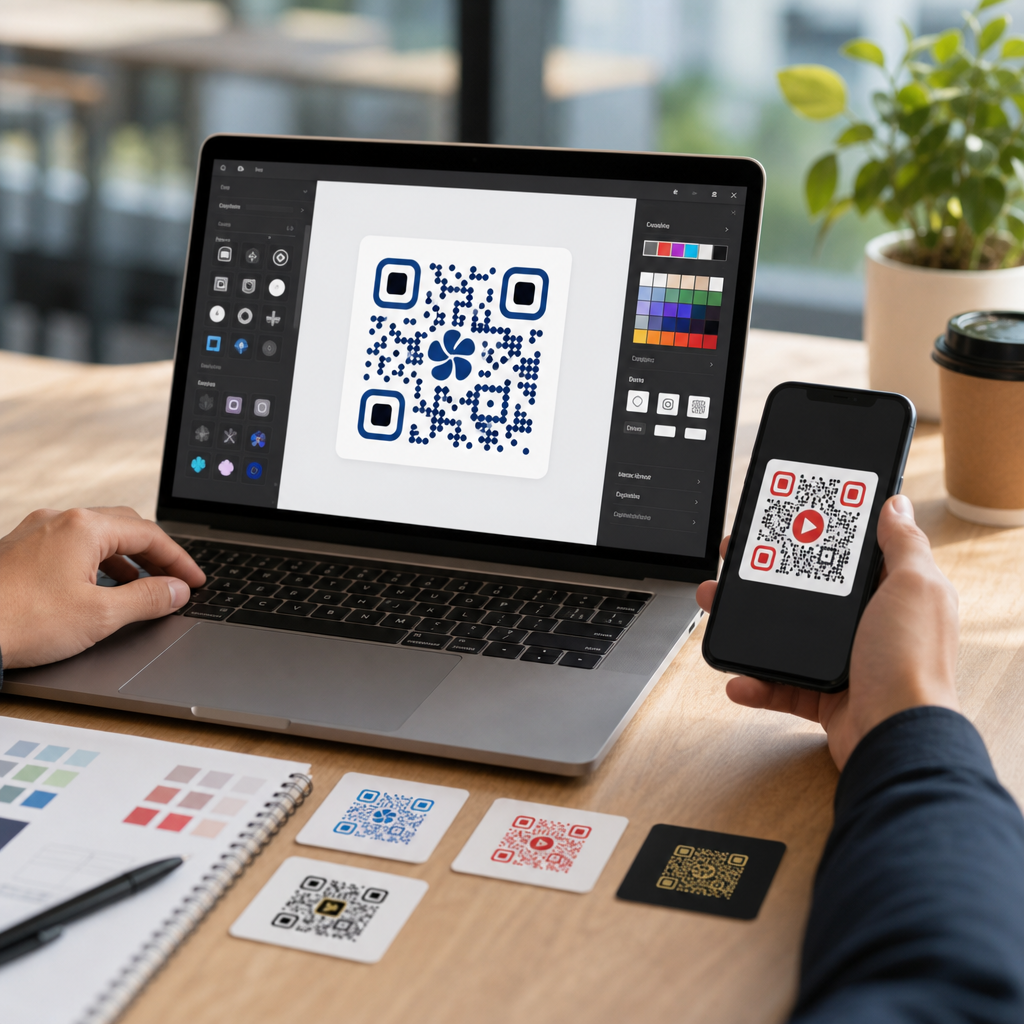
Custom QR codes turn a plain black-and-white utility into a branded, measurable marketing asset, and the best tools for designing custom QR codes make that transformation practical without sacrificing scan reliability. A custom QR code is a scannable matrix barcode that has been visually adapted with brand colors, logos, frames, shapes, and destination settings while still preserving enough contrast, quiet zone, and error correction to scan quickly across devices. That balance matters because a beautiful code that fails under real-world lighting, print conditions, or camera quality is not a design success; it is a conversion leak. In my experience building QR campaigns for menus, retail displays, packaging, trade show signage, and direct mail, the tool choice affects far more than aesthetics. It determines whether you can edit destinations later, track scans by channel, export suitable print files, manage team workflows, and maintain governance across dozens or hundreds of codes. For businesses comparing QR code software, the real question is not simply which platform has the prettiest templates. It is which tool helps you produce branded QR codes that scan reliably, fit your campaign workflow, and support measurement after launch. This guide covers the core categories of custom QR code design tools, what features matter most, and which platforms are best suited to different use cases.
Before comparing tools, it helps to define the main terms buyers encounter. Static QR codes encode the final destination directly into the symbol, so changing the URL later requires replacing the code everywhere it appears. Dynamic QR codes point to a short redirect URL managed by a platform, allowing destination edits, scan analytics, device segmentation, and campaign updates after printing. Design customization usually includes color controls, eye shape options, data pattern styling, embedded logos, call-to-action frames, landing page modules, and file exports such as PNG, SVG, EPS, or PDF. Advanced teams also look for bulk generation, API access, folder permissions, UTM handling, password protection, expiry rules, and compliance features. These distinctions matter because the best tool for a restaurant table tent is not automatically the best tool for serialized product labels or national out-of-home advertising. A local business may only need a few editable codes with logo support. An enterprise brand may need approval workflows, white labeling, and high-volume generation tied to a CRM or asset management stack.
The market for QR code design software has matured because consumer behavior has changed. Smartphone camera apps now read QR codes natively on iOS and Android, removing the old barrier of separate scanner apps. During the pandemic, QR adoption accelerated in hospitality, payments, events, and healthcare, but usage persisted because it solved an enduring problem: connecting physical touchpoints to digital actions instantly. Marketers now use custom QR codes for menu access, app downloads, lead capture, video views, product authentication, Wi-Fi sharing, and post-purchase support. Design is no longer cosmetic. It influences trust, brand recognition, and response rate. A plain code may scan, but a well-designed branded code with a clear frame such as “Scan to View the Menu” usually earns more attention and explains the next step. The rest of this hub article breaks down the best custom QR code design tools, the criteria for evaluating them, and the mistakes to avoid when branding a code.
What makes a QR code design tool worth using
The best custom QR code design tools do four jobs at once: they preserve scan performance, enable flexible branding, support campaign management, and produce export files that match the medium. Scan performance comes first. A strong tool enforces sufficient contrast, maintains the quiet zone around the code, and supports error correction levels that allow a center logo without breaking readability. Most platforms abstract the technical standards, but the better ones show a live preview and flag risky design choices. I always test with multiple phones, under dim light, and at different print sizes because scan success depends on the final environment, not just the editor preview.
Branding flexibility is the second differentiator. Basic tools let you change foreground and background colors and add a logo. Better tools also let you modify finder eyes, module shapes, gradients, backgrounds, and frames. These controls should be used carefully. Rounded modules and subtle gradients can work, but low-contrast color pairings, transparent backgrounds on busy artwork, and oversized logos often reduce readability. A good platform makes creative choices possible without inviting failure. It should also let you save brand presets so teams do not reinvent the wheel every time they create a new code.
Campaign management is where free generators usually fall short. If a code will live longer than a week, dynamic editing and analytics are usually worth paying for. The ability to change a destination after printing can rescue inventory, update expired promotions, or localize content by region. Analytics help answer practical questions: which poster location drove more scans, whether direct mail outperformed packaging inserts, and what time of day users engaged. In production environments, folders, tags, user permissions, and naming conventions become just as important as visual customization.
Output quality is the fourth deciding factor. For print, vector exports such as SVG, EPS, or PDF are essential because they scale cleanly for packaging, signage, and large-format displays. PNG may be enough for social media or internal documents, but not for commercial print runs. Some teams also need transparent backgrounds, CMYK-ready workflows, or high-resolution raster outputs. When evaluating tools, match export capability to the intended application before committing to a platform.
Best tools for designing custom QR codes by use case
QRCode Monkey remains one of the most popular options for users who want strong visual customization at no cost. It supports logos, colors, body shapes, eye customization, and high-resolution export. For small businesses, designers mocking up concepts, or teams needing attractive static codes quickly, it is hard to beat. Its limitation is management depth. It is not built as a full campaign platform with robust dynamic editing and analytics, so it works best for straightforward one-off use cases where the destination will not change.
QR TIGER is a strong all-around platform for businesses that need dynamic QR codes, branded design, and analytics in one place. It offers editable destinations, scan tracking, bulk generation, file management, and several campaign types beyond URLs, including vCard, file, menu, and app links. I have found it especially useful for marketing teams that want branded codes without giving up post-launch control. The interface is approachable, and it covers the middle ground between free generators and heavier enterprise systems.
Beaconstac is better suited to larger organizations, multi-location brands, and teams that care about governance, integrations, and scale. It combines QR code management with advanced analytics, retargeting options, user roles, and enterprise controls. Brands running packaging campaigns, retail networks, or field marketing programs often benefit from these features because they need consistency across many codes and stakeholders. The tradeoff is cost and complexity; smaller teams may not use enough of the platform to justify it.
Bitly is not primarily known as a QR design platform, but it is an effective choice for organizations already using short links and link management. Its QR code features tie neatly into branded links, campaign tracking, and destination control. If your workflow already revolves around Bitly, adding custom QR codes can simplify reporting and governance. Its design capabilities are solid rather than expansive, so it fits teams that value operational integration over highly stylized visual treatments.
Canva deserves mention because many marketers and small businesses already use it to create flyers, posters, menus, and social graphics. Canva’s QR features are convenient inside an existing design workflow, especially for quick placements in collateral. The caveat is that convenience does not replace dedicated QR management. Canva is useful for embedding a code into artwork, but teams still need to think about dynamic redirects, testing, and analytics separately if those requirements matter.
| Tool | Best for | Key strengths | Main limitation |
|---|---|---|---|
| QRCode Monkey | Free static branded codes | Deep visual customization, high-resolution export | Limited campaign management |
| QR TIGER | SMBs and marketing teams | Dynamic codes, analytics, bulk creation | Advanced governance is lighter than enterprise suites |
| Beaconstac | Enterprise and multi-location brands | Roles, integrations, analytics, scale | Higher cost and setup complexity |
| Bitly | Teams using branded links | Link management, tracking, destination control | Less design freedom than specialist tools |
| Canva | Quick design embedding | Convenience inside creative workflow | Not a full QR lifecycle platform |
How to choose the right custom QR code software
Start with the campaign objective, because the use case determines the required feature set. If you are printing a permanent code on product packaging, dynamic redirects are highly valuable because packaging outlives most landing pages. If you are creating a temporary code for an event badge, a static option may be enough. For restaurant menus, destination editing is often essential because menu links, seasonal items, and ordering flows change. For lead generation, analytics and UTM discipline are nonnegotiable because you need attribution by channel and creative.
Next, match the tool to the team’s operating model. Solo creators and local businesses usually prioritize speed, ease of use, and affordability. Agencies need reusable brand templates, client separation, and export flexibility. Enterprise teams need auditability, permissions, single sign-on, API access, and scale. I recommend documenting a short requirement list before testing platforms: dynamic versus static, estimated code volume, required export types, analytics depth, bulk generation, collaboration, and integration needs. That document quickly reveals whether a sleek free tool is sufficient or whether a managed platform is necessary.
Then evaluate scan reliability under realistic conditions. This step is often skipped, yet it is where many campaigns fail. Test printed samples at final size, on the intended substrate, with the intended finish. Glossy materials, curved surfaces, low light, and busy backgrounds can all hurt performance. Confirm that logo placement does not obscure too much data. Keep contrast high, protect the quiet zone, and include a clear call to action. Tools help, but they do not remove the need for production testing.
Finally, consider total cost rather than subscription price alone. A low-cost platform that lacks editable destinations can become expensive when you have to reprint materials. A free tool may create hidden labor costs if files are disorganized or analytics are unavailable. The right software reduces rework, improves measurement, and protects campaign performance over time.
Custom QR code design best practices that improve results
Good custom QR code design follows a simple rule: preserve function first, brand second. Use dark foregrounds on light backgrounds whenever possible. Avoid low-contrast combinations such as light gray on white, yellow on cream, or brand gradients that fade into the background. Keep the quiet zone clear of text, borders, and imagery. If you add a logo, keep it modest and use a platform that compensates with appropriate error correction. A code should still scan from older phones and cheaper cameras, not just the latest flagship devices.
Use frames and context to increase scan rate. A code printed by itself asks the user to guess the reward. A framed code that says “Scan to see pricing,” “Scan for setup guide,” or “Scan to claim 10% off” removes ambiguity. In retail and event settings, that clarity can materially improve response. Placement matters too. Put the code where the user can comfortably scan it: not too high on a poster, not across a fold, not on reflective packaging seams, and not so small that the camera struggles to focus.
Size should match scanning distance. A practical baseline many printers use is about 1 inch square for close-range scanning, increasing with distance. For posters, window clings, and outdoor media, larger is safer. Vector export is strongly recommended for anything headed to print because raster files can blur at scale. If a campaign spans print and digital, maintain a master asset library with approved versions, naming conventions, and documented destination URLs to avoid mix-ups.
Analytics setup is part of design strategy, not an afterthought. Use distinct dynamic codes or tagged destinations for each channel so performance can be compared cleanly. A single reused code across packaging, signage, and email attachments may be convenient, but it muddies attribution. When privacy rules or internal policy limit tracking depth, document those constraints upfront and focus on the metrics you can trust.
Common mistakes and when simpler tools are enough
The most common mistake is overdesigning the code. Decorative shapes, inverted colors, image backgrounds, and oversized logos are tempting because they look distinctive in the editor. In the field, they often reduce scan speed or fail altogether. The second mistake is using static codes for anything likely to change. I have seen businesses print tens of thousands of package inserts with links that later redirected to expired pages because nobody planned for maintenance. The third mistake is ignoring file format requirements until the printer asks for vector artwork hours before deadline.
Simpler tools are enough when the campaign is short-lived, the destination is stable, and tracking is not critical. A school flyer linking to a fixed admissions page, a wedding invitation, or an internal office notice may not need dynamic redirects or enterprise dashboards. In those cases, a reliable free generator with logo support and high-resolution export can be entirely appropriate. The key is choosing simplicity deliberately, not by default.
For businesses building a repeatable QR program, the hub lesson is clear: select custom QR code design tools based on scan reliability, branding controls, destination flexibility, analytics, and export quality. The best platform is the one that fits the campaign lifecycle from concept through measurement, not the one with the longest feature list. Start with the use case, test under real conditions, and standardize a small set of approved design rules. If you are building out your QR Code Creation & Tools strategy, use this page as the decision framework, then evaluate individual tools against your workflow before rolling them out across campaigns.
Frequently Asked Questions
What features should I look for in the best tools for designing custom QR codes?
The best tools for designing custom QR codes combine visual customization with strong technical controls that protect scan performance. At a minimum, a good platform should let you change colors, add a logo, adjust pattern styles, and apply branded frames or calls to action. However, design flexibility alone is not enough. The tool should also preserve key scannability standards such as high contrast between the code and background, an adequate quiet zone around the code, and appropriate error correction levels so the code still works after visual edits. These technical safeguards are what separate a professional QR code designer from a simple graphic generator.
It is also important to evaluate whether the tool offers dynamic QR codes, because dynamic codes allow you to change the destination URL or content after printing without replacing the code itself. That is especially useful for campaigns, product packaging, restaurant menus, event materials, and retail signage. Analytics are another major feature to prioritize. Strong QR code platforms provide scan tracking, location data, device insights, time-based reporting, and campaign measurement so you can understand performance instead of treating the code as a static graphic.
Beyond that, the best tools usually include export options in both print and digital formats, such as PNG, SVG, PDF, or EPS. Vector exports are especially valuable for maintaining sharp quality on packaging, posters, and large-format signage. Teams may also benefit from features like bulk generation, editable templates, password protection, A/B testing support, and integrations with marketing tools. In short, the right platform should not just help you make a QR code look better; it should help you deploy, manage, measure, and scale QR codes as a dependable branded marketing asset.
Do custom QR codes scan as reliably as standard black-and-white QR codes?
Yes, custom QR codes can scan just as reliably as traditional black-and-white QR codes when they are designed correctly. The common misconception is that adding a logo, using brand colors, or styling the module shapes automatically makes a code less functional. In reality, the issue is not customization itself but whether the design stays within the technical limits required for successful scanning. A well-designed custom QR code preserves strong contrast, clear finder patterns, adequate spacing, and enough error correction to account for visual modifications.
Problems usually arise when branding choices interfere with readability. For example, using low-contrast color combinations, placing the code on a busy or transparent background, shrinking the quiet zone, or inserting an oversized logo can make detection harder for phone cameras. Some tools allow extensive design freedom but offer few warnings about scan safety, which is why reliable platforms are so valuable. The best tools actively guide users toward design decisions that look polished while maintaining the structural integrity of the code.
Testing is also essential. Even if a code looks clean on screen, it should be tested across multiple devices, lighting conditions, print sizes, and surfaces before launch. A custom QR code intended for product packaging may behave differently than one used on a digital ad or storefront window. Reliable tools often include built-in previews, error correction settings, and scan tests to help reduce risk. So while a plain black-and-white code may be the simplest option, a thoughtfully built custom QR code can absolutely deliver branded appeal without sacrificing fast, dependable scanning.
Are dynamic QR codes better than static QR codes for branded marketing campaigns?
For most branded marketing uses, dynamic QR codes are the better choice because they add flexibility, measurement, and long-term control. A static QR code permanently stores its destination or content, which means once it is printed or published, it cannot be changed. If the landing page URL changes, the promotion ends, or you want to redirect users to a new offer, the code itself becomes outdated. Dynamic QR codes solve that problem by using a short redirect layer, allowing you to update the destination at any time without redesigning or reprinting the code.
That flexibility is especially valuable for campaigns that evolve over time. A restaurant can update menu links seasonally, a retailer can rotate promotional landing pages, and an event organizer can switch from registration to live updates to post-event feedback using the same QR code. Dynamic codes also support analytics, which is a major advantage for marketers. Instead of simply hoping people scan the code, you can track how often it is used, when scans occur, what devices people use, and in some cases where scans are happening. That turns the QR code into a measurable campaign channel rather than just a convenience feature.
Static QR codes still have a place, particularly for permanent information that is unlikely to change, such as basic contact details, Wi-Fi credentials, or a long-term public URL. They can also be useful when simplicity and one-time generation matter more than analytics. But for businesses investing in design, branding, and campaign performance, dynamic QR codes are typically the smarter option. The best tools for designing custom QR codes usually support both types, but dynamic functionality is what gives branded QR campaigns their real strategic value.
How do logos, colors, and shapes affect custom QR code performance?
Logos, colors, and shape modifications can significantly improve the visual appeal of a QR code, but they must be handled carefully to avoid reducing scan accuracy. A logo can reinforce brand recognition and make the code feel intentional rather than generic, especially on packaging, signage, business cards, and promotional materials. However, because the center of the QR code contains data, a logo should never be so large that it blocks too much of the pattern. This is where error correction becomes important. A quality tool will automatically compensate to some extent, helping the code remain readable even when part of it is visually covered.
Color choices matter just as much. The safest approach is to maintain a dark foreground and a light background with strong contrast between the two. Many brands want to replace black with a company color, which is often perfectly fine if the contrast remains high. What usually causes trouble is using light colors for the code itself, reversing the palette without proper testing, or placing the code over gradients, textures, or photographs. The scanning camera needs to distinguish the code clearly and quickly, so visual creativity should never come at the expense of legibility.
As for shapes, many modern QR design tools let you round corners, change dots into circles, or stylize the eye patterns. These adjustments can work well when the underlying grid remains recognizable, but excessive abstraction can confuse scanning algorithms. The best tools for designing custom QR codes typically limit risky edits or provide templates that preserve the core geometry needed for reliable reading. The key takeaway is that customization should support branding while respecting the functional architecture of the code. When a tool balances those two priorities, you get a QR code that looks distinctive and still performs consistently in the real world.
Which types of businesses benefit most from using custom QR code design tools?
Nearly any business that uses printed or digital touchpoints can benefit from custom QR code design tools, but they are especially valuable for brands that care about presentation, campaign measurement, and customer experience. Retailers use custom QR codes on product tags, shelf displays, packaging, and in-store signage to direct customers to product details, reviews, loyalty programs, or limited-time offers. Restaurants and hospitality businesses rely on them for menus, ordering, guest services, promotions, and feedback collection. In these environments, a branded QR code feels more trustworthy and polished than a generic one, which can improve engagement.
Event organizers, real estate professionals, educators, healthcare providers, and service businesses also gain a lot from custom QR code platforms. At events, QR codes can streamline registration, schedules, maps, sponsor promotions, and post-event surveys. In real estate, they can connect yard signs and brochures to virtual tours, listing details, and agent contact forms. In education and healthcare, they can simplify access to forms, resources, instructional content, and appointment information. Because the best tools often include dynamic editing and analytics, organizations can adapt content over time and learn which placements are actually driving interaction.
Custom QR code tools are also highly useful for marketing teams, agencies, and multi-location brands that need consistency across campaigns. Instead of generating one-off codes with mixed styles, they can create on-brand assets that align with visual guidelines and track performance centrally. That matters because a QR code is no longer just a technical shortcut; it is part of the customer journey. Businesses that treat QR codes as branded, measurable, and strategically deployed assets tend to get far more value from them than those using default black-and-white generators with no optimization or reporting.





