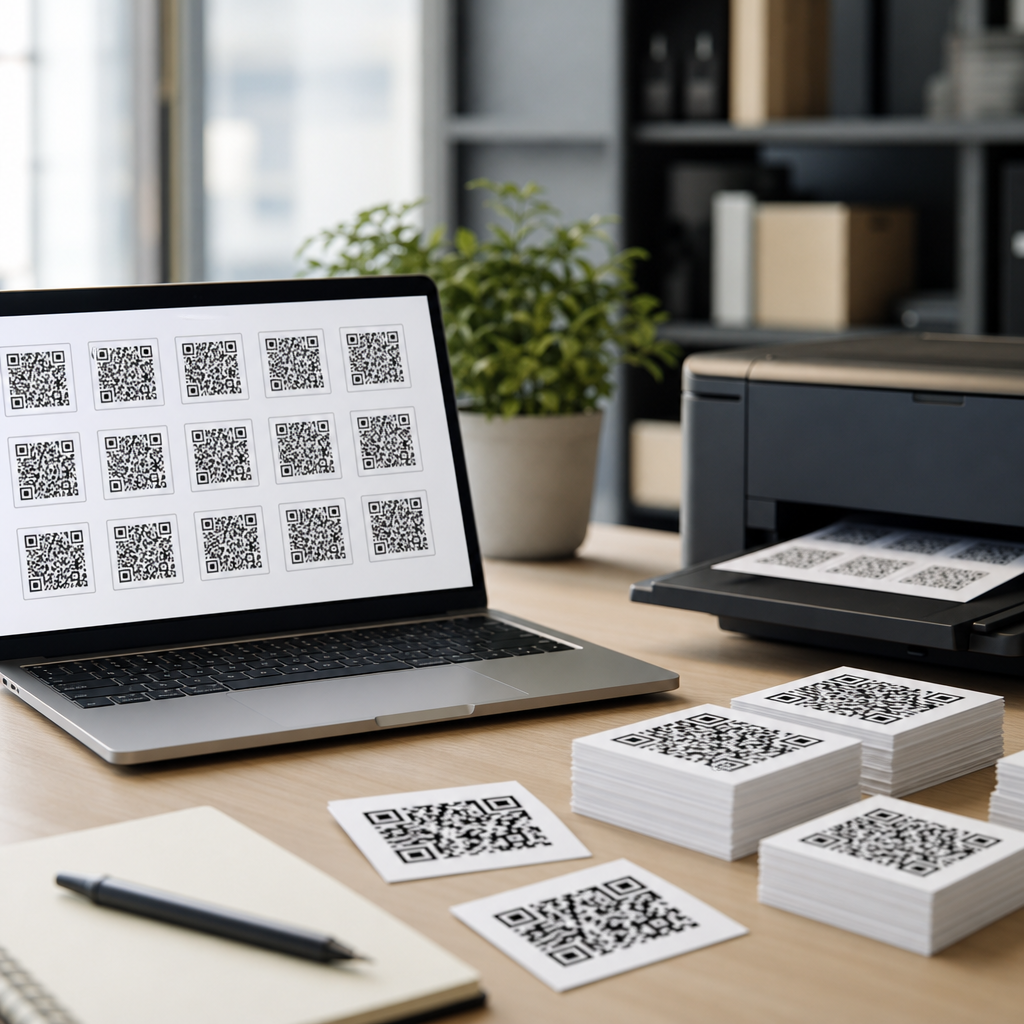
Bulk QR code generation is the fastest way to create hundreds or thousands of scannable codes without designing each one by hand, and for any organization managing products, print campaigns, events, or asset labels, it is the difference between a controlled rollout and an error-prone spreadsheet scramble. A bulk QR code generator is a tool that converts a batch of records, usually from a CSV, database, or API, into many unique QR codes at once. Those codes may point to URLs, vCards, PDFs, app deep links, Wi-Fi credentials, coupons, forms, or serialized tracking pages. In practice, the best tools for bulk QR code generation do more than export images. They validate data, support dynamic destinations, attach analytics, preserve naming conventions, and fit into production workflows that include design, print, and scan testing.
This matters because QR code programs rarely stay small. A marketing team may start with ten landing pages, then quickly need codes for regional flyers, retail displays, direct mail, and sales collateral. An operations team may need serialized labels for inventory, maintenance logs, or patient packets. When I have helped teams scale from a pilot to full deployment, the bottleneck is almost never making a single code. It is ensuring every code maps to the right destination, every file is named predictably, every print asset receives the correct variable, and every scan can be measured later. A strong bulk workflow reduces manual labor, shortens approval cycles, and prevents expensive reprints caused by one incorrect redirect or one malformed row in a source file.
The best bulk QR code generation software also supports the bigger business questions behind the codes. Can nontechnical staff upload data safely? Can a designer receive vector files suitable for offset printing? Can the analytics team break performance down by campaign, region, or store? Can the organization pause or update destinations after packaging has shipped? These are the criteria that separate a simple QR code maker from a system suitable for scale. This guide explains what to look for, which categories of tools perform best, and how to choose a platform that supports both one-time batches and ongoing QR code operations.
What the Best Bulk QR Code Generation Tools Must Do
The core requirement is straightforward: ingest structured data and output many unique QR codes reliably. In reality, reliability depends on several technical capabilities. First is data import. Most teams work from CSV files, but stronger platforms also accept Excel, Google Sheets connections, REST APIs, or direct integrations with systems such as Shopify, HubSpot, Zapier, Airtable, or custom databases. Good import logic catches duplicate identifiers, blank destination fields, invalid URLs, and unsupported characters before generation begins. If a platform cannot validate inputs, the risk shifts to the user, and that is where batch errors multiply.
Second is code type support. Static QR codes encode the final destination directly into the symbol. They are simple and often cheaper, but they cannot be changed after printing. Dynamic QR codes point to a short redirect URL controlled by the provider, allowing the destination to be updated later while preserving the printed code. For large campaigns, dynamic codes are usually the better choice because they support analytics, redirects, A/B testing, expiration rules, and mid-campaign corrections. The best tools for bulk QR code generation support both, but they make dynamic batches easy to manage at scale.
Third is export quality. PNG is adequate for digital use and some office printing, but bulk print runs usually need SVG, EPS, or PDF vector output for clean scaling. A capable platform lets users define file names using variables such as SKU, store ID, serial number, or campaign code. Some tools also produce merged output packages, print templates, or ZIP archives organized by batch. If a printer has to sort through unnamed assets like qr_001 through qr_5000, the workflow is already weaker than it should be.
Fourth is governance. Enterprise buyers should expect role-based access, folder structures, audit logs, domain controls, and retention rules. Even small teams benefit from approval checkpoints and naming standards. A QR code is a distribution mechanism, so a mistake is not isolated. One wrong destination can propagate across packaging, signage, and paid media. The best tools reduce that risk with preview states, sample generation, and scan verification before final export.
Top Categories of Bulk QR Code Generators
Most buyers do not need the same type of tool, so it helps to evaluate platforms by category instead of by brand alone. Dedicated QR code SaaS platforms are the most common option. Services such as QR Code Generator Pro, QR.io, Beaconstac, Uniqode, and Flowcode generally emphasize dynamic code management, analytics dashboards, batch uploads, branded landing pages, and marketer-friendly interfaces. These tools are strong choices for campaigns, events, restaurant menus, product inserts, and retail signage because they reduce technical overhead. In my experience, they also make redirects and reporting much easier for nontechnical teams after launch.
A second category is label and barcode software with QR support. Tools such as BarTender, NiceLabel, and Loftware are often used in manufacturing, logistics, healthcare, and regulated environments. They excel when QR codes are part of a broader variable data printing workflow that includes GS1 standards, serialized labels, compliance formatting, and printer integration. If the use case involves pallets, medical devices, asset tags, or warehouse labels, these systems can outperform general marketing platforms because they are built around print operations and data integrity.
A third category is design and variable data publishing software. Adobe InDesign paired with variable data plugins, or specialized VDP tools like XMPie and FusionPro, can generate print-ready collateral where each record carries its own QR code. This is useful for direct mail, personalized brochures, event badges, and localized posters. The limitation is that analytics and destination management may need separate infrastructure. These tools shine in production design, not necessarily in post-scan measurement.
A fourth category is developer-centric infrastructure. APIs from services like Bitly, Short.io, and dedicated QR platforms, combined with libraries such as qrcode for Node.js or Python’s segno and qrcode packages, give engineering teams maximum control. This route is ideal for large-scale applications, SaaS products, or internal systems that need automated batch generation tied to inventory, customer records, or transaction events. The tradeoff is setup complexity and responsibility for hosting, redirects, security, and analytics logic.
| Tool category | Best for | Main strengths | Primary limitation |
|---|---|---|---|
| Dedicated QR SaaS | Marketing campaigns and dynamic destinations | Batch upload, redirects, analytics, easy UI | Less control over custom infrastructure |
| Label and barcode software | Manufacturing, logistics, healthcare | Serialization, printer workflows, compliance | Steeper setup for marketers |
| Variable data publishing tools | Direct mail and personalized print | Print precision and layout automation | Analytics often require extra systems |
| API and developer stack | Apps, internal systems, large automation | Full customization and scalability | Requires engineering resources |
Features That Separate Good Platforms From Great Ones
The first standout feature is batch-level analytics structure. Many tools report scans per code, but stronger platforms let users group by campaign, date range, geography, device type, or custom metadata. If you are generating 2,000 QR codes for store displays, you need a fast way to compare store clusters, not just download a flat scan list. The best systems let each code inherit metadata from upload columns, making later analysis much cleaner.
Another differentiator is redirect control. A solid dynamic QR code platform supports editable destinations, scheduled activation, expiration dates, password protection, UTM parameters, and conditional routing by device or language. For example, one print run can send iPhone users to the App Store, Android users to Google Play, and desktop users to a web page. That flexibility matters when printed assets cannot be recalled once distributed.
Brand control is also important. Bulk QR code generation often means many stakeholders will touch the assets, so templates help maintain consistency. Better tools allow logo placement, color presets, quiet zone protection, frame styles, and destination page templates without forcing the user to rebuild settings for each batch. Still, experienced teams know design must not compromise scan performance. High contrast, sufficient error correction, and proper quiet zones matter more than decorative styling.
Finally, export and integration options define operational usefulness. Strong tools support webhooks, APIs, and integrations with CRM, e-commerce, and automation platforms. They also provide scalable export settings, including vector output, DPI controls, and consistent file naming rules. When I review failed QR deployments, the problem is often not the code image itself. It is that the surrounding workflow lacked metadata discipline, test procedures, or a way to update destinations without rebuilding the batch.
How to Choose the Best Tool for Your Use Case
Start with the destination strategy. If the content behind the QR codes may change, choose dynamic codes. If the content is fixed, public, and low risk, static codes may be acceptable. Then evaluate volume and recurrence. A one-time batch of 300 event badges has different needs than a monthly run of 50,000 serialized product inserts. Recurring programs benefit from APIs, templates, and permission controls because manual uploads become a liability over time.
Next, map the workflow from data source to printed or digital output. Identify who owns the source file, who approves records, who exports assets, who places them into layouts, and who verifies scans. A good platform should match that chain with folders, roles, preview states, and predictable export packages. If the organization already uses design software, ERP systems, or label printers, prioritize compatibility over novelty. The best tool is the one that shortens the whole process, not just the code creation step.
Cost should be evaluated against operational risk, not just subscription price. Cheap tools can become expensive if they cap dynamic codes, limit analytics history, watermark exports, break redirects, or create support delays during a live campaign. Ask specific questions: Is there a limit on batch size? Are scan analytics retained permanently? Can codes be edited after generation? Is there an SLA? Are custom domains supported? These details determine long-term value far more than a low entry plan.
Implementation Best Practices for Bulk QR Code Generation
Every batch should start with data hygiene. Normalize URLs, remove tracking errors, lock identifier formats, and validate records before import. For product or asset programs, include a unique key in every row and preserve it in the file name. Test a sample set across multiple devices and scan distances before releasing the full run. ISO/IEC 18004 defines QR code symbology, but practical success still depends on print context: material, size, contrast, lighting, and camera quality.
Use vector formats for professional print, especially when codes will appear on packaging, signage, or large-format materials. Maintain an adequate quiet zone, usually four modules wide, and avoid low-contrast color combinations. If placing a logo in the center, increase error correction carefully and confirm that the final symbol remains readable after resizing. I have seen campaigns fail because branded styling looked polished on screen but became unreadable on textured stock or glossy laminate under retail lighting.
Dynamic QR code governance deserves equal attention. Use a custom short domain when possible, document redirect ownership, and define who can edit live destinations. Keep naming conventions consistent across campaigns so reporting remains interpretable months later. If privacy matters, review where analytics are stored and whether the platform supports consent requirements, IP anonymization, or regional data handling. For internal labels, verify scanner compatibility if industrial hardware is involved.
Common Mistakes and the Smartest Next Steps
The most common mistake is choosing a tool based only on how attractive a single QR code looks. Bulk QR code generation is an operations problem first and a design problem second. Another mistake is relying on static codes for campaigns that will change, then discovering too late that thousands of printed pieces cannot be updated. Teams also underestimate analytics structure, file naming, and printer handoff requirements. Those gaps create confusion long after the batch has been generated.
The smartest next step is to shortlist tools by workflow category, then run a controlled pilot with real data. Generate a small batch, export in the formats your team actually uses, place the codes into live layouts, test scans on multiple devices, and confirm that reporting matches how you plan to measure success. If the project will grow, favor platforms that support dynamic management, metadata-rich exports, and dependable integrations.
Bulk QR code generation works best when the tool supports the full lifecycle: clean data in, accurate codes out, easy updates later, and trustworthy analytics throughout. Choose software that fits your environment, not just your current volume, and you will save time, avoid reprints, and build a QR program that scales with confidence. If you are comparing options across the broader QR Code Creation & Tools topic, use this hub as your starting point and evaluate every platform against your real production workflow.
Frequently Asked Questions
What is a bulk QR code generator, and how is it different from creating QR codes one by one?
A bulk QR code generator is a platform or software tool that creates large numbers of unique QR codes in a single workflow, usually by importing structured data from a CSV file, spreadsheet, database, or API. Instead of manually entering one destination URL, contact card, file link, coupon page, or product identifier at a time, you prepare a dataset and let the tool generate every code in the batch automatically. This matters because once you move beyond a handful of codes, manual creation becomes slow, inconsistent, and much more likely to introduce mistakes.
The difference is not just speed. Bulk generation also improves operational control. A strong tool can map specific columns in your data to QR code content, file names, naming conventions, folders, tracking parameters, and even visual branding settings. For example, a retail business might generate thousands of product-level QR codes tied to unique landing pages, while an event team may create personalized attendee QR codes for check-in and access control. In both cases, the tool turns a repetitive manual task into a repeatable system.
Bulk tools are especially valuable for organizations managing print campaigns, packaging, inventory labels, direct mail, tickets, equipment tags, and multi-location marketing. They reduce the chance of duplicate links, mismatched records, or design inconsistencies. In practical terms, the best bulk QR code generators do not just create images at scale; they help teams launch campaigns more accurately, maintain data integrity, and support future updates if dynamic QR codes are used.
Which features matter most when choosing the best tool for bulk QR code generation?
The most important features depend on your use case, but a few capabilities consistently separate basic generators from truly useful bulk QR code platforms. First, look at input flexibility. A good tool should support CSV imports at minimum, and ideally also allow spreadsheet integrations, database connections, or API-based generation. If your workflow already lives in a CRM, product information system, or internal app, direct integration can save hours of manual formatting and rework.
Next, consider whether the platform supports static and dynamic QR codes. Static codes are fixed once created, while dynamic codes can be edited later without reprinting the code itself. For many businesses, dynamic QR codes are a major advantage because they allow destination updates, campaign changes, and centralized analytics after deployment. If you are labeling products, distributing printed materials, or managing signage in multiple locations, the ability to change the destination later can be extremely valuable.
Design and export options also matter. The best tools let you customize colors, frames, logos, error correction levels, and output formats such as PNG, SVG, PDF, or EPS. Vector exports are particularly important for high-quality print production. Beyond visuals, examine organization features such as batch naming, folder structures, metadata tagging, and unique file naming conventions. These can become critical when managing thousands of assets across departments or vendors.
Finally, evaluate tracking, reliability, and governance. Built-in analytics can show scan volume, device type, geography, and campaign performance. Role-based access, audit logs, and team permissions are useful for larger organizations that need control over who generates, edits, or exports codes. In short, the best bulk QR code generation tool is not simply the one that creates the most codes fastest; it is the one that fits your data workflow, supports your distribution channels, and reduces risk across the entire campaign lifecycle.
Are dynamic QR codes better than static QR codes for bulk generation projects?
In many bulk generation projects, dynamic QR codes are the better long-term choice, but the answer depends on how permanent your destinations are and how much flexibility your organization needs. A static QR code contains the final destination directly inside the code itself. That makes it simple and often cost-effective, but it also means the code cannot be changed after printing or distribution. If a URL changes, a file moves, or a campaign needs to be redirected, the static code becomes outdated and may require a full reprint.
Dynamic QR codes work differently. They usually point to a short redirect URL managed by the QR platform, and that redirect can be updated later. This gives you much more control when handling QR codes at scale. For example, if you generate thousands of codes for a product packaging run and later need to change the landing page, update regional links, swap out a PDF, or redirect users to a new app page, a dynamic code allows that without replacing the printed asset. That flexibility is often the reason companies choose dynamic codes for packaging, posters, event signage, equipment labels, and direct mail.
Dynamic QR codes also make analytics possible in many platforms. You can track scan counts, timestamps, approximate locations, devices, and campaign-level performance. For marketers and operations teams, that turns QR codes from simple access points into measurable assets. The tradeoff is that dynamic QR codes usually depend on the provider’s infrastructure and may be tied to subscription pricing, usage limits, or account status. Static codes, by contrast, are fully self-contained and often best for permanent destinations that are unlikely to change.
For bulk projects, the safest rule is this: if there is any chance the content, campaign, or routing may change after distribution, dynamic QR codes usually offer better protection against costly errors. If the destination is truly permanent and you want maximum simplicity with no platform dependency, static codes may still be the right fit.
How can I avoid errors when generating hundreds or thousands of QR codes in bulk?
Error prevention starts before the QR codes are generated. The most common failures in bulk projects come from bad source data, inconsistent formatting, duplicate records, broken URLs, or incorrect field mapping. Before uploading your CSV or connecting your data source, clean the dataset carefully. Check for missing values, invalid characters, extra spaces, broken links, and naming inconsistencies. Standardizing columns and validating records in advance can eliminate a large percentage of downstream problems.
It is also important to test your batch settings on a small sample before running the full job. Many experienced teams generate 10 to 20 codes first, then scan each one across multiple devices to verify destination accuracy, branding quality, print readability, and analytics behavior. This pilot step is especially important when using variable data, dynamic URL rules, UTM parameters, or personalized content. A single mapping mistake in a full batch can affect every generated code, so a small test run can prevent expensive reprints and campaign delays.
Choose a tool that supports previews, validation warnings, and batch logs. Features such as duplicate detection, URL verification, record-level error reporting, and downloadable generation reports make quality control much easier. If the tool allows naming rules, use clear and traceable file names tied to product IDs, asset tags, or campaign references. That makes it easier to audit the output later and align each QR code with its intended record.
Finally, think beyond generation and account for real-world usage. Confirm that the code size, contrast, quiet zone, and file format are suitable for the final medium, whether that is packaging, labels, posters, badges, or industrial tags. Scan testing should happen under actual conditions, not just on a monitor. By combining clean data, sample testing, validation tools, and print-aware quality control, you can dramatically reduce the risk of errors in large QR code deployments.
What types of businesses and teams benefit most from bulk QR code generation tools?
Bulk QR code generation tools are useful for almost any organization that manages large sets of physical or digital touchpoints tied to unique records. Retailers and ecommerce brands use them for product packaging, shelf tags, warranty registration, promotions, and serialized inventory workflows. Manufacturers and logistics teams rely on them for asset labels, equipment tracking, maintenance records, shipment identification, and warehouse operations. In these environments, generating codes one at a time would be too slow and too error-prone to scale effectively.
Marketing teams also benefit heavily from bulk generation. Multi-location campaigns often require unique QR codes for stores, regions, channels, or audience segments. Direct mail campaigns may need personalized codes for attribution and response tracking. Event organizers can generate attendee passes, exhibitor badges, session check-ins, venue signage, and sponsor activations in one coordinated batch. Educational institutions, healthcare providers, nonprofits, and public-sector organizations can use bulk QR codes for forms, digital resources, IDs, onboarding, facility navigation, and informational signage.
The key pattern is repeatability. Any team that routinely turns structured data into scannable endpoints can benefit from a bulk tool. That includes organizations linking users to URLs, vCards, PDFs, app downloads, payment pages, menus, registration forms, surveys, support portals, or internal systems. The more records involved, the more valuable automation becomes. Instead of manually creating, naming, and tracking each code, teams can generate them systematically, preserve consistency, and keep campaigns or operations organized.
In short, bulk QR code generation is most valuable wherever scale, accuracy, and manageability matter. If your organization handles large volumes of labels, printed materials, personalized assets, or trackable campaign elements, a strong bulk QR code generator can save significant time, reduce mistakes, and make the entire rollout easier to control.