
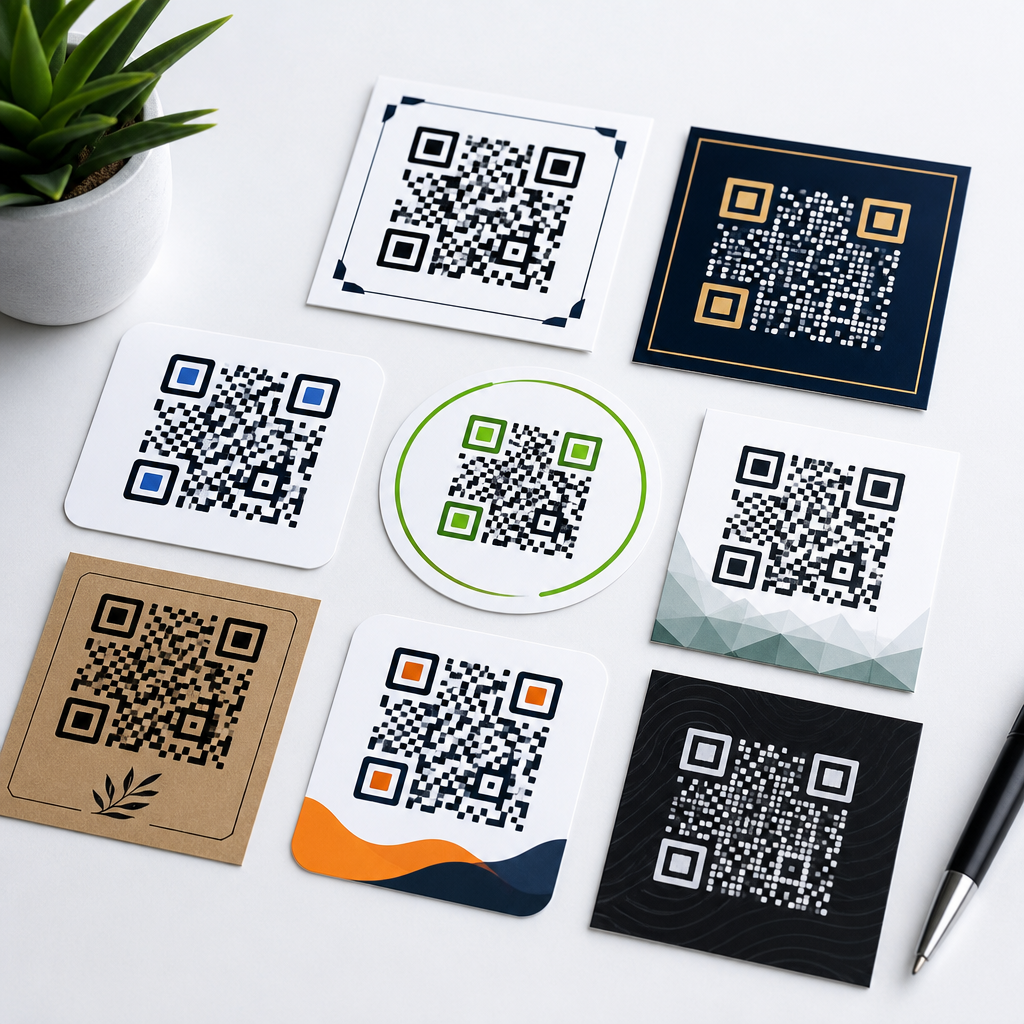
A QR code design template pack gives teams a ready-made system for creating scannable codes that also fit brand guidelines, campaign goals, and print or digital production requirements. In practical terms, it is a collection of downloadable resources such as layout files, size guides, quiet-zone overlays, color presets, test checklists, and placement mockups that remove guesswork from QR code implementation. I have used these packs across retail packaging, restaurant menus, event signage, direct mail, and app onboarding, and the difference is immediate: projects move faster, fewer codes fail in testing, and design reviews become simpler because everyone works from the same standards.
This topic matters because QR codes sit at the intersection of graphic design, mobile usability, analytics, and conversion optimization. A code can look polished yet fail because contrast is too low, the quiet zone is violated, or the destination page is slow on mobile. A template pack solves those recurring problems by standardizing the parts that most often break. For organizations building a broader library of QR code tutorials, guides, and resources, downloadable resources are the operational layer. They turn advice into repeatable execution, giving marketers, designers, and production teams files they can apply immediately rather than interpret from scratch.
As a sub-pillar hub for downloadable resources, this page should help readers understand what belongs in a strong template pack, how each asset is used, and where related guidance fits within a larger QR code program. The core idea is simple: a QR code is not just an image. It is a functional bridge between an offline touchpoint and a digital experience. If that bridge is misbuilt, scans drop, tracking becomes unreliable, and campaign ROI suffers. If it is designed with the right templates, teams can maintain scannability while supporting branding, accessibility, and measurable outcomes across every channel.
What a QR code design template pack should include
A complete QR code design template pack should include the files and reference materials needed from concept through production. At minimum, that means editable layout templates for common formats, a sizing matrix for print and screen use, spacing rules that preserve the quiet zone, approved color combinations, call-to-action label options, and a test protocol. In my own workflow, the most valuable packs also include dynamic and static code guidance, file export recommendations, and destination-page reminders so the team does not treat the QR image as separate from the landing experience.
Downloadable resources usually work best when they are organized by use case. For example, packaging templates need dieline-aware placement examples and minimum size warnings for curved surfaces. Poster templates need distance-based sizing guidance because a code viewed from two meters away must be larger than one scanned from a countertop. Restaurant templates often include table tent, menu insert, and window decal variations, along with reminders about glare, laminate reflections, and poor cellular reception near interior seating. These are not cosmetic details; they directly affect scan success.
The strongest packs also provide editable formats that match real production environments. Designers often need Adobe Illustrator, Figma, and Canva-compatible assets, while marketing teams may want slide-ready mockups for approvals. A useful hub for downloadable resources should link to articles on QR code size, QR code placement, QR code branding, QR code testing, and QR code analytics, because each template depends on those disciplines. Templates are most effective when paired with procedural guidance, not treated as isolated downloads.
Essential design standards that every template must enforce
Every template in the pack should enforce a few non-negotiable standards. First is the quiet zone, the empty margin around the code that helps scanners detect its boundaries. The common rule is four modules on all sides, and violating it is one of the most frequent causes of scan failure I see in approvals. Second is contrast. Dark foreground on a light background remains the safest option, and low-contrast branded palettes should be tested aggressively before release. Third is size. There is no universal perfect dimension, but the code must be large enough for the scanning distance, printing process, and expected device camera quality.
Error correction is another critical standard. QR codes support L, M, Q, and H levels, which roughly correspond to increasing recovery from damage or obstruction. Higher error correction is useful when a logo is placed in the center or when print wear is expected, but it also increases data density and can make small codes harder to scan. That tradeoff belongs inside the template notes, especially for teams that assume the highest setting is always best. In practice, the right level depends on content length, code size, and environmental risk.
Templates should also enforce destination clarity. A QR code without surrounding context performs poorly. Short action labels such as “Scan to view menu,” “Scan for assembly video,” or “Scan to claim warranty” consistently outperform unlabeled codes because they reduce uncertainty. ISO/IEC 18004 provides the underlying QR code specification, but day-to-day implementation depends on production discipline: preserving clear space, choosing tested contrast, avoiding distortion, and placing the code where users can comfortably scan without awkward angles or unsafe movement.
Recommended resource types for common campaigns
Different campaigns need different downloadable resources, so a hub article should map templates to actual business scenarios. Retail packaging benefits from front-panel and side-panel placement templates, plus variable-data sheets when each SKU or batch needs a unique code. Direct mail campaigns need postcard and self-mailer templates with fold-safe placement zones, because a code too close to a crease can crack or distort in production. Event teams need badges, banners, wayfinding signs, and sponsor boards sized for fast scanning in crowded environments. Hospitality brands often need in-room collateral, table signage, and takeaway packaging variants.
For digital campaigns, QR templates still matter. Presentation slides, webinar end cards, and social graphics use screen-rendered codes that are scanned from another device. In these situations, anti-aliasing, screen brightness, and animation overlays can affect readability. I have seen conference keynote slides fail because the code was visually elegant but too small for attendees seated in the back rows. A screen-use template pack should therefore include distance-based slide examples and guidance against placing codes over video backgrounds or busy gradients.
| Use Case | Key Template Assets | Primary Risk | Best Practice |
|---|---|---|---|
| Packaging | Dieline overlays, curved-surface mockups, print-safe size chart | Distortion and small print area | Use larger modules and test on final material |
| Posters and signage | Distance sizing guide, CTA blocks, placement zones | Code too small for viewing distance | Match physical size to expected scanning range |
| Restaurant menus | Table tent layouts, laminate-safe contrast presets | Glare and smudging | Use matte finishes and strong contrast |
| Direct mail | Fold-safe areas, bleed-aware layouts, tracking labels | Crease interference | Keep codes away from folds and trim lines |
| Presentations | Slide mockups, large-screen examples, CTA footer bars | Back-row scan failure | Increase size and keep background plain |
The purpose of these resource types is consistency. When teams can pull a tested template for each campaign type, they spend less time debating placement and more time refining the offer, destination, and analytics plan. That is the real value of a hub focused on downloadable resources.
How to build templates that support branding without hurting scan rates
Branded QR codes can perform well, but only when branding decisions respect scanner behavior. The safest way to customize a code is to keep the finder patterns recognizable, maintain strong contrast, and introduce branding around the code rather than inside it. Logo overlays can work, especially with Q or H error correction, yet they should occupy a modest central area and never obscure critical structural patterns. Rounded modules, gradient fills, and custom eyes may still scan, but they require device testing across iPhone and Android cameras, older phones, and common third-party scanner apps.
In real campaigns, the most effective branded template is usually restrained. For one packaged goods rollout I worked on, the initial concept used a dark green code on kraft paper with a subtle leaf pattern behind it. It matched the brand beautifully and failed repeatedly under warehouse lighting. We replaced it with a near-black code inside a clean cream panel, added a direct CTA, and scans rose because users could instantly identify the code and their phones could detect it without hunting. Brand alignment improved, not worsened, because the experience felt intentional rather than decorative.
Templates should therefore include approved brand-safe variants rather than unlimited customization. Good packs define acceptable foreground colors, banned background treatments, maximum logo size, and examples of pass versus fail treatments. They also include a fallback plain version for environments where brand styling introduces too much risk. This is especially important for franchises, distributed sales teams, and channel partners that need freedom within guardrails. A well-designed resource pack protects the brand by preventing attractive but unusable QR implementations.
Testing, file formats, and production checks before release
No downloadable template pack is complete without a testing workflow. Teams should test every final QR code on the actual substrate or screen where it will appear, not just as a vector file on a designer’s monitor. Print can darken, textures can break edges, gloss can create glare, and outdoor placement can introduce shadow or weather wear. I recommend a simple release checklist: verify destination URL, test multiple devices, confirm analytics parameters, inspect quiet zone, check trim and fold clearance, and review the mobile landing page on both Wi-Fi and cellular connections.
File format guidance matters because QR codes are often reused across departments. Vector formats such as SVG, EPS, and PDF are ideal for print because they scale cleanly. PNG can work for digital applications when exported at sufficient resolution, but repeated resizing in office software often softens edges. Template packs should clearly state which files are master assets, which are preview files, and which are approved for print vendors. When these distinctions are missing, teams frequently grab a low-resolution image from a slide deck and send it to production, causing preventable failures.
Production checks should also cover tracking integrity. Dynamic QR codes are often the better choice for campaigns because the destination can be updated and scan data measured without reprinting the code. However, templates must indicate ownership of the redirect domain, naming conventions for campaigns, and retention policies for old links. Broken redirects are just as damaging as poor design. The downloadable resources hub should connect readers to deeper articles on dynamic versus static QR codes, UTM tagging, landing page optimization, and print production specs, because reliable performance depends on all four.
How this hub supports a broader QR code resource library
As a hub article, this page should do more than describe templates; it should orient readers to the full downloadable resource ecosystem. Someone searching for a QR code design template pack may need a poster template today, but tomorrow they may need a print size calculator, a CTA copy sheet, a restaurant menu starter kit, or a QR testing checklist for field teams. Grouping these resources under a single downloadable-resources hub improves discoverability and creates a logical path through related material. It also helps content teams maintain consistent terminology, asset naming, and internal linking across the library.
The most useful hub structure separates resources by objective: design templates, production templates, analytics templates, and campaign templates. Design templates cover appearance and layout. Production templates cover print tolerances, export settings, and vendor handoff files. Analytics templates include UTM builders, naming conventions, and reporting dashboards. Campaign templates bundle design and tracking assets for specific uses such as product packaging, real estate signs, trade show booths, or contactless payments. This structure reflects how teams actually work, moving from concept to creation to measurement rather than browsing generic downloads.
Over time, a strong downloadable resources hub becomes a governance tool. It reduces duplicate work, lowers training time for new team members, and preserves institutional knowledge when agencies or staff change. The immediate benefit is speed, but the longer-term benefit is quality control at scale. If your organization publishes QR code tutorials, guides, and resources, the template pack should be the practical center of that library: the place where strategy becomes usable files, standards become repeatable systems, and every new campaign starts from proven foundations.
A QR code design template pack is valuable because it turns scanning best practices into concrete, reusable assets that teams can download and apply immediately. Instead of rebuilding layouts, guessing at size, or improvising brand treatments, designers and marketers can start from tested templates that preserve quiet zones, contrast, placement, and trackability. That reduces errors, shortens production cycles, and improves campaign results across packaging, signage, menus, mailers, slides, and digital graphics. For organizations managing many QR deployments, the pack becomes a control system that keeps quality high even when multiple teams or vendors are involved.
The key takeaway is that downloadable resources work best when they combine editable files with standards, examples, and testing instructions. A good hub does not stop at offering templates; it connects those templates to related guidance on sizing, branding, analytics, mobile landing pages, and production checks. That broader context is what makes the resources dependable in the real world. If you are building or expanding a QR code content library, prioritize the template pack first, then add specialized downloads for each campaign type. Start with one tested set of resources, use it on your next project, and build from there.
Frequently Asked Questions
What is included in a QR code design template pack?
A QR code design template pack typically includes the practical assets teams need to create QR codes that are both visually consistent and reliably scannable. Most packs contain editable layout files for common use cases, size and scaling guides, quiet-zone overlays, color recommendations, print-safe specifications, and placement mockups for packaging, signage, menus, mailers, and digital screens. Many also include testing checklists so teams can verify scan performance before launch, along with examples showing how to position a code near calls to action, logos, or supporting copy without hurting readability.
The value of the pack is not just in the files themselves, but in the system it creates. Instead of reinventing QR implementation for every campaign, designers, marketers, and production teams can work from a shared standard. That reduces back-and-forth, prevents avoidable design mistakes, and helps ensure the final QR code aligns with brand guidelines while still meeting technical requirements for successful scanning in real-world conditions.
Why should a business use a QR code design template pack instead of creating codes from scratch?
Creating QR codes from scratch often seems simple at first, but the execution details can quickly become inconsistent across teams, vendors, and campaigns. A QR code design template pack removes that inconsistency by giving everyone a repeatable framework for size, spacing, contrast, placement, and testing. That means fewer scan failures, fewer production revisions, and a smoother workflow from concept through print or digital deployment.
From a business perspective, the biggest advantage is efficiency combined with risk reduction. When a team is working on retail packaging, restaurant menus, event signage, or direct mail, even a small design error can affect usability at scale. A pack helps prevent issues such as codes being printed too small, placed on cluttered backgrounds, cropped too tightly, or styled in ways that weaken contrast. It also helps maintain brand consistency, so the QR code feels like a deliberate part of the campaign rather than an afterthought. For organizations running frequent promotions or managing multiple locations, products, or channels, that standardization becomes especially valuable.
How do QR code templates help maintain both branding and scan reliability?
This is where a strong template pack is most useful. Many teams assume they have to choose between a QR code that looks on-brand and a QR code that scans well, but a good design system supports both. Templates typically define safe customization boundaries, such as approved color combinations, minimum sizes, quiet-zone requirements, and acceptable logo integration methods. These rules allow designers to adapt the code to campaign aesthetics without compromising the functional structure scanners depend on.
For example, a template may show which brand colors work best for foreground and background contrast, how much empty space should surround the code, and where supporting text or icons can be placed without interfering with detection. It may also include usage scenarios for glossy packaging, dim restaurant interiors, outdoor event signage, or mobile screen displays, where lighting, distance, and viewing angle all affect scan performance. By turning those variables into clear, reusable standards, the pack helps teams produce QR codes that feel polished and on-brand while still working reliably in everyday customer environments.
What should teams look for when choosing a QR code design template pack?
Teams should look for a pack that goes beyond visual mockups and addresses real production needs. At a minimum, it should include editable files in commonly used formats, clear size guidance for both print and digital use, quiet-zone references, contrast recommendations, and a structured testing checklist. It should also account for multiple environments, such as product labels, tabletop displays, storefront posters, presentations, email graphics, and social content. A pack that only shows attractive layouts but does not address scan distance, material finishes, or output specifications is likely to create more problems than it solves.
It is also important to evaluate whether the pack supports collaboration across departments. The best packs are useful not just for designers, but also for marketers, print vendors, brand managers, and operations teams. Helpful features include placement examples, campaign-specific variations, guidance for dynamic versus static QR codes, and instructions for pre-launch testing on different devices. If your organization works across many channels, choose a pack that is flexible enough to cover short-term promotions and long-term brand applications alike. In practice, the strongest template packs function as operational tools, not just design resources.
How can a team use a QR code design template pack effectively in real campaigns?
The most effective approach is to treat the template pack as part of the campaign workflow from the beginning, not as a final design add-on. Start by matching the intended user action to the environment where the QR code will appear. A code on retail packaging may need to work in a customer’s home under uneven lighting, while a code on event signage must be readable from farther away and often under time pressure. Using the pack’s size guides, placement mockups, and testing steps early in the design process helps the team make better decisions before assets go to production.
From there, apply the pack consistently across every touchpoint. Use its layout files to standardize placement, its color presets to preserve contrast, and its checklists to confirm that each code scans on multiple devices and from realistic viewing distances. If the campaign spans print and digital, validate both versions separately rather than assuming one format will automatically work in the other. Teams should also review the landing destination, since even a perfectly designed QR code loses value if it points to a slow, confusing, or poorly optimized page. In real campaigns, the template pack works best when it supports the full system: design, production, testing, user experience, and ongoing brand consistency.





