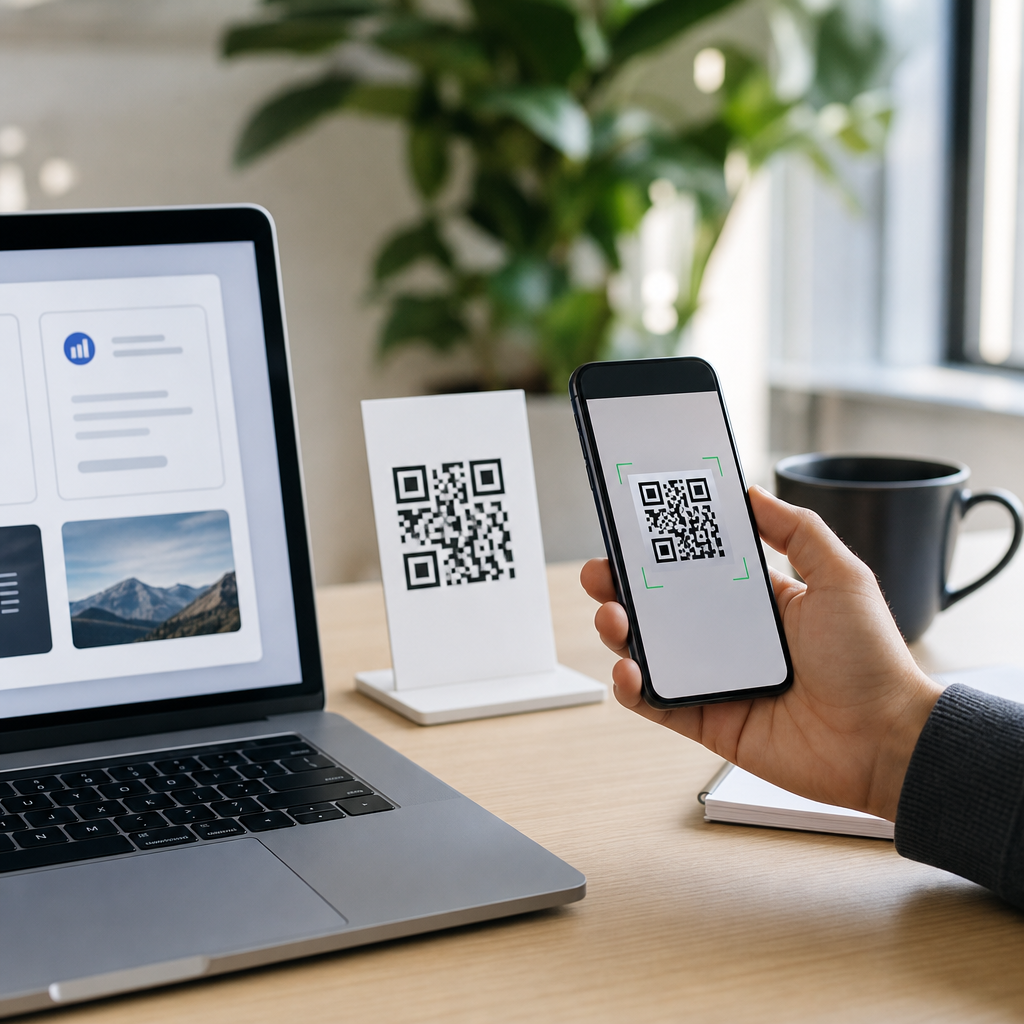
Top QR code generator tools with analytics help businesses create scannable codes, track engagement, and improve campaign performance from one dashboard. A QR code generator is software that converts a URL, file, menu, payment request, contact card, or other digital asset into a machine-readable square code. Analytics refers to the reporting layer behind that code: scans, unique users, device types, locations, time of day, and conversion behavior after the scan. When I evaluate QR platforms for clients, analytics is the dividing line between a basic code maker and a real marketing tool.
This matters because QR codes now sit at the intersection of offline and digital marketing. Restaurants use them for menus, retailers put them on shelf talkers, event teams print them on badges, and B2B companies add them to direct mail, brochures, trade show signage, and product packaging. Since smartphone cameras read QR codes natively on iPhone and Android, the friction is low. The real question is not whether someone can scan a code, but whether your team can measure what happened next.
The best QR code generators do more than produce a PNG. They support dynamic QR codes, which let you change the destination without reprinting the code. They add UTM parameters for campaign attribution. They provide scan reports, exportable data, multi-user access, and design controls that keep codes branded but still readable. Some also connect with Google Analytics 4, Zapier, HubSpot, or CRM systems. In practice, these features determine whether a QR code campaign is merely convenient or genuinely accountable.
For a hub page on the best QR code generators, the useful approach is to compare tools by the jobs they must perform: create codes quickly, manage them at scale, preserve scan reliability, and surface actionable analytics. Price also matters, but cheap tools often become expensive when teams need editable destinations, custom domains, or historical reporting. The sections below explain what to look for, which tools stand out, and how to choose the right platform for your use case.
What makes a QR code generator worth using
A strong QR code generator should first deliver technical reliability. That starts with high error correction, clean exports in PNG, SVG, or EPS, and enough quiet zone around the code to ensure cameras can detect it. In my experience, many scanning failures blamed on “bad phones” are actually design mistakes: low contrast, tiny print sizes, crowded placement, or logos that cover too much of the pattern. The better platforms warn against these choices and preview output for print and mobile.
Second, the tool should support both static and dynamic codes. Static QR codes embed the destination permanently. They work for simple one-off uses, but they are limiting for campaigns because the content cannot be edited after printing. Dynamic QR codes route through the provider first, then redirect to the final destination. That structure enables editing, pausing, password protection, A/B testing, and analytics. For business use, dynamic codes are usually the better option.
Third, reporting must go beyond total scan count. A useful analytics panel shows unique versus repeat scans, approximate location based on IP, device or operating system, timestamps, and top-performing codes by campaign. Better platforms let teams add tags, folders, naming conventions, and export options so reports can be shared with marketing, sales, and operations. If a restaurant chain wants to compare menu scans by store, or a manufacturer wants to see scans by product line, the platform should make that easy.
Finally, administration matters. Teams need role-based access, audit trails, bulk generation, API support, and retention policies. Agencies often need white-label landing pages or custom domains so scans resolve through the brand rather than a third-party shortlink. Security features such as HTTPS, SSO, and domain reputation controls become important for larger organizations because users are rightly cautious about scanning unknown links.
Best QR code generators with analytics
Beaconstac is one of the strongest enterprise-focused options because it combines dynamic QR code management with strong analytics, bulk creation, retargeting integrations, and security controls. It is particularly effective for companies running many codes across packaging, retail displays, field operations, or distributed franchises. The dashboard is built for governance as much as design, and that makes it practical for larger teams.
QR Code Generator Pro, from Bitly, is widely recognized and easy for marketers to adopt. Its interface is approachable, templates are fast to use, and dynamic code reporting is solid for campaign tracking. The advantage here is familiarity and speed: a small marketing team can create landing page, PDF, vCard, coupon, or app-download codes without much training. For organizations already using link management tools, the workflow feels intuitive.
Flowcode is a popular choice for branded campaigns and creator-driven use cases. It offers polished design controls, scan analytics, and a user experience that suits events, real estate, restaurants, and local business promotions. In client work, I have seen Flowcode perform well when visual presentation matters almost as much as the reporting, especially on posters, table tents, and social profile materials.
Scanova remains a dependable platform for businesses that want dynamic QR codes, campaign folders, and straightforward analytics without enterprise complexity. It supports a wide range of QR destinations and includes customization features that are sufficient for most brand standards. For mid-sized teams, it often hits a practical balance between capability and cost.
QR Tiger is frequently chosen for affordability paired with dynamic code functionality. It offers editable destinations, scan reports, and bulk generation, which makes it attractive for SMEs, schools, and promotions teams. The key tradeoff is that some organizations outgrow its workflow controls before they outgrow its code creation features, so it is best evaluated against future scale, not just current price.
Uniqode, previously known as Beaconstac in some market discussions, is often shortlisted where analytics depth, identity integrations, and enterprise deployment matter. Depending on the product line being compared, buyers should pay close attention to packaging, support tiers, and API capabilities. The broader point is that enterprise QR platforms are no longer just code creators; they are campaign infrastructure.
| Tool | Best for | Key analytics strengths | Typical tradeoff |
|---|---|---|---|
| Beaconstac | Enterprise teams | Advanced dashboards, bulk tracking, retargeting | Higher cost for small users |
| QR Code Generator Pro | Marketing teams | Clear scan reporting, easy campaign setup | Less specialized governance |
| Flowcode | Branded promotions | Usable analytics with strong design tools | May be style-first for technical teams |
| Scanova | Mid-sized businesses | Practical dynamic tracking and folders | Fewer enterprise controls |
| QR Tiger | Budget-conscious users | Dynamic scan data and bulk options | Can be limiting at scale |
How analytics changes QR code strategy
Analytics turns QR codes from static shortcuts into measurable campaign assets. Without reporting, a code on packaging tells you almost nothing. With reporting, you can see whether customers scan more often in stores than at home, whether weekend traffic differs from weekday traffic, and whether Android users convert differently from iPhone users. Those patterns affect creative, placement, and landing page design.
One common use case is direct mail. A company sends two postcard versions with different offers and places a unique dynamic QR code on each. Scan analytics reveal which card generated more responses, while UTM-tagged landing pages in GA4 show which scans became leads or purchases. That creates a closed loop from print to digital conversion. The same method works for event booths, product inserts, restaurant table cards, and real estate signs.
Location reporting can also improve operations. A regional franchise may discover that scans spike at urban stores during lunch but at suburban stores in the evening. That insight can influence menu timing, staffing, or promotional timing. In manufacturing, QR scans on equipment labels can indicate where support content is being used most often, helping service teams identify recurring field issues.
The limitation is that QR analytics is not perfect attribution. Location is approximate, privacy controls reduce precision, and some scans never lead to meaningful visits because people close the page immediately. That is why the best practice is to pair QR platform data with web analytics, CRM events, and campaign identifiers. The QR dashboard shows scan behavior; your broader stack shows business impact.
Features to prioritize before choosing a platform
If you need the best QR code generator for business use, prioritize dynamic editing first. Reprinting physical assets is expensive, and changing the destination after launch is one of the biggest financial benefits of a paid platform. A restaurant can update a menu link, a retailer can redirect a seasonal campaign, and a software company can swap a webinar registration page for an on-demand replay without touching the printed code.
Next, evaluate customization within safe scanning limits. Good tools let you alter colors, frames, call-to-action labels, and logo placement while preserving readability. Look for scan testing guidance and export formats suited to both print and digital environments. SVG or EPS is usually better than low-resolution raster output for packaging and signage because vectors scale cleanly.
Then assess integration options. At minimum, the platform should support UTM parameters and reliable redirects over HTTPS. More advanced needs include Google Analytics 4 event mapping, Meta Pixel retargeting, Zapier workflows, CRM syncing, and API access for bulk code generation. For example, an events company may auto-generate attendee-specific QR codes through an API, while a product team may link packaging scans to region-specific support pages.
Finally, inspect governance and data policies. How long is data retained? Can users create folders and permissions by department? Are there custom domains? Is there SOC 2 documentation, SSO, or audit logging for enterprise procurement? These questions are easy to ignore during a free trial, but they become decisive once QR codes are spread across packaging, stores, field assets, and partner channels.
Common use cases and tool fit
Restaurants typically need menu QR codes, table-order links, review prompts, and coupon offers. Their ideal platform supports dynamic updates, location-based reporting, and simple staff workflows. Flowcode, Scanova, and QR Tiger often fit this profile, especially when design matters and technical administration is light. The winning setup usually includes one code per table zone or store so performance can be compared accurately.
Retail and consumer packaged goods brands need stronger scale. Packaging QR codes may point to recipes, warranty registration, sustainability information, or loyalty programs. Because printed packaging stays in market for months, dynamic editing is essential. Beaconstac or similarly enterprise-oriented platforms work well here because teams need bulk creation, destination control, and strong analytics across regions and SKUs.
B2B marketers use QR codes at trade shows, in sales collateral, and in direct mail. Their priority is often attribution. A good generator should support campaign naming, UTM parameters, downloadable reports, and CRM-friendly workflows. QR Code Generator Pro is often attractive in this environment because marketers can launch quickly and monitor scans without involving developers for every campaign.
Education, nonprofits, and local service businesses often have tighter budgets and simpler needs. They still benefit from dynamic codes and scan reports, but may not require advanced governance. In those cases, lower-cost tools can be sufficient if scan reliability, export quality, and editable destinations are included. The decision should come down to operational fit rather than feature lists alone.
Best practices for better scan performance
The best QR code generator cannot rescue a poor deployment. Place codes where users have time and context to scan. On packaging, avoid curved seams and reflective surfaces. On posters, include a clear instruction such as “Scan to see the menu” or “Scan for installation guide.” That small prompt consistently improves scan rate because it tells users what benefit they will receive.
Size matters. A common rule is roughly one inch of code width for every ten inches of scanning distance, though environment and camera quality vary. Contrast should be high, ideally dark code on a light background. In branded designs, avoid low-contrast palettes such as pastel-on-white or dark-on-dark combinations. Test on multiple devices and under realistic lighting before print production.
The landing page experience matters as much as the code. If the destination is slow, not mobile friendly, or overloaded with pop-ups, scan volume will not translate into outcomes. I generally recommend creating dedicated mobile-first landing pages for QR campaigns, with fast load times, short forms, and one primary action. Use analytics to compare not just scans, but post-scan engagement and conversion.
Also watch lifecycle management. Codes printed on long-term assets should be reviewed regularly for broken destinations, expired offers, or outdated files. One practical habit is to maintain a QR inventory sheet with owner, placement, destination, launch date, and review cadence. The best platforms support this discipline with labels, folders, and exportable administration records.
How to choose the right QR code generator for your team
Start with your volume and risk. If you are creating a few codes for a short campaign, a simpler tool may be enough. If you manage codes across stores, products, field teams, or client accounts, choose a platform with dynamic controls, analytics depth, and governance from the start. Migrating later can be messy because printed assets may contain provider-specific redirect paths.
Then map the buying criteria to actual workflows. Ask who creates codes, who approves branding, who monitors reports, and who owns destination pages after launch. The right platform reduces operational friction, not just design time. A polished interface is useful, but reporting clarity, export quality, and edit controls usually matter more over the long term.
Finally, run a practical trial. Create several dynamic QR codes, print them at intended sizes, scan them on different devices, test redirects, inspect analytics latency, and export the reporting data. If possible, validate that scans appear correctly in GA4 or your CRM. The best QR code generator tools with analytics are the ones your team can trust in live campaigns, not just the ones with the longest feature page.
The central takeaway is simple: the best QR code generators combine reliable code creation with analytics that help you improve real outcomes. Dynamic editing, branded customization, campaign reporting, and integration support are the features that separate hobby tools from business platforms. For most organizations, the right choice depends on scale, governance needs, and how closely QR scans tie to revenue or operations.
If you are building out your QR Code Creation & Tools stack, use this page as your hub: shortlist the platforms above, match them to your use cases, and test them in a controlled campaign before committing. A well-chosen QR code generator will save reprint costs, strengthen attribution, and make every scan more useful.
Frequently Asked Questions
What should I look for in a QR code generator tool with analytics?
When comparing QR code generator tools with analytics, the most important distinction is whether the platform gives you both reliable code creation and meaningful reporting after the scan. A strong tool should let you create dynamic QR codes, which can be edited after printing, instead of locking you into static destinations. That flexibility matters for campaigns that evolve over time, such as updating a landing page, replacing a PDF, changing a menu, or redirecting traffic based on season, location, or inventory.
On the analytics side, look for reporting that goes beyond total scan counts. The best platforms show scans over time, unique users, device and operating system breakdowns, geographic data, and time-of-day performance so you can understand not just how many people scanned, but who engaged and when. Some tools also include UTM support, event tracking, conversion integrations, or dashboard exports, which are especially useful if you want to connect QR performance to broader marketing reporting in tools like Google Analytics or a CRM.
You should also evaluate design controls, bulk generation, team collaboration, access permissions, API availability, and branding options. For businesses running multiple campaigns, the platform should support folders, naming conventions, campaign tagging, and dashboard filtering so data stays organized. Finally, pay attention to scan reliability, load speed, and compliance features. A QR code tool may look good in a demo, but if it does not scan consistently across devices or if its analytics are delayed or limited, it will not be a dependable choice for performance-driven campaigns.
Why are dynamic QR codes better than static QR codes for analytics and marketing campaigns?
Dynamic QR codes are generally the better choice for analytics-focused campaigns because they route scans through a managed short link before sending the user to the final destination. That routing layer is what enables measurement. It allows the platform to record data such as scan volume, approximate location, device type, date, and time before the visitor lands on the target page. Static QR codes, by contrast, point directly to a destination and usually offer little to no built-in tracking unless you add your own analytics methods separately.
Dynamic codes also provide far more operational flexibility. If you print a QR code on packaging, signs, menus, direct mail, business cards, or event displays, you do not want to reprint materials every time the destination changes. With a dynamic code, you can update the link, swap files, redirect by campaign, or pause a destination without changing the visual code itself. That makes dynamic QR codes especially valuable for businesses managing ongoing promotions, localized offers, A/B tests, or time-sensitive content.
From a marketing perspective, this flexibility directly improves campaign performance. You can test different landing pages, compare promotions, and refine user journeys based on scan behavior. Dynamic QR code platforms often pair this with analytics dashboards, retargeting options, expiration controls, and segmentation features. In short, static QR codes may work for simple one-time use cases, but dynamic QR codes are the preferred option when you need measurement, adaptability, and long-term campaign management.
What kinds of analytics can the best QR code platforms track?
The best QR code platforms track much more than basic scan totals. At a minimum, you should expect to see total scans, unique scans, scan history by date, and performance trends over time. This helps you identify whether a campaign is gaining traction, peaking at specific times, or declining after launch. More advanced tools also break scans down by device type, operating system, browser, and network environment, which can reveal whether your destination experience is aligned with the audience actually engaging with the code.
Location-based analytics are another common and highly useful feature. Most platforms provide approximate geographic data such as country, region, city, or mapped scan distribution. While this data is typically not precise at the individual level, it can be very helpful for regional campaigns, in-store signage, franchise marketing, tourism, events, and out-of-home advertising. Time-based reporting is equally valuable because it can show when users are most likely to scan, helping teams optimize staffing, promotions, publishing schedules, or ad placement.
More sophisticated QR tools extend analytics into conversion tracking. That may include integrations with Google Analytics, Meta Pixel, marketing automation systems, or ecommerce platforms so you can see what users do after they scan. Instead of stopping at engagement, you can evaluate outcomes such as purchases, form submissions, bookings, downloads, or coupon redemptions. This is where QR analytics becomes especially powerful: not just measuring scans, but connecting those scans to real business results and campaign ROI.
How can businesses use QR code analytics to improve campaign performance?
QR code analytics helps businesses move from simply distributing codes to actively optimizing how those codes perform. The first step is understanding placement and audience behavior. By comparing scan volume across different materials, locations, packaging, displays, or channels, businesses can see where engagement is strongest. For example, a retailer may discover that shelf signage drives more scans than window decals, or that direct mail generates stronger response than in-store posters. Those insights support better budget allocation and smarter creative decisions.
Analytics also helps improve the destination experience after the scan. If a campaign receives high scan counts but low conversions, the problem may not be the QR code itself but the landing page, offer, load speed, or mobile usability. By combining scan data with website or app analytics, businesses can identify drop-off points and test improvements. They might simplify a form, shorten checkout, localize content, change the call to action, or create separate landing pages for different scan sources. Dynamic QR codes make this process much easier because the destination can be updated without replacing printed assets.
Over time, businesses can use QR analytics to build a more complete picture of customer behavior. They can compare campaigns by region, time period, product line, or audience segment and identify patterns that inform future marketing. Hospitality brands can optimize digital menus and promotions, event teams can measure booth traffic and session interest, restaurants can track menu engagement, and B2B marketers can connect trade show scans to pipeline activity. In each case, the value of QR analytics comes from using scan data as a decision-making tool rather than treating it as a vanity metric.
Are there any limitations or privacy considerations when using QR code analytics tools?
Yes, and it is important to understand both the technical limitations and the privacy responsibilities involved. QR code analytics is useful, but it is not perfect or all-seeing. Most location data is approximate and often based on IP address rather than precise GPS information. Unique user counts may vary by platform depending on how they define a unique scan, and some privacy settings, browser restrictions, ad blockers, or device-level protections can reduce the amount of data captured. In other words, QR analytics is directionally valuable, but it should not always be treated as exact to the last individual interaction.
Privacy and compliance are equally important. If your QR campaigns collect personal information after the scan, such as names, emails, payment details, or form responses, you need to make sure your landing pages and connected systems follow relevant data protection laws and consent requirements. Depending on where your audience is located, that may include GDPR, CCPA, or other regional privacy standards. The QR code itself may only initiate the interaction, but the overall campaign still needs secure data handling, clear disclosures, and appropriate consent mechanisms where required.
It is also wise to assess how the QR platform stores analytics data, whether it offers data retention controls, and whether team access can be restricted by role. Businesses should review uptime, security practices, custom domain support, and whether the vendor shares or aggregates customer data. A reputable QR code generator with analytics should be transparent about what it tracks, how it processes data, and what reporting limitations exist. Choosing a platform with strong governance and realistic reporting practices is just as important as choosing one with a polished dashboard.