
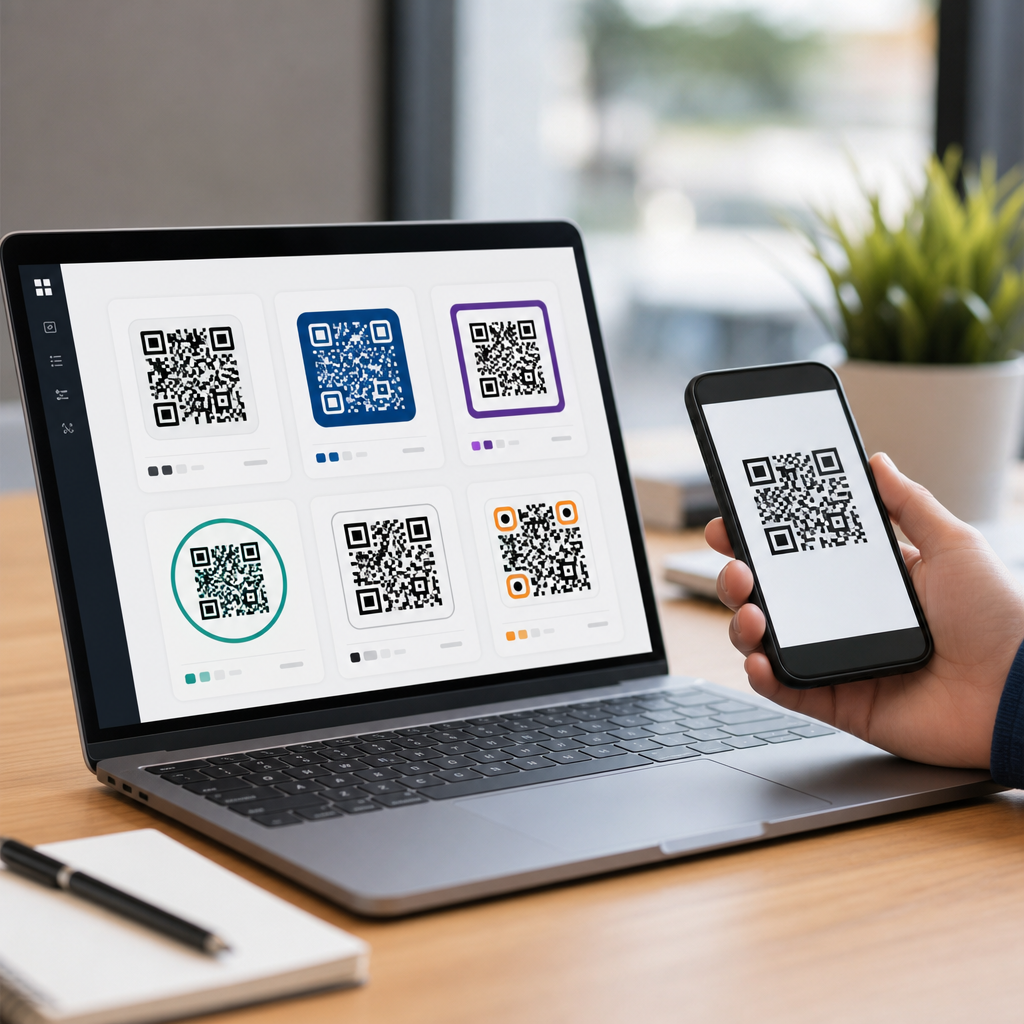
Choosing the best QR code generator starts with understanding what you are actually buying: not just a way to make a scannable square, but a tool that affects branding, analytics, campaign control, print reliability, and long-term ownership of your links. A QR code generator is software that converts a destination such as a URL, PDF, menu, app download, contact card, Wi-Fi credential, or payment request into a machine-readable code that smartphone cameras can scan. The right platform can make codes editable, measurable, and secure; the wrong one can leave you with dead links, weak tracking, poor scan performance, or recurring fees for basic functions. I have worked with QR codes for restaurant menus, retail packaging, field service labels, event check-ins, and direct mail campaigns, and the same lesson keeps coming up: the “best” generator depends on your use case, volume, and tolerance for vendor lock-in. Some businesses need static codes they can own forever at zero cost. Others need dynamic redirects, UTM tagging, password protection, expiration dates, API access, bulk creation, and team permissions. This hub article explains how to compare the best QR code generators, what features matter most, where free tools are enough, and when paid platforms earn their price. If you are deciding between a simple free QR code maker and a full campaign platform, start here and use this guide as your benchmark for every tool you evaluate.
What makes a QR code generator the right choice
The right QR code generator solves three problems at once: it creates codes that scan reliably, it supports the content type you need, and it gives you an ownership model that matches your campaign lifespan. Reliability comes first. A visually attractive code that fails under low light, curved packaging, glossy print, or a cracked phone screen is a bad asset. Good generators let you control error correction, quiet zone, size, file type, and contrast so the code remains readable in real conditions. In production, I usually export SVG or EPS for print, keep dark-on-light contrast high, and test scans from multiple distances before approval.
Content support is the next filter. Basic tools create URL, text, email, phone, SMS, and vCard codes. Better platforms add PDF landing pages, digital menus, app store smart links, MP3 files, image galleries, social media landing pages, Google Maps locations, and Wi-Fi credentials. If you need one code on 10,000 flyers and the destination never changes, a static URL code may be enough. If you are printing on product packaging or signage that must remain useful for years, dynamic QR codes are usually safer because you can update the destination later without reprinting the code.
Ownership is where many buyers make expensive mistakes. Some free or low-cost tools generate dynamic codes that stop working when a trial expires or when monthly scan limits are reached. Others place redirects on the vendor’s domain, which means you depend on that provider’s uptime and business model. Before choosing any QR code generator, verify whether static codes remain permanent, whether dynamic links are editable forever, whether exports are unrestricted, and whether analytics vanish when you cancel. For a short campaign, a hosted dynamic system may be fine. For long-term assets, permanence matters more than novelty.
Static vs dynamic QR codes: the decision that affects everything
If you ask me the single most important question in QR code creation, it is whether you need static or dynamic QR codes. Static QR codes encode the final information directly in the pattern. They are permanent, simple, and usually free. Once printed, they cannot be changed. Dynamic QR codes point to a short redirect URL controlled by the platform. You can edit the destination, track scans, pause campaigns, and segment by time or device, but you rely on the provider. That tradeoff should drive your tool selection.
Static codes work best for evergreen destinations: a company homepage, a stable product page, contact details on a business card, or guest Wi-Fi credentials in a lobby. They are ideal when cost control and permanent ownership matter more than analytics. Dynamic codes are better for restaurant menus, seasonal promotions, real estate flyers, equipment manuals, event registration, and print materials where the destination may change. In retail, for example, I often use dynamic codes on packaging inserts so a discontinued product can later point customers to a support page rather than a dead SKU.
Dynamic systems also enable attribution. You can append UTM parameters, integrate with Google Analytics 4, compare scans by location, and measure scan-to-conversion rates by campaign. That said, not every business needs dashboards. A local service company placing a QR code on vans may gain little from paid analytics if all traffic goes to a single quote page. By contrast, a multi-location restaurant chain testing menu performance by city will benefit from editable destinations and detailed reporting. Decide based on business value, not feature envy.
Features that separate basic tools from serious platforms
The best QR code generators distinguish themselves through practical controls rather than flashy templates. File format support matters immediately: PNG works for quick digital use, but SVG, PDF, and EPS are better for print because they scale cleanly. Design customization matters too, but with limits. You can round corners, add brand colors, and insert a logo, yet excessive styling reduces scan tolerance. Strong tools validate readability after customization. Some platforms even simulate scanability, which is useful when designers push too far.
Analytics quality is another dividing line. At minimum, a business-grade generator should report total scans, unique scans, date, approximate location, operating system, and device type. More advanced tools offer campaign tags, A/B destination testing, retargeting pixels, custom domains, and API-triggered code creation. Bulk generation is critical in manufacturing, inventory, ticketing, and direct mail, where you may need thousands of unique codes tied to serial numbers or recipient records. Team features matter in larger organizations: role-based permissions, approval workflows, folders, and asset naming standards prevent chaos.
Security and compliance should not be ignored. If codes lead to forms or documents, password protection, access expiration, and audit logs may be necessary. Healthcare, education, and enterprise environments often care about data residency, SSO, and vendor security reviews. A generator that is perfect for a freelancer may be unusable inside a regulated company. Also check whether the platform supports custom landing pages instead of forcing every dynamic code through a generic shortlink. Branded domains increase trust and can improve scan confidence because users see a recognizable URL after scanning.
Best QR code generators by use case
There is no universal winner, but several tools consistently stand out. QR Code Generator Pro is widely used for marketing campaigns because it combines dynamic codes, analytics, design options, and multiple content types in a polished interface. QR Tiger is strong for businesses that need bulk generation, enterprise features, and broad integrations. Beaconstac is a serious platform for larger teams, known for security controls, analytics depth, and business workflow support. For straightforward, no-frills creation, The QR Code Generator, Canva, and browser-based free makers are often enough, especially for static codes and quick designs.
Open-source or self-hosted options deserve attention when control matters most. If you need permanent ownership, internal deployment, or custom integration, libraries such as qrcode.js, python-qrcode, ZXing, or server-side generation through common frameworks can be smarter than subscribing to a hosted service. I have seen companies save substantial recurring costs by generating static production codes in-house while using a paid platform only for temporary marketing campaigns. This hybrid model works well when operations and marketing have different needs.
| Use case | Best fit | Why it works |
|---|---|---|
| One-off flyer or business card | Free static generator | Low cost, permanent code, minimal setup |
| Restaurant menu or seasonal promotion | Dynamic marketing platform | Edit destination without reprinting materials |
| Bulk labels, tickets, or serialized assets | Platform with API and bulk upload | Creates thousands of unique codes efficiently |
| Enterprise campaign management | Platform with roles, SSO, analytics | Supports governance, security, and reporting |
| Long-term internal or owned infrastructure | Self-hosted or open-source solution | Maximum control, no dependency on vendor redirects |
For creators and small businesses, Canva is convenient because the QR code feature sits inside the design workflow. That convenience is valuable when speed matters more than technical controls. For agencies managing campaigns across clients, platforms with folders, branded domains, and client reporting are more suitable. For developers, API-first tools or self-generated codes offer the cleanest path to automation. Match the generator to the job, not to the popularity of the brand.
How to evaluate pricing, limits, and hidden costs
QR code generator pricing is often misleading because entry plans look inexpensive while important capabilities are locked behind higher tiers. Start with the billing model. Some vendors charge for dynamic codes created, others for monthly scan volume, users, branded domains, analytics retention, or advanced design features. A tool that seems cheap at low volume may become expensive once you add multiple team members, campaign folders, or bulk exports. Always price the real workflow, not the teaser plan.
Trial structures also deserve scrutiny. Many businesses generate codes during a free trial, print them, and then discover the codes deactivate or lose editability when the trial ends. Read the platform terms carefully. Ask direct questions: Do dynamic codes continue to resolve after cancellation? Will analytics remain accessible? Are scan caps enforced with shutdowns or overage fees? Can you export your QR assets and metadata? These are not minor details; they determine whether your printed materials remain functional.
There are also indirect costs. Reprinting signs, menus, packaging, or brochures because a destination changed can be far more expensive than paying for dynamic functionality upfront. On the other hand, subscribing to a premium platform for a simple permanent URL is wasteful. In practice, I advise clients to assign a lifetime value to each code. If a code sits on packaging, equipment, storefront windows, or trade show displays, editability usually pays for itself. If the code is tied to a disposable handout, static is often enough.
Common mistakes that make QR codes fail
The most common QR code mistakes are poor contrast, undersized print, cluttered design, and weak testing. A code should usually be dark on a light background, surrounded by sufficient empty space, and printed large enough for the scan distance. A practical rule is roughly one inch of code size for every ten inches of scanning distance, though environment and camera quality matter. Tiny codes on product labels can work, but only if print quality is sharp and surrounding graphics do not interfere.
Another frequent problem is over-branding. Adding a logo can help recognition, but large logos, heavy gradients, inverted colors, or decorative frames can break readability. Error correction levels help compensate for damage or logo overlays, yet higher error correction also makes the pattern denser, which can reduce scanability at small sizes. Good design means balancing branding with technical margins. I always test a final code on iPhone and Android devices, in bright and dim light, and from realistic user angles before approving print.
Destination quality matters as much as code quality. If the scan opens a non-mobile-friendly page, loads slowly, triggers cookie walls, or asks users to pinch and zoom, performance suffers. A QR code is not the campaign; it is the bridge. For best results, send scanners to a page built for immediate action with clear messaging, fast load times, and visible next steps. Short, clean experiences outperform generic homepages almost every time.
How this hub helps you choose the best QR code generator
This page is the starting point for the broader QR Code Creation & Tools topic because choosing a generator affects every other decision you make afterward: dynamic versus static, branded design, analytics setup, bulk workflows, print specs, and platform ownership. Use it as your comparison framework. First, define the job: permanent code or editable campaign, single asset or bulk rollout, simple link or rich content type. Next, shortlist tools based on required features, not marketing claims. Then test three things before committing: scan reliability, export quality, and long-term policy on redirects and access.
The main benefit of picking the right QR code generator is simple: you create codes that keep working, support your brand, and deliver measurable results without expensive rework. Free tools are excellent for basic permanent codes. Paid platforms earn their place when you need edits, analytics, automation, security, or team management. The best choice is the one aligned with your business model, campaign lifespan, and control requirements. Start by listing your use case, your must-have features, and your acceptable level of vendor dependence, then compare tools against those criteria before generating a single code.
Frequently Asked Questions
What should I look for first when choosing a QR code generator?
The first thing to evaluate is not design or price, but whether the platform supports the type of QR code you actually need and how much control you want after the code is published. Some generators are built for simple, one-time use cases such as linking to a website or sharing contact details. Others are designed for active marketing campaigns where you may want to edit the destination later, track scans by location or device, run time-based promotions, or manage many codes across a team. That difference matters because a generator is not just producing an image; it is often becoming part of your long-term content and campaign infrastructure.
From there, focus on the practical decision points: static versus dynamic codes, branding options, analytics, export quality, and ownership. Dynamic QR codes let you change the destination without reprinting the code, which is especially valuable for packaging, signage, menus, print ads, and product labels. Branding features help you add logos, colors, and frames without sacrificing scan reliability. Analytics can show scan counts, time patterns, geography, and device types, which is useful if you care about measuring results rather than just publishing a link. Export quality matters because a code that looks fine on a screen may fail when printed too small or in the wrong file format. Finally, ownership is critical: you should understand whether your QR code will continue working if you cancel the subscription, whether the short link is controlled by the provider, and whether your data can be exported if you switch platforms later.
A good way to narrow your options is to match the generator to your use case. If you only need a basic QR code for a personal project, a simple and affordable tool may be enough. If you are using QR codes for business, events, restaurants, retail packaging, or lead generation, you will usually benefit from a platform that offers dynamic editing, analytics, stronger brand controls, and reliable account management. In short, choose based on the lifecycle of the code, not just the moment it is created.
What is the difference between static and dynamic QR codes, and which one is better?
Static and dynamic QR codes serve different purposes, and understanding the distinction is one of the most important parts of choosing the right generator. A static QR code stores the final information directly in the code itself. That means once it is created, the destination cannot be changed. If the code links to a URL and that page changes or disappears, you generally need to generate and distribute a new code. Static codes are often best for permanent information that is unlikely to change, such as a basic homepage link, a plain text message, or contact information.
A dynamic QR code works differently. Instead of storing the final destination directly, it points to a redirect managed by the QR code platform. That allows you to update the destination later without changing the printed or published code. For example, you can place one QR code on a flyer today, send users to a landing page this month, switch it to an event registration page next month, and later redirect it to a product offer. Dynamic codes are usually the better choice for any business or campaign where flexibility matters. They also tend to unlock analytics, so you can measure scans, compare campaign performance, and optimize based on real usage.
Neither format is universally “better” in every case. Static codes are simple, often free, and useful when you want a no-frills, permanent solution with no platform dependency. Dynamic codes are more powerful and are typically the better investment when you care about editing, measurement, testing, or long-term campaign control. If you are printing QR codes on anything expensive or difficult to replace, dynamic is usually the safer option because it protects you from mistakes and future changes.
Do branded QR codes with logos and colors still scan reliably?
Yes, branded QR codes can scan very reliably, but only when they are created with care and with a generator that respects technical best practices. Modern QR platforms often let you customize colors, add a logo, adjust the pattern style, and include a call-to-action frame. These features can improve recognition and trust, especially in marketing, retail, hospitality, and event settings where visual consistency matters. A branded QR code often performs better than a plain black-and-white square because users are more likely to understand what it is for and feel comfortable scanning it.
That said, design should never overpower function. QR codes need sufficient contrast between the foreground and background, enough quiet space around the edges, and a size appropriate for the scanning distance. Extremely light colors, busy backgrounds, oversized logos, or highly stylized shapes can reduce readability. This is where a quality generator makes a real difference. Better tools automatically maintain error correction standards, logo placement balance, and export settings that preserve scan performance across both digital and printed formats.
The safest approach is to customize within proven limits and test the final code in real conditions. Scan it on multiple phone models, under different lighting, from different distances, and in the exact size and material you plan to use. If the QR code will appear on product packaging, menus, posters, or outdoor signage, test the printed version rather than relying only on an on-screen preview. The right generator should make this process easier by offering high-resolution downloads, vector exports, and preview tools that help you validate both branding and reliability before launch.
Why do analytics and editability matter in a QR code generator?
Analytics and editability turn a QR code from a simple utility into a performance tool. If all you need is a one-time link, analytics may not seem essential. But if you are using QR codes in any business, promotional, or customer-facing context, scan data can provide valuable insight. You can learn how many people scanned, when they scanned, what devices they used, and in some platforms, where the scans occurred. That information helps you judge whether a campaign is working, compare print placements, refine calls to action, and make smarter marketing decisions.
Editability is just as important because campaigns change. A restaurant may update a menu URL. A retailer may rotate seasonal promotions. An event organizer may need to swap a registration page for a livestream link. A product team may want to redirect a package QR code to a new support hub. Without editability, those changes can force costly reprints or leave users landing on outdated content. With a dynamic generator, you can update destinations instantly while keeping the same visible QR code in circulation.
Together, analytics and editability create long-term flexibility. They reduce risk, preserve printed materials, and make QR codes much more useful as active assets rather than static images. When comparing generators, look closely at what analytics are included, whether real-time reporting is available, whether UTM parameters or tracking integrations are supported, and how easy it is to change the destination without downtime. These features often separate a basic generator from a platform that can genuinely support ongoing campaigns.
Can I lose control of my QR codes if I choose the wrong platform?
Yes, and this is one of the most overlooked risks when selecting a QR code generator. Many people assume that once a QR code is created, it will work forever. In reality, long-term control depends heavily on how the generator handles redirects, subscriptions, account status, and link ownership. With dynamic QR codes in particular, the scannable image often points to a provider-managed short URL before redirecting users to your final destination. If that provider limits access, shuts down the code after a trial, changes plan features, or experiences service problems, your QR code may stop working as expected.
That is why ownership and continuity should be part of your buying decision from the start. Before committing to a platform, check whether your dynamic codes remain active if you downgrade or cancel, whether there are scan limits, whether custom domains are supported, and whether you can export or migrate your data. If branding and trust matter, a custom domain can be especially valuable because it keeps the redirect infrastructure tied more closely to your brand rather than to a third-party short link. Also review the provider’s reputation for uptime, support, and transparency around billing and code behavior.
The best way to protect yourself is to think beyond generation and ask what happens six months or three years later. If the QR code will appear on packaging, storefront signage, brochures, or any long-lived asset, choose a platform built for reliability and continuity, not just quick creation. A low-cost or free option may be fine for temporary uses, but for business-critical codes, the right generator is one that gives you confidence that your links, branding, and campaign control remain in your hands over time.





