
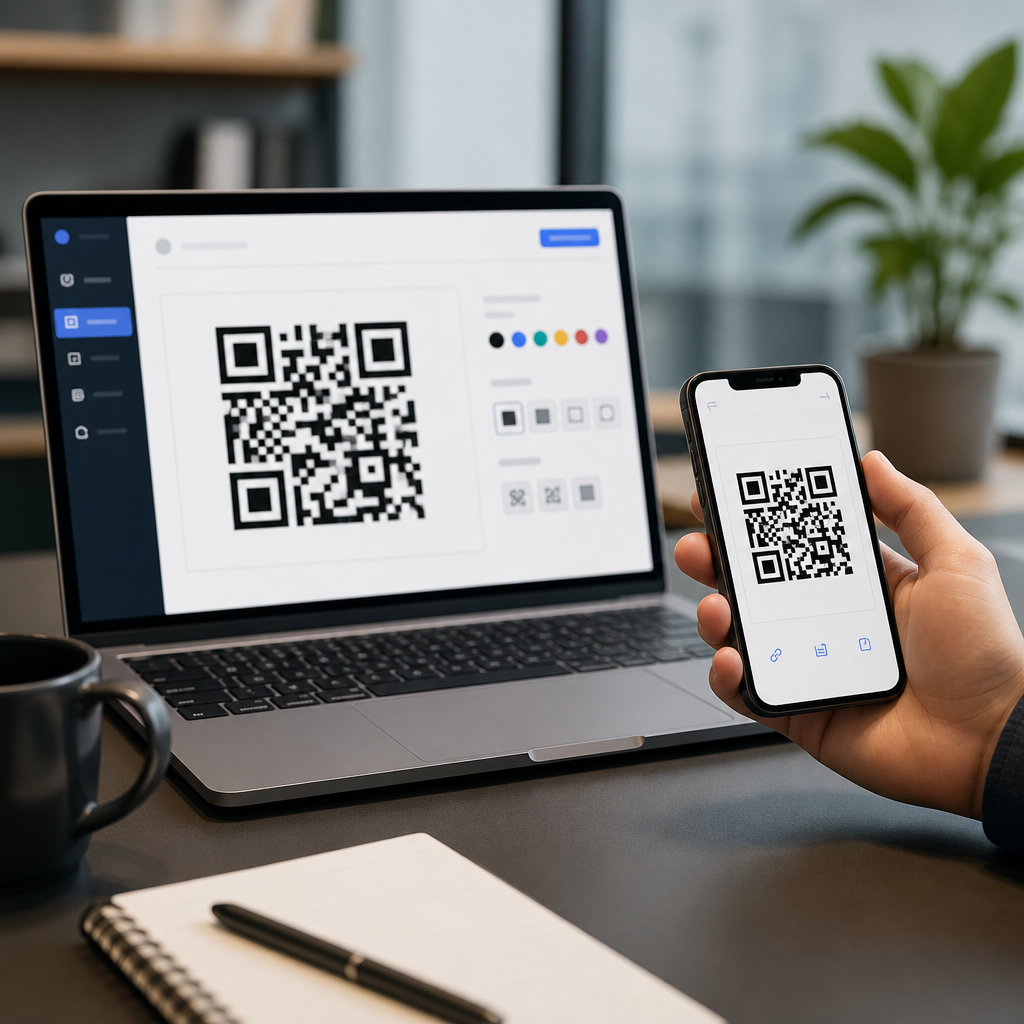
Choosing the best QR code generators in 2026 matters because the tool you pick affects scan reliability, branding control, analytics depth, security, and long term cost. A QR code generator is software that converts a URL, file, contact card, payment request, menu, app link, or other data into a scannable matrix barcode. In practice, the market splits into two categories: static QR code generators, which store fixed information directly in the code, and dynamic QR code generators, which point to a short redirect URL that can be edited later and measured over time. That distinction drives nearly every buying decision.
I have tested QR platforms for campaign landing pages, retail signage, product packaging, event badges, restaurant menus, and internal asset labels, and the same pattern appears every year: free tools are often sufficient for one off uses, while paid platforms become necessary when teams need editable destinations, custom domains, bulk creation, password protection, API access, or scan analytics by device, location, and time. For marketers, the right generator improves attribution and conversion tracking. For operations teams, it reduces reprint costs. For small businesses, it helps maintain a professional brand without hiring a developer.
This guide compares the best QR code generators in 2026 across free and paid options, explains which features actually matter, and outlines where each tool fits. If you are asking which QR code generator is best for marketing campaigns, business cards, restaurant menus, inventory tags, or enterprise workflows, start here. You will find direct answers, practical tradeoffs, and clear recommendations you can use before creating your next code.
What to look for in a QR code generator
The best QR code generator is not simply the one with the most templates. It is the one that produces high contrast, standards compliant codes, supports the content types you need, and gives you the right level of control after publishing. At minimum, a strong platform should support URL, vCard, PDF, WiFi, SMS, email, and plain text QR codes. For business use, dynamic editing is usually the dividing line between hobby software and production software.
Scan performance comes first. A visually impressive code that fails under poor lighting, low end phone cameras, or small print sizes is a bad code. I prioritize generators that expose error correction settings, quiet zone protection, vector exports such as SVG or EPS, and logo placement that does not compromise readability. ISO/IEC 18004 remains the governing standard for QR code symbology, and reputable vendors design around those constraints rather than treating them as optional.
After reliability, evaluate analytics and governance. Good platforms show total scans, unique scans, time trends, approximate geography, operating system, and referring campaign information through UTM parameters. Better ones add folders, role based permissions, expiration rules, retargeting pixels, first party domains, API access, and bulk CSV imports. If you are printing thousands of labels or running omnichannel campaigns, these are not extras; they are the operating system.
Best free QR code generators in 2026
For users who need a quick code without ongoing management, several free QR code generators remain excellent. QRCode Monkey continues to be one of the strongest free choices because it offers high resolution output, logo insertion, color control, and vector files without making the interface confusing. It is best for static QR codes used on posters, packaging mockups, flyers, and classroom materials. The limitation is clear: no meaningful dynamic management layer, so changes require regenerating and reprinting.
Google Chrome’s built in QR creation for current page URLs is useful for speed but narrow in scope. It works when a user just needs to share a webpage, not when a business needs branding, analytics, or export control. Canva also deserves mention because many teams already design signs, menus, and handouts there. Its QR generation is convenient inside the design workflow, especially for nontechnical users, but it is more a design feature than a full QR platform.
Adobe Express and Bitly’s entry level QR options also serve simple use cases. Adobe Express fits design led teams producing promotional graphics. Bitly is useful if link shortening is already part of your stack and you want a basic branded bridge between links and codes. Free plans, however, often place the biggest constraint on dynamic functionality, scan data retention, or branded domains. If you expect the code to live longer than the campaign draft stage, verify what happens after trial periods end.
Best paid QR code generators in 2026
Paid QR code generators earn their price when QR codes become business infrastructure rather than isolated assets. QR Code Generator Pro remains one of the most recognized platforms because it balances ease of use with business features such as dynamic codes, campaign analytics, landing page modules, and team management. It is a solid fit for marketing departments, restaurants, and service businesses that want editable codes without engineering support.
Beaconstac stands out in larger organizations. In client work, I have seen it selected for retail, healthcare, and field operations because it combines bulk creation, API access, SOC 2 oriented security posture, SSO support, and strong governance controls. Uniqode, which many teams still recognize by its former brand association in the market, is similarly strong for enterprise scale deployments, especially when first party domains, templates, and centralized analytics matter across regions.
Bitly remains compelling for organizations that already rely on short links and campaign attribution. Its QR functionality connects naturally to broader link management. Flowcode is another serious contender, particularly for brand conscious campaigns and creator economy use cases where polished design and mobile first analytics matter. Shopify merchants should also consider native app ecosystem tools if QR codes are tied directly to products, discounts, or offline to online attribution. The best paid tool depends less on sticker price than on how much reprinting, reporting, and workflow friction it saves.
Free and paid tools compared side by side
The simplest way to compare the best QR code generators is to match them to the job. A static code on a conference slide has different requirements than a dynamic QR code on national packaging. The table below reflects the decision criteria I use with clients before procurement.
| Tool | Best for | Free or paid | Key strengths | Main limitation |
|---|---|---|---|---|
| QRCode Monkey | High quality static codes | Free | SVG export, logo support, easy customization | No robust dynamic management |
| Canva | Design workflow integration | Free/Paid | Fast inside layouts, simple for teams | Limited analytics and governance |
| Bitly | Link driven campaigns | Free/Paid | Short links, attribution, brand consistency | Advanced QR features vary by plan |
| QR Code Generator Pro | General business use | Paid | Dynamic editing, analytics, templates | Subscription cost for larger volumes |
| Beaconstac | Enterprise and bulk deployment | Paid | API, security controls, team management | Overkill for simple one off codes |
| Flowcode | Brand and campaign presentation | Paid | Strong design, mobile analytics, ease of use | Less infrastructure oriented than enterprise suites |
If you need a direct answer, the best free QR code generator for most users is QRCode Monkey, while the best paid QR code generator for broad business use is QR Code Generator Pro. The best enterprise QR code generator is usually Beaconstac or a similar platform with API and governance depth. The best choice for link centric marketing teams is often Bitly. These are practical recommendations, not abstract rankings, because fit matters more than feature count.
Which QR code generator is best for specific use cases
For small businesses, the ideal QR code generator combines low cost, easy design, and editable destinations. A bakery changing seasonal menus, a realtor updating listing pages, or a local gym rotating class signup links should use dynamic codes even if volume is low. Paying a modest monthly fee is cheaper than reprinting table tents, window decals, and brochures every time a destination changes. In that scenario, QR Code Generator Pro or Flowcode usually outperforms free tools.
For business cards, reliability and visual restraint matter more than novelty. Use a vCard or landing page code, keep contrast high, and export vector artwork for print. Tools like QRCode Monkey, Canva, and Bitly can all work, but test on both iPhone and Android before ordering cards. For restaurant menus, dynamic PDF or landing page codes are standard. During menu revisions, the ability to swap the destination without replacing placards is the core value.
For enterprise asset tracking, manufacturing, field service, or healthcare workflows, choose a platform with bulk generation, naming conventions, user permissions, and audit friendly administration. This is where free tools fail quickly. Static codes can still work for equipment IDs that resolve into internal systems, but management overhead becomes the hidden cost. If you are creating thousands of labels, API access and CSV imports are essential, not premium luxuries.
Features that separate a good tool from a risky one
Some QR code generators look polished yet create downstream problems. The first red flag is unclear ownership. If a provider offers a free dynamic QR code, read the terms carefully and confirm whether the code stops resolving after a trial, whether scan history disappears, and whether exported assets remain usable if you cancel. I have seen businesses print campaign materials only to discover the underlying redirect was tied to an expired subscription.
The second red flag is poor export and print support. PNG can be fine for digital use, but professional print jobs should usually use SVG, EPS, or PDF so the code scales sharply. Quiet zone margins should be preserved, and modules should not be excessively stylized. Rounded dots, cutout patterns, and oversized center logos can be safe only within tested limits. A good platform allows customization while protecting scanability.
Security is another differentiator. If the code points to a redirect, ask whether the platform supports HTTPS, custom domains, password protection, access expiration, and administrative controls. In regulated environments, review documentation for data handling, user roles, and auditability. Also consider whether the vendor supports UTM parameters, Google Analytics 4 integration, Meta Pixel, or webhook connections. Strong analytics are useful, but trustworthy handling of user and campaign data matters more.
How to choose the right platform in 2026
Start with lifespan. If the QR code will exist for less than a week and the destination will never change, a static free tool is usually enough. If the code will live on packaging, storefronts, manuals, vehicles, badges, or permanent signage, use a dynamic platform from the start. That one decision prevents most costly mistakes.
Next, map the workflow. Who creates the codes, who approves them, who updates destinations, and who reads the analytics? A solo consultant can work comfortably inside a simple dashboard. A retail chain with franchise locations needs folders, brand templates, role controls, and standardized naming. In procurement reviews, I often score platforms against six criteria: scan reliability, dynamic management, analytics, design flexibility, collaboration, and total cost of ownership. That framework quickly reveals whether a cheaper plan is actually more expensive over a year.
Finally, test before rollout. Print samples at final size, place them in realistic lighting, scan from different devices, and verify redirects, tracking parameters, and page speed. QR codes fail in the field for mundane reasons: glossy surfaces, weak cellular reception, tiny placement, poor contrast, or a landing page that loads too slowly. The best QR code generator helps, but execution still determines results.
The best QR code generators in 2026 are the ones that match your real operating needs, not the ones with the flashiest editor. For static codes and zero cost creation, QRCode Monkey remains the strongest general recommendation. For businesses that need dynamic editing, analytics, and brand control, QR Code Generator Pro is a dependable all around choice. For enterprise deployments with bulk creation, APIs, governance, and security requirements, Beaconstac sits near the top of the market. Bitly and Flowcode fill important roles for link centric campaigns and polished brand experiences.
The core lesson is simple. Choose free tools for short lived, low risk, static use cases. Choose paid platforms when QR codes connect to revenue, operations, compliance, or long term printed materials. Prioritize scan reliability, export quality, editable destinations, and ownership clarity before you focus on visual effects. A beautiful code that cannot be updated, measured, or trusted is not a bargain.
Use this hub as your starting point for every QR Code Creation & Tools decision, then evaluate your next platform against the criteria above before you publish another code. The right generator will save reprint costs, improve campaign insight, and make every scan more useful. Pick one deliberately, test it in the real world, and build from there.
Frequently Asked Questions
What is the difference between a static and dynamic QR code generator?
A static QR code generator creates codes that permanently store the destination data inside the QR code itself. That means if you encode a website URL, PDF link, Wi-Fi password, or vCard, the content is fixed once the code is generated. Static QR codes are usually free, simple to create, and ideal for one-time or permanent uses where the destination will never need to change. The tradeoff is flexibility. If the link breaks, the landing page changes, or you want to update the campaign later, you typically need to generate and reprint a brand-new code.
A dynamic QR code generator works differently. Instead of embedding the final destination directly, it encodes a short redirect URL that points to content managed on the provider’s platform. This allows you to edit the destination later without changing the printed QR code. Dynamic codes are generally the better choice for marketing campaigns, restaurant menus, product packaging, app downloads, event materials, and any business use case where tracking or post-launch updates matter. They often include analytics such as scan count, location, device type, and time of scan. In 2026, this distinction remains one of the most important factors when comparing QR code software because it directly affects cost, reporting, maintenance, and long-term usability.
Are free QR code generators good enough, or is a paid platform usually worth it?
Free QR code generators can be perfectly adequate for basic needs, especially if you only need a static QR code for a personal website, business card, flyer, classroom handout, or simple document link. Many free tools let you generate a standard code quickly and download it in PNG or SVG format with no account required. For straightforward use cases, that is often all you need. However, “free” can mean very different things depending on the platform. Some tools are genuinely free for static codes, while others offer a limited free plan that creates dynamic codes but restricts scan volume, analytics, editing, branding, file downloads, or code lifespan.
A paid QR code platform becomes worthwhile when reliability, branding, analytics, collaboration, and support matter. Businesses often need features such as editable destinations, password protection, expiration rules, bulk generation, UTM tracking, API access, multi-user dashboards, custom domains, and white-label options. Paid tools also tend to provide better print-quality exports, stronger campaign organization, and more predictable long-term performance. One key issue to watch in 2026 is ongoing subscription dependency. Some providers let your dynamic codes remain active indefinitely, while others may pause redirects if your plan lapses. So the decision is not just about features today, but also about whether the platform fits your future budget and operational needs.
What features should I look for when comparing the best QR code generators in 2026?
The most important features depend on how you plan to use QR codes, but several evaluation criteria consistently matter. First, check scan reliability. A good generator should produce clean, standards-compliant codes that scan quickly across both iPhone and Android devices, even when printed in smaller sizes or displayed on different screen types. Next, evaluate output formats. High-quality platforms should offer vector files such as SVG, EPS, or PDF in addition to PNG, because professional printing often requires scalable assets.
Branding controls are another major consideration. In 2026, many businesses want custom colors, frame text, logos, short URLs, and even branded domains. These can improve trust and conversion, but only if the tool preserves adequate contrast and error correction so the code remains scannable. Analytics is also a key differentiator. Better platforms provide scan totals, unique scans, time-based trends, geographic insights, device data, and campaign attribution options. Security features matter too, especially for enterprise and regulated industries. Look for HTTPS redirects, access controls, password-protected content, audit trails, and clear data handling policies.
You should also consider platform stability and pricing transparency. Ask whether dynamic codes remain active if you cancel, whether there are limits on scans or projects, whether bulk creation is supported, and whether integrations are available for marketing tools, CRMs, or automation workflows. Finally, test usability. The best QR code generator is not just feature-rich; it should also make it easy to create, organize, update, and monitor codes at scale without confusion or hidden restrictions.
Do QR code generators affect scan reliability and user trust?
Yes, the generator you choose can absolutely affect both scan performance and how trustworthy the code appears to users. From a technical standpoint, a strong QR code platform should follow best practices for data encoding, sizing, margin spacing, error correction, and export quality. Problems often arise when users over-customize a code with low-contrast colors, oversized logos, missing quiet zones, or poorly resized images. Better QR code generators are designed to prevent these issues by warning you when a design may hurt scannability or by automatically optimizing the code structure.
User trust is equally important. People are more likely to scan a code when they feel confident about where it leads. Branded QR codes with recognizable domains, clear call-to-action frames, and professional landing pages generally perform better than generic or suspicious-looking redirects. Dynamic QR platforms can support this by allowing custom short links and better destination control. On the other hand, some low-quality generators route users through spammy or unfamiliar redirect domains, which can reduce trust and hurt campaign performance. In business settings, trust also depends on consistency: the code should load quickly, work reliably over time, and not break because a trial expired or a subscription changed. In short, the generator influences not just the image of the code, but the full scan experience from first impression to final destination.
How can I choose the best QR code generator for my business or project?
Start by matching the tool to your actual use case rather than choosing based on popularity alone. If you only need a single QR code for fixed information that will never change, a reputable free static generator may be the most practical option. If you are running marketing campaigns, managing multiple locations, updating menus, tracking offline conversions, distributing documents, or printing codes on packaging, a dynamic platform is usually the smarter investment. The more important the campaign, the more you should prioritize editability, analytics, support, and long-term platform reliability.
Next, compare pricing models carefully. Some services charge by features, others by scan volume, number of codes, number of users, or branding options. Look beyond the introductory plan and evaluate the real long-term cost. You should also test the platform before committing. Generate a sample code, scan it on multiple devices, print it at realistic sizes, and review the dashboard experience. Check whether exports are high resolution, whether the analytics are actually useful, and whether the platform makes it easy to organize campaigns.
It is also wise to review ownership and portability. Ask what happens to your dynamic QR codes if you downgrade or cancel, whether you can export your code inventory, and whether you can use a custom domain for redirect control. For teams, consider collaboration features such as permissions, folders, audit logs, and integrations. For security-sensitive uses, verify encryption, redirect safety, privacy compliance, and account controls. The best QR code generator in 2026 is ultimately the one that delivers dependable scanning, supports your brand, gives you the right level of insight, and remains cost-effective for the entire life of your project.





