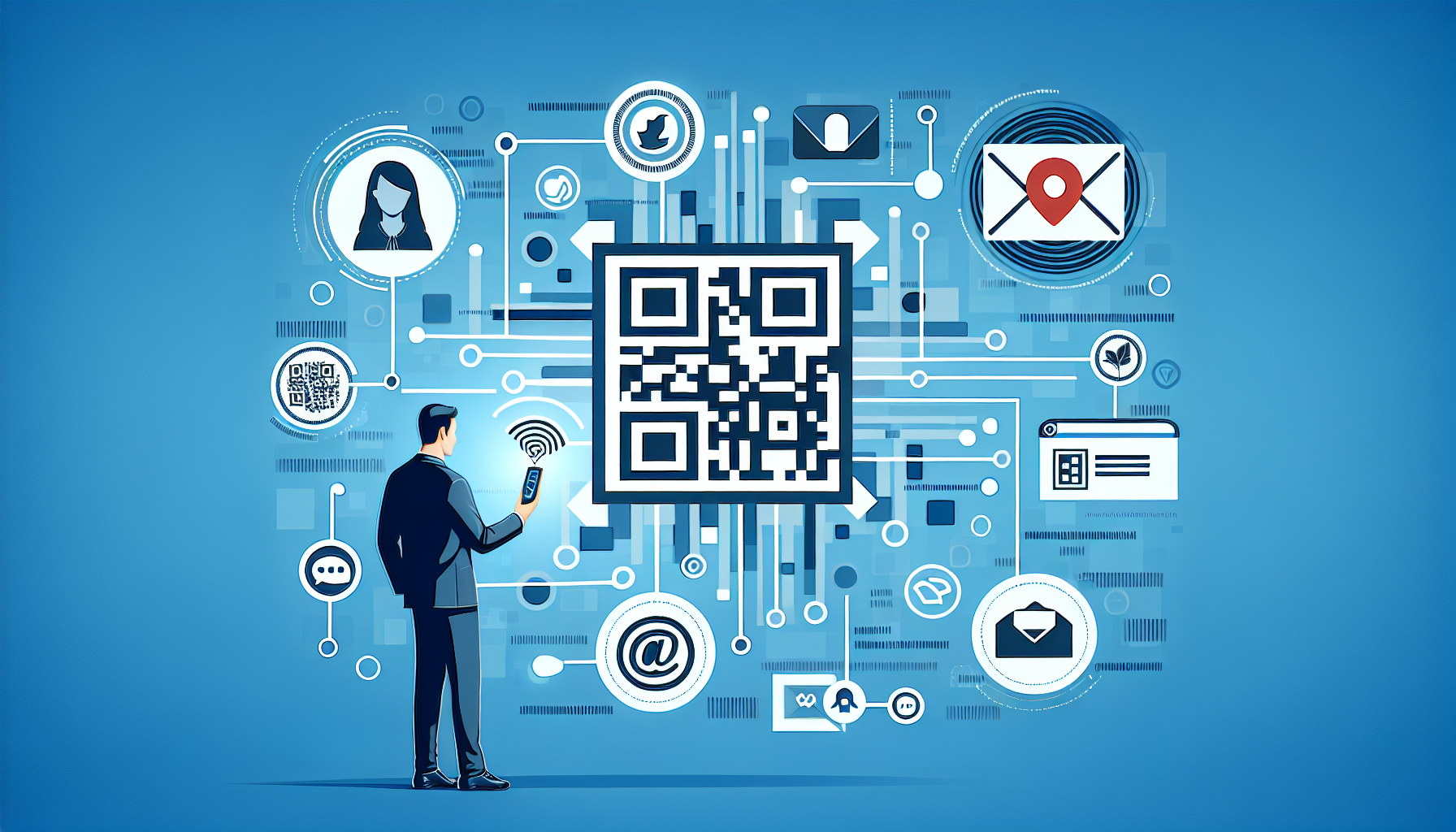
Retargeting with QR codes turns an offline scan into a measurable audience signal you can use across paid media, email, and on-site personalization. A retargeting audience is a group of people who took a trackable action, such as scanning a code on packaging, signage, direct mail, or an event badge, and can now be reached again with relevant follow-up messaging. In practice, this means a restaurant can promote a limited-time offer to people who scanned a menu code, a SaaS brand can nurture trade show visitors who scanned a demo link, and a retailer can reconnect with shoppers who scanned in-store product information but did not buy. I have implemented these programs for campaigns tied to print, retail, and field events, and the difference between a generic QR landing page and a retargeting-ready setup is dramatic.
The reason this topic matters is simple: QR scans are intent-rich, but intent disappears quickly if you do not capture it correctly. Someone who takes out a phone, opens a camera, scans, waits for a page to load, and engages has shown more deliberate interest than a casual display impression. Yet many teams still treat QR codes as dead-end utilities instead of audience builders. The right framework connects dynamic QR destinations, analytics parameters, consent-aware tracking, and platform-specific audience rules so each scan becomes useful first-party behavioral data. When that system is in place, you can build retargeting audiences from QR code scans, segment them by campaign or context, suppress converters, and deliver sequential messages that reflect where the scan happened and what the user did next.
To do this well, you need a few key terms clear from the start. A static QR code contains a fixed destination and cannot be edited after printing; a dynamic QR code uses a short redirect URL so the destination and tracking logic can be changed later. A retargeting pixel is a snippet from platforms such as Google Ads, Meta Ads, LinkedIn, or TikTok that records visits and events for audience creation. UTM parameters identify source, medium, campaign, content, and term in analytics tools. First-party data is information collected directly from your own digital properties with user consent and proper disclosure. These concepts form the operating model for QR retargeting, and without them, scan counts alone rarely produce business value.
This page serves as the central guide for retargeting audiences from QR code scans within a broader QR Code Advanced Strategies program. It explains the technical setup, platform choices, segmentation methods, privacy constraints, and measurement practices that make QR retargeting reliable at scale. It also connects naturally to deeper topics such as dynamic QR governance, landing page design, event tracking, consent management, offline-to-online attribution, and creative sequencing. If your goal is to make QR campaigns accountable and profitable rather than merely interactive, the process starts here: treat every scan as the beginning of an audience strategy, not the end of a click path.
Build the tracking foundation before you print anything
The most important rule in QR retargeting is that audience creation starts before the code exists physically. Once a poster, package insert, or trade show banner is printed, changing the destination is easy only if the code is dynamic. I always recommend dynamic QR codes managed through a platform that supports editable redirects, scan analytics, and custom domains. Branded short domains improve trust and reduce the chance that users hesitate before tapping through. They also simplify governance because redirect rules, UTMs, and downstream event logic can be updated without replacing the code in the field.
Your landing page needs to host the right tags the first time. At minimum, install Google tag infrastructure, a consent-aware analytics setup, and the ad platform pixels used by your media mix. For most teams, that includes Google Ads remarketing, Meta Pixel, and LinkedIn Insight Tag for B2B campaigns. If you use Google Tag Manager, define pageview and event triggers for core actions such as product view, add to cart, lead start, form submit, location lookup, or coupon reveal. I have seen campaigns underperform simply because the QR destination redirected to a PDF or app store page with no pixel coverage, leaving plenty of scans but no usable audience.
UTM discipline matters just as much as tags. A scan should tell you exactly where it came from: source can be qr, medium can be offline, and campaign should identify the initiative. Content should distinguish placement, such as shelf_talker, booth_banner, direct_mail_card, or package_insert. This structure lets you create analytics audiences and compare downstream behavior by context. For example, people who scan a code on product packaging often behave differently from people who scan a code on a window display. Without UTMs and event naming conventions, those differences blur together, and your retargeting becomes generic when it should be highly contextual.
Turn a scan into an audience across major ad platforms
A QR scan by itself is not usually an ad platform audience event. The audience is created when the user lands on a tagged web property and the platform records that visit or a subsequent event. In Google Ads, you can build audience segments from website visitors, specific page URLs, or conversion-related events imported through Google Analytics 4. In Meta Ads, you can create website custom audiences based on visited URLs, time spent, or custom events like ViewContent, Lead, or Purchase. LinkedIn supports matched audiences built from website visits, making it especially useful for B2B event follow-up when the scan destination is a demo page, case study library, or pricing explainer.
The practical setup is straightforward. Use the QR code to send traffic to a dedicated landing page or route with unique parameters, then define an audience rule around that path. If a code on in-store signage points to example.com/offer?utm_source=qr&utm_content=endcap_a, Google Ads can build an audience of visitors to that offer page, while Meta can build a URL-based audience containing endcap_a in the query string. For better control, fire a custom event like qr_scan_landing when the page loads and qr_offer_reveal when the user taps to see the coupon. Event-based audiences are cleaner than URL rules when redirects, localization, or personalization alter visible URLs.
Audience duration should match buying cycles and campaign context. A fast-service restaurant coupon may need a seven-day audience because intent fades quickly. A home services brand collecting quote requests from mailers may perform better with 30 to 90 days. For B2B software scanned at a conference, I often use a sequence: 14 days for high-intent product messaging, 30 days for proof assets such as case studies, and 90 days for softer thought leadership. Frequency caps, exclusion lists for converters, and creative rotation are essential. Retargeting works when the message feels like a continuation of the scan experience, not surveillance repeated across every app.
Segment audiences by scan context, intent, and downstream behavior
The biggest mistake I see is putting every scanner into one bucket. QR retargeting becomes powerful when you segment by where the scan happened, what the landing page offered, and what the user did after arrival. Someone scanning a code on premium product packaging is different from someone scanning a how-to guide in a service manual. One is closer to repeat purchase or cross-sell; the other may need onboarding support first. Segmentation should start with campaign metadata and then layer behavioral events such as scroll depth, video completion, calculator use, store locator engagement, add to cart, and lead submission.
Use a simple audience architecture that combines source and behavior. I typically create base audiences for all scanners by placement, then narrower audiences for engaged scanners, high-intent scanners, and converted scanners. Engaged might mean 45 seconds on site or two key pageviews. High intent might mean pricing view, cart interaction, quote start, or appointment selection. Converted users should be excluded from acquisition retargeting and moved into upsell or retention streams. This structure prevents waste and lets media budgets favor people who scanned and demonstrated intent rather than everyone who merely landed and bounced.
| QR Scan Context | Audience Rule | Recommended Follow-Up | Typical Duration |
|---|---|---|---|
| Product packaging | Visited package landing page and viewed product details | Cross-sell accessories, replenishment reminders, loyalty signup | 14 to 60 days |
| Retail signage | Scanned store offer page and clicked store locator | Nearby inventory ads, limited-time discount, map reminder | 3 to 14 days |
| Direct mail | Visited personalized offer page and started form | Lead completion ads, testimonial creative, call extension | 14 to 30 days |
| Trade show booth | Viewed demo page, pricing, or case study content | Demo booking, sales outreach support, proof-focused ads | 14 to 90 days |
Sequential messaging improves performance because it mirrors the decision process. For example, a consumer packaged goods brand might first retarget packaging scanners with a recipe video, then with a retailer locator, and finally with a coupon if no purchase signal appears. A manufacturer at an industry event might move scanners from a product overview ad to a customer story, then to a consultation offer. These flows are not complicated, but they require a clean audience hierarchy and event taxonomy. If every scan feeds one undifferentiated audience, you lose the chance to adapt the message to actual intent.
Design landing pages that support both consent and conversion
Retargeting from QR scans depends on the landing page doing several jobs at once: loading quickly, matching the offline context, collecting consent where required, and triggering the right analytics. Mobile performance is critical because nearly all QR traffic arrives on phones. Compress images, reduce script bloat, and prioritize the first view. A code scanned from packaging should not drop users onto a generic homepage. The page should reflect the exact promise near the code, whether that is product information, registration, warranty activation, a menu, a coupon, or a how-to resource. Message match reduces bounce rate and improves audience quality.
Consent cannot be an afterthought. Depending on jurisdiction and platform policies, remarketing cookies or advertising identifiers may require affirmative consent before firing. That is especially important in regions covered by GDPR or similar privacy laws. Use a consent management platform that can pass consent signals to your tag manager and suppress marketing tags until allowed. Server-side tagging can improve resilience and data quality, but it does not remove the need for lawful disclosure and consent handling. When teams ignore this, they risk both compliance issues and polluted data from tags firing inconsistently across devices and browsers.
Conversion design should align with audience creation. If you need stronger retargeting signals, create micro-conversions that indicate real interest without forcing too much friction too early. Examples include tap-to-reveal offers, save-to-wallet actions, interactive product selectors, appointment preference pickers, or downloadable buying guides. Each action can become an event and a future audience rule. In one retail campaign I worked on, adding a simple “check nearby availability” interaction turned passive scanners into a high-intent audience that outperformed general site visitors by a wide margin because the action captured local purchase intent rather than casual curiosity.
Measure incrementality, not just scan volume
Success in QR retargeting is often misread because teams stop at scan counts or landing page sessions. Those metrics show activity, not business impact. The right question is whether retargeting audiences built from QR code scans drive incremental conversions at an acceptable cost. Start with a measurement plan that connects scans to audiences, audiences to campaigns, and campaigns to outcomes such as purchases, qualified leads, booked demos, or store visits. In GA4, define comparisons by UTM content and campaign. In ad platforms, compare QR-origin audiences against broader site retargeting pools and prospecting groups to see whether scan-derived intent actually converts more efficiently.
Use holdouts or geographic tests where possible. For example, if direct mail QR codes are distributed nationally, suppress retargeting in a subset of regions and compare conversion lift. For event campaigns, compare attendees who scanned against badge lists or CRM records to assess whether the QR audience captured higher-quality prospects. Multi-touch attribution will not be perfect, especially on mobile browsers with privacy restrictions, but directional evidence is enough to improve budgets and creative. Watch for lag times too. Packaging scans may convert days later, while event scans may need several weeks and multiple touchpoints before a form fill or meeting request appears.
Finally, maintain the system as a hub, not a one-off tactic. Document naming conventions, audience logic, durations, exclusions, and creative sequences so every new QR initiative can plug into the same structure. Link this strategy operationally to your pages on dynamic QR governance, campaign attribution, QR landing page optimization, and offline-to-online conversion tracking. When teams standardize those pieces, retargeting with QR codes becomes repeatable and defensible. The core takeaway is clear: a scan is valuable only when it leads to a tagged, consent-aware experience that creates an audience you can segment and act on. Build that foundation, refine it with behavior and context, and your QR campaigns will generate measurable follow-up revenue instead of isolated bursts of traffic.
Frequently Asked Questions
1. What does it mean to build a retargeting audience from QR code scans?
Building a retargeting audience from QR code scans means turning an offline interaction into a measurable digital signal you can use for future marketing. When someone scans a QR code on packaging, signage, direct mail, an event badge, or a table tent, they are showing intent. That scan can send them to a landing page, menu, product page, lead form, app download page, or campaign microsite. Once they arrive, you can use analytics tools, ad platform pixels, first-party cookies where permitted, and CRM integrations to place that visitor into an audience segment for later follow-up.
In practical terms, the QR code itself is not usually the retargeting mechanism. The scan creates the visit, and the destination experience creates the audience. For example, a restaurant can send menu scanners to a specials page and later advertise a limited-time offer to those visitors. A SaaS company at a trade show can put a QR code on booth signage that sends prospects to a demo page, then build separate retargeting audiences for people who viewed pricing, started a form, or downloaded a product sheet. The value comes from connecting offline intent with online behavior, which makes campaigns more targeted, more measurable, and more relevant than broad follow-up messaging.
2. What tools and setup do I need to create QR code scan audiences effectively?
At minimum, you need three parts working together: a dynamic QR code, a trackable destination page, and audience-building technology. A dynamic QR code is preferred because it lets you change the destination URL later, add campaign parameters, and track scan activity by location, time, or asset. The destination page should contain the analytics and advertising scripts you use to define audiences, such as Google Analytics, Google Ads tags, Meta Pixel, LinkedIn Insight Tag, or another platform-specific tracking solution. If you also use a CRM or marketing automation platform, connect the page to forms, lead capture, and consent-based email workflows so scan traffic can flow into owned channels as well.
It is also important to structure your URLs carefully. Use UTM parameters or equivalent campaign tags so you can distinguish scans by source, placement, geography, creative version, or campaign type. For example, the same product flyer in two stores can use separate tagged URLs to show which location drove better engagement. You should also define events on the landing page, such as page view, button click, form start, form completion, add to cart, or time on page thresholds. These events help you build more precise retargeting segments rather than grouping every scanner into one broad audience. Strong setup at the start gives you cleaner reporting, better audience quality, and more useful optimization data later.
3. How do I segment QR code scan audiences so follow-up campaigns are more relevant?
The most effective QR retargeting strategy is built on segmentation, not just volume. A scan tells you someone engaged, but what they did next tells you what message they should receive. Start by segmenting based on the context of the scan itself, such as packaging versus direct mail, in-store signage versus event booth, or menu scans versus loyalty card scans. Then layer in onsite behavior. Someone who landed on a product page and bounced should be treated differently from someone who viewed pricing, watched a video, added an item to cart, or completed half of a lead form.
You can also segment by campaign recency and frequency. A person who scanned yesterday may respond well to a timely reminder, while someone who scanned three weeks ago may need a stronger incentive or more educational content. Geographic segmentation can matter too, especially for retail, hospitality, and events. If the same QR campaign runs across multiple venues or stores, location-based audiences can support localized offers. For B2B campaigns, scan audiences can be segmented by content interest, such as product information, case studies, implementation guides, or demo requests. The goal is to align the follow-up with the intent shown by both the scan source and the destination behavior, which improves conversion rates and reduces wasted spend.
4. What are the best practices for using QR scan audiences across paid media, email, and on-site personalization?
Best practice starts with message continuity. The follow-up should feel like a natural extension of the reason the person scanned in the first place. If someone scanned a code on restaurant signage to view a menu, a retargeting ad promoting a relevant seasonal item or limited-time offer makes sense. If someone scanned a QR code at a trade show booth to learn about a SaaS platform, a stronger next step might be a customer proof point, product comparison, or invitation to book a demo. Matching the follow-up to the original context increases trust and performance.
Across paid media, use QR audiences to exclude converters, sequence creative, and tailor offers by behavior. In email, if the user has opted in or completed a form, place them into a nurture flow that reflects what they scanned and what content they viewed. On-site, personalize headlines, featured products, or calls to action when returning visitors from those audiences land back on your site. Timing matters as well. Early follow-ups should reinforce interest, while later messages can introduce urgency, social proof, or a stronger conversion incentive. It is also wise to cap frequency and rotate creative so retargeting feels helpful instead of repetitive. When channels work together, QR scan audiences become a bridge between offline discovery and a coordinated digital journey.
5. How do I measure success and handle privacy when building retargeting audiences from QR code scans?
Success should be measured at multiple levels, not just scan count. Scans are the top-of-funnel interaction, but the real business value comes from what happens after the visit. Track landing page engagement, audience growth, return visits, form completions, purchases, booked appointments, coupon redemptions, and assisted conversions from retargeting campaigns. Compare performance by QR placement, creative asset, offer type, and destination page. This helps you understand not only which QR codes are being scanned, but which offline touchpoints are producing audiences that actually convert. For more mature programs, measure cost per qualified audience member and downstream revenue from retargeted users.
On privacy, follow all applicable laws, platform policies, and consent requirements in the regions where you operate. Be transparent about data collection on landing pages, use consent banners where required, and avoid collecting personal data unless there is a lawful basis and a clear reason to do so. In many cases, retargeting works through anonymized or pseudonymized audience building rather than directly identifying individuals. If someone submits a form or joins an email list, make sure your disclosures clearly explain how their data will be used. Also keep in mind that browser restrictions, ad platform limitations, and consent choices can reduce audience size, so first-party data strategies are increasingly important. Done properly, QR retargeting can be both privacy-conscious and highly effective, giving marketers a measurable way to reconnect with people who first engaged in the offline world.