
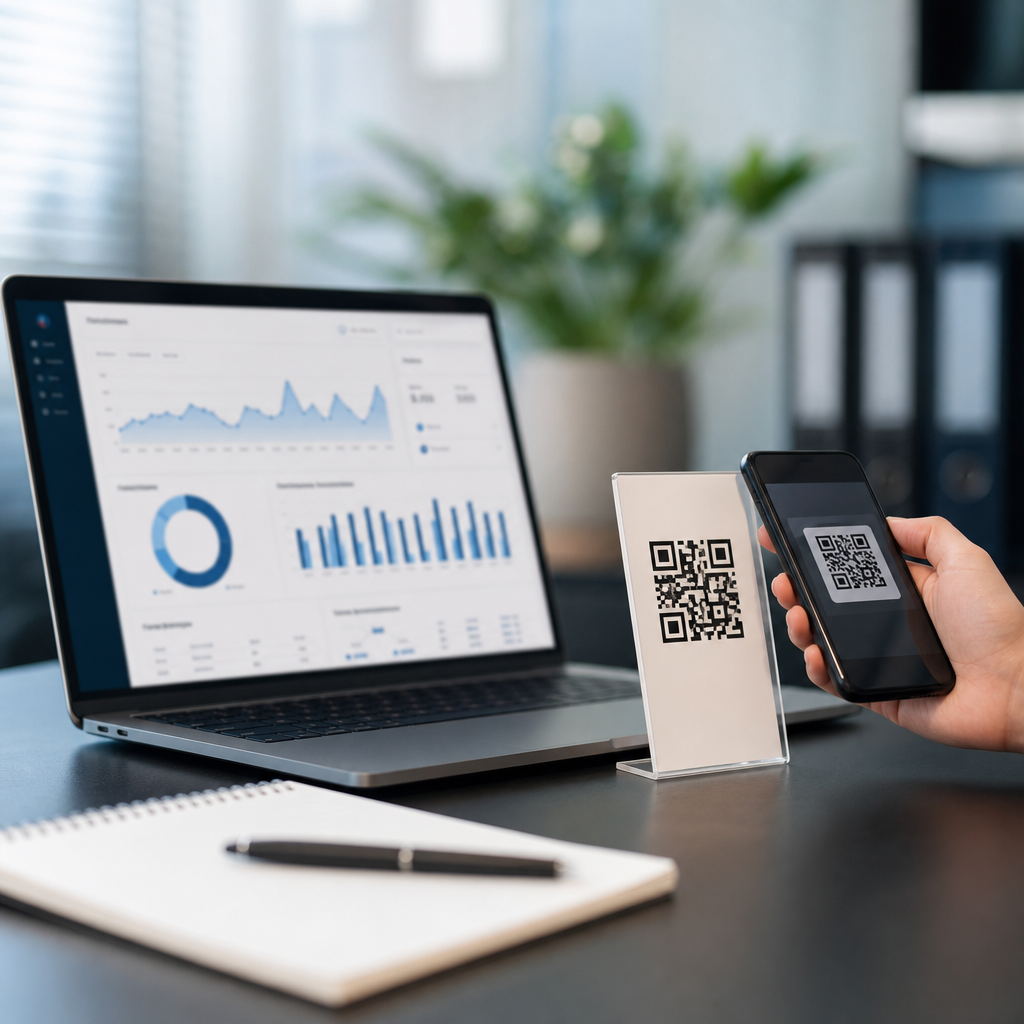
Dynamic QR code platforms let you change a destination after printing, measure scans in real time, and manage campaigns at scale, which is why they have become the standard choice for marketers, retailers, event teams, restaurants, and operations managers. A QR code is a two-dimensional barcode that stores data such as a URL, file, contact card, payment payload, or app deep link. A static QR code locks that data permanently into the pattern, while a dynamic QR code points to a short redirect URL controlled by a platform. That redirect layer is what enables tracking and analytics, editing, expiration rules, password protection, A/B tests, and device-aware routing. In practice, that means a poster, package, menu, or direct mail piece can keep working even after the target page changes. I have used dynamic QR systems for product packaging, trade show lead capture, restaurant menus, and field service documentation, and the difference between a basic generator and a mature platform is substantial. The best QR code platforms with tracking and analytics do more than count scans. They provide campaign structure, governance, attribution clues, and enough operational control to support real business workflows. This hub article explains what dynamic QR code platforms are, which features matter most, how leading options compare, and how to choose a system that fits your use case without creating reporting blind spots or compliance problems.
What makes a dynamic QR code platform worth using
A dynamic QR code platform is a management system, not just a code maker. The redirect service sits between the scan and the final content, allowing edits without reprinting the symbol. That architecture also captures metadata such as timestamp, approximate location derived from IP, device type, operating system, and in some platforms referrer context or campaign tags. The platform then surfaces those events in dashboards, exports, alerts, and integrations. In plain terms, if you place one code on product packaging in five retail chains, a good platform shows whether scans are rising, when they happen, where they cluster, and which destination version performs better.
The core value comes from six capabilities. First, editable destinations prevent waste when URLs change or campaigns need to be extended. Second, analytics reveal scan volume and trend lines quickly enough to support optimization. Third, segmentation by location, device, or time helps teams interpret intent. Fourth, access controls and folders matter when multiple departments publish codes. Fifth, branding tools, including custom domains and design templates, improve trust and scan rates when used carefully. Sixth, reliability matters because every scan depends on the provider’s redirect infrastructure. A platform can have impressive visuals and still be a poor fit if its uptime, export options, or governance are weak.
Teams often ask whether native web analytics can replace QR tracking. The answer is no, because page analytics only begin after the landing page loads. They do not tell you how many people scanned but bounced before loading, how different physical placements compare when all routes use the same page, or whether a printed asset continued generating scans months after distribution. Dynamic QR code software closes that attribution gap. It also supports specialized destinations such as PDF menus, app store routing, vCard downloads, Wi-Fi credentials, forms, and mobile wallets, which broadens the role of QR in operations and customer experience.
Essential tracking and analytics features to evaluate
The most useful analytics start with clean event collection and understandable dimensions. At minimum, a serious platform should report total scans, unique scans, scan timestamps, rough geography at country, region, or city level, and device breakdowns. Unique scan methodology varies by provider, often using a combination of IP, device signals, and time windows, so definitions should be checked before comparing dashboards. If a vendor claims dramatic precision for city-level data, treat that carefully; IP geolocation is directional, not exact. For executive reporting, trend charts by day and hour often matter more than over-precise location claims.
Destination controls are equally important. Look for rules based on date, time, language, device type, and geography. These allow a single code to send iPhone users to the App Store, Android users to Google Play, weekend visitors to a booking page, and international users to localized content. For campaigns, UTM parameter support is critical because it links QR scans to broader measurement in Google Analytics 4, Adobe Analytics, or downstream attribution tools. If the platform cannot append and preserve campaign parameters cleanly, reporting becomes fragmented.
Enterprise buyers should examine governance and data handling. Useful features include role-based access control, approval workflows, audit logs, single sign-on via SAML, API access, and data retention settings. Teams in healthcare, finance, and education may need password protection, expiration, domain allowlists, or regional hosting. File QR codes deserve extra scrutiny because documents may be cached or downloaded outside your controlled environment. In my experience, organizations underestimate the importance of bulk management until they have hundreds of active codes across stores, sales kits, vehicle decals, and product labels. At that point, naming conventions, tags, folders, and export consistency become more valuable than flashy dashboards.
| Feature | Why it matters | Best fit example |
|---|---|---|
| Editable destination | Change landing pages without reprinting assets | Packaging, posters, manuals |
| Time and location rules | Route users to context-specific content | Events, tourism, franchises |
| UTM support | Connect scans with web analytics and attribution | Paid campaigns, email follow-up |
| Custom domain | Improves trust and brand consistency | Consumer marketing, regulated brands |
| API and bulk actions | Scale code creation and maintenance | Retail networks, large field teams |
| Audit logs and roles | Reduce publishing errors and support compliance | Enterprises, agencies |
Leading dynamic QR code platforms and where each one fits
Beaconstac is strong for mid-market and enterprise use because it combines dynamic QR management with campaign analytics, retargeting support, API access, bulk creation, and administrative controls. Teams that need folders, templates, and structured governance usually find it easier to operationalize than consumer-oriented generators. Its landing page features also help nontechnical teams deploy mobile pages quickly. The tradeoff is that advanced capability can be more than a small business needs, and pricing typically reflects that broader scope.
Bitly is widely recognized for link management, and that matters because dynamic QR codes are ultimately managed redirects. Bitly QR Codes work best for organizations that already use Bitly for branded short links, campaign tagging, and link analytics. The benefit is operational consistency: the same custom domain, redirect logic, and reporting framework can support email, social, print, and packaging. Bitly is particularly attractive when QR is one channel inside a larger link-governance strategy. It is less specialized in QR-specific destination templates than some dedicated vendors, but its link infrastructure is mature.
QR Code Generator Pro, from Egoditor, remains one of the best-known dedicated options for marketing teams. It offers dynamic codes, design controls, team features, analytics, and a broad range of QR content types. For many organizations, it hits a useful middle ground between ease of use and commercial capability. Flowcode positions itself around design polish and engagement analytics, which suits events, creators, hospitality, and consumer campaigns where branded experiences matter. Uniqode, formerly Beaconstac’s rebrand in some markets, is often evaluated alongside enterprise options because of security, scale, and integrations. Scanova is a practical fit for agencies and small to midsize businesses that want dynamic editing, folders, and decent analytics without a heavy implementation cycle.
Adobe Express, Canva, and many free QR code makers are fine for one-off static codes, but they usually are not the best QR code platforms with tracking and analytics for ongoing operations. The gap appears when you need editable destinations, historical reporting, governance, or bulk administration. If your use case includes printed assets with a long shelf life, choose a platform with stable redirect infrastructure and a clear commercial model. Free services can disappear, limit analytics, or insert branding in ways that undermine trust. For a hub under QR Code Creation and Tools, that distinction is crucial: code generation is easy; durable campaign management is the real product.
How to match a platform to your use case
Retail and consumer packaged goods brands should prioritize high uptime, custom domains, bulk creation, and clear scan trends by geography and time. Packaging often stays in market for months, so editable redirects are nonnegotiable. A beverage brand, for example, may launch a summer sweepstakes with one code on millions of cans, then redirect the same code to a fall loyalty page after the promotion closes. Without dynamic control, leftover inventory sends shoppers to dead pages. Analytics also reveal whether certain states or retailers outperform, informing future merchandising decisions.
Restaurants, hotels, and venues need fast updates, mobile-friendly destinations, and simple staff workflows. Menu QR codes became mainstream during the pandemic, but the lasting lesson was operational: the ability to update a PDF or landing page instantly reduces printing costs and errors. In hospitality, time-based redirects can switch breakfast, lunch, and dinner menus automatically. Event teams benefit from location-aware or date-based routing, so the same printed badge insert can point attendees to live agendas during the conference and to on-demand recordings afterward. In these settings, design customization matters, but scan reliability matters more. Overdesigned codes with low contrast or crowded logos can reduce readability.
Manufacturing, field service, and internal operations have different needs. Here, QR often connects equipment, packaging, work orders, and training documents. The platform should support durable labels, version control for manuals, and access restrictions when content is internal. A facilities team might place dynamic QR labels on HVAC units linking to maintenance logs, inspection checklists, and safety documentation. If a process changes, the destination can be updated centrally without replacing labels across dozens of buildings. Analytics then become a workflow signal: repeated scans on one asset may indicate recurring faults, training gaps, or a confusing procedure.
Implementation best practices that improve scan performance and data quality
Successful deployment starts before the code is generated. Define the job each QR code should perform, the audience, and the metric that signals success. A shelf talker promoting product education should not use the same destination or measurement logic as a lead-capture code at a trade show booth. Create naming conventions that capture campaign, channel, location, and asset version. This sounds administrative, but clean naming is what makes bulk analytics usable later. I have seen teams publish hundreds of codes labeled only “final” or “new,” then lose the ability to compare placements.
Design and production choices directly affect scan rates. Maintain strong contrast, a quiet zone around the symbol, and sufficient size for expected scanning distance. A common rule is roughly one inch of code width for every ten inches of scanning distance, though field testing is better than rules of thumb. Test on older phones, under glare, and on curved packaging if applicable. Keep the call to action explicit: “Scan to view assembly video” outperforms a bare code because it sets a clear expectation. When using branded frames or embedded logos, validate error correction and readability across print vendors and substrates.
For analytics integrity, combine platform reporting with downstream analytics carefully. Use dedicated landing pages or UTM conventions for major placements so scan data can be reconciled in Google Analytics 4 or CRM reports. Expect some discrepancy: a scan event recorded by the QR platform may not become a session if the user loses connectivity or exits before the page loads. That is normal and should be explained to stakeholders. Finally, establish governance. Archive expired codes rather than deleting them, document ownership, and review dashboards regularly. The value of dynamic QR code platforms compounds when teams treat them as managed infrastructure rather than disposable campaign assets.
Choosing the best QR code platform for long-term growth
The best QR code platform is the one that fits your operational reality, not the one with the longest feature list. If you run occasional campaigns, a platform with dependable dynamic redirects, basic analytics, and easy editing may be enough. If you manage national packaging, store signage, or multi-team publishing, prioritize custom domains, API access, audit trails, and bulk management. Always test the reporting model, export quality, and destination controls before committing. Ask how unique scans are defined, what happens if you exceed plan limits, whether redirects support zero-downtime edits, and how long inactive codes remain live.
Across industries, the central benefit is consistency. Dynamic QR code platforms turn printed touchpoints into measurable, updateable digital entry points. That saves reprint costs, reduces broken experiences, and creates scan data you can actually use. The strongest platforms combine reliable infrastructure with practical analytics, governance, and flexible routing. As you build out your QR Code Creation and Tools stack, start with the use cases that have the longest shelf life or the highest operational risk, then standardize on a platform that can expand with you. Review your current QR inventory, shortlist vendors, and run a controlled pilot before rolling out broadly.
Frequently Asked Questions
What is the difference between a static QR code and a dynamic QR code?
A static QR code stores the final destination or data directly inside the code pattern itself. That means once it is created and printed, the content cannot be changed. If the code points to the wrong page, an outdated PDF, or a discontinued product listing, you usually have to generate a brand-new code and reprint it everywhere it appears. Static QR codes can work well for simple, permanent uses such as sharing a Wi-Fi password, a business card, or a fixed web page that will never change, but they offer very little flexibility for active marketing or operational campaigns.
A dynamic QR code works differently. Instead of embedding the final destination directly into the code, it typically contains a short redirect URL managed by a QR code platform. When someone scans the code, the platform sends the user to the current destination you have assigned in the dashboard. This setup makes the code editable after printing, which is the main reason dynamic QR codes are so valuable. You can change a landing page, replace a file, update store hours, switch to a seasonal promotion, or reroute traffic to a new campaign without touching the printed materials.
Dynamic QR codes also make tracking and analytics possible. Because scans pass through the platform before reaching the final destination, the software can log useful data such as total scans, scan time, approximate location, device type, operating system, and campaign performance over time. For marketers, retailers, event teams, restaurants, and operations managers, that combination of flexibility and measurement is what turns a QR code from a simple link into a manageable performance channel.
Why are tracking and analytics so important when choosing a QR code platform?
Tracking and analytics are important because they show whether your QR codes are actually driving results, not just existing on printed materials. Without analytics, you may know that a code was distributed, but you do not know how many people scanned it, when they engaged, what type of devices they used, or whether one placement outperformed another. That lack of visibility makes it difficult to justify campaign spend, optimize creative, or prove return on investment.
A strong QR code platform should give you real-time or near real-time reporting so you can monitor scan activity as it happens. This is especially useful for time-sensitive promotions, product launches, restaurant menus, in-store signage, direct mail, event check-ins, and field operations. If scan volume spikes after a campaign goes live, that is a good sign your placement and offer are working. If scans are low, you can quickly test new messaging, update the destination page, or move resources to better-performing channels.
Good analytics also help with decision-making at a deeper level. For example, location-based scan data can reveal where engagement is strongest, which can influence store promotions, regional ad budgets, or event staffing. Device and operating system data can help your team prioritize mobile experience improvements. Time-of-day trends can inform scheduling for social posts, promotional emails, or in-person activations. Some advanced platforms also support UTM parameters, integrations with analytics suites, CRM tools, and campaign tagging, allowing QR code performance to be connected to leads, sales, and customer journeys.
In short, tracking turns QR codes into measurable assets. If your goal is anything beyond sharing fixed information, analytics should be a core selection criterion, not an optional feature.
What features should I look for in the best QR code platforms with tracking and analytics?
The best QR code platforms combine flexibility, reporting, reliability, and administrative control. At a minimum, look for dynamic QR code support, editable destinations, scan analytics, and an easy-to-use dashboard. Those basics allow you to create codes quickly, update them after printing, and understand how they perform over time. If a platform lacks dynamic editing or meaningful reporting, it may not be suitable for serious business use.
Beyond the basics, evaluate the depth of analytics. A strong platform should show total scans, unique scans if available, time and date trends, device breakdowns, and approximate geographic insights. Exportable reports are valuable if you need to share results internally or analyze performance in another tool. Real-time reporting is especially useful for live campaigns, events, and operational workflows where fast decisions matter.
Campaign management features are equally important. Businesses often need folders, naming conventions, bulk creation, team roles, permissions, and template controls to keep large QR programs organized. This matters when multiple departments are involved or when hundreds of codes are deployed across locations, packaging, menus, posters, product labels, or service documentation. Brand customization can also be important, including custom domains, branded short links, logo insertion, and design controls that make the code feel consistent with your visual identity.
You should also consider landing page editing, file hosting, expiration rules, password protection, scan limits, scheduled redirects, A/B destination changes, API access, and integrations with platforms such as Google Analytics, CRM systems, marketing automation tools, or e-commerce software. Security and reliability deserve attention too. Choose a platform with dependable uptime, privacy-conscious data practices, and clear account ownership policies, especially if QR codes are tied to customer communications or business-critical operations.
Finally, compare pricing carefully. Some platforms charge based on the number of dynamic codes, total scans, advanced analytics access, team seats, or branded domain features. The best platform is not always the one with the longest feature list. It is the one that fits your campaign complexity, reporting needs, and growth plans without introducing unnecessary cost or administrative friction.
Who benefits most from using dynamic QR code platforms at scale?
Dynamic QR code platforms are especially useful for organizations that run ongoing campaigns, manage multiple locations, or need to update destinations without reprinting physical materials. Marketers are among the biggest beneficiaries because they can track response rates from direct mail, packaging, posters, out-of-home ads, brochures, and product inserts. Instead of guessing which placements worked best, they can compare scan activity and refine campaigns based on actual performance data.
Retailers gain value by using QR codes for promotions, product education, loyalty signups, store maps, and post-purchase engagement. Because destinations can be updated at any time, a retailer can reuse printed signage across seasonal campaigns or redirect customers to a current offer. Event teams also benefit from the flexibility and measurement. QR codes can support ticketing, agendas, venue navigation, sponsor activations, lead capture, and attendee resources, while scan analytics help organizers understand engagement throughout the event lifecycle.
Restaurants frequently use dynamic QR codes for digital menus, table ordering, promotions, feedback collection, and contactless customer experiences. If menu items change, pricing updates, or locations need different offers, those changes can be made in the dashboard without replacing printed table tents or window stickers. Operations managers use QR codes for internal workflows such as equipment instructions, maintenance logs, training materials, inventory access, and compliance documentation. In these cases, being able to update resources instantly is often more important than the marketing value alone.
Large organizations with distributed teams benefit the most from scalable platform controls such as centralized dashboards, user permissions, bulk management, and reporting by campaign or location. In short, dynamic QR platforms are ideal for anyone who needs QR codes to remain current, measurable, and manageable across many use cases rather than fixed and one-time.
How do I evaluate and compare QR code platforms before choosing one?
Start by identifying your actual use case. Some businesses need a lightweight tool for a handful of editable marketing codes, while others need enterprise-level governance, advanced analytics, integrations, and bulk deployment. If you are comparing platforms without first defining your needs, it is easy to overpay for features you will never use or choose a simple tool that cannot support growth. Clarify how many dynamic codes you expect to manage, how often destinations will change, which teams need access, and what kind of reporting you require.
Next, test the platform experience itself. Create sample codes, edit destinations, review dashboards, and scan the codes from different devices. Make sure the redirect is fast, the management interface is intuitive, and the analytics are easy to understand. If you plan to use branded links or custom domains, confirm that setup is straightforward. If design matters, check how much control you have over colors, frames, logos, and error correction without harming scan reliability.
You should also review the reporting model in detail. Some vendors highlight analytics, but the useful data may be limited unless you upgrade to a higher plan. Check whether the platform includes scan timestamps, location insights, device data, exports, UTM compatibility, historical retention, and real-time visibility. If internal reporting matters, see whether dashboards can be filtered by campaign, team, or location. If business systems need to connect, ask about API access and native integrations.
Pricing and account policies are another major factor. Understand whether you are paying per code, per scan, per user, or per feature tier. Look for limits that could affect long-term use, such as caps on editable codes, branded domains, analytics history, or file hosting. It is also smart to confirm what happens if you downgrade or cancel. Since dynamic QR codes rely on the platform redirect, continuity matters. You want confidence that critical codes will remain manageable and that there is a clear ownership structure for your assets.
Finally, evaluate reliability, support, and security. Read documentation, review customer support responsiveness, and look for





